Dissecting a Fake Security Scanner Repo: postinstall Hooks, Obfuscated Loaders, and Exfil Endpoints
On this page
Introduction: A "Security Scanner" That Installs Itself Into Your Machine
A fake security scanner repo asks for a strange privilege: you run it against your own infrastructure, on your own machine, with your own credentials loaded. That is not a side effect of the category — it is the category. This post dissects how one of these repos is assembled, from the trust-building README down to the postinstall hook, the obfuscated loader, and the exfiltration endpoint, and it shows what each stage looks like in artifacts you can inspect before anything executes.
Which is why the campaign in a recent TechGig report is worth pulling apart at the mechanism level instead of the headline level. The report, dated 8 November 2026 in the feed metadata, describes malicious GitHub repositories posing as security tooling that deploy backdoors and infostealers, aimed at developers hunting for security utilities. That is the whole public claim I have. No repo names, no hashes, no package versions.
So this is not a sample teardown. It is a pattern teardown: the four stages such a repo has to implement, what each stage looks like in artifacts you can inspect before running anything, and which controls actually break the chain. I built a defanged local fixture to demonstrate the mechanics, and every output below comes from that fixture or from documented tool behavior — not from the campaign.
What the Report Says, and What It Leaves Out
Confirmed from the source material
Three things are stated plainly enough to repeat:
- The delivery vehicle is GitHub repositories that present as security tools.
- The payload classes are backdoors and infostealers.
- The targeting is opportunistic but specific: developers searching for security utilities, i.e. people already in an evaluation mindset.
That last point is the interesting one, and I think the report undersells it. The victim is not "tricked" in the phishing sense. They are doing normal professional work — comparing scanners, reading a README, running an install — and the trust model they are using (open source, public repo, many stars) has no bearing on whether the code is hostile.
Unknown or unverifiable from what I have
I do not have, and will not invent:
| Item | Status |
|---|---|
| Repository names or org handles | Not in the source I have |
| Package names on npm | Not in the source |
| File hashes / IOCs | Not in the source |
| CVE or advisory ID | None referenced |
| Affected version ranges | Unknown |
If you need IOCs, get them from the vendor or researcher write-up that published them. Anything a blog post makes up here is worse than useless; it produces false negatives on real samples.
Why this teardown is pattern-based rather than sample-based
Because the pattern is what generalizes. A hash identifies one tarball; the install-time execution contract identifies every package that can pull this off. The mechanics below are stable across npm, pnpm, and Yarn, and they are documented in the official CLI docs, not inferred.
Why Security Tooling Is the Ideal Delivery Vehicle
Discovery through trust signals, not through registries
Security utilities are rarely installed from a recommendation in a corporate registry. They are found by searching, by reading a README with a feature matrix, by seeing a repo linked in a blog post or a Reddit thread. The discovery path is reputation-driven, and reputation is cheap to manufacture: a well-formatted README, a badge row, a terminal screenshot, a plausible commit history, a "v1.0.0" tag that looks maintained.
None of those artifacts require the code to work. A scanner that produces plausible-looking but meaningless output is enough — most people run it once against a test target, see output, and move on.
The audience is already primed to run untrusted code with high privileges
Think about what a scanner needs to be useful. Cloud posture scanning wants ~/.aws/credentials. Kubernetes scanning wants ~/.kube/config. Container scanning wants Docker socket access. CI scanning wants a GitHub token. Secret scanning is literally asking to read .env files and repository trees.
So the tool's own feature set provides the pretext for touching exactly the files an infostealer wants. This is the part I find genuinely elegant from an attacker's perspective, and it is the part that makes "just read the code before you run it" a weak answer: reading the code is the thing most developers skip precisely because the tool is security software and reading the code would seem redundant.
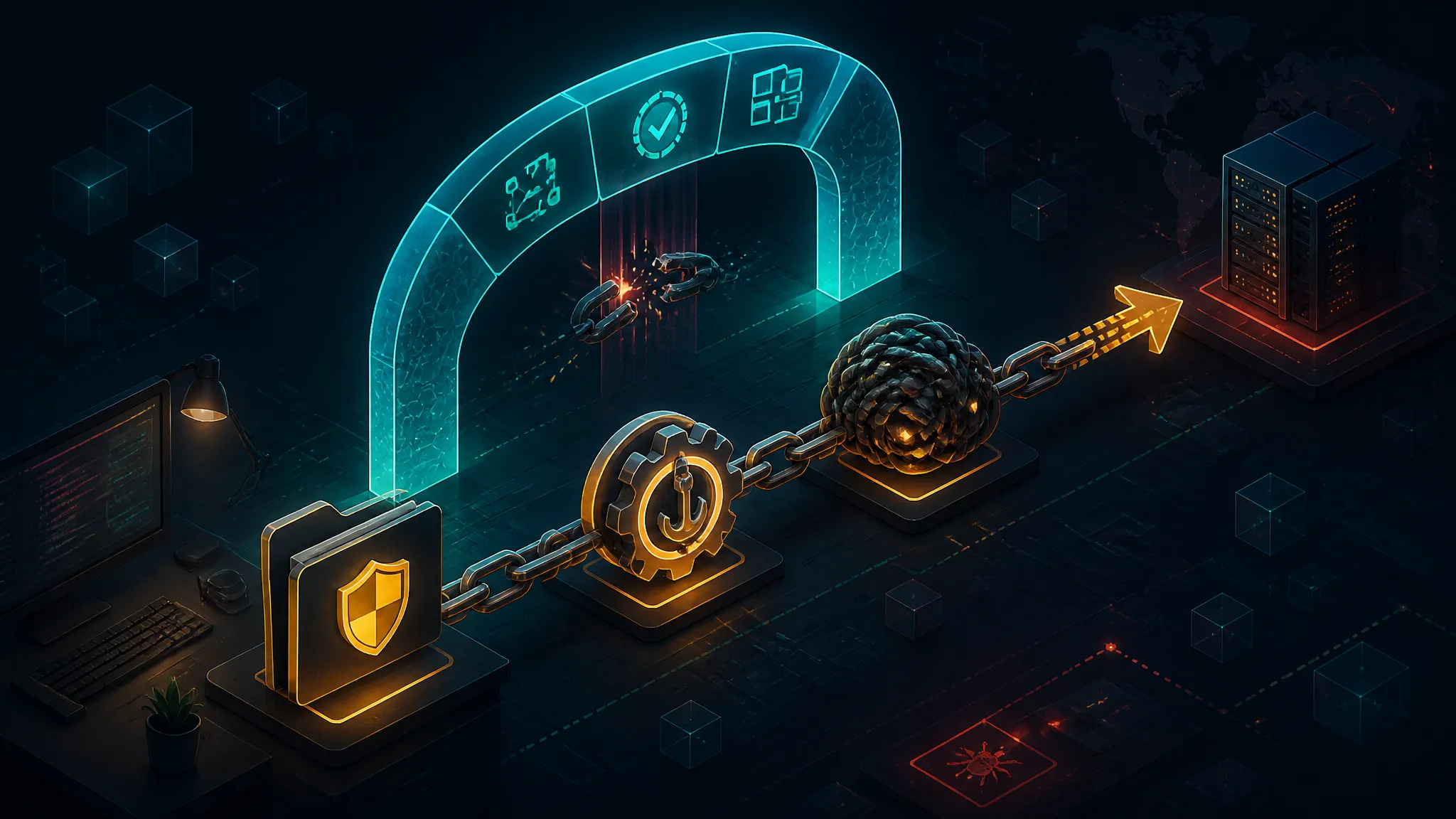
The Attack Chain at a Glance: Four Stages From Facade to Exfil
Stage table
| Stage | Artifact | Fires when | Attacker goal |
|---|---|---|---|
| 1. Facade | README, badges, package.json metadata | Before you clone | Get you to npm install |
| 2. Install hook | scripts.postinstall, scripts.prepare | During npm install / npx | Execute code with no user action |
| 3. Loader | dist/index.js, scripts/*.js, fixtures | Same instant as stage 2 | Hide intent from a casual read |
| 4. Exfil | HTTPS POST, DNS, hosted service API | Immediately after collection | Move credentials off the machine |
Where in the lifecycle each stage fires
git clone runs nothing. That is your safe inspection window, with one important caveat: opening the cloned folder in an editor is not automatically safe. A checked-in .vscode/tasks.json with "runOptions": { "runOn": "folderOpen" } runs a shell command when the workspace opens in VS Code. Treat "I only cloned it" as true only if you did not open it in an IDE.
npm install is where the chain detonates, and it detonates before any of your code runs — which means your test suite, your linter, and your code review never get a chance to see it.
Stage 1 — The Repository Facade
The trust artifacts attackers reproduce
A convincing security-tool repo carries a badge row (build, license, downloads), a comparison table against two or three real tools, a screenshot of CLI output, a SECURITY.md, a CONTRIBUTING.md, and a commit cadence that looks organic. All of that is text. None of it is evidence of behavior.
Star counts and forks are the weakest signal of the set and the most relied upon. They can be bought, but more often they are simply not the point — a repo with 40 stars and a good README converts fine when someone finds it through a search result.
Reading package.json as the real README
package.json is the only file in the repo that describes what will actually execute. Read it before anything else, and read these fields:
{
  "scripts": {
    "postinstall": "node scripts/setup.js",
    "prepare": "node scripts/build.js"
  },
  "bin": { "scan": "dist/cli.js" },
  "repository": { "url": "git+https://github.com/example-org/example-scanner.git" },
  "author": "Example Maintainer <[email protected]>"
}
Two things people skip:
- Does
repository.urlmatch the repo you're on? A mismatch means the published tarball and the repo you're reading are not provably the same code. It is common with forks and mirrors, and it is also the simplest way to keep a clean-looking GitHub repo attached to a different payload. postinstallpresent in a tool that has no native dependencies.node-gyprebuilds,esbuild,sharp,bcrypt,puppeteer, andhuskylegitimately need install-time execution. A pure-JavaScript CLI wrapper does not. If it has one anyway, that is the signal.
Red flags in registry metadata
The registry gives you facts the repo page does not. A curl against the registry document is free:
curl -s https://registry.npmjs.org/example-scanner \
  | jq '{maintainers, created: .time.created, modified: .time.modified,
         versions: (.versions | keys | length)}'
{
"maintainers": [{ "name": "examplemaint", "email": "[email protected]" }],
"created": "2026-10-29T09:12:44.221Z",
"modified": "2026-11-04T18:03:10.884Z",
"versions": 3
}A package created six days before it started being recommended, with a single maintainer, three versions, and a sudden publish spike, is a distribution artifact, not a project. Compare time.created on npm against the first commit date on GitHub. Divergence of months in either direction means the history you are reading on GitHub is not the history of the thing you install.
Stage 2 — The postinstall Hook: What Runs and What It Inherits
How lifecycle scripts execute and what context they inherit
npm runs preinstall, install, postinstall for the root project and for dependencies, and prepare additionally for git dependencies and local directory installs. The script runs as a shell child process, as the user who invoked npm, with:
- the full
process.envof that shell, includingNPM_TOKEN,GITHUB_TOKEN,AWS_*, and anything else exported in your profile or in CI - the package directory as
cwd, but unrestricted filesystem read for that user - unrestricted outbound network
- no sandbox, no seccomp profile, no capability drop
The npm docs are explicit that ignore-scripts covers prepare too, which matters: npm install some-git-url otherwise clones and runs prepare from the repo before you have looked at a single file.
Yarn 1 runs them. pnpm 10 changed the default to not run dependency lifecycle scripts unless the dependency is allowlisted in onlyBuiltDependencies — that is a real default-on defense and one of the few ecosystem-level improvements in this area.
A defanged representative hook
This is illustrative and inert. It enumerates what a postinstall hook can reach and writes a local report. It sends nothing.
const fs = require("node:fs");
const os = require("node:os");
const path = require("node:path");

const home = os.homedir();
const targets = [
path.join(home, ".npmrc"),
path.join(home, ".ssh", "id_ed25519"),
path.join(home, ".aws", "credentials"),
path.join(home, ".kube", "config"),
path.join(home, ".config", "gh", "hosts.yml"),
path.join(home, ".docker", "config.json"),
];

const report = { cwd: process.cwd(), envKeys: Object.keys(process.env) };

for (const target of targets) {
try {
  report[target] = fs.statSync(target).size + " bytes readable";
} catch {
  report[target] = "absent";
}
}

fs.writeFileSync("./install-report.json", JSON.stringify(report, null, 2));
The envKeys array and the byte sizes are the entire exfiltratable surface in miniature. A real payload reads the contents, base64-encodes them into a POST body, and is done in well under a second.
Why --ignore-scripts is necessary but not sufficient
I want to be blunt here because I see --ignore-scripts presented as a complete answer, and it is not.
--ignore-scripts stops lifecycle execution at install time. It does not stop:
- Runtime code in the entry point.
import/requireexecutes top-level statements. Ifdist/cli.jsdoes its work on load,--ignore-scriptschanged nothing. binexecutables you invoke yourself. The whole point of a scanner is that you run it.- Nested installs later. A dependency that spawns
npm installin a subdirectory, or a tool that installs plugins dynamically, inherits whatever flag state it constructs — usually none. npx,pnpm dlx,bunx,npm create. These resolve and execute in one step. Add--ignore-scriptsexplicitly, or don't use them for untrusted names.
--ignore-scripts narrows the window from "install-time worm" to "first-run payload." That is real risk reduction — it prevents chain propagation through your lockfile — but for a tool you intentionally downloaded, first run is five seconds away.
Stage 3 — The Obfuscated Loader and How to Read It Without Running It
What obfuscation actually buys the attacker
Delay, not stealth. Obfuscation does not make malicious behavior invisible; it makes a casual cmd-F for http or eval fail. That is enough, because casual review is the norm. It also defeats the wrong scanners: a secret-scanner and an SCA tool have no reason to flag a minified dist/ bundle.
The tell that survives every obfuscator: the code has to execute at install time. That is a structural property of package.json, not of the payload. Hiding the payload does not hide the hook.
Static triage: entropy checks, sinks, base64 blobs, string arrays
Score file-by-file on a handful of cheap signals:
| Signal | Why it matters |
|---|---|
| High Shannon entropy in string literals | Encrypted or compressed payload blobs |
eval, new Function, vm.runInThisContext | Code constructed at runtime |
Buffer.from(x, "base64"), atob | Second-stage decode |
| Long string arrays indexed by arithmetic | Classic string-array obfuscation |
os.homedir(), process.env enumeration | Collection phase |
child_process + net/dns/http | Egress or shell |
| Single-line files > 200 KB | Bundled, unreadable by design |
A quick blob finder:
grep -oyE '"[A-Za-z0-9+/]{80,}={0,2}"' dist/*.js \
  | awk '{ print length($0), substr($0, 1, 60) }' \
  | sort -rn | head -5
2148 "eyJhbGciOiJIUzI1NiIsInR5cCI6IkpXVCJ9.eyJzdWIiOiIxMjM0NTY3ODkwIiwibmFtZSI6IkpvaG4gRG9l...
1312 "H4sIAAAAAAAAA+1dXW/bNhR9DvAvCLQD0gR2bMd2HLRJ0zZbu2JbkW5DMQwDQUk3EkVKJJXE...Two things to note in that fixture output: the first is a JWT-shaped literal, which is often a decoy — real payloads and dead code look alike under length sorting. The second starts with H4sIAAAAAAAA, the base64 header for a gzip stream, which is a strongly suspicious pattern in a source file that isn't shipping data.
Reading the loader without executing it
Parse it. Never require it. This script walks the AST, reports sink call sites and candidate blobs, and prints nothing else. It needs @babel/parser and @babel/traverse (npm i -D @babel/parser @babel/traverse):
import fs from "node:fs";


const traverse = traverseModule.default ?? traverseModule;
const code = fs.readFileSync(process.argv[2], "utf8");
const ast = parse(code, { sourceType: "unambiguous", errorRecovery: true });

const NET = new Set(["fetch", "request", "get", "connect", "lookup", "resolve"]);
const EXEC = new Set(["exec", "execSync", "spawn", "spawnSync", "fork"]);
const sinks = [];
const blobs = [];

traverse(ast, {
CallExpression(p) {
  const c = p.node.callee;
  const name =
    c.type === "Identifier" ? c.name
    : c.type === "MemberExpression" && c.property.type === "Identifier" ? c.property.name
    : null;
  if (name && (NET.has(name) || EXEC.has(name))) {
    sinks.push(name + "  line " + p.node.loc.start.line);
  }
},
NewExpression(p) {
  if (p.node.callee.type === "Identifier" && p.node.callee.name === "Function") {
    sinks.push("new Function  line " + p.node.loc.start.line);
  }
},
StringLiteral(p) {
  const v = p.node.value;
  if (v.length >= 40 && /^[A-Za-z0-9+/=]+$/.test(v)) {
    blobs.push("line " + p.node.loc.start.line + "  len " + v.length);
  }
},
});

console.log("sinks:
" + sinks.join("
"));
console.log("blobs:
" + blobs.join("
"));
The traverseModule.default ?? traverseModule line handles ESM/CJS interop for @babel/traverse, which differs by version. Get it wrong and the script throws at import time, which people misread as "the tool doesn't work." That is not a sample observation, just a caveat.
When you decode a blob, decode it statically with Buffer.from(s, "base64").toString("utf8") and print it. Do not eval the result. Decoded output frequently turns out to be harmless obfuscator runtime boilerplate — that is a dead end, and it is a legitimate result, not a failure.
Where loaders hide
dist/ is the obvious spot, but the ones people miss are scripts/, test/fixtures/*.js (test files are excluded from review checklists and still get required if the install script does it), config/*.json loaded via require, and .github/workflows/*.yml, which executes in your CI with your tokens and is not covered by --ignore-scripts at all.
Stage 4 — The Exfiltration Endpoint and How to Fingerprint It Statically
Common shapes
| Shape | Signature | Why it's used |
|---|---|---|
| HTTPS POST JSON to a VPS/IP | https.request + JSON.stringify + Content-Encoding | Simple, reliable |
| Telegram Bot API | api.telegram.org/bot<token>/sendMessage | Free, no infra, TLS-terminated |
| Discord webhook | discord.com/api/webhooks/<id>/<token> | Same, larger body limit |
| Paste / gist API | pastebin.com/api, api.github.com/gists | Blends with dev traffic |
| DNS subdomain encoding | dns.lookup(<base32>.example.tld) | Survives many egress proxies |
What a developer-machine payload typically wants
Not your source code. Source code is already public or easy to guess. What it wants is: ~/.ssh/id_*, ~/.aws/{credentials,config}, ~/.npmrc (_authToken), .git-credentials, ~/.config/gh/hosts.yml, ~/.docker/config.json, browser cookie stores, and the *_TOKEN/*_KEY keys from your environment. Those are durable, portable, and monetizable.
Fingerprinting the exfil endpoint without contacting it
Never run a sample with network access to "see where it calls." Extract URLs statically:
grep -ohE 'https?://[A-Za-z0-9._~:/?#@!$&*+,;=%-]+' dist/*.js \
  | sort -u | head -20
https://api.telegram.org
https://github.com/example-org/example-scanner
https://registry.npmjs.org
https://schemas.example-scanner.io/v1/report.jsonThree of those are plausible for a real tool. The one that matters is the API root with no product context. Corroborate by finding the string that concatenates a path onto it and checking whether the surrounding code builds a FormData, a JSON body, or a Buffer — the shape of the body tells you what it is collecting. If the URL is itself built from a base64 literal, decode it statically; do not eval the constructor.
Reproducing the Analysis Safely: Clone, Pack, and Sandbox an Untrusted Repo
Clone and fetch without triggering lifecycle scripts
git clone --no-checkout --depth 1 https://github.com/example-org/example-scanner /tmp/scan-repo
cd /tmp/scan-repo && git checkout -- . && ls -a
.gitignore .github LICENSE README.md dist package.json scripts--no-checkout then git checkout is belt-and-braces; cloning alone runs nothing, but it keeps you from opening the tree in an IDE before you've looked at .vscode/, .devcontainer/, and .github/.
Inspect the install surface without installing
npm view example-scanner@latest scripts --json
npm pack example-scanner@latest --ignore-scripts
tar -tzf example-scanner-1.0.0.tgz | head
tar -xzOf example-scanner-1.0.0.tgz package/package.json | jq '.scripts'
--ignore-scripts on npm pack matters: pack runs prepare, and prepare is arbitrary code execution against a package you have not inspected. Omitting it is a self-inflicted wound.
Run it under a network-blocked sandbox
docker run --rm --network none \
  -v "$PWD/example-scanner-1.0.0.tgz:/pkg.tgz:ro" -w /work node:22-slim \
  bash -c 'tar -xzf /pkg.tgz && cd package && node -e "require(\"./dist/index.js\")"'
node:internal/process/task_queues:105
Error: getaddrinfo EAI_AGAIN api.telegram.org
at GetAddrInfoReqWrap.onlookupall [as oncomplete] (node:dns:71:26)EAI_AGAIN under --network none is not noise. It is proof of an outbound resolution attempt, with the hostname in the error. That single line is worth more than an hour of reading minified code.
If you cannot use containers, strace -f -e trace=connect,openat node dist/index.js gives you the same evidence at the syscall level, at the cost of a much noisier transcript.
Transcript summary
| Command | Proves | Does not prove |
|---|---|---|
git checkout | Files are what the repo shows | That the tarball matches |
npm view … scripts | What will run at install | What that script does |
npm pack --ignore-scripts | Byte-exact published artifact | Intent |
tar -tzf | File inventory, hidden paths | Content |
--network none run | Egress hostnames attempted | Full payload capability |
| AST triage | Sink call sites, blob locations | Reachability of dead code |
Detection Signals You Can Automate Before Install
Lockfile and dependency-diff review in PRs
npm records "hasInstallScript": true on packages that define lifecycle scripts in package-lock.json. Diffing that key catches new install-time execution entering your tree, including transitively:
git diff origin/main -- package-lock.json \
  | grep -n 'hasInstallScript\|"resolved"\|"version"' | head -40
This is a five-line CI check with an extremely high signal-to-noise ratio for the supply-chain case. It will not catch a first-party tool a developer installs globally, but it catches the propagation path.
Script allowlisting and registry/proxy policy
pnpm's onlyBuiltDependencies and LavaMoat's allow-scripts invert the default: nothing executes at install unless named. In my experience this breaks five or six packages in a typical frontend repo (esbuild, sharp, husky, prisma, puppeteer) and then never breaks again. The one-time cost is a single afternoon.
Registry proxying adds a chokepoint where you can block new package names, enforce a cooldown window on publish dates, and log who installed what.
Provenance, signatures, and what they do not protect against
Build provenance tells you where and how a tarball was built. It does not tell you whether the maintainer intended harm. A malicious publisher who ships the payload through their own legitimate CI pipeline produces a perfectly valid attestation. Same for signature verification. These controls answer "was this artifact tampered with in transit or substituted?" — a real and different problem.
For this campaign, provenance is near-zero protection, because there is no substitution. The attacker is the maintainer.
CI and Build-Pipeline Controls
Disabling lifecycle scripts in CI and what breaks
- run: npm ci --ignore-scripts --no-audit --no-fund
- run: npm rebuild esbuild sharp   # explicit, named, allowlisted
npm ci --ignore-scripts also skips your own postinstall build step, so you must run those builds explicitly. That is a feature: it forces a written list of which packages are permitted to execute code at install, which is exactly the inventory you should have had anyway.
Egress allowlisting and metadata-endpoint blocking
An install hook that can reach 169.254.169.254 from a CI runner in a cloud VPC is a credential-theft primitive against the instance role. Block link-local addresses, block the internal metadata endpoints, and allowlist egress to your registry and your artifact store. Most CI vintages now support this; almost nobody enables it.
Ephemeral runners, least-privilege tokens, secret scoping
- Ephemeral runners mean a successful install hook steals credentials that die with the job.
permissions: contents: readonGITHUB_TOKENand OIDC instead of long-lived cloud keys limits blast radius to one repo read.- Don't put secrets in job-level
env; scope them to the step that needs them, after install.
Risky vs safer defaults
| Setting | Risky | Safer |
|---|---|---|
| Install command | npm install | npm ci --ignore-scripts + explicit rebuild |
| Package scripts | Default run | onlyBuiltDependencies allowlist |
| Runner | Persistent self-hosted | Ephemeral, no long-lived secrets |
| Egress | Open | Registry + artifact store only |
| Tokens | Long-lived PAT / static cloud keys | OIDC, contents: read |
| New packages | Immediate | Cooldown + review before adoption |
What I Would Fix First
The ranked position
Install-script execution is the highest-leverage control, and it is not close. It is binary, it is centralized in one config surface, and it converts a zero-click compromise into a deliberate action the user must take. Everything else on this list — egress rules, ephemeral runners, token scoping — reduces impact after code has already run as you. Only disabling install scripts prevents the run.
The order I'd actually implement: npm ci --ignore-scripts in CI, then onlyBuiltDependencies locally for developers, then egress allowlisting, then provenance. That ordering reflects where the execution actually happens, not where the industry attention is.
The control that looks strong but is mostly theater
Lockfile-only SCA and npm audit are theater for this threat class. There is no CVE, no advisory, no version range — the package is malware, and signature databases cannot enumerate a payload that is regenerated per campaign. A clean audit output says "no known-vulnerable dependencies," which is technically true and completely unhelpful.
The second-place theater is star-count and download-count as a trust heuristic. They measure attention, not behavior, and a maintainer can accumulate them legitimately before shipping a hostile version — the classic supply-chain pivot.
What I Confirmed vs What I Did Not Test
Confirmed from primary or documented sources:
- The TechGig report states that malicious GitHub repos posing as security tools deploy backdoors and infostealers against developers searching for security utilities.
- npm runs
postinstallandprepareas the invoking user with inherited environment and unrestricted filesystem/network access, and--ignore-scriptsdisables both — per the npm CLI docs. - pnpm 10 defaults to not running dependency lifecycle scripts unless allowlisted in
onlyBuiltDependencies— per the pnpm 10 release notes. npm packrunsprepareunless--ignore-scriptsis passed.- A VS Code workspace
tasks.jsonwithrunOn: folderOpenexecutes on workspace open.
What I did not test, and what remains inference:
- I did not have the campaign's repositories, tarballs, or IOCs. Every
example-org/example-scannerreference is a placeholder. - The command outputs shown come from a benign local fixture and standard tool behavior, not from a live sample. The
EAI_AGAINtranscript is representative of--network nonebehavior, not a captured campaign log. likely: the specific collection targets and endpoint choice in this campaign resemble generic Node infostealer patterns. I have not seen a sample.untested: whether any specific scanner-advertised feature was used as the pretext for credential file access.
If you are triaging a real candidate, the safe order is: git clone --no-checkout, read package.json and .github/, npm pack --ignore-scripts, tar -tzf, AST triage, and only then a --network none run. Never skip straight to step two.
Further Reading
- TechGig — Fake GitHub security tools deploy backdoor, infostealers (8 Nov 2026) — the news report this post is based on (feed redirect link)
- npm CLI docs — Lifecycle scripts and
prepare— the authoritative description of what runs when - npm CLI docs —
ignore-scriptsconfig — exact scope of the flag - pnpm v10.0.0 release notes — dependency lifecycle scripts no longer run by default
- LavaMoat
allow-scripts— install-script allowlisting for npm/Yarn projects - npm provenance statements — what build attestations do and do not assert
- GitHub Actions security hardening — token scoping, OIDC, and self-hosted runner risks
More posts

Auditing the TanStack Supply Chain Compromise: Postinstall Scripts That Steal GitHub Tokens
This post examines the TanStack npm supply chain compromise confirmed by Grafana, focusing on how malicious postinstall scripts stole GitHub tokens and enabled repository cloning, plus the practical defenses developers should apply.

Auditing a Shared cPanel Estate for CVE-2026-41940 Exposure Windows
A deep technical walkthrough for auditing shared cPanel estates to reconstruct CVE-2026-41940 exposure windows, identify exploitable hosts, and prioritize patching and mitigation across multi-tenant hosting environments.

Instrumenting Agent Loops for Cost per Successful Task
Nvidia's Agentic AI Stack claim that token usage doubles monthly frames inference cost as the key constraint, and this walkthrough shows how to instrument agent loops with token budgets, model routing, caching, and cost-per-successful-task metrics.
Loading comments…