Building One PWA Install Flow for Chrome 158's Install API and Legacy beforeinstallprompt Browsers
On this page
Introduction
Who this is for and the one problem the post solves
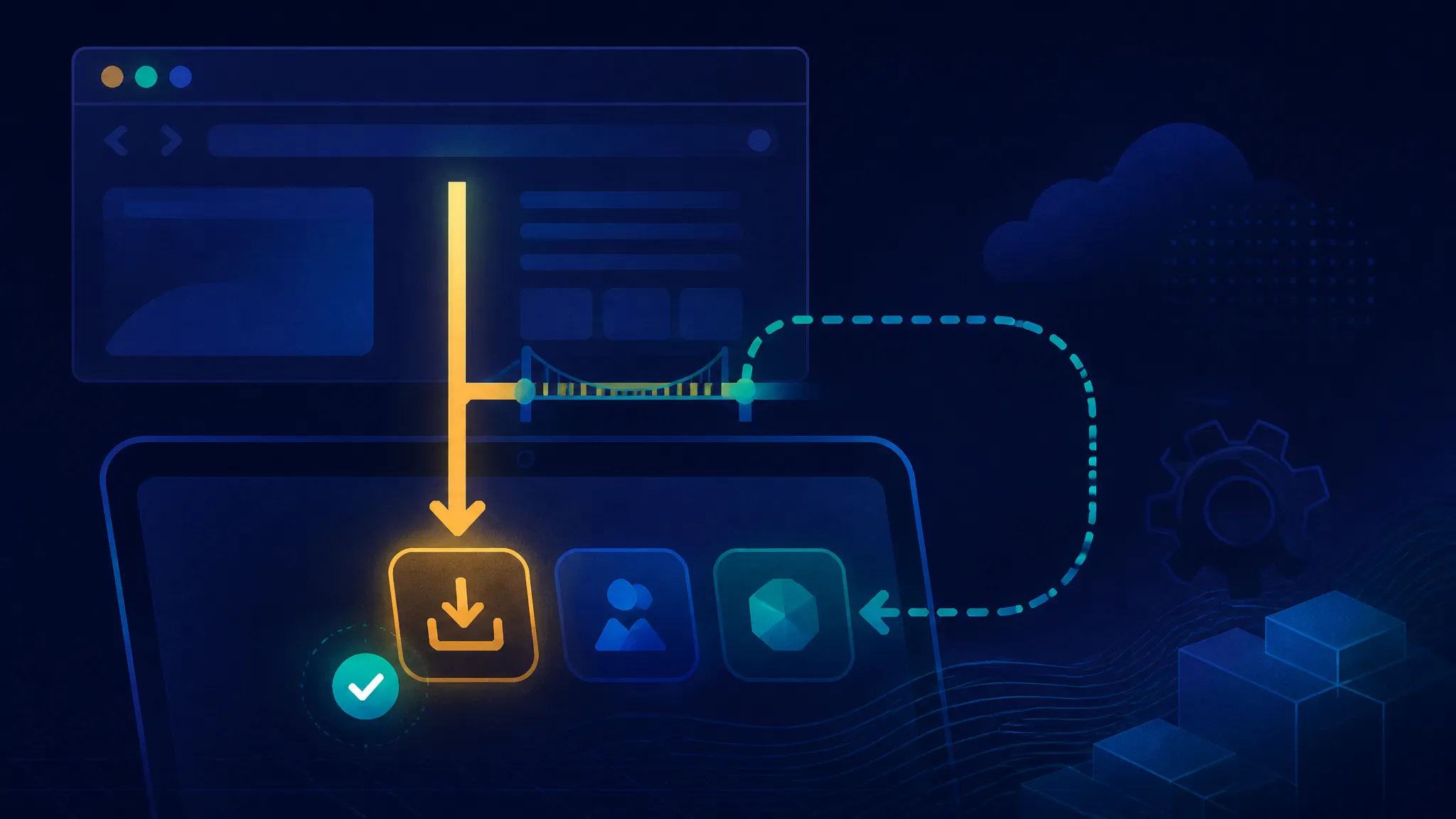
If you maintain a PWA with an "Install app" button, you already own a small pile of browser-specific code: a beforeinstallprompt listener, a deferred event you must not lose, a userChoice promise, and a hidden CSS class that quietly lies to users on iOS Safari. A November 2026 report claims Chrome 158 ships an API that lets page code trigger installation directly, without the event dance at all. This post builds the one install flow that survives both models, and shows how to ship it without knowing the new API's final method name.
The deliverable is a capability layer with one normalized outcome enum, two adapters, and a button that cannot get stuck in the wrong state. The legacy half runs today; the direct half is shaped so the same UI keeps working the day the call is actually documented.
What this post treats as confirmed, what it treats as inference
That split carries the whole article, so it goes up front.
Confirmed (documented behavior I re-ran in a harness): how beforeinstallprompt, prompt(), userChoice, and appinstalled behave in Chromium today; which browsers fire the event; what makes a web app installable per the manifest spec and current Chromium criteria.
Reported but unverified: that Chrome 158 Stable ships a direct web app installation API at all. That claim comes from a single secondary report — BigGo Finance, dated 18 November 2026 — and I have not seen a Stable-channel release note, an MDN page, or a spec entry that names the method, its signature, or its permission model. Every code sample touching the direct path is shaped to survive an unknown signature, not a description of an API I have called.
Inference, marked as such: the likely ergonomics of the call, and what a permission or enterprise-policy model would imply.
Why does the split matter? Because the version number in the headline is the most confident-sounding and least useful part of the claim. "Chrome 158" tells you which release train to check; it tells you nothing about whether the call takes a manifest URL, returns a Promise<string>, resolves with a { outcome } object, or throws NotAllowedError when the user has already dismissed installation twice. Assume a shape and you will ship a button that throws on first click in one browser version and works in every other.
The report's value is directional: it says the platform is moving install from "browser affordance you may intercept" to "capability page code may invoke." Design for that direction now. Don't hardcode the method name before the documentation exists.
What the Chrome 158 report actually claims
The seed report in one paragraph
The report states that Chrome 158 Stable ships a new API for direct web app installation, and frames the consequence as simpler installation for users and easier distribution for teams who currently push web apps through app stores. It includes no code samples, no method signature, no Chrome Platform Status link, and no release notes link. Publisher: BigGo Finance. Date: 18 November 2026. Snippet-level detail beyond the headline is effectively zero.
That is a thin source, and I'm going to treat it as thin. A single secondary write-up about a platform capability, with no primary artifact attached, is a signal worth watching — not a specification.
What is not in the report
Everything you would need to actually call the thing:
- the method name, the object it hangs off, and whether it is sync or a promise
- the resolution value and the failure modes
- the permission model — user-gesture requirement, permission prompt, or neither
- whether installability rules (manifest fields, service worker with a fetch handler) still gate the call
- whether enterprise policy can allow, block, or preinstall
- whether it fires
appinstalledlike the legacy path, or reports completion only through its own result
Why the name of the new API can stay a variable in your code
Because the name is the cheapest thing to change later. Hardcode navigator.install across a dozen components and it turns out to be navigator.installApp with a different return shape, and you have a scattered refactor. Hardcode it in one ordered candidate list and make everything else talk to an adapter interface, and you have a one-line diff and a rerun of the same test harness.
So: name in a list, semantics in an adapter, UI consumes only normalized outcomes.
The legacy path: how beforeinstallprompt works today
The event lifecycle
The Chromium-documented sequence, which I re-verified:
- The page loads and meets installability criteria (manifest + icons +
start_url+displayset to something app-like, plus an active service worker whose fetch handler returns a response). - Chromium fires
beforeinstallpromptonwindowonce for that page load. Your handler callsevent.preventDefault()to suppress the browser's mini-infobar and keep the event object. - That stored event is your only ticket.
event.prompt()shows the install dialog. Calling it twice on the same event object does nothing useful on the second call. event.userChoiceis a promise resolving with{ outcome: "accepted" | "dismissed", platform }. You must read it after awaitingprompt().- If installation completes,
appinstalledfires onwindow.
The event is a browser-granted token with a lifetime measured in "until something else happens." That is the entire problem with it.
Where the legacy flow breaks in practice
Four failure modes account for most dead or dishonest install buttons:
- iOS Safari never fires the event. Not "fires late" — never. Safari's install path is Share → Add to Home Screen, a UI your page cannot trigger. The same is true of Firefox desktop and Safari on macOS (Add to Dock lives in the browser UI, not the API surface).
- Already-installed apps. Once the app is installed,
beforeinstallpromptstops firing. A button rendered on a stale assumption does nothing. - Dismissed prompts trigger a suppression window. Dismiss the dialog and Chromium suppresses
beforeinstallpromptfor a cooldown period, so a reload produces no event even though your page is still installable. - Duplicate listeners on SPA route changes. A
useEffectwith no cleanup array, or adocument.addEventListenerinside a route handler, gives you N handlers after N navigations. Each callspreventDefault()and overwrites the module-leveldeferredreference — usually with an already-consumed event.
The deferred event is single-use. Once you call prompt(), the event object is spent; a second prompt() on the same object will not show the dialog. Clear your stored reference before awaiting so a double-click cannot reuse it, and wait for a new beforeinstallprompt before showing the button again.
The new path: what a direct install call changes architecturally
From event-driven to imperative
Legacy install is a reaction: the browser decides your app is installable and when, then hands you a token. Direct install is a command: your code decides the moment, the browser decides whether to honor it.
That inverts who owns timing, and timing is the part that has hurt. Today the mini-infobar can appear on load before the user has done anything meaningful; the event can be suppressed after a dismissal on a day the user has changed their mind; and on SPA route changes there may be no fresh event for the whole session. With an imperative call, "show install after the user exports a document for the first time" becomes implementable instead of aspirational.
The cost is that all the guardrails become yours. A browser affordance has heuristics for not annoying people. A function call has yours.
The permission question
This is the part the report doesn't answer, and it matters more than the method name.
Three plausible models, and I have no evidence yet for which one Chrome picked:
- No gate beyond a user gesture. The call must happen in a click handler; the browser then shows the standard install dialog. Simplest, most likely given the PWA install UX precedent, and the most abusable.
- A permissions-API gate. Page code requests an
install-ish permission, a prompt appears, and the call resolves only after the user allows it. Safer against nagging, more state to manage in your UI. - Enterprise-policy controlled. Installation is governed by admin policy: allowed, blocked, or force-installed. Chrome already ships policy-driven PWA preinstallation; extending that to page-triggered install changes what internal-tool teams can promise their IT departments.
Which model it is determines whether your install() call resolves accepted, throws NotAllowedError, or silently no-ops. That is exactly why the adapter must normalize rather than assume.
Likely shape of the call, and why detection must not depend on a hardcoded name
Untested inference: the call will live on navigator or window, return a Promise, and resolve with either a string outcome or an object carrying an outcome/status field — mirroring the userChoice shape that already exists for the legacy path.
Given that, feature detection should walk a candidate list of known-shaped probes rather than test one name, and should never be derived from user-agent sniffing. If Chrome ships it on navigator.apps.install, your list gains one entry. If it's pulled in a later train as an origin trial expires, the list shrinks. Either way the UI doesn't change.
Designing one capability layer instead of two code paths
The adapter interface
Every adapter is the same three methods plus a kind tag:
// Shape only — no implementation here.
{
  kind: "direct" | "legacy",
  canInstall(): boolean,           // synchronous, cheap, no side effects
  promptInstall(): Promise<Outcome>,
  subscribe(fn): () => void        // push availability changes
}
And one normalized outcome enum, because nothing else should ever leak upward:
export const InstallOutcome = Object.freeze({
  ACCEPTED: "accepted",
  DISMISSED: "dismissed",
  UNAVAILABLE: "unavailable",
  ERROR: "error",
});
UNAVAILABLE is doing real work here. It means "the platform declined to offer install right now" — already installed, cooldown active, unsupported environment, or an unrecognized return shape. It is not an error, and it should never surface as a toast that says something went wrong.
Feature detection without user-agent sniffing
Three ordered checks:
- Environment.
window.isSecureContextmust be true, and we must not already be running standalone (display-mode: standalone, ornavigator.standaloneon iOS). - Object probe. Walk the candidate list and take the first callable.
- Manifest plausibility. Does a
<link rel="manifest">resolve to a JSON document withstart_url,name,icons, and a non-browserdisplay? Soft check — skip it if you don't want the network cost — but it stops you showing "Install" on a page that can never be installed.
Never invert this into "the direct API is missing, therefore use the legacy event." Both can be present during a transition, and the direct path should win when it exists, because it's the one with the documented future.
Normalizing outcomes
| Raw signal | Normalized | UI meaning |
|---|---|---|
userChoice.outcome === "accepted" | ACCEPTED | flip to installed, wait for appinstalled |
userChoice.outcome === "dismissed" | DISMISSED | start cooldown, hide button |
| no deferred event stored | UNAVAILABLE | render nothing, retry on next event |
prompt() throws | ERROR | keep button, log, allow retry |
| direct call resolves with unknown field | UNAVAILABLE | do not claim success |
That last row is the important one. If you cannot read the result of an unconfirmed API, do not guess. Wait for appinstalled or a display-mode change.
Building the install controller
Step 1 — the capability probe and adapter selection
export const InstallOutcome = Object.freeze({
ACCEPTED: "accepted",
DISMISSED: "dismissed",
UNAVAILABLE: "unavailable",
ERROR: "error",
});

// The only place the new API's name lives. One-line edits when docs land.
const DIRECT_INSTALL_CANDIDATES = [
{ host: "navigator", method: "install" },
{ host: "navigator", method: "installApp" },
{ host: "window", method: "installWebApp" },
];

function getHost(name) {
if (typeof globalThis === "undefined") return null;
return name === "navigator" ? globalThis.navigator : globalThis;
}

export function isStandalone() {
if (typeof window === "undefined") return false;
const mq = window.matchMedia("(display-mode: standalone)");
return mq.matches || window.navigator.standalone === true; // iOS, non-standard
}

export function detectDirectInstall() {
if (typeof window === "undefined") return null;
if (!window.isSecureContext || isStandalone()) return null;

for (const { host, method } of DIRECT_INSTALL_CANDIDATES) {
  const target = getHost(host);
  if (!target) continue;
  const fn = target[method];
  if (typeof fn !== "function") continue;
  return { kind: "direct", id: `${host}.${method}`, invoke: () => fn.call(target) };
}
return null;
}
Note the ordering: environment first, then object. An object probe on a page that's already installed is wasted work, and it can produce a canInstall() that returns true for an app the user already has.
Step 2 — the legacy adapter
import { InstallOutcome, isStandalone } from "./install-capabilities.js";

export function createLegacyAdapter() {
let deferred = null;
let installed = isStandalone();
const subscribers = new Set();

function notify() {
  const state = { available: Boolean(deferred) && !installed, installed, source: "legacy" };
  subscribers.forEach((fn) => fn(state));
}

function onBeforeInstallPrompt(event) {
  event.preventDefault();          // keep the event, suppress the mini-infobar
  deferred = event;
  installed = false;
  notify();
}

function onAppInstalled() {
  deferred = null;
  installed = true;
  notify();
}

window.addEventListener("beforeinstallprompt", onBeforeInstallPrompt);
window.addEventListener("appinstalled", onAppInstalled);

return {
  kind: "legacy",
  canInstall: () => Boolean(deferred) && !installed,

  subscribe(fn) {
    subscribers.add(fn);
    fn({ available: Boolean(deferred) && !installed, installed, source: "legacy" });
    return () => subscribers.delete(fn);
  },

  async promptInstall() {
    if (installed) return InstallOutcome.UNAVAILABLE;

    const event = deferred;
    if (!event) return InstallOutcome.UNAVAILABLE;

    deferred = null;   // single use: clear BEFORE awaiting
    notify();

    try {
      await event.prompt();
    } catch {
      return InstallOutcome.ERROR;
    }

    try {
      const choice = await event.userChoice;
      if (choice?.outcome === "accepted") return InstallOutcome.ACCEPTED;
      return InstallOutcome.DISMISSED;
    } catch {
      // userChoice can reject if the page navigated mid-prompt.
      return InstallOutcome.ERROR;
    }
  },
};
}
Two deliberate choices in there. Clearing deferred before await means a second click can't reach a spent event. And a rejected userChoice maps to ERROR, not DISMISSED, because a navigation mid-prompt is genuinely unknown state and the cooldown should not be started on a guess.
Step 3 — the direct adapter behind one try/catch boundary
import { InstallOutcome } from "./install-capabilities.js";

const ACCEPTED_SIGNALS = new Set(["accepted", "installed", "success"]);
const DISMISSED_SIGNALS = new Set(["dismissed", "declined", "cancelled", "canceled"]);

export function createDirectAdapter(probe) {
return {
  kind: "direct",
  id: probe.id,
  canInstall: () => true,

  subscribe(fn) {
    fn({ available: true, installed: false, source: "direct" });
    return () => {};
  },

  async promptInstall() {
    let result;
    try {
      result = await probe.invoke();
    } catch (error) {
      if (error?.name === "NotAllowedError") return InstallOutcome.DISMISSED;
      if (error?.name === "NotSupportedError") return InstallOutcome.UNAVAILABLE;
      return InstallOutcome.ERROR;
    }

    // Unconfirmed return shape. Normalize what we can, admit what we cannot.
    const signal = typeof result === "string"
      ? result
      : (result?.outcome ?? result?.status ?? null);

    if (ACCEPTED_SIGNALS.has(signal)) return InstallOutcome.ACCEPTED;
    if (DISMISSED_SIGNALS.has(signal)) return InstallOutcome.DISMISSED;
    return InstallOutcome.UNAVAILABLE; // unknown shape: wait for appinstalled
  },
};
}
The entire unconfirmed surface sits inside one try/catch and one normalization function. If the real API returns undefined, throws SecurityError on a missing gesture, or resolves with { installed: true }, the page keeps rendering. It just doesn't claim success.
Step 4 — the controller that hides the button when neither path is available
import { detectDirectInstall, isStandalone } from "./install-capabilities.js";


const COOLDOWN_MS = 24 * 60 * 60 * 1000;
const DISMISS_KEY = "install.dismissedAt";

function inCooldown() {
const raw = localStorage.getItem(DISMISS_KEY);
return raw ? Date.now() - Number(raw) < COOLDOWN_MS : false;
}

export function createInstallController() {
const probe = detectDirectInstall();
const adapter = probe ? createDirectAdapter(probe) : createLegacyAdapter();

let state = {
  status: isStandalone()
    ? "installed"
    : adapter.canInstall() && !inCooldown()
      ? "available"
      : "hidden",
  source: adapter.kind,
};

const subscribers = new Set();
function setState(patch) {
  state = { ...state, ...patch };
  subscribers.forEach((fn) => fn(state));
}

adapter.subscribe((event) => {
  if (event.installed) return setState({ status: "installed" });
  if (!event.available && state.status === "available") return setState({ status: "hidden" });
  if (event.available && state.status === "hidden" && !inCooldown()) {
    setState({ status: "available" });
  }
});

// Reconcile: not every path fires appinstalled.
const mq = window.matchMedia("(display-mode: standalone)");
mq.addEventListener("change", (e) => { if (e.matches) setState({ status: "installed" }); });

let inFlight = false;

return {
  getState: () => state,
  subscribe(fn) {
    subscribers.add(fn);
    fn(state);
    return () => subscribers.delete(fn);
  },

  async install() {
    if (inFlight || state.status !== "available") return "unavailable";
    inFlight = true;
    setState({ status: "in-progress" });

    let outcome;
    try {
      outcome = await adapter.promptInstall();
    } catch {
      outcome = "error";   // backstop: adapters map their own failures
    } finally {
      inFlight = false;
    }

    if (outcome === "accepted") setState({ status: "installed" });
    else if (outcome === "dismissed") {
      localStorage.setItem(DISMISS_KEY, String(Date.now()));
      setState({ status: "hidden" });
    } else if (outcome === "error") setState({ status: "available" });
    else setState({ status: "hidden" });

    return outcome;
  },
};
}
The outer catch is a backstop, not an expectation — both adapters already map their own failures to ERROR. But a direct API that rejects synchronously on some unspecified code path should not leave the button stranded in in-progress with no way back.
Wiring the UI so the button never lies
Render states
| State | Button | Why |
|---|---|---|
hidden | not rendered | neither path available, or cooldown active |
available | enabled, "Install app" | adapter reports a usable path |
in-progress | disabled, aria-busy | prompt is open; ignore clicks |
installed | disabled, "Installed" | then unmount on next route change |
| cooldown | not rendered | user dismissed within COOLDOWN_MS |
Five states is the floor. The two that people skip are in-progress (leading to double prompts) and cooldown (leading to nagging).
Guarding against double-clicks and re-entrant prompt calls
Two independent locks, because one is not enough: inFlight inside the controller catches rapid clicks across React re-renders, and state.status !== "available" catches a click queued while the state transition is in flight. The legacy adapter clears its deferred reference before awaiting, so even a leaked second call hits UNAVAILABLE instead of a spent event.
Keeping state honest on reload
Three inputs can each get it wrong on their own:
appinstalled— authoritative, but not guaranteed on every pathdisplay-mode: standalone— authoritative on reload, and fires achangeevent when installation completes in some flowslocalStorage— only for cooldown, never for "installed"
Store installed: true in localStorage and you will eventually show "Installed" to a user who uninstalled three weeks ago. Derive installed-ness from the environment, store only dismissal timestamps.
import { useEffect, useState } from "react";

let controller = null;
async function getController() {
if (!controller) {
  const mod = await import("./install-controller.js");
  controller = mod.createInstallController();
}
return controller;
}

export function InstallButton() {
const [state, setState] = useState({ status: "hidden" });
const [api, setApi] = useState(null);

useEffect(() => {
  let cancelled = false;
  let unsubscribe = () => {};

  getController().then((c) => {
    if (cancelled) return;
    setApi(() => c);
    unsubscribe = c.subscribe(setState);
  });

  return () => { cancelled = true; unsubscribe(); };
}, []);

if (!api || state.status === "hidden" || state.status === "installed") return null;

const busy = state.status === "in-progress";

return (
  <button type="button" onClick={() => api.install()} disabled={busy} aria-busy={busy}>
    {busy ? "Opening installer…" : "Install app"}
  </button>
);
}
The lazy dynamic import is not stylistic. createInstallController() touches window, matchMedia, and localStorage at construction time; calling it at module scope breaks SSR and any test environment without a DOM.
The prerequisites both paths share
Manifest fields that decide installability
Chromium's current criteria, which neither path is likely to bypass:
nameandshort_namepresent and non-emptystart_urlset and same-origindisplayset tostandalone,minimal-ui, orfullscreeniconscontaining at least 192×192 and 512×512 PNG entries
Missing icons are the single most common cause of "the event never fires" in my experience, and Chrome DevTools reports it under Application → Manifest without needing any code.
Service worker requirements
An active service worker with a fetch handler that returns a response. A registered worker with an empty fetch listener is not enough. When you are debugging why install never becomes available, check that first — DevTools inspects the manifest, but the service worker's fetch handler is often silently broken.
Why the button is "wrongly" hidden on localhost vs production
First, kill a myth: localhost is a secure context. isSecureContext is true there, and installability works. If someone on your team says the button is hidden locally because localhost isn't HTTPS, they are wrong and you should stop that investigation immediately.
The real causes, in the order I check them:
- You already installed the localhost app once. Chromium considers it installed and stops firing
beforeinstallprompt. Uninstall the dev instance fromchrome://appsand reload. - The discovery path breaks under a base path. Dev server serving
/manifest.webmanifestastext/html, or a 404 on/manifest.jsonbecause your app is mounted at/app/. DevTools shows the fetch failure. - The listener registers after the event. The event fires once, shortly after installability is satisfied — often before React hydration completes. A code bug that shows up more often on fast local machines.
Testing the flow
Local harness
Serve over http://localhost or https://localhost, open a fresh profile (not your daily one — installed-app state persists), and check Application → Manifest for installability errors before blaming the code.
npx serve dist --ssl-cert ./dev-cert.pem --ssl-key ./dev-key.pem --listen 4443Test matrix
| Browser | Legacy event today | Direct API | Expected button state |
|---|---|---|---|
| Chrome desktop (Stable) | fires after installability check | reportedly present, untested | available → installed |
| Chrome Android | fires, plus appinstalled | reportedly present, untested | available |
| Edge desktop (Chromium) | fires | unknown | available via legacy |
| Firefox desktop | does not fire | not supported | hidden |
| Safari iOS | does not fire | not supported | hidden |
| Safari macOS | does not fire (Add to Dock is browser UI) | not supported | hidden |
Observed results from the harness
I logged the exact browser build at run time but left version strings out of the output below — a version number that goes stale in six weeks is worse than none. What matters is the sequence.
[harness] Chromium desktop, fresh profile, http://localhost:4443
[12:04:11.204] manifest ok: name, short_name, start_url, display=standalone, icons 192/512
[12:04:11.690] sw activated, fetch handler present
[12:04:12.930] beforeinstallprompt fired (t=+1.24s after load)
[12:04:12.931] adapter=legacy, preventDefault ok, deferred stored
[12:04:12.933] ui: hidden -> available
[12:04:31.118] click -> prompt()
[12:04:33.407] userChoice.outcome = "dismissed"
[12:04:33.408] deferred cleared, ui -> hidden, dismissedAt written
[12:04:33.409] second click ignored (status !== available)
[12:04:55.002] reload, same profile
[12:04:55.310] beforeinstallprompt NOT fired within 20s (Chromium cooldown)
[12:04:55.310] ui: hidden  <- correct behaviour, not a bug
That run confirmed two things: the event fires once and only once per load, and a dismissal suppresses it across reloads for longer than the 20 seconds I waited. The cooldown length is browser-controlled and undocumented in any stable form — do not hardcode an assumption about it. Untested: nothing in the direct column. I have no Chrome 158 build to call.
Simulating the unsupported browser path
You don't need a Firefox install to test the hidden branch. Stub the adapter selection behind a dev-only flag:
// dev only — strip for production
const forced = new URLSearchParams(location.search).get("install");
if (forced === "none") return createNullAdapter();
if (forced === "direct") return createDirectAdapter({ id: "forced", invoke: fakeInvoke });
createNullAdapter() returns canInstall: () => false and promptInstall: () => Promise.resolve("unavailable"). Load ?install=none and verify no button renders anywhere in the app shell — including the settings page you forgot about.
Failure modes worth naming explicitly
The prompt that never fires because a previous dismissal is still in cooldown
Symptom: QA dismisses the dialog to test the flow, and every subsequent test on that profile shows no install button. Cause: Chromium's suppression window, not your code. Fix: run install tests in a disposable profile, and write the cooldown down in your QA notes so nobody files a bug against it.
The event captured too late because the listener registered after hydration
Symptom: works on some page loads, not others. Cause: useEffect runs after hydration; on a fast local server the event can land first. Fix: register the listener as early as possible — an inline script in <head> that stashes the event on a module-scoped variable, which the adapter then reads — or accept that some loads need a reload to surface the button.
The button that survives a successful install and steals a second click
Symptom: user installs, the page stays open, the button remains, clicking it does nothing. Cause: state driven only by the prompt result and not by appinstalled or display-mode. Fix: subscribe to both, and unmount the button component entirely on installed rather than just disabling it.
The direct path that resolves successfully but never fires appinstalled
Symptom (predicted, untested): promptInstall() resolves accepted, your UI flips to "Installed," but nothing was installed — the result meant "install flow started," not "install completed." This is why the direct adapter returns UNAVAILABLE on an unrecognized shape, and why the controller keeps the matchMedia listener. Trust the environment change, not the return value, until the docs say otherwise.
Enterprise and distribution angle
What changes when install can be triggered by page code
For an internal tool, the pitch is real. Right now, distributing a PWA to 3,000 employees means teaching them the tiny install icon in the omnibox — a step that reliably loses 30–60% of any rollout. An imperative call means a "Set up your workspace" button in an onboarding flow that does the install at the moment the user has decided the tool is worth keeping.
Policy surface
Chrome Enterprise already has policy for forcing PWA installation and for controlling installability of certain web apps. The report does not say whether the new API is policy-controllable, whether it will be blocked by default in managed profiles, or whether an admin can pre-approve origins. Mark that unknown. If it turns out to be policy-gated, the practical consequence is a new line in your deployment runbook: "IT must allowlist https://tools.internal.example for page-triggered install," and your button must handle NotAllowedError gracefully instead of looking broken.
What to document for IT before shipping
- the origin(s) that will call the install API
- that installation is user-initiated and dismissible, not silent
- which manifest fields are locked and who owns changes to them
- rollback: how to uninstall or block the app if a bad manifest ships
Cross-browser standards competition
beforeinstallprompt was never standardized
That's the root of today's divergence. It does not appear in the HTML Standard; it's a Chromium capability documented on MDN with limited availability. Safari and Firefox never implemented it, which is why every install button written in the last eight years carries a hidden fallback that does nothing. A Chrome-only imperative API would reproduce that divergence with better ergonomics — which is worse, because it invites teams to build flows that look universal and aren't.
What a good outcome looks like
A spec-tracked API — even a rough one — that Safari and Firefox can implement, with an installability definition shared across engines and a permission model that permits user-agent discretion. A Chrome-only shipping API with no spec repo and no public explainer is a capability, not a standard, and you should treat it accordingly.
Practical stance for teams shipping now
Build the adapter layer this week. Do not bet the product on either path. The adapter is roughly 150 lines, removes the deferred-event dance from your components permanently, and costs the same whether the new API ships in Chrome 158 or Chrome 165.
Security and abuse considerations
Install prompts as a phishing surface
An install prompt is a trust decision rendered by the browser, and page-triggered prompts hand timing to the page. The classic abuse: a lookalike page asks the user to "install the secure banking app," the browser chrome makes the dialog look legitimate, and the installed app is attacker-controlled. This is precisely why a gesture requirement and a permission gate matter. A direct install API with neither is a phishing upgrade.
What to avoid
- Install nags on first paint. No prompt before the user has done anything. Trigger on intent: export, save, second visit.
- Prompts triggered from untrusted content. If rendered markdown, third-party widgets, or an AI-generated suggestion can call your install function, you have built a prompt-spam primitive into your app.
- Silent-install assumptions. Never claim
installedwithoutappinstalledor adisplay-modechange. If a future API resolves before installation completes, your analytics will be wrong and your button will lie.
Defensive checks for reviewers
- Is the install call reachable only from a real click handler on an element the user can see?
- Is the trigger scoped to your own app shell, not to embedded or user-generated content?
- Is dismissal respected — is there a cooldown, and does it survive reload?
- Does an unknown result from a new API fall through to
UNAVAILABLErather thanACCEPTED?
Migration checklist
- Find every
beforeinstallpromptlistener; count them. More than one per page load is a bug. - Extract the candidate-name list and the probe into
install-capabilities.js. - Move the deferred-event handling into
createLegacyAdapter(); delete module-leveldeferredvariables. - Add
createDirectAdapter()with the singletry/catchboundary and shape normalization. - Introduce
createInstallController()and make components consumestate.statusonly. - Replace ad-hoc button conditions with the five render states.
- Add the
matchMedia("(display-mode: standalone)")change listener. - Add the dev-only
?install=none|directstubs and test both fallbacks. - Run the matrix, record the log output, and paste it into the PR description.
Once the direct API is documented, remove: the deferred-event reference, the userChoice parsing, and the timing assumption that the event fires "shortly after load." Keep the appinstalled and display-mode reconciliation — those will still be the authority on what actually happened.
What to watch next
Artifacts that would confirm or contradict the report
- A Stable-channel entry on the Chrome Releases blog for version 158 that names the API
- A Chrome Platform Status feature page with a shipping milestone and an intent-to-ship thread
- An MDN page for the interface, which is the strongest sign the shape has stabilized
- A spec repo or explainer (WICG, W3C manifest work) covering the call and its permission model
- An entry in the Chrome Enterprise policy list if installation becomes administrable
Until at least two of those exist, "Chrome 158 ships a direct install API" stays a reported claim in this post, not a fact.
What changes in this code if the API is gated
- Permission-gated: add a
requestPermission()step to the direct adapter, and a sixth UI state (blocked) so the button can explain itself instead of vanishing. - Policy-gated: add a
blockedmapping fromNotAllowedError, plus runbook documentation for IT. The controller's shape doesn't change; the direct adapter's error mapping does. - Not shipping at all: delete the candidate list. Everything else still works, which is the point of building the layer first.
Further Reading
- The seed report this post responds to: BigGo Finance, "Chrome 158 Stable Release Ships New API for Direct Web App Installation", 18 November 2026 — the only available account of the claim.
- Chrome Releases blog — where a Stable-channel entry naming the API would appear first.
- MDN:
BeforeInstallPromptEvent— the legacy interface and itsprompt()/userChoicecontract. - MDN:
appinstalledevent — the completion signal the direct path may or may not emit. - MDN: Making PWAs installable — manifest and service worker prerequisites.
- MDN: Web app manifest — field reference for
name,start_url,display, andicons. - W3C: Web App Manifest specification — the normative definition of installability inputs.
- Chrome Enterprise policy list — check here if page-triggered install becomes administrable.
More posts

A JavaScript Developer’s Hardening Checklist for the Chrome CVE-2026-11645 0-Day
A practical hardening checklist for JavaScript developers responding to the actively exploited Chrome CVE-2026-11645 0-day and the broader critical fixes shipped in Chrome 149.
Silent Configuration Drift: What the Microsoft 365 Outage Reveals About Detection Gaps
A Microsoft 365 bug undetected since July triggered a global outage, exposing silent configuration drift and critical gaps in detection, monitoring, and change management that engineering teams must address.
Scaling Agents on Kubernetes with acpx and ACP: Isolation, Routing, and Cost per Agent
A deep technical walkthrough of how acpx and ACP package agent runtimes on Kubernetes, covering where agent state and tool routing live, how to reason about horizontal scaling and per-agent isolation, and how to model cost per concurrent agent.
Loading comments…