Tracking Avalon’s LOLBin Chain to CrownX: Detection with Sigma Rules
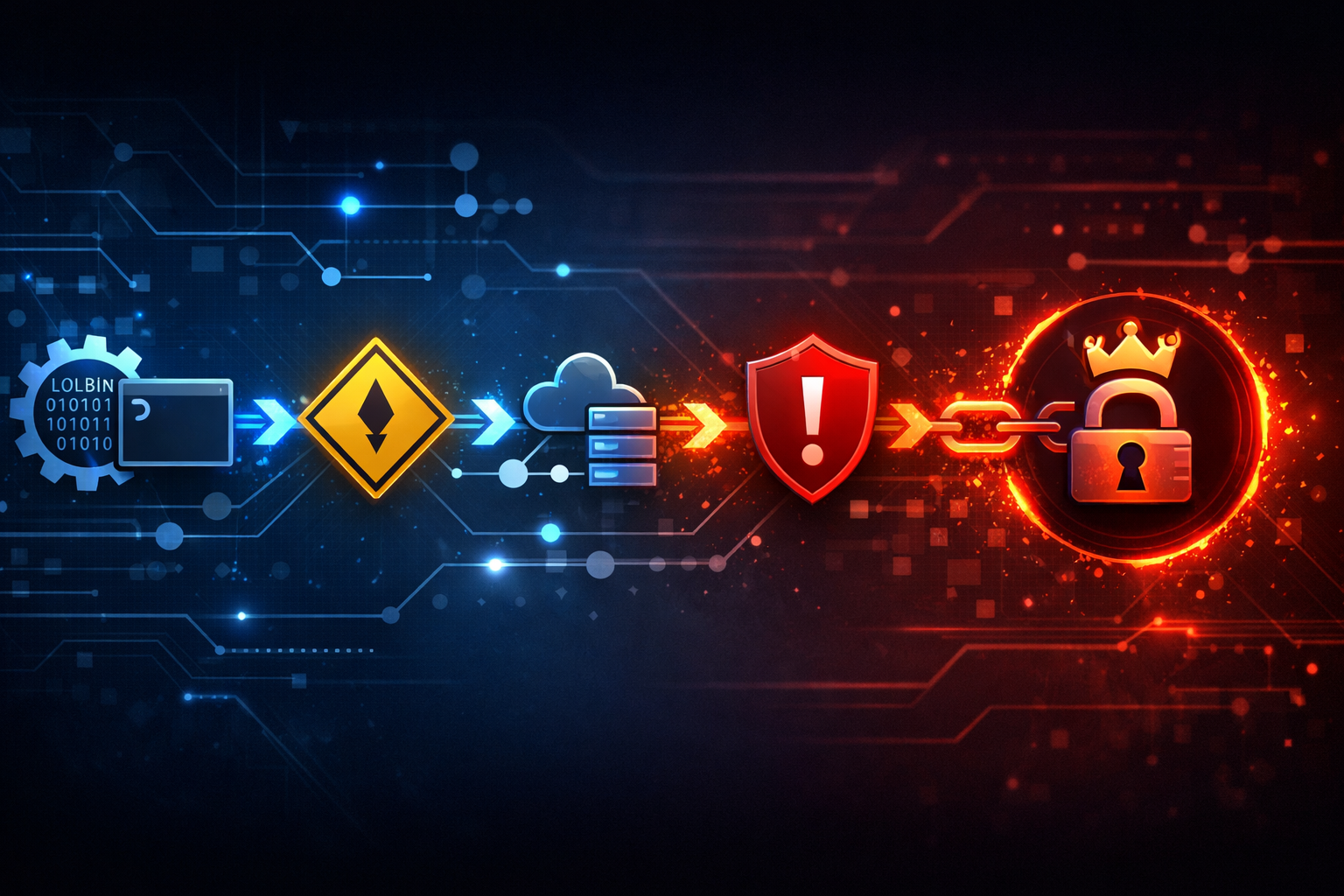
The public write-up on Avalon and CrownX is still worth a look, even if the sample detail is thin. What you can actually defend in detection engineering is not the family name, but the LOLBin chain behind it: native Windows tools, staged handoffs, and the process graph that gives Sigma something real to match.
The supplied source material only confirms the report title and publication date. I could not verify hashes, victims, or a vendor advisory from the snippet alone, so I am treating the malware names as report labels, not as IOCs.
What the report actually confirms about Avalon and CrownX
The public claim, stated carefully
From the source I was given, the one thing I can confirm is this: on 2026-07-03, The Hacker News published a report titled “New Avalon Malware Framework Packs CrownX Ransomware Capabilities.” That is the public claim.
What I cannot confirm from the snippet matters more than what I can. The excerpt does not give me:
- sample hashes
- affected Windows versions
- victimology
- a vendor advisory
- a full chain of binaries or commands
So the useful defensive move is not to chase “Avalon” or “CrownX” as names. It is to model the behavior that survives renaming.
What I would treat as confirmed versus still inferred
| Claim | Status |
|---|---|
| A report linking Avalon and CrownX was published on 2026-07-03 | confirmed |
| The report says CrownX ransomware capabilities are involved | confirmed at the report level |
| The exact LOLBin chain is known from the provided snippet | not confirmed |
| The behavior likely includes staging, native tool abuse, and handoff between processes | inference, based on the report framing and common tradecraft |
| Sigma can catch the chain better than a ransomware-family string can | my defensive judgment |
That last line is the position I would defend in a SOC review. Ransomware names are useful for tracking headlines. Detection engineering should care more about the process graph.
Why LOLBin abuse is the signal worth chasing
Living-off-the-land still blends in better than dropped tooling
Dropped malware tends to be noisy. It creates hashes, file writes, reputation hits, and plenty of chances for an endpoint stack to notice it. LOLBin abuse is quieter because it borrows trust from the operating system.
That matters because Windows defenders already expect to see:
powershell.execmd.exewscript.execscript.exemshta.exerundll32.exeregsvr32.exeschtasks.execertutil.exebitsadmin.exe
None of those is suspicious on its own. The signal comes from the shape of the chain:
- who launched them
- what command line they received
- whether they spawned another native tool
- whether they wrote a file, created persistence, or reached out over the network
If you only hunt for a new malware filename, the operator can swap it out. If you hunt for native tool chains, you still have a chance when the payload changes.
Why defenders should care even if the exact malware name changes
The family name is the least stable part of the story. In practice, a framework can be recompiled, reconfigured, or repackaged while keeping the same operational pattern:
- get code execution in a user context
- stage with a native binary
- hand off to another native binary
- prepare persistence or encryption
- clean up or blend into normal admin behavior
That sequence is what you want to detect. The family name only helps once you already have a lead.
Break the chain into detection stages
Initial execution and staging behavior
The first stage is usually the easiest to miss because it looks small. The initial launcher may be a document, a browser, a script host, or a user-context process that should not normally be spawning administrative tooling.
What I look for first:
winword.exe,excel.exe,outlook.exe, or a browser spawning a script host- a process running from
AppData,Temp,Downloads, or another user-writable path - short-lived helper processes that unpack or stage the next step
- command lines that hide the window, suppress profiles, or reduce logging
This is where the chain becomes visible. A single launcher is weak signal. A launcher followed by a native tool and a file write is much stronger.
LOLBin hops, parent-child anomalies, and command-line abuse
This is the core stage.
A suspicious chain often looks like this in telemetry:
| Parent | Child | Why it matters |
|---|---|---|
winword.exe or excel.exe | powershell.exe | Office should rarely launch a shell directly |
powershell.exe | cmd.exe | Shell-to-shell chaining often hides the real action |
cmd.exe | mshta.exe or rundll32.exe | Common LOLBin pivot used to blend in |
wscript.exe / cscript.exe | powershell.exe or cmd.exe | Script host abuse often precedes staged execution |
rundll32.exe | network or file activity | Often used to execute exported functions or script-like payloads |
The command line matters just as much as the parent-child edge. Suspicious patterns include:
- encoded or base64 command lines
-NoProfile,-WindowStyle Hidden, or similar stealth flagsDownloadString,Invoke-WebRequest, or other fetch-and-execute behaviorFromBase64Stringmshtaloading remote contentregsvr32orrundll32being used as script carriers
I would treat “native binary plus odd command line” as the highest-value early warning because it is common enough to tune and specific enough to matter.
Payload handoff, persistence, and encryption prep
Once the chain is established, the operator usually shifts to one of three goals:
- keeping access
- spreading impact
- preparing the host for encryption or destruction
For detection purposes, look for:
- scheduled task creation
- service creation
- registry Run key writes
- file bursts in user and data directories
- attempts to alter recovery settings or backup-related behavior
- script activity followed by broad file modifications
The important point is correlation. One registry event is noisy. A script host, then a task creation, then a mass file-write pattern is a real signal.
How to map each stage to Sigma rules
Process creation rules for suspicious binaries and chains
Sigma is a good fit for the first pass because the chain shows up well in process telemetry.
A practical rule should key on both the parent and the child, not just a single binary name.
title: Suspicious LOLBin Chain from User-Facing Parent
status: experimental
logsource:
  product: windows
  category: process_creation
detection:
  parent:
    ParentImage|endswith:
      - '\winword.exe'
      - '\excel.exe'
      - '\powerpnt.exe'
      - '\outlook.exe'
      - '\chrome.exe'
      - '\msedge.exe'
      - '\firefox.exe'
      - '\wscript.exe'
      - '\cscript.exe'
  child:
    Image|endswith:
      - '\powershell.exe'
      - '\cmd.exe'
      - '\mshta.exe'
      - '\rundll32.exe'
      - '\regsvr32.exe'
  condition: parent and child
fields:
  - Image
  - ParentImage
  - CommandLine
  - ParentCommandLine
falsepositives:
  - software deployment tools
  - approved admin automation
level: high
That is intentionally broad. The goal is not perfection. The goal is to get a high-signal queue that you can tune down with allowlists.
Command-line rules for encoded, download, and script behavior
The second layer should match dangerous intent in the command line.
title: PowerShell Encoded Or Download Cradle
status: experimental
logsource:
  product: windows
  category: process_creation
detection:
  selection_image:
    Image|endswith:
      - '\powershell.exe'
      - '\pwsh.exe'
  selection_cmd:
    CommandLine|contains:
      - '-enc '
      - '-encodedcommand'
      - 'DownloadString'
      - 'Invoke-WebRequest'
      - 'FromBase64String'
      - 'IEX('
  condition: selection_image and selection_cmd
fields:
  - Image
  - ParentImage
  - CommandLine
level: high
I would keep this rule narrow enough to avoid turning every legitimate script into an alert. The point is to catch execution that tries to hide its intent, not to punish automation.
File, script, and task creation rules where they strengthen coverage
Process creation alone misses part of the story. If your environment has Sysmon or equivalent telemetry, add rules for:
- file creation in writable user paths
- registry modifications to Run keys
- scheduled task creation
- PowerShell Script Block Logging
- network connections from script hosts or LOLBins
A schtasks.exe event is not always malicious, but it becomes useful when it follows a suspicious shell or script host.
Practical Sigma patterns that are worth tuning first
High-signal LOLBins to watch in Windows telemetry
If I had to start somewhere, I would prioritize this set:
| Binary | Why I watch it | Common false positive |
|---|---|---|
powershell.exe | flexible downloader and execution host | admin automation |
mshta.exe | script-like execution from a native binary | legacy line-of-business apps |
rundll32.exe | can hide execution behind exported functions | control panel and vendor tools |
regsvr32.exe | often abused for script execution | software registration workflows |
wscript.exe / cscript.exe | script host abuse is a frequent staging step | desktop automation |
certutil.exe | sometimes used for decode/download behavior | certificate ops, admin scripts |
bitsadmin.exe | legacy downloader behavior | old enterprise tooling |
schtasks.exe | persistence and rerun behavior | IT automation and deployment |
The first four usually give me the best return on tuning time.
The common false-positive traps that need allowlisting
This is where many teams overcorrect. They either allowlist too aggressively or not enough.
Good allowlisting tends to combine:
- signer
- known management tool path
- parent process
- host group
- account type
- command-line fragments that are clearly operational
Bad allowlisting usually uses only one of those, especially just the filename. powershell.exe is not enough. Neither is “it came from Program Files.” Attackers know those tricks too.
How to tag severity and preserve analyst context
In Sigma, preserve context so the alert is useful when it lands:
- include
Image,ParentImage,CommandLine, andParentCommandLine - set
levelbased on chain strength, not binary name alone - add
falsepositivesthat match your environment - keep
referencesor notes for the rule author - tag the behavior with ATT&CK technique IDs when appropriate
If your SIEM strips the command line, fix that before you tune Sigma. Without it, you are filtering on silhouette instead of behavior.
A safe lab workflow for validating the detections
Reproduce with harmless LOLBin test commands
You do not need to run malicious code to test the rule logic. Use benign commands that still exercise the telemetry.
For a safe PowerShell encoded-command test, generate an encoded version of Get-Date:
$cmd = 'Get-Date'
$enc = [Convert]::ToBase64String([Text.Encoding]::Unicode.GetBytes($cmd))
$enc
Then run it:
powershell -NoProfile -EncodedCommand <paste_the_output_here>
For a control case that should stay quiet, run the plain command:
powershell -NoProfile -Command "Get-Date"
If your detection fires on both, the rule is too broad. If it fires on neither, your telemetry is probably incomplete or your match logic is too narrow.
Check the exact fields your SIEM will receive
Before you tune, verify what actually arrives:
| Field | Why it matters |
|---|---|
Image | identifies the executed binary |
ParentImage | shows the chain edge |
CommandLine | captures the suspicious intent |
ParentCommandLine | helps explain the launch context |
User | shows which account executed it |
Hashes | helps cluster repeat activity |
IntegrityLevel | separates user-context from elevated execution |
A rule that looks good in Sigma can fail in the SIEM if one of those fields is missing or renamed.
Capture one good alert and one false positive on purpose
A useful lab test gives you both.
- Good alert: encoded PowerShell that still only runs
Get-Date - False positive: normal admin automation, like a managed deployment script that launches PowerShell without encoding
If you cannot explain why one fires and the other does not, the rule is not ready for production. You want a rule that catches the chain, not one that sprays alerts.
Where Sigma stops and other telemetry has to take over
Endpoint logging gaps that can hide the chain
Sigma is only as good as the logs behind it. The chain can disappear if you do not have:
- process creation logging
- command-line capture
- PowerShell Script Block Logging
- file creation telemetry
- registry auditing or Sysmon equivalents
Without script block logging, decoded PowerShell can hide behind base64. Without command-line capture, you lose the difference between benign and suspicious usage. Without process ancestry, you cannot see the chain.
Why PowerShell, Sysmon, and network evidence should be correlated
I would not trust one log source for this kind of detection.
Correlate:
- process creation for the chain
- PowerShell logs for decoded intent
- Sysmon file and registry events for staging and persistence
- network logs for downloads and callback behavior
That combination is what turns a suspicious launch into a real incident. Sigma starts the conversation. It should not end it.
My defensive take
The strongest early-warning rule is usually the chain, not the payload
My view is simple: the chain is the better detection primitive.
If a framework like Avalon is being used to support CrownX-style ransomware behavior, the payload label will keep changing. The process graph is harder to fake at scale. That is where I would spend my tuning budget.
What I would ship first in a real SOC
If I were building coverage today, I would ship in this order:
- Process creation rule for Office, browser, or script host spawning a LOLBin
- Command-line rule for encoded, download, or hidden execution
- Script block and network correlation for decoded behavior and outbound fetches
- Task and registry persistence rules for follow-on staging
I would rather see a few noisy alerts than miss the first stage of a real intrusion. But I would not keep the noise forever. I would tune with host groups, signers, and parent-child context until the rule stays sharp.
Conclusion: detect the behavior before the ransomware label appears
The practical lesson from the Avalon/CrownX report is not that a new brand exists. It is that the old Windows tradecraft still works. Native binaries are still a good disguise, and chained execution still hides in plain sight.
If you want an early warning system that survives renaming, tune for:
- suspicious parent-child process trees
- encoded or downloaded command lines
- staging and persistence behavior
- telemetry correlation across process, script, file, and network data
That is the detection strategy I would trust. The malware name can change tomorrow. The LOLBin chain usually does not.