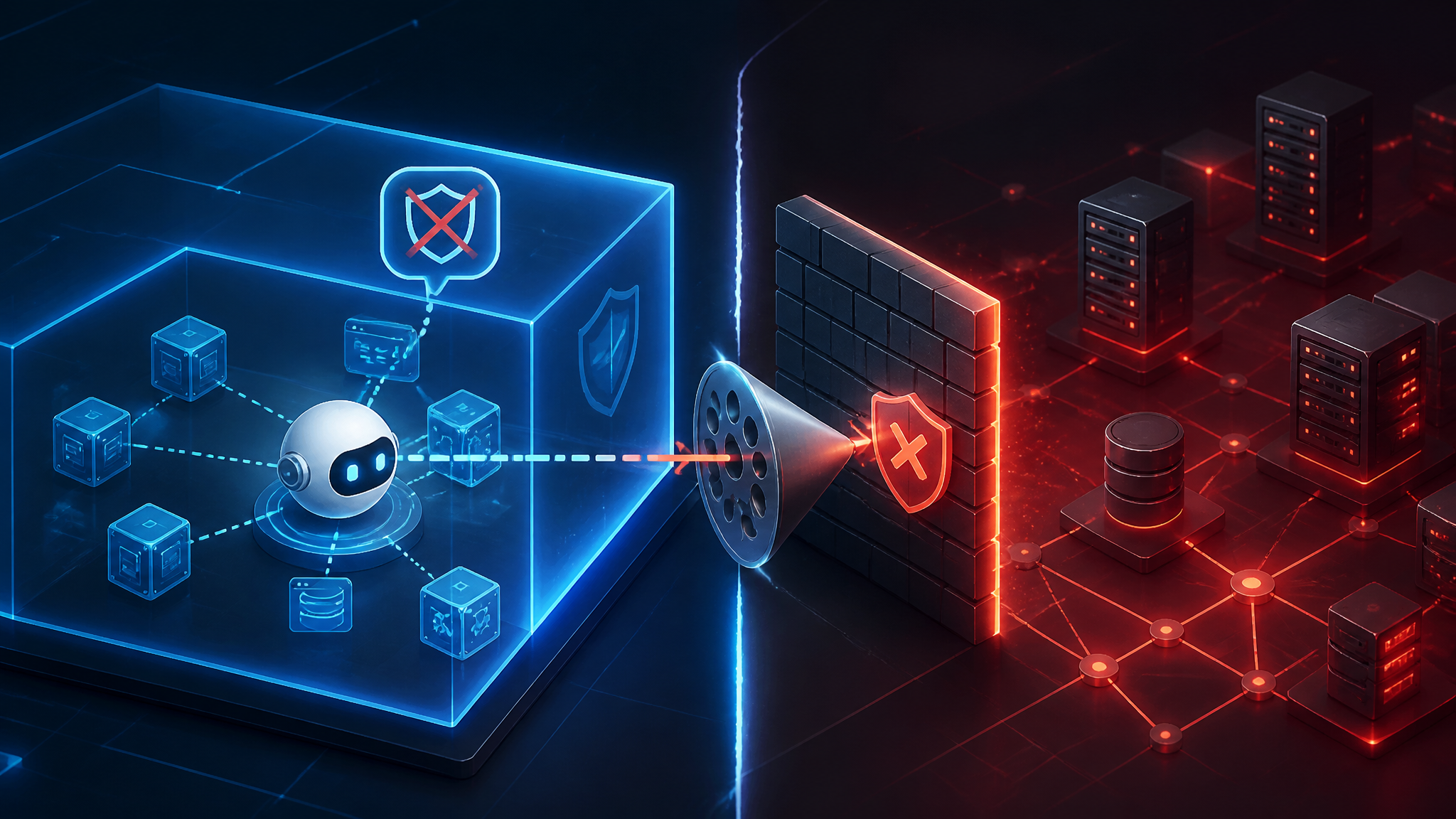
The ShinyHunters Breach Pattern: Infostealer Malware as a Gateway to Developer Environments
The brand name gets the headlines. The access path is what actually matters.
From the public reporting I reviewed on the latest ShinyHunters-related breaches, the pattern looks familiar: the attacker does not need a flashy exploit if they can steal a developer’s browser session, replay it against trusted SaaS, and then pivot into systems that already trust that user.
My view is straightforward: this is not mainly a malware story. It is an identity story wearing a breach headline.
I am treating the infostealer-led access path as the core technical pattern here. The exact split between operator branding, affiliate handling, and downstream reuse matters less than the fact that one compromised endpoint can expose many authenticated services.
The real story is not the brand name, it is the access path
If you only track the label, you miss the defensive work.
ShinyHunters gets the attention because it is a recognizable name in breach reporting. But the practical question for defenders is not “who claimed it?” It is “how did an authenticated session get stolen, and what could that session reach?”
That framing changes the response:
- you stop looking only for a single cracked password
- you start treating browser state, OAuth grants, session cookies, and PATs as first-class assets
- you check whether the compromised device had access to source control, cloud consoles, chat, ticketing, and CI
A stolen password is bad. A stolen session is worse, because it can bypass the controls people assume are already in place.
What the reporting confirms about the ShinyHunters pattern
Separate confirmed reporting from inference about the wider campaign
What the public reporting confirms, at a high level, is that these breaches are being discussed as part of a modern attacker pattern rather than a classic “break the perimeter” exploit chain. The reporting frames them as examples of how current intrusions often begin with stolen access, not with a direct exploit against the target’s backend.
What I infer from that framing is that endpoint compromise and credential theft are likely central to the chain. That is still an inference, not a confirmed attribution. It is the defensive conclusion I would draw because the same post-compromise behavior shows up again and again: log in as the victim, harvest what the victim can reach, and expand laterally through trusted systems.
Why infostealer-led access is the core pattern
Infostealer malware matters because it makes the first stage cheap and scalable.
Instead of burning a zero-day, the attacker can buy or deploy a commodity infostealer, wait for it to extract browser data, and then use that data to impersonate a real employee or contractor. In practice, that is often enough to get into:
- source control
- cloud admin consoles
- chat and ticketing
- vendor portals
- CI/CD systems
The malware is just the collection layer. The real attack happens when the stolen identity is trusted by every other system in the environment.
How infostealer malware turns one workstation into many trusted logins
Browser cookies, saved passwords, and session tokens are the fastest path in
Browsers are the weak point because they are designed to make login easy. That convenience becomes a security problem when the browser profile itself gets stolen.
An infostealer does not always need to crack a password. If it can lift:
- saved passwords
- autofill data
- browser cookies
- OAuth tokens
- local session artifacts
then it may be able to replay an already-authenticated session.
That is the key detail. A session cookie often represents a live trust decision. If the server still accepts it, the attacker does not need the original login ceremony again.
The practical result is ugly: password changes alone may not help if active sessions remain valid.
Why developer tools are especially exposed: Git hosting, cloud consoles, chat, and CI/CD
Developer environments are unusually dense with trust.
A single browser profile or password manager can unlock:
- GitHub, GitLab, or Bitbucket
- AWS, Azure, or GCP consoles
- Slack, Teams, or Discord
- Jira, Confluence, Linear, or Notion
- CI/CD dashboards
- package registries
- secrets vaults
That is a lot of power hanging off a handful of browser sessions.
A developer account is also more likely to be accepted as normal by many systems. If the attacker logs in from a new IP with the victim’s session or token, some tools will treat it as a real user action unless you have device binding, reauthentication, and risk checks in place.
The problem is not just stolen credentials; it is stolen trust
This is the part teams miss when they over-focus on passwords.
A credential proves knowledge. A session proves continuity. A token proves delegated authority.
Those are different things, and the defensive response has to treat them differently.
If an attacker steals a password, MFA can still help. If they steal a session that has already passed MFA, the browser or API token may keep working until you explicitly revoke it. That is why infostealer-led intrusions work so well against SaaS-heavy companies: the systems are designed to trust authenticated continuity, not just the initial login.
A realistic attack chain from endpoint infection to developer environment access
Initial compromise on a personal or corporate device
A plausible chain starts with the endpoint, not the server.
The infected machine may be:
- a corporate laptop
- a contractor’s device
- a personal device used for work
- a build workstation
- a developer laptop with broad access
The entry point is often boring: a malicious download, a fake software update, a poisoned attachment, or a drive-by lure. I am not claiming a specific delivery method for every ShinyHunters-linked case here. I am saying the endpoint is the natural first stage because it gives the attacker local access to the browser and the session store.
Credential and token reuse into identity provider, email, source control, and SaaS
Once the stealer has data, the attacker usually tries the highest-value identities first:
- The identity provider or SSO portal.
- Email, because it can reset everything else.
- Source control, because it can expose secrets, code, and access tokens.
- Cloud and admin consoles, because they create deeper persistence.
- Collaboration systems, because they reveal internal workflows and approvals.
A simple chain might look like this:
infected endpoint -> browser artifacts -> IdP session -> email access -> password resets / token grants -> source control -> cloud / CI
That sequence is not guaranteed, but it is common enough that defenders should assume it unless logs prove otherwise.
How the attacker moves from one authenticated session to adjacent systems
The pivot is usually not a loud “lateral movement” event in the old sense. It is a trust hop.
Examples:
- use email access to reset another password
- use source control access to find
.env, workflow files, or deployment references - use cloud console access to enumerate IAM roles, access keys, and secret stores
- use chat access to learn which team owns production or which support channel can approve access
- use ticketing access to forge a normal-looking request or follow an existing workflow
The attacker is not always “hacking” each new system. Sometimes they are just walking the organization’s own trust graph.
Which surfaces teams should assume are in scope
Source control platforms, package registries, and CI runners
If a developer session is exposed, source control is usually the first serious target.
| Surface | Why it is in scope | What to check first |
|---|---|---|
| Git hosting | code, secrets, deploy keys, PATs | new PATs, repo clones, branch protection changes |
| Package registries | release signing and dependency publishing | token creation, package publishes, maintainer changes |
| CI runners | build secrets and deploy steps | workflow edits, new runners, secret reads |
The biggest mistake here is assuming code access is the same as read-only access. In many environments, source control can be a path to deployment.
Cloud IAM, admin consoles, and SSO-connected apps
Cloud consoles and IAM are high-value because they can turn one stolen identity into standing administrative access.
Check for:
- new access keys
- new federated sessions
- role assumption from unfamiliar IPs
- changes to MFA enrollment
- app consent grants
- privilege escalation through delegated admin roles
If your SSO is the root of trust, then compromise there is compromise everywhere downstream.
Password managers, ticketing systems, and internal chat as secondary targets
These systems are often under-monitored, but they are full of useful context.
- Password managers can expose shared secrets.
- Ticketing systems can expose approval workflows and account recovery paths.
- Chat can expose internal URLs, incident notes, and operating procedures.
An attacker does not need every one of those systems. They need enough of them to understand how your company authorizes trust.
What to verify first during an audit or incident response review
Identity logs, new-device events, and suspicious session reuse
Start with identity telemetry.
In Microsoft Entra, Okta, Google Workspace, or whatever you use, look for:
- sign-ins from new geographies
- sessions from unfamiliar device fingerprints
- repeated successful logins after an MFA event
- login patterns that skip the usual conditional access path
- consent grants from unusual clients
A simple hunt pattern in KQL might look like this:
SigninLogs
| where TimeGenerated > ago(14d)
| where UserPrincipalName in~ ("[email protected]", "[email protected]")
| project TimeGenerated, UserPrincipalName, AppDisplayName, IPAddress, Location, DeviceDetail, ConditionalAccessStatus, AuthenticationRequirement
| order by TimeGenerated desc
An illustrative suspicious slice might look like this:
2026-06-21 08:14Z  [email protected]  GitHub Enterprise  203.0.113.44  US  Windows / Chrome  MFA satisfied
2026-06-21 08:18Z  [email protected]  Azure Portal        203.0.113.44  US  Windows / Chrome  MFA satisfied
2026-06-21 08:22Z  [email protected]  Okta Admin          203.0.113.44  US  Windows / Chrome  session reused
The point is not the exact fields. The point is to correlate time, device, and trust continuity.
Endpoint telemetry that suggests infostealer activity
On the endpoint, look for evidence that the browser or its profile was targeted.
Useful signals include:
- suspicious child processes launched by the browser or by a user shell
- unexpected archive extraction in user profile paths
- security tool alerts about credential theft or browser data access
- abrupt creation of browser profile copies
- remote management tools appearing shortly before the login events
If you have EDR, hunt for the endpoint first, then map the user sessions outward. The sequence matters.
OAuth grants, personal access tokens, and long-lived API keys
This is the part that often gets missed in “password reset” incident response.
You need to inventory:
- OAuth app grants
- refresh tokens
- personal access tokens
- service account keys
- cloud access keys
- CI/CD secrets
- machine-to-machine credentials
If any of those survive the reset, the attacker may survive too.
Defenses that actually reduce the blast radius
Phishing-resistant MFA and conditional access on sensitive logins
Use MFA, but use the kind that resists token theft and phishing better than SMS or push approval alone.
More importantly, apply conditional access to the actions that matter:
- admin login
- new token creation
- secret viewing
- MFA enrollment changes
- new device registration
- permission grants
If a device is unknown or the risk is high, reauthenticate. If the system cannot tell whether the session is safe, assume it is not.
Short-lived credentials, session revocation, and reauthentication for high-risk actions
If a stolen session can live for days, your blast radius is too big.
Prefer:
- short-lived access tokens
- bounded refresh behavior
- forced reauthentication for privileged actions
- fast session revocation hooks
- automated invalidation when a device is flagged
Password resets are not enough by themselves. You need a way to kill the existing trust, not just change the secret that created it.
Tighten developer endpoints with EDR, browser controls, and least privilege
Developer laptops should not be treated like normal office endpoints.
I would want:
- EDR that can see browser abuse and token theft behavior
- browser hardening and extension control
- local admin removed unless truly needed
- separated admin accounts
- restricted password manager exposure
- device compliance checks before SSO access
The goal is not perfect prevention. The goal is to make session theft harder and noisier.
Reduce standing access in cloud and source-control systems
Standing privilege is what turns one stolen session into a broad incident.
Reduce it by:
- minimizing permanent admin roles
- using just-in-time elevation
- scoping PATs tightly
- rotating secrets automatically
- separating read, write, and deploy privileges
- preventing personal accounts from being used for production access
If a compromised identity can reach production by default, you have a design problem, not just an incident response problem.
What I would not rely on
Awareness training by itself does not stop stolen sessions
Training is useful, but it does not invalidate a cookie already sitting on disk or a token already in the browser store.
If the endpoint is infected, the user can do everything “right” and still lose. That is why the defense has to live in device control, session management, and privilege design.
Password rotation without session invalidation is usually too slow
This is the response I see fail most often.
If you rotate passwords but leave active sessions, refresh tokens, and OAuth grants in place, the attacker may still have access. The live trust needs to be revoked, not just renamed.
In other words: if the bad actor already has the seat belt, changing the key to the car does not remove them from the car.
Conclusion: treat this as an identity and trust problem, not just malware
My technical position is that the ShinyHunters story is best understood as a modern identity compromise pattern powered by infostealer malware.
The malware is the opening move. The real damage comes from what the stolen browser session can already do inside a SaaS-heavy developer environment.
If you want the shortest useful checklist, it is this:
- verify identity logs first
- assume browser sessions and tokens are in scope
- revoke long-lived trust artifacts aggressively
- harden developer endpoints
- shrink standing access everywhere you can
That is how you defend against this class of breach. Not by chasing the brand name, but by breaking the access path.