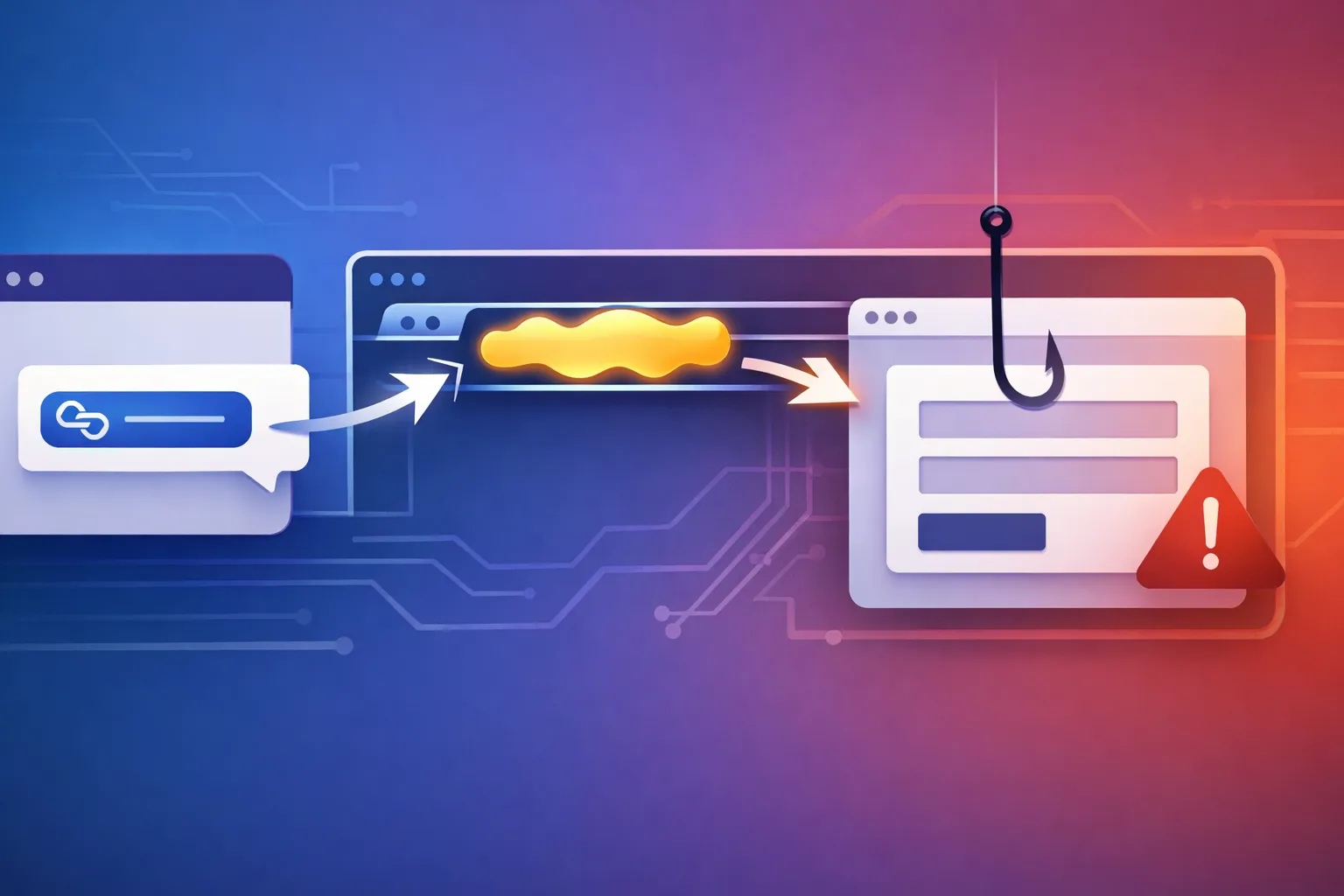
The Anatomy of a Claude AI Phishing Attack: Evading Safety Controls at Scale
What the public reporting claims, and what it does not prove
The public reporting says hackers used Anthropic’s Claude AI to attack 30 global targets. That is the only hard fact I want to start with, because the source I have is a headline-level report, not a full incident writeup with logs, samples, or forensic detail.
That distinction matters. A headline can tell you AI was involved in abuse, but it does not tell you:
- whether the attackers used an API account, a compromised account, or a hosted interface
- whether Claude generated the phishing text, the translation, the follow-up messages, or all of the above
- whether the model sat in the direct attack path or just helped human operators move faster
- whether the campaign was automated end to end or only partly automated
- which controls failed, and where the real break actually was
I am being precise here because this kind of story gets flattened into “the model did it.” That is usually the least useful reading. The real lesson is often about workflow control, abuse detection, and how a generative system can amplify an attack that already exists.
When a report says an AI system was used in a phishing campaign, the safest technical assumption is not that the model turned malicious. It is that the model lowered the cost of writing targeted messages, localizing them, varying them, and handling replies at scale.
That changes the defense.
Why this incident matters to developers and security teams
If the report is accurate, the useful part is not that phishing exists. Phishing has been around forever. The useful part is that AI can reduce the effort needed to run a campaign across many targets, many languages, and many message variants.
That changes the economics in a few ways:
- Higher volume with less operator effort. One operator can produce dozens or hundreds of tailored drafts quickly.
- Better localization. Messages can be rewritten so they sound natural in the target’s language and region.
- More variation. Models make it easier to dodge the obvious copy-paste fingerprints defenders used to rely on.
- Better follow-up. The same system can generate replies, nudges, escalation messages, and cleanup after a target responds.
- More believable social engineering. Tone matching and context reuse can make a lure look like it belongs in the recipient’s workflow.
For developers, this matters if your product includes any of the following:
- outbound email or notifications
- customer support automation
- sales or marketing workflows
- internal assistant tools with messaging or browser access
- agentic systems that can take action outside the model boundary
Once generated content crosses into a side effect — sending email, opening a ticket, posting a chat message, or triggering a workflow — you are no longer just defending an LLM. You are defending a business process.
That is the part teams still underestimate.
A likely attack chain from model access to phishing at scale
I cannot claim the exact attack chain from the source material. But based on how these campaigns usually work, there is a plausible path from model access to large-scale phishing that fits the reporting.
Target selection and campaign setup
The first step is usually not the prompt. It is the target list.
Attackers typically group targets by language, region, role, and expected workflow. That lets them ask the model for messages that match the recipient’s context instead of sending one generic lure to everyone.
A campaign can be organized around:
- finance users who expect invoice traffic
- HR or recruiting teams that handle document links
- support desks that receive external requests all day
- executives or assistants with high-trust communication patterns
- customers in a specific region or language
The model is useful here because it can turn a rough plan into many message variants without obvious duplication. That is the scale advantage.
Using Claude to draft, localize, and vary phishing content
This is where generative AI becomes a force multiplier.
A human operator can ask for:
- a formal version and a casual version
- shorter and longer variants
- different levels of urgency
- translations that sound native instead of machine-made
- tone changes for different business cultures
- paraphrases that keep the same intent while changing the surface form
On the defender side, that means a single malicious campaign may no longer share the same phrases across every message. Traditional keyword blocking gets weaker when the same intent shows up in dozens of forms.
The model may also be used to adapt a lure to the target’s language. That is a big deal. A clumsy translation is easy to spot. A fluent one is not.
Automating follow-up messages and response handling
The more concerning pattern is not just drafting the first message. It is using the model to handle the conversation after someone replies.
A phishing workflow can branch into:
- initial lure
- clarification reply
- pressure or urgency follow-up
- alternate link or attachment
- cleanup after partial failure
- response sorting so the operator only sees promising replies
That last piece matters. A model can act as a triage layer by sorting incoming responses into “engaged,” “needs follow-up,” and “drop it.” Even if a human still presses send, the model has already reduced the operator’s workload.
That is often what “at scale” means in practice: not full autonomy, but less friction.
Delivering the lure through email, chat, or web workflows
Email is the obvious channel, but it is not the only one. The same content can move through chat tools, social platforms, contact forms, help desks, or fake web workflows that look like login or verification steps.
From a defender’s point of view, the channel matters because each one has different telemetry:
- email has authentication, routing, and reputation signals
- chat has tenant identity and message graph patterns
- web forms have session, IP, and abuse signals
- help desks have ticket metadata and agent-assist trails
If you only monitor one channel, the attacker can move to another.
How safety controls can be bypassed in real campaigns
Safety controls help, but they are not a complete defense against abuse when the attacker is creative and persistent.
Benign framing and role-play prompts
One common abuse pattern is to frame the request as something harmless on the surface. Instead of asking for a phishing message directly, an operator may ask for a “customer follow-up,” a “delivery notification,” or a “support reminder.”
The point is not the exact wording. The point is that many safety layers look for explicit malicious intent and can miss a task that looks routine in isolation.
That is why policy systems need to evaluate intent across the whole workflow, not just one prompt.
Multi-step task decomposition
Another bypass pattern is to split the malicious work into smaller pieces.
A single harmful request might be blocked, but smaller requests can look harmless:
- draft a neutral reminder
- rewrite for a different audience
- translate to another language
- make it shorter
- make it sound more professional
- generate a follow-up based on a reply
Each step can pass a shallow filter even when the full sequence is clearly abusive.
This is one reason prompt-level moderation is not enough. The abuse lives in the sequence.
Volume, rate, and account-abuse patterns
If an attacker gets access to a model through a legitimate account, volume becomes a clue.
A real user tends to have stable patterns:
- normal working hours
- consistent language and geography
- familiar topic range
- bounded request volume
- regular interaction history
An abuse campaign often breaks that pattern:
- sudden spikes in generation
- many similar requests across many targets
- repeated language switching
- batch-like behavior
- unusual prompt structures built for mass output
This is where rate limits and anomaly scoring matter just as much as content moderation.
Why output filters alone are not enough
Output filters are useful, but they fail in predictable ways.
If the system only checks whether the final text contains overtly malicious language, it may miss:
- polished social engineering
- translation-driven variation
- multi-step abuse
- content that becomes harmful only after it is sent in context
- content that is not dangerous until it triggers an outbound action
The model can generate text that looks fine in isolation and still be part of a phishing workflow. That is why the control point should be the action boundary, not just the token stream.
What telemetry defenders should already be collecting
If you want to understand whether AI is being used in phishing, you need more than content inspection. You need workflow telemetry.
Prompt and response logs with privacy controls
Log the minimum data needed to detect abuse:
- prompt metadata
- timestamps
- account identity
- model choice
- output size
- tool calls
- whether a side effect occurred
I would not keep raw prompts forever without a privacy plan, but I would absolutely preserve enough metadata to reconstruct abuse patterns after an incident.
A reasonable compromise is:
- redact sensitive content where possible
- store hashes or structured features
- keep full logs only for restricted security access
- set retention rules and review them with legal and privacy teams
Account behavior, API usage, and velocity signals
The best abuse detection often starts with behavior, not text.
Look for:
- high request rates from one account or tenant
- unusual prompt similarity across many requests
- rapid switching between languages or audiences
- new accounts that immediately start high-volume sending
- repeated tool invocation patterns
- IP, device, or ASN changes that do not fit account history
If your AI system can send messages or trigger workflows, identity has to be part of the detection pipeline.
Email authentication, domain reputation, and brand-abuse indicators
If the phishing ends up in email, the usual mail controls still matter:
- SPF, DKIM, and DMARC alignment
- lookalike domains
- newly registered sender infrastructure
- sender reputation shifts
- display-name abuse
- suspicious reply-to mismatches
AI does not remove the need for mail security. It just makes low-quality lures easier to polish into believable ones.
Correlating AI activity with downstream fraud events
The strongest signal often comes from correlation.
For example:
- a burst of AI-generated outbound content
- followed by an unusual set of recipient complaints
- followed by account takeover attempts
- followed by MFA resets or payment changes
That sequence is much more useful than any single alert. You want the generation event, the send event, and the fraud event tied together.
Detection ideas that work better than keyword blocking
Keyword blocking is a weak defense. It catches the obvious cases and misses the ones that matter.
Semantic classifiers for phishing intent
Use semantic models to score whether a message is trying to impersonate a trusted party, create urgency, redirect a user, or extract credentials.
A useful classifier should look for intent, not just vocabulary. The same sentence can be legitimate in one context and malicious in another, so the classifier needs metadata and workflow context.
A practical signal set looks like this:
| Signal type | What it catches | Weakness |
|---|---|---|
| Keyword rules | Obvious malicious phrases | Easy to evade |
| Semantic intent | Polite but harmful lures | Needs tuning |
| Sender behavior | Abusive account patterns | False positives on bursts |
| Workflow state | Unsafe side effects | Only works if integrated |
| Reputation data | Bad domains and infra | Misses novel infrastructure |
Workflow policy checks before model output is acted on
The safest design is to evaluate policy before the output is used, not after.
If a model output is going to:
- send an email
- create a ticket
- message a user
- open a browser action
- invoke an external tool
then the workflow engine should verify whether that action is allowed for this user, tenant, and context.
That check should live outside the model. The model can advise. It should not get the final say.
Human review for high-risk sends and external comms
For sensitive actions, I still like human approval.
Examples include:
- external emails to first-time recipients
- password resets or account recovery
- payment or banking changes
- bulk sends from new accounts
- messages that mention urgent security issues
- AI-generated messages sent under a brand identity
You do not need human review for everything. But you do need it where the blast radius is high.
Abuse throttles, anomaly scoring, and tenant isolation
A few basic controls do a lot of work:
- per-tenant quotas
- per-user message caps
- adaptive throttles on high-risk actions
- anomaly scoring on prompt and send behavior
- hard separation between tenants
- restricted escalation paths for new accounts
If one tenant starts behaving like a phishing factory, you want fast containment without breaking everyone else.
Defensive controls for teams building AI features
If you are shipping AI features, this is the section I would pin to the team wall.
Restrict tool access and outbound side effects
The model should not have broad, implicit access to the world.
Only allow the tools it genuinely needs:
- read-only when possible
- narrowly scoped write access
- short-lived credentials
- explicit approval for outbound side effects
A model that can draft text is much less risky than a model that can draft text and send it.
Separate content generation from message sending
This is one of the cleanest defenses you can build.
Let the model generate a draft, then pass that draft through:
- policy checks
- risk scoring
- maybe human approval
- the send action
Do not collapse those steps into one opaque “send via assistant” button. That design makes abuse easier and incident review much harder.
Enforce identity checks and authorization at the backend
Never trust the UI boundary.
If an assistant is allowed to send on behalf of a user, the backend still has to verify:
- who the user is
- whether they can send to this recipient
- whether the action fits tenant policy
- whether the account is in good standing
- whether the request is within quota
This is ordinary authorization work, just applied to AI workflows instead of standard CRUD endpoints.
Add allowlists, quotas, and approval steps for risky actions
Risky actions should be explicit.
Good controls include:
- recipient allowlists for early rollout
- domain allowlists for outbound campaigns
- quota ceilings for new tenants
- approval gates for external recipients
- extra review for first-time send targets
- step-up auth for sensitive workflows
If you only add a moderation layer and skip the business rules, you are leaving the real door open.
Safe validation tests you can run against your own stack
You can test these controls without building a real phishing campaign.
Red-team prompts that probe policy boundaries without abuse
Use prompts that test boundaries, not abuse content.
For example, ask the system to:
- draft a generic external message and see whether risky intent is detected
- rewrite a business email for clarity and watch for unsafe side effects
- translate a benign message and verify that policy still applies after localization
- generate follow-up text for a support workflow and confirm that approval is required before sending
The point is to see whether the system can tell when a normal-looking request becomes risky because of the target, channel, or action.
Canary accounts and simulated phishing workflows
Set up internal canary accounts and controlled test domains.
Then measure:
- whether the model can be pushed into generating high-risk output
- whether dangerous sends are blocked
- whether logs capture the full path
- whether reviewers can reconstruct the event quickly
A simulated workflow is enough. You do not need live external targets to validate the controls.
Measuring false positives, false negatives, and response time
Do not stop at “the alert fired.”
Measure:
- false positives on legitimate support or sales workflows
- false negatives on risky outbound content
- time to detect
- time to block or approve
- time to recover after an abuse test
If review takes 30 seconds but the send pipeline fires in 2 seconds, the control is decorative.
Operational response if you suspect AI-assisted phishing
If you think AI is being used in a phishing campaign tied to your systems, move quickly but keep the sequence clean.
Preserve logs and sequence of events
Freeze the evidence first.
Preserve:
- prompt logs
- response logs
- tool invocation records
- account activity
- send logs
- authentication events
- IP and device metadata
You want the timeline, not just the final message.
Rotate credentials and review access paths
Check whether the abuse came from:
- a compromised API key
- a stolen user session
- an overprivileged service token
- an abused integration
- a misconfigured automation account
Rotate anything that could have been used to generate or send content. Then reduce privileges before re-enabling the workflow.
Notify affected users and mail providers
If messages went out, notification should be part of the response.
That can include:
- affected internal users
- external recipients
- mail security providers
- domain reputation teams
- abuse desks for hosting or messaging platforms
The sooner you report the sender infrastructure, the better your chance of limiting spread.
Tune detections without blocking legitimate automation
After the incident, tighten controls carefully.
You do not want to break legitimate use cases like:
- customer support automation
- transaction notices
- account alerts
- internal workflows
- approved outbound campaigns
The answer is not “turn off AI.” The answer is “separate trusted automation from risky side effects and make the approval path explicit.”
The limits of the current reporting and the open questions
The current reporting, at least from the source material I have, leaves important questions unanswered.
We do not know:
- whether Claude was used through official access or abused accounts
- whether the phishing content was only generated or also sent by the same workflow
- how much of the campaign was automated
- what safety controls failed
- whether the 30 global targets were all reached successfully
- whether the campaign depended on stolen infrastructure or credentials
Those missing details matter because they decide where the fix belongs.
If the abuse came from account compromise, the immediate answer is identity and session security. If it came from allowed automation, the answer is policy enforcement and workflow segmentation. If it came from a chain of both, you need both.
That is why I resist turning these stories into a model-brand headline. The bug is usually in the control plane around the model, not in the token generator itself.
Conclusion: the real lesson is control of the workflow, not just the model
The headline says hackers used Claude AI to attack 30 global targets. The practical lesson is broader than that one incident.
If your system can generate content, localize content, and act on that content, then you need to control the full path:
- who can ask for it
- what they can ask for
- where the output can go
- who approves the side effect
- how you detect abuse at scale
A model can help write a phishing message. That is the shallow problem.
The deeper problem is when the model sits inside a workflow that can send, escalate, translate, and follow up without enough authorization or review. That is where abuse gets cheap and hard to distinguish from normal automation.
I would treat this report as another reminder that the boundary to defend is not the prompt. It is the action.