Testing Email, Teams, and Copilot Fallbacks Against an M365 Control-Plane Outage
On this page
Introduction: Why an M365 Control-Plane Outage Breaks the Fallback You Thought You Had
On 15 November 2026, Microsoft 365 had a bad day. Reporting from ARNnet, JournalArta, and Business Day describes a global outage affecting Outlook, Teams, and Copilot. Microsoft linked it to a network upgrade issue and said it would publish a full review. Reported impact reached the US and Japan, and one outlet widened the frame to enterprise dependency risk, citing a reported hotel warning-system failure in the same window.
The engineering problem isn't the outage. It's that most organisations found out their fallback was a second door into the same building. OWA authenticates against the same token service as Outlook. The Teams web client goes through the same conditional access evaluation as the desktop client. Copilot needs identity, Graph, the content index, and tenant policy before it emits a single token. If the control plane is what broke, six different "fallbacks" fail together and everyone learns that at 09:04.
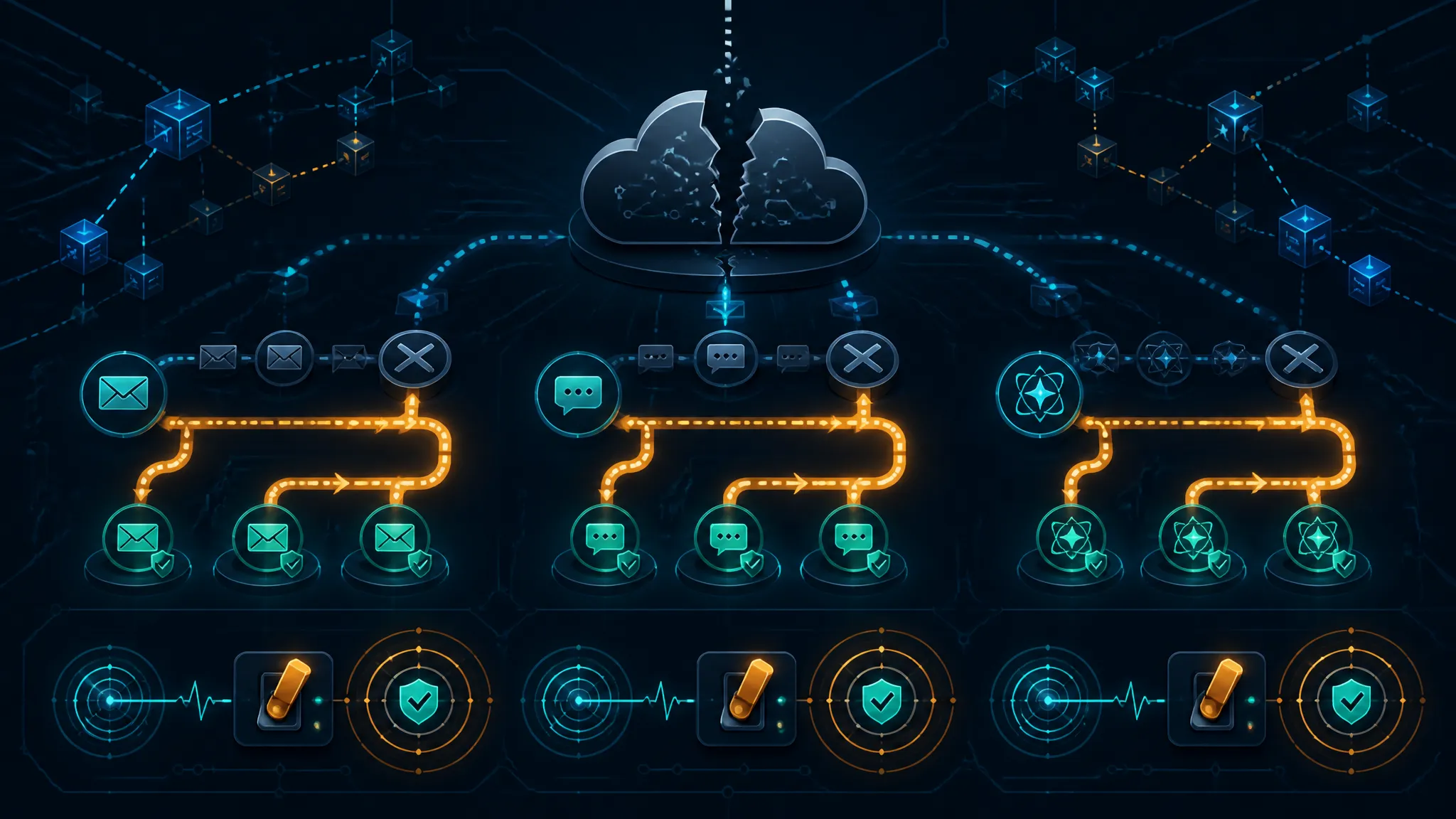
My take up front: a fallback that shares an identity provider, a DNS resolver, and a tenant policy boundary with the primary path isn't a fallback. It's a redundant front door. Real fallbacks change the identity path, the routing path, or the data path. Everything else is a recital of a runbook nobody has executed under load.
This post treats the outage as a test scenario. It separates what the public record confirms from what it does not, builds a control-plane dependency model for email, Teams, and Copilot, and then walks through an authorized harness you can run in a disposable tenant — with commands, expected outputs, and the specific ways a fallback test will lie to you.
What the Public Record Confirms About the Outage — and What It Does Not Confirm
Confirmed claims: Outlook, Teams, Copilot impact and the reported network-upgrade link
Here is what the available reporting states, and nothing more.
| Claim | Status | Attribution |
|---|---|---|
| A global Microsoft 365 outage occurred | Reported by multiple outlets | ARNnet, JournalArta, Business Day, 15 Nov 2026 |
| Outlook, Teams, and Copilot were affected | Reported | JournalArta headline; ARNnet |
| Microsoft linked the incident to a network upgrade issue | Reported, attributed to Microsoft | ARNnet, 15 Nov 2026 |
| Microsoft said it would publish a full review | Reported, attributed to Microsoft | ARNnet, 15 Nov 2026 |
| Impact reported in the US and Japan | Reported | JournalArta headline |
| A hotel warning system reportedly failed | Reported as part of a broader dependency story | Business Day, 15 Nov 2026 |
Note the shape of those claims: all are secondhand. The seeds I worked from are headline and snippet level. There is no advisory ID, no incident number, and no official Microsoft statement text in front of me.
Unconfirmed details: root cause, duration, regional scope, and the hotel warning-system report
These are the things people will confidently repeat in your incident channel, and none of them are established:
- What "network upgrade" means. It could be peering, a load-balancer configuration, backbone routing, DNS, or a change to a service front door. Each implies a different blast radius and a different test.
- Start and end times in UTC. No verified timeline is available here.
- Regional scope. "US and Japan" is a headline phrase, not a tenant-level impact statement. The real distribution might be wider or narrower.
- Whether the hotel warning-system failure was causal. The report does not say which service the system depended on, how the integration was wired, or whether the failure was coincidental to the same window. Treat it as a prompt to hunt for your own version of that dependency, not as an established causal chain.
- Customer-facing error rates and SLO impact.
What would confirm these: Microsoft's published review, the Microsoft 365 service health history for that window, and any official statement posted to a Microsoft property. Until then, everything in that list stays labelled unconfirmed.
How to cite the outage without upgrading speculation into fact
Most postmortems rot in the same place: the incident channel's best guess becomes the official root cause because nobody wrote down the difference. Two habits fix it.
First, separate observation from attribution in every update:
Confirmed by us, 15 Nov 2026 14:05 UTC: 41 of 41 test accounts failed token acquisition.
Confirmed by us, 14:20 UTC: message trace shows inbound mail landing, users unable to read it.
Vendor claim, unverified by us: Microsoft attributes the incident to a network upgrade.
Unknown: whether Copilot failures share the same cause as the auth failures.
Second, never write the word "root cause" in an internal update. Write "proximate cause" for what you observed and "vendor-attributed cause" for what Microsoft said.
The outage coverage summarised here is headline-level. Where this post says "Microsoft linked it to a network upgrade issue", that is a report of a claim, not a technical finding.
Control Plane vs Data Plane: A Dependency Model for Fallback Testing
The distinction that makes fallback testing tractable is control plane versus data plane.
- Control plane: everything that must succeed before you are allowed to use something. Token issuance, policy evaluation, licensing checks, provisioning, DNS resolution, service discovery, meeting creation.
- Data plane: the actual work. Delivering a message, relaying meeting media, executing a search query, running inference.
An outage that reads as "everything is down" is frequently a control-plane fault. That matters because it produces a very specific pattern: warm sessions survive, cold starts fail. Users who were signed in before the fault may keep working until their access token expires; users who arrive after it cannot get in at all. Anyone testing the fallback from their own already-authenticated laptop will conclude the fallback works.
That is the first rule of the harness: test cold start, not warm.
Identity and token issuance: Entra ID, conditional access, and MFA
Entra ID is the chokepoint. Everything in M365 — Outlook, Teams, SharePoint, Graph, Copilot — obtains a token from it. Conditional access, MFA, device compliance, and sign-in frequency are all evaluated during token acquisition and, critically, during token refresh, not only at interactive sign-in.
The practical consequence is that "everyone is already signed in" buys you roughly one access-token lifetime — on the order of an hour by default, configurable within limits — not a day. And a policy change or an STS degradation can invalidate sessions mid-afternoon with no user action at all.
For fallback design, this means every fallback needs an answer to: what happens when nobody in the company can obtain a new token?
Routing and service front doors: DNS, Exchange Online, and Teams media paths
A front door returning HTTP 200 tells you a front door exists. It does not tell you the service behind it can serve you. https://teams.microsoft.com serving an HTML shell is entirely compatible with every meeting join failing.
The routes worth modelling separately:
- DNS:
login.microsoftonline.com,graph.microsoft.com,outlook.office365.com,autodiscover-s.outlook.com,teams.microsoft.com,*.lync.com, plus your own MX. - Exchange Online: Autodiscover, OWA, EWS, SMTP submission on 587, inbound MX on 25.
- Teams: the web front door, the meeting join launcher, and the media path — UDP 3478–3481 plus TURN over TCP 443 as a fallback.
A "network upgrade issue" plausibly hits any of those three layers. The public report does not say which, which is exactly why the harness has to break each one separately.
Copilot's stacked dependencies: Graph, SharePoint index, and tenant policy
Copilot has the deepest stack in the suite and the shallowest degraded mode:
- Entra ID token issuance.
- A licence and service plan assignment that permits Copilot.
- Microsoft Graph as the content access layer.
- The semantic index built from SharePoint, OneDrive, and Exchange content.
- Permission trimming so the model only surfaces content the user can already read.
- Tenant policy — DLP, sensitivity labels, oversharing controls.
Break any of the first four and you get an error. Break five or six and you get something worse: a confident answer built from content the user should not have seen, or from a stale index. Availability is the wrong metric for Copilot. Groundedness under degradation is the right one.
Dependency matrix: what fails, what degrades, and what should still work
This is the table to build for your own tenant. The entries below are the expected behaviour to verify, not measured results.
| Capability | Primary dependency | Expected during control-plane fault |
|---|---|---|
| New interactive sign-in | Entra ID STS | Fails |
| Existing Outlook desktop session | Cached OST + valid token | Reads cached mail; send queues silently |
| OWA | Entra ID STS | Fails at sign-in |
| Outlook mobile | Entra ID STS, refresh token | Repeated auth prompts; partial cache reads |
| Inbound mail delivery | DNS MX, Exchange transport | Often continues; users cannot read it |
| SMTP AUTH submission | OAuth token (or legacy basic) | Fails for new tokens |
| Inbound connector from gateway | Pre-shared config, no per-message auth | Plausibly continues — verify |
| Teams new sign-in | Entra ID STS | Fails |
| Teams in-progress call | Media relay, existing session | Should continue — verify |
| Teams new meeting join | Identity + meeting service | Fails at join step |
| PSTN dial-in | Audio Conferencing bridge | Bridge answers; meeting attach may fail |
| SharePoint file open via existing link | SharePoint (separate service) | May work while Teams does not |
| Copilot in Teams or Outlook | All six layers above | Fails or degrades to ungrounded output |
The rows marked "verify" are the ones that decide whether you have a fallback or a hope.
Building an Authorized Test Harness for M365 Fallback Drills
Everything here assumes a tenant you own, users you created, and faults you inject on your side of the wire. Do not fault-inject against Microsoft endpoints from a production network. The failure you want to model is your loss of reachability or your policy state, not a real denial of service.
Use a disposable tenant, synthetic users, and scoped service principals
- A developer tenant or paid test tenant, with no connection to production DNS, no hybrid identity, and no production mail flow.
- Synthetic users on an E3 baseline for mail and Teams scenarios.
- Plan for the Copilot licensing problem first. Copilot scenarios need an add-on licence, and trial licences frequently do not include it. This will block your Copilot tests, and it is better to know that on day one than on the day of the drill.
- App registrations with application permissions, admin-consented, minimum scope:
Organization.Read.All,Mail.Read,Sites.Read.All. Store the secret in a key vault and read it at runtime.
Warm-session behaviour is the thing that will fool you, so capture a baseline of every probe before the drill, from the same hosts, at the same time of day. Without the baseline, you cannot tell a degraded probe from a probe that was always slow.
Inject control-plane failures with DNS, proxy, and conditional-access test policies
Three fault levers, each modelling a different failure:
DNS. For a single command, the safest lever is curl's --resolve, which pins one hostname for one request without touching the machine's resolver:
curl -sS --resolve login.microsoftonline.com:443:192.0.2.1 \
  https://login.microsoftonline.com/common/discovery/v2.0/keys
192.0.2.1 is TEST-NET-1 and blackholes, which models a DNS answer that resolves but never connects — the most common shape of a routing fault. For a whole machine, point it at a stub resolver that returns NXDOMAIN for selected names.
Never apply hostname overrides on a shared resolver, a domain controller, or a production workstation. A hosts-file entry for an identity endpoint is a company-wide sign-in outage waiting for someone to forget it. Scope the change to a test VM and put the revert in the runbook as step one.
Proxy. An egress proxy that returns 503 for a percentage of requests to the identity endpoint models partial failure, which is what real control-plane incidents look like far more often than a clean blackhole. Partial failure is also where your retry logic and your client's error messaging get tested honestly.
Conditional access. Start in report-only mode, verify the impact in sign-in logs, then enforce against a test group only. The PowerShell state value is EnabledForReportingButNotEnforced; the enforced value is Enabled.
Define pass/fail criteria, blast-radius limits, and rollback steps
Write these before the drill, not after.
| Scenario | Pass criteria | Rollback |
|---|---|---|
| Identity blackhole for test group | Users read ≥ 30 days cached mail; send attempts surface an explicit failure within 60s, not silent queuing | Remove DNS override; Revoke-MgUserSignInSession on test users |
| CA block on test group | Sign-in logs show AADSTS53003; helpdesk script identifies it in < 5 min | Set CA policy to EnabledForReportingButNotEnforced |
| SMTP path blocked | Second path delivers within 15 min, or sender queuing is confirmed with a timestamp | Re-enable path; verify with EHLO probe |
| Copilot licence removed | Assistant refuses rather than answers from stale index | Reassign licence; verify with a groundedness prompt |
Blast radius limits belong in writing: which users, which devices, which networks, and an explicit statement that no production tenant policy is edited during the exercise.
Testing Email Fallbacks
Modern auth failure: cached Outlook, OWA, and mobile clients
This is the test that produces the most misleading results, because Outlook desktop in cached mode looks fine when you break identity. It renders the OST, search works, the folder tree is there.
Here is what actually happens, and what to check:
- Outlook desktop: reads cached content, then sends into the Outbox and stops. There is no NDR for a long time. The user believes the mail was sent. Check the Outbox item count, not Sent Items, and not the toast.
- OWA: hard failure. No token, no mailbox, no light mode rescue — OWA still authenticates.
- Outlook mobile: repeated authentication prompts, partial cache reads, and push notifications that stop updating without telling the user.
The pass criterion is not "user can read mail". It is: the user can read N days of mail, can send through a declared alternate path, and receives an explicit, unambiguous failure when they cannot. Silent queuing is the defect.
SMTP AUTH, connectors, and third-party gateway paths
Two different things get called "SMTP fallback" and only one of them is a fallback.
SMTP AUTH on port 587 still requires a token. If the identity control plane is down, new token acquisition fails and so does submission. It is a different port on the same dependency. Also check whether it is even enabled: Microsoft has been progressively disabling SMTP AUTH for tenants that do not appear to use it, and it is off by default in new tenants. A surprising number of runbooks depend on a protocol the tenant disabled months ago.
Inbound connectors are the real degraded-mode win. A connector configured for mail from a gateway or a hygiene service does not require per-message user authentication. Mail flow can therefore continue while every user is locked out of their mailbox. That is a genuinely useful split — delivery works, access does not — and it changes your communications: "mail is being accepted, you cannot read it yet" is a very different message from "mail is bouncing".
Mail queue behavior, secondary MX, and journaling
Be precise about what queuing is and is not. When your MX target is unreachable, sending servers queue and retry, typically for two to five days depending on the sender. That means inbound mail often self-heals without you doing anything. It is not a fallback; it is patience. Patience does not help users read their mail.
A real secondary MX requires:
- A different provider or a gateway with local spool and end-user webmail access.
- Pre-provisioned accounts and mailbox mappings, because creating them during the incident is a control-plane operation on a different control plane you have never tested.
- MX records with a lowered TTL, applied before the event. A 3600s TTL means a change takes an hour to become reliable across the internet.
- Journaling to an independent archive, so compliance capture survives even when user access does not.
Evidence to capture: timestamps, NDRs, and message-trace output
Capture in UTC, from both sides of the boundary — your gateway and Microsoft — because during an incident you will need to prove which side dropped the message.
Get-MessageTrace -StartDate (Get-Date).AddHours(-2) -EndDate (Get-Date) -PageSize 50 |
  Select-Object Received, SenderAddress, RecipientAddress, Subject, Status, MessageTraceId
Expected output shape (values redacted):
Received              SenderAddress          RecipientAddress       Status  MessageTraceId
2026-11-15T14:02:11Z  [email protected]      [email protected]        Delivered  a1b2c3d4-...
2026-11-15T14:03:47Z [email protected] [email protected] Failed e5f6a7b8-...Get-MessageTrace runs through Exchange Online PowerShell, which is itself control-plane dependent. If nobody can authenticate, your primary diagnostic tool is down with the thing it diagnoses. Make sure at least one capture path is gateway-side and does not need a Microsoft token.
Testing Teams Fallbacks
Sign-in failure vs media relay failure vs calendar-link failure
These three look identical to a user ("Teams is broken") and require three different tests.
- Sign-in failure: the token endpoint fails. Confirm with the token probe and read the AADSTS code from sign-in logs.
AADSTS50058means a silent request found no signed-in user;AADSTS53003means conditional access blocked it;AADSTS50126means the credentials were rejected. These are different incidents with different owners. - Media relay failure: signalling succeeds, the call connects, and neither side hears anything. Test by calling between two clients on different networks and checking UDP 3478–3481 egress plus TCP 443 TURN fallback. A call that connects and is silent is not a pass.
- Calendar-link failure: the
meetup-joinURL loads a shell and then fails at the join step. This is the mode that most often gets misreported as "Teams is back" because the page painted.
Web client, guest access, and external federation
The Teams web client is not a fallback for the desktop client — it authenticates against the same Entra ID tenant with the same policies. It is useful when the client is broken, not when the control plane is.
Guest access is worse: B2B redemption is a control-plane operation. A guest who has not yet redeemed an invitation cannot do so during an identity outage, so external participants who joined last month may be fine while the new contractor cannot get in at all.
PSTN dial-in and alternate conferencing bridges
Dial-in is the most interesting case because the PSTN leg is genuinely a separate transport. The bridge may answer and prompt for a conference ID while the meeting service behind it cannot attach you to a meeting. Test it properly: dial the number, enter the conference ID, and record precisely where it fails.
The durable lesson is that the fallback has to be in the invite template before the incident. If the alternate bridge number lives in a wiki page, nobody will find it in time.
Degraded presence, notifications, and file-sharing behavior
- Presence and chat are high-volume, low-value workloads and typically degrade first under throttling. Treat presence staleness as an early warning signal, not a status.
- File sharing rides on SharePoint and OneDrive, which are separate services with separate health. A document link in a Teams message may open perfectly while Teams itself is unusable. That is a real, exploitable degraded path — if your users know about it.
- Notifications are the reason users misreport status. A push notification arriving on a phone is not evidence that the service is healthy.
Testing Copilot Fallbacks
Hard dependencies: Entra ID, Graph, and content indexing
Test Copilot by removing one dependency at a time and recording whether it fails loudly or fails quietly.
| Removed dependency | Desired behaviour | Failure you must catch |
|---|---|---|
| Token issuance | Clear error | None — the client cannot start |
| Graph access | Clear error | Partial answer with missing context, stated as complete |
| Content index staleness | Answer flags staleness or refuses | Confident answer from superseded documents |
| Permission trimming | Refuses | Answer citing content the user cannot open |
The third and fourth rows are the ones that matter. An assistant that says "I can't reach your content right now" is a working system. An assistant that answers from a three-week-old index while claiming currency is a compliance incident wearing an availability costume.
Degraded-mode prompts using local or cached content
The only defensible degraded mode is one where the content is supplied by the user and the model has no tenant access: paste the thread into a locally-hosted model, or use a documented manual summarisation checklist.
Test it with a prompt that should fail: "summarise the last week of the facilities thread". With no Graph access, the correct response is a refusal or a request for the content, not a plausible fabrication. Write that test down and run it every quarter.
Tenant boundary, DLP, and logging during failover
Do not silently re-route M365 content to a third-party inference endpoint during an outage. You would be making a permanent change to your data boundary and your audit trail to solve a temporary availability problem, and it will not appear in the postmortem unless someone puts it there on purpose.
Two things to verify during the drill:
- DLP and sensitivity labels still apply on whatever path remains. If the fallback path bypasses them, the fallback is not approved.
- Audit logging continues, or its gap is documented. If prompt and response history is not written while Copilot is unavailable, you have a records-retention gap that your legal team needs to hear about, not just your platform team.
Availability vs answer-quality trade-offs and human escalation
Measure the cost of losing Copilot in the currency your business understands: time to answer, per task type. If a human reviewer takes three times as long to produce the same summary, that multiplier is the real impact of the outage and belongs in the postmortem next to the uptime graph.
Then define the escalation path explicitly: a named reviewer role, a checklist, and an expected turnaround. "We'll do it manually" is not a fallback until somebody is named.
Reproducible Probes and Commands for DNS, Tokens, SMTP, and Teams
DNS and endpoint reachability probes
for h in login.microsoftonline.com graph.microsoft.com outlook.office365.com \
         autodiscover-s.outlook.com teams.microsoft.com smtp.office365.com; do
  printf '%-32s %s\n' "$h" "$(dig +short +time=2 +tries=1 "$h" | tr '\n' ' ')"
done
Example healthy output (answers rotate by region and resolver; the literal addresses are not the point):
login.microsoftonline.com        13.107.42.12 20.190.151.7
graph.microsoft.com              13.107.42.12
outlook.office365.com            52.96.0.1
autodiscover-s.outlook.com       52.96.0.1
teams.microsoft.com              52.113.194.132
smtp.office365.com               52.96.0.1
What matters is the delta from your baseline: an empty answer, a SERVFAIL, or a two-second lookup are all signals. Also check the TTL you are being served — if your resolver is holding a cached answer, your "still failing" may be your resolver, not Microsoft.
Token acquisition and Graph request probe
import { ConfidentialClientApplication } from "@azure/msal-node";

const app = new ConfidentialClientApplication({
auth: {
  clientId: process.env.CLIENT_ID,
  authority: "https://login.microsoftonline.com/" + process.env.TENANT_ID,
  clientSecret: process.env.CLIENT_SECRET,
},
});

const started = Date.now();

try {
const res = await app.acquireTokenByClientCredential({
  scopes: ["https://graph.microsoft.com/.default"],
});
const claims = JSON.parse(
  Buffer.from(res.accessToken.split(".")[1], "base64url").toString("utf8")
);
console.log(JSON.stringify({
  ok: true,
  ms: Date.now() - started,
  aud: claims.aud,
  expiresInSeconds: claims.exp - Math.floor(Date.now() / 1000),
}));
} catch (err) {
console.log(JSON.stringify({
  ok: false,
  ms: Date.now() - started,
  errorCode: err.errorCode,
  subError: err.subError,
  correlationId: err.correlationId,
}));
process.exitCode = 1;
}
Healthy run:
{"ok":true,"ms":186,"aud":"https://graph.microsoft.com","expiresInSeconds":3599}Faulted run, DNS blackholed for the identity host:
{"ok":false,"ms":2003,"errorCode":"endpoints_resolution_error","subError":"","correlationId":""}Note what you get and what you do not. A resolution failure gives you an error code and nothing to give Microsoft support. A service-side failure gives you a correlationId, and that is the only handle support can act on. Record which of the two you are looking at before you open a ticket.
Then confirm the token actually works against Graph:
TOKEN=$(az account get-access-token --resource https://graph.microsoft.com --query accessToken -o tsv)

curl -sS -D headers.txt -o body.json \
  -H "Authorization: Bearer $TOKEN" \
  "https://graph.microsoft.com/v1.0/organization?\$select=id,displayName"

grep -iE '^(HTTP|request-id|client-request-id|x-ms-ags-diagnostic)' headers.txt
Healthy: HTTP/1.1 200 OK with request-id and x-ms-ags-diagnostic present. If you see HTTP/1.1 429 with a Retry-After header, stop — that is throttling, not an outage, and the two require different responses. More on that below.
SMTP banner and Teams web endpoint checks
printf 'EHLO probe.local\r\nQUIT\r\n' | \
  openssl s_client -quiet -connect smtp.office365.com:587 \
  -starttls smtp -servername smtp.office365.com 2>/dev/null | head -3
Expected first line: 250 SMTP MAIL Service ready. A TLS handshake that hangs is a network-path failure; a handshake that succeeds followed by 504 5.7.4 Unrecognized authentication type usually means SMTP AUTH is disabled for that mailbox, not that the service is down.
for u in https://teams.microsoft.com/ \
         https://outlook.office365.com/owa/ \
         https://autodiscover-s.outlook.com/autodiscover/autodiscover.xml; do
  curl -sS -o /dev/null -w "%{http_code} %{time_total}s  $u\n" --max-time 10 "$u"
done
Expected healthy output:
200 0.213s  https://teams.microsoft.com/
302 0.187s  https://outlook.office365.com/owa/
401 0.156s https://autodiscover-s.outlook.com/autodiscover/autodiscover.xmlA 401 from Autodiscover is a pass. It means the endpoint answered and rejected an anonymous request, which is exactly what a healthy endpoint does. A timeout is the failure. Do not "fix" a 401 by adding credentials — you will turn a clean liveness signal into an auth test.
Recording results in a comparison table with expected vs observed output
| Check | Expected healthy | Observed in drill | Verdict |
|---|---|---|---|
dig login.microsoftonline.com | ≥ 1 A record, < 200ms | 2 records, 140ms | Pass (baseline) |
| Token probe | ok:true, ~200ms | ok:false, resolution error | Fail — expected |
Graph /organization | 200, request-id present | 401, no request-id | Fail — expected |
| SMTP 587 EHLO | 250 ... ready | 250 ... ready | Pass — independent path |
OWA /owa/ | 302 | 503 | Fail — expected |
| Autodiscover | 401 | 401 | Pass |
| Teams front door | 200 | 200 | Pass (misleading) |
That last row is the one to show your leadership team. The front door was green through an outage in which nobody could join a meeting.
Reading Probe Results Without Fooling Yourself
False positives: client cache, DNS TTL, and conditional access
The three most common false positives, in the order they will bite you:
- Client cache. Outlook's OST, the browser's cached OWA shell, and mobile mail caches all render convincingly while the service is unreachable. Never accept a screenshot as evidence.
- DNS negative caching. Per RFC 2308, a negative answer can be cached for the SOA minimum TTL after the name starts resolving again. Your fault injection is over; your resolver does not know yet. Flush and retest before declaring the drill still failing.
- Conditional access state. A report-only policy produces sign-in log entries that look like blocks without blocking anything. Check the policy state before you interpret the log.
Control-plane errors vs data-plane throttling
| Signal | Most likely meaning | Action |
|---|---|---|
429 with Retry-After | Throttling — your request volume | Back off, reduce concurrency |
| 503 with a correlation ID | Service-side | Capture IDs, open a case |
| 401 with a well-formed AADSTS code | Identity path | Read the code, route to the right owner |
| 401 with no body or code | Proxy or intermediary stripping the token | Check egress path |
| TLS handshake timeout | Network path, not auth | Check DNS, routing, firewall |
Getting this wrong wastes the first hour of every incident. Graph throttling in particular is self-inflicted and looks like an outage if you are running an aggressive probe.
Correlation IDs, timestamps, and service-health caveats
Capture request-id, client-request-id, and x-ms-ags-diagnostic on every Graph response. Log UTC and nothing else — local time zones in an incident channel produce at least one wrong timeline, every time.
The caveat that matters most: the Microsoft 365 service health page is itself an M365 workload. During a control-plane fault, the page you use to read about the degradation can degrade. That is the argument for an independent probe on an independent network, and for pulling status signals through a channel that does not require your tenant to authenticate.
Designing Fallbacks That Survive the Outage
Email continuity: secondary MX, out-of-band comms, and journaling
- A pre-provisioned secondary MX with local spool and webmail, tested on a schedule, with MX TTLs lowered well before you need them.
- Out-of-band comms that do not authenticate through the same Entra ID tenant. If your incident notification tool uses SSO against the identity provider that is down, your notification tool is down.
- Journaling to an archive outside the tenant.
Teams continuity: bridge lines, status pages, and alternate conferencing
- A second provider's dial-in on the invite template for meetings that matter — incident bridge, executive meetings, customer escalation calls.
- A phone-based sev-1 bridge that requires no token at all.
- A status page hosted outside M365, because the in-tenant one may be the casualty.
Copilot continuity: read-only local assistants and human review
- A sanctioned local model with no tenant content access, or a documented manual workflow with a named reviewer.
- A pre-approved prompt library so people do not improvise with sensitive content during a scramble.
- An explicit written rule that tenant content does not leave the approved boundary, outage or not.
Identity continuity: break-glass accounts and token lifetime planning
- Two cloud-only emergency access accounts, excluded from conditional access, credentials held offline, sign-in tested quarterly.
- A written answer to "how long does the organisation function with zero new sign-ins?" Measure your actual access-token lifetime and refresh-token validity rather than assuming defaults; they depend on client type and policy configuration.
Observability and Runbook Changes
Synthetic monitoring for auth, mail, and meetings
Run the probe set every 60 seconds from at least two networks — one inside your corporate egress, one on a residential ISP. Alert after three consecutive failures, not one, or you will drown in flapping.
Cover: token issuance, Graph /organization, Autodiscover liveness, SMTP banner, Teams front door, and one end-to-end mail send-and-receive through a synthetic mailbox.
Independent probes vs Microsoft service-health signals
You need both, for different reasons. The vendor signal tells you whether the problem is yours alone. Your probe tells you whether the service is reachable from where your users actually are.
| Your probe | Vendor status | Interpretation |
|---|---|---|
| Failing | Green | Path problem — DNS, proxy, firewall, your network |
| Failing | Degraded | Confirmed incident — follow the vendor timeline |
| Passing | Degraded | You are in an unaffected region or path; do not relax |
| Passing | Green | Healthy |
The third row is the trap: a passing probe does not mean the incident is over for your users in another region.
Runbook steps with owners, decision points, and rollback
| Step | Owner | Decision point | Rollback |
|---|---|---|---|
| Confirm scope with probes | On-call platform | ≥ 2 probes failing 3× | None needed |
| Check vendor status | Incident commander | Status green after 15 min of failures | Escalate as path issue |
| Declare incident | Incident commander | Token issuance failing > 5 min | Stand down |
| Switch comms to out-of-band | Comms lead | Incident declared | Return to primary |
| Enable secondary MX path | Mail owner | Inbound failures > 15 min | Revert MX TTL |
| Activate manual review for Copilot tasks | Team lead | Copilot unavailable > 30 min | Stand down |
Incident Communications and Postmortem Checklist
Blast-radius mapping and dependency inventory
Inventory by business process, not by service. For each process: which M365 service, which identity path, which third parties, and which "unrelated" systems quietly depend on it.
The reported hotel warning-system failure is the reason to do this seriously. Walk your estate for anything that authenticates against your tenant or reads from Exchange without being called an email system: door signage, guest wifi portals, badge systems, point-of-sale, building management, shipping notifications. Most organisations find at least one, and it is usually owned by a team that has never heard of conditional access.
Customer communication cadence and status-page language
- First update within 30 minutes of declaration, then every 60 minutes, with a stated time for the next one. Missing your own cadence is worse than the outage.
- Say what you have confirmed, what you have not, and when you will know more.
14:05 UTC — We have confirmed that new sign-ins to Microsoft 365 are failing for our users.
We have not confirmed whether mail delivery is affected. We will update at 15:05 UTC.
Never write "no data loss" or "fully restored" until you have verified it. Both phrases have a way of being quoted back at you.
Questions Microsoft's promised review should answer
- What exactly was the network upgrade, and was it a planned change?
- Was it deployed in rings, and what did the canary show?
- How long did rollback take, and was it automated?
- What were the start and end times in UTC?
- Which regions and what percentage of tenants were affected?
- Why did a network fault affect Copilot, given its dependency on Graph and the content index?
- Which degradation paths worked as designed — cached mode, dial-in, connector-based mail flow?
- What SLO commitments apply, and what credits follow?
What to Watch For in the Promised Review
Network-upgrade change management and rollback evidence
The review is only useful if it describes the change process, not just the change. Look for a ring-based rollout description, an explicit canary period, an automated rollback time, and whether the change was reversible at all. A review that says "a network upgrade caused an issue" without saying how it got past the canary is not a review.
This is inference, and I will label it as such: my expectation is that the review will be more specific about customer impact than about internal change management. That is the normal shape of these documents. If the change-management section is thin, your own dependency inventory is the thing you can actually control.
Fallback and degradation commitments for email, Teams, and Copilot
Watch for per-service degradation statements. Does Copilot have a defined degraded mode? Does Teams commit to PSTN dial-in surviving an identity outage? Are there published degradation targets, or only availability targets?
If none appear, that is your answer for planning purposes: assume no degradation guarantee exists and build your own.
Timeline, affected regions, and customer impact disclosure
The three numbers to extract: total duration in UTC, per-region request failure rates, and affected tenant percentage. Anything less and you cannot map the incident onto your own monitoring to validate your probes.
Conclusion: Test the Fallback, Not Just the Primary Path
The 15 November 2026 outage will be remembered as a network upgrade problem. For anyone running M365 at scale, the more useful takeaway is narrower and more uncomfortable: the fallbacks failed alongside the primary path because they were never separate.
The Fallback Doctrine, in one paragraph: a fallback must change the identity path, the routing path, or the data path. OWA fails all three. A pre-provisioned secondary MX with independent webmail passes. A PSTN bridge passes. A local model with user-supplied content passes. Everything that authenticates against the same tenant is a convenience, not a fallback, and should be labelled that way in your runbook so nobody discovers the difference at 09:04.
This week's action is small and specific. Stand up a test tenant, run probe-token.mjs, blackhole login.microsoftonline.com for one test user with --resolve, and watch what your runbook actually does. You will learn more in twenty minutes than from any postmortem Microsoft publishes.
Further Reading
Primary sources: Microsoft 365 status history, Entra ID docs, Graph docs, and SMTP AUTH docs
- Microsoft public service health status — current and historical status across Microsoft cloud services.
- How to check Microsoft 365 service health — the admin center surface, including its own dependency caveats.
- Microsoft Entra authentication and authorization error codes — the AADSTS code reference you will need during triage.
- Configurable token lifetimes in the Microsoft identity platform — for the "how long do we survive with no new sign-ins" calculation.
- Manage emergency access accounts in Microsoft Entra ID — break-glass account requirements.
- Conditional Access report-only mode — how to test policy impact without enforcing it.
- Microsoft Graph error responses and resource types — request IDs, error shapes, and what to capture.
- Microsoft Graph throttling guidance — so you can tell a 429 from an outage.
- Enable or disable SMTP AUTH in Exchange Online — check this before building a fallback on it.
- Microsoft 365 URLs and IP address ranges — the endpoint list for Teams media and service front doors.
- Get-MessageTrace cmdlet reference — message trace parameters and output fields.
- RFC 2308: Negative Caching of DNS Queries — why your "still broken" DNS may be your resolver.
- Microsoft Authentication Library for JavaScript — the library behind the token probe.
- Reporting on the 15 November 2026 outage: ARNnet, JournalArta, Business Day.
More posts
Designing Graceful Degradation for Entra ID, Exchange Online, and Teams Outages
A technical walkthrough of designing graceful degradation across Microsoft 365 dependencies, covering Entra ID authentication fallbacks, Exchange Online mail-flow contingencies, Teams failover paths, incident communication, and the DR runbook additions platform teams need to survive multi-day SaaS…

Where Kitesurf on Workers Fits and Where a Playwright Container Still Wins
Cloudflare's newly open-sourced Kitesurf runs an agent-oriented browser engine directly on the Workers edge runtime, and this walkthrough maps where its session-isolated, DOM-level architecture genuinely fits versus where a full Playwright container still wins.

2.4T Parameters, 60% Cheaper Per Task: Auditing Qwen4-Max After Retries
An audit of Qwen4-Max's 2.4T-parameter MoE and its claimed 60% per-task cost cut, using a retry-adjusted cost-per-successful-task worksheet to test whether the vendor's economics survive eval-driven model routing.
Loading comments…