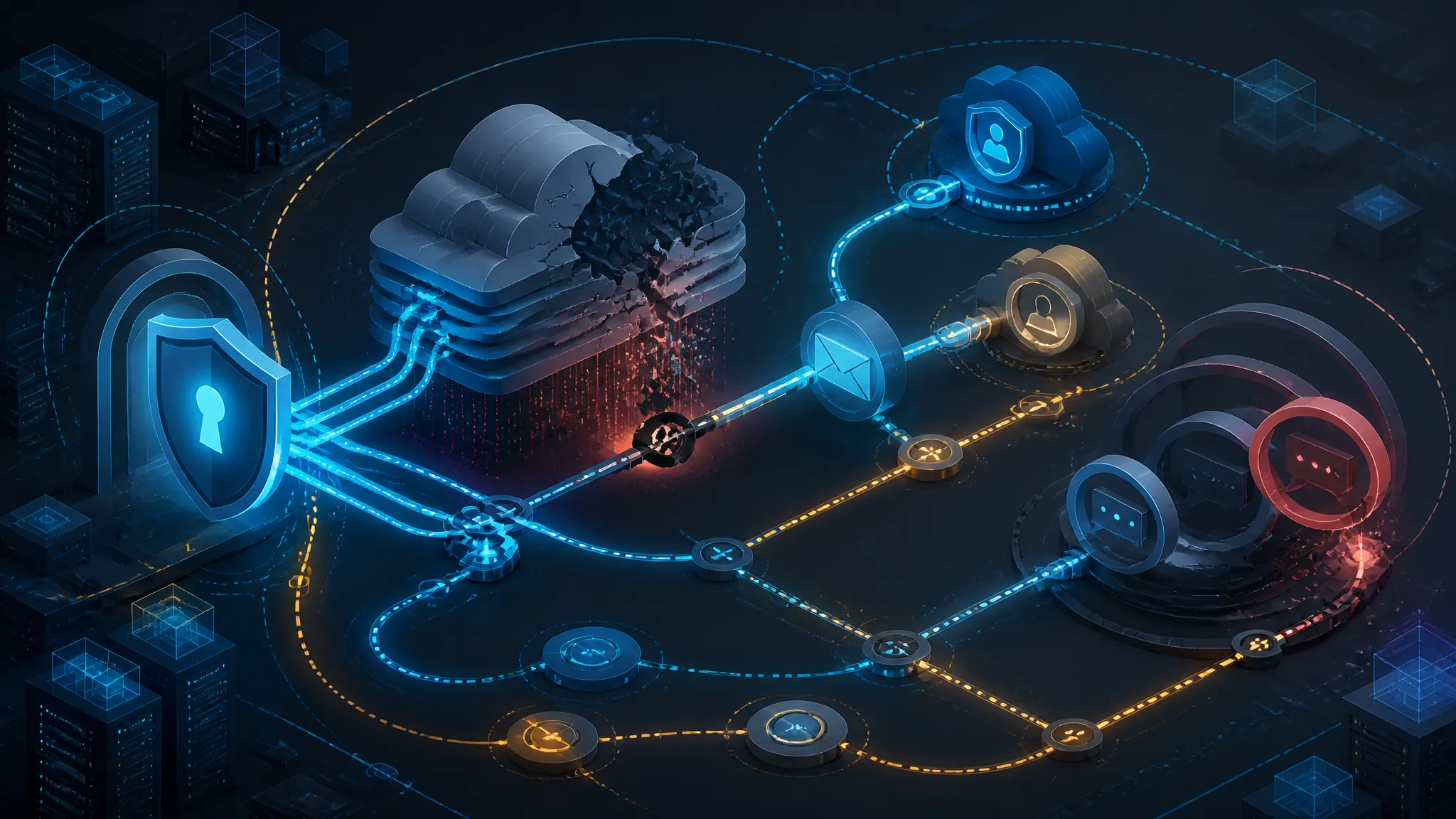
Designing Graceful Degradation for Entra ID, Exchange Online, and Teams Outages
On this page
Why Day Two of a Microsoft 365 Outage Is the Real Problem
This is a walkthrough of designing graceful degradation for Entra ID, Exchange Online, and Teams outages: which dependencies actually break, which fallbacks survive an identity-plane failure, and what to write into the DR runbook before the second day arrives. Day one of a Microsoft 365 outage is an inconvenience. Day two is a pile of business decisions nobody rehearsed.
The reporting on the disruption that ran from 12 into 13 November 2026 describes the familiar shape: Outlook and Teams degraded, Microsoft 365 "struggling to restore," businesses and governments affected, and the same story a second day running. None of that is a novel failure. It's the concentration risk that has been quietly compounding since organizations moved their identity plane, mail transport, and primary communication surface into one tenant behind one login.
My position here is blunt: you cannot fail over Entra ID, and you should stop writing runbooks that imply you can. What you can buy is degraded operation — a smaller, uglier, clearly-bounded version of the service that keeps Tier 0 work moving and is honest about what it drops. That's a design exercise rather than a spare-tenant exercise, and most of it costs less than the DR plan you already have.
What follows is a per-plane walkthrough of designing graceful degradation across identity, mail flow, and chat — assuming Entra ID, Exchange Online, and Teams. The reasoning carries over to other stacks.
What the 12–13 November 2026 Coverage Confirms, and What It Leaves Unconfirmed
Confirmed details from the 12–13 November 2026 coverage
Multiple outlets reported the same core facts across 12 and 13 November 2026: Outlook and Teams were among the affected Microsoft 365 services, the disruption ran past the first day, and it hit businesses and government users alike. As of 13 November, the reports describe Microsoft as still working to restore service.
Those are the load-bearing facts. Notice that the coverage describes workload-level unavailability — mail and chat not working. It does not say the Entra ID token service failed. That distinction drives your entire design, because the two failure modes share almost no mitigations.
What remains unconfirmed: root cause, blast radius, and per-tenant scope
No root cause has been attributed. A widely-shared explainer on "why Microsoft keeps going down," published 12 November, is a general taxonomy of cloud outage causes rather than a diagnosis of this event — don't read it as one. Microsoft had not published a root-cause narrative at the time of the reporting.
Treat these as unknown until Microsoft says otherwise:
- Whether identity issuance was impaired. If Exchange Online and Teams were degraded while
login.microsoftonline.comstayed healthy, users with valid tokens were fine and only workload access failed. If issuance was impaired, every federated SaaS app in the estate went with it. - Blast radius and per-tenant variance. "Global" in a headline doesn't mean uniform. Tenant impact in these events is usually shaped by routing, licensing SKUs, and which regional front door a tenant's traffic hit. No public per-tenant map exists.
- Whether mitigation was a configuration rollback or a code fix. This one determines whether your own change control would have caught it.
I won't guess at any of them. What I will say: because item one is unconfirmed, plan for the worse of the two.
Signals to watch in Microsoft's post-incident report
When the post-incident review lands, read it for four things, in this order:
- Which plane failed. Identity, control plane (admin and configuration), or data plane (mail delivery, chat messages). Each implies a different fallback in your runbook.
- Time-to-detect versus time-to-mitigate. A long detection window means your monitoring of Microsoft's status feed needs work. A long mitigation window means you need degraded modes — you can't out-wait a multi-hour fix.
- Whether configuration drift was involved. Several past Microsoft incidents involved automated changes rolling out faster than safety controls could catch. If that's the cause again, the lesson isn't your change discipline; it's your dependency.
- Whether the tenant admin plane stayed up. If
admin.microsoft.comand Exchange Online PowerShell were unreachable, every runbook step that starts withConnect-ExchangeOnlinewas a dead end. That's a property of your own plan you can test today.
If your DR runbook's first steps need the Microsoft 365 admin center, Exchange Online PowerShell, or Microsoft Graph with an Entra-issued token, that runbook has the same single point of failure as the incident it's meant to address. Open it and count the steps that begin with a Microsoft-authenticated session.
Mapping Your Microsoft 365 Dependency Graph Before an Outage
Before you can design a fallback, you need an accurate picture of what actually stops when each plane fails — and the diagram most teams have is wrong at the top.
Identity is the control plane, not a peer service
Most dependency diagrams draw "Identity (Entra ID)" in a box beside "Email" and "Chat," with arrows into the application layer. That drawing is why the runbooks are wrong.
Entra ID isn't a service your applications call. It's the process that mints the credential every other control is evaluated against. Conditional Access, MFA, device compliance, DLP policy scoping, privileged role activation, application consent — all of them execute inside token issuance. When issuance stops, none of those controls can decide anything. They don't deny; they simply can't run.
The practical consequence: an issuance outage isn't "one of our dependencies is down." It's "the mechanism we use to make authorization decisions is down," and every downstream system has to have decided in advance what it does without that mechanism. Systems that never decided default to failing closed — safe, and also an outage.
Classifying dependencies into Tier 0, Tier 1, and Tier 2
Sort by what stops, not by what feels important.
| Tier | Test | Examples | Outage posture |
|---|---|---|---|
| Tier 0 | Work stops entirely; safety, money movement, or statutory obligation is at risk | Clinical apps, dispatch, payment authorization, production access, payroll close | Must have a defined degraded mode that does not require Entra |
| Tier 1 | Work slows badly but continues on a manual path | Ticketing, general line-of-business, document collaboration | Accept outage; document the manual path and who authorizes it |
| Tier 2 | Nobody notices for a day | Internal wikis, dashboards, chat-adjacent tooling | Do nothing; do not spend on this |
The most common classification mistake is tagging Teams as Tier 0 because "communication is critical." Teams is Tier 0 as a communication channel — a different requirement from "Teams must work." The degraded mode for a channel is another channel, not a failover of Teams. Hold that thought.
A dependency inventory you can run this week with Graph and sign-in log queries
You can't scope a fallback without knowing which applications actually depend on Entra. Two queries get you most of the way.
First, every application holding a delegated or application permission grant — i.e. every app that breaks without issuance:
Connect-MgGraph -Scopes "Application.Read.All","Policy.Read.All","AuditLog.Read.All"

## App registrations and the resources they need
Get-MgApplication -All | Select-Object DisplayName, AppId,
  @{n='NeedsGraph';e={ ($_.RequiredResourceAccess.ResourceAppId -contains '00000003-0000-0000-c000-000000000000') }} |
  Where-Object NeedsGraph | Format-Table -AutoSize

## Enterprise apps configured for SSO — the long tail nobody remembers
Get-MgServicePrincipal -All -Filter "tags/any(t:t eq 'WindowsAzureActiveDirectoryIntegratedApp')" |
  Select-Object DisplayName, AppId, SignInAudience | Format-Table -AutoSize
Second, Conditional Access exclusions, checked by script rather than by eye:
$breakGlassGroupId = "<group-object-id>"
Get-MgIdentityConditionalAccessPolicy -All | ForEach-Object {
  [pscustomobject]@{
    Policy    = $_.DisplayName
    State     = $_.State
    ExcludesBG = $_.Conditions.Users.ExcludeGroups -contains $breakGlassGroupId
  }
} | Where-Object { $_.State -ne 'disabled' -and -not $_.ExcludesBG }
Any row that comes back is a policy that locks out your emergency account the moment it's enforced. Run this nightly and alert on results. The failure it prevents is mundane and common: someone creates a new CA policy in month nine, forgets the exclusion, and you find out mid-incident.
Run the second query against production today, not during the next outage. If it returns rows, that's a defect — and a one-line fix with no change window needed.
Entra ID — Designing Authentication Degradation for Tier 0 Systems
What survives an Entra outage: cached refresh tokens, PRT, and existing sessions
Less than most people assume.
What does survive is the client-side token cache. If MSAL or the Windows account manager already holds a valid access token for a resource, that token keeps working until it expires. Default access token lifetime on the Microsoft identity platform is around an hour, varying by client and resource; refresh tokens live considerably longer.
What does not survive is using that refresh token to get a new access token — that's a call to the token endpoint. Same story for the Primary Refresh Token on Entra-joined and registered devices. The PRT is a credential, not a cache: it's exchanged with the STS for access tokens. During an issuance outage, a device with a perfectly valid PRT still can't mint a token for a new resource. It only helps where it already minted one.
Continuous Access Evaluation shifts the arithmetic in your favor, with a caveat. CAE-enabled resources issue long-lived tokens (documented at up to 24 hours) and handle revocation through near-real-time event evaluation instead of short expiry, so already-signed-in clients get a longer runway during issuance trouble. The caveat: the revocation check is itself a call into the identity plane, and what a resource does when that check can't complete is documented per workload. Verify it in your tenant rather than assuming either direction.
Practical takeaway: your tolerance window for an issuance outage is roughly "how long your longest-lived cached token lasts," minus however long it takes users to reach a resource they haven't touched today. For most estates that's hours, not days.
What does not survive: interactive sign-in, device registration, and new consent grants
The list requiring a live STS exchange is longer than the list that doesn't:
- Interactive sign-in — and therefore every new session on a new device or browser profile
- MFA and password-reset flows, which terminate at the same endpoint
- Device registration and Intune enrollment for new hardware
- Admin consent and user consent for new application scopes
- Privileged Identity Management role activation
- Any service principal authenticating to Microsoft Graph with a client credential
That last one quietly breaks your runbook and your monitoring. If your automation authenticates to Graph with a client secret, it stops working at exactly the moment you need it to tell you what's broken.
Validating tokens without a live JWKS fetch (caching strategy and key-rollover risk)
Every API you own validates tokens against signing keys fetched from the tenant's JWKS endpoint. Default library behavior — refetch on an unfamiliar kid, short cache — is correct in normal operation and fatal during an outage of that endpoint.
The fix is a stale-while-error cache with an explicit ceiling and an explicit failure mode:
import { createLocalJWKSet, decodeProtectedHeader, jwtVerify } from "jose";

const JWKS_URL = process.env.JWKS_URL;
const MAX_AGE_MS = Number(process.env.MAX_AGE_MS ?? 60 * 60 * 1000);
const STALE_CEILING_MS = 24 * 60 * 60 * 1000; // hard stop

let cache = { jwks: null, fetchedAt: 0, kids: new Set() };

async function refresh() {
const res = await fetch(JWKS_URL, { signal: AbortSignal.timeout(3000) });
if (!res.ok) throw new Error("jwks " + res.status);
const jwks = await res.json();
cache = {
  jwks,
  fetchedAt: Date.now(),
  kids: new Set(jwks.keys.map((k) => k.kid)),
};
}

async function keySetFor(kid) {
const age = Date.now() - cache.fetchedAt;
if (cache.jwks && age < MAX_AGE_MS && cache.kids.has(kid)) return cache.jwks;

try {
  await refresh();
  return cache.jwks;
} catch (err) {
  const staleOk =
    cache.jwks && cache.kids.has(kid) && Date.now() - cache.fetchedAt < STALE_CEILING_MS;
  if (staleOk) {
    console.warn("[jwks] refresh failed, using stale set age=" + Math.round(age / 1000) + "s");
    return cache.jwks;
  }
  throw err; // do not fail open on an unknown key
}
}

export async function verify(token) {
const { kid } = decodeProtectedHeader(token);
const jwks = await keySetFor(kid);
return jwtVerify(token, createLocalJWKSet(jwks), {
  issuer: process.env.ISSUER,
  audience: process.env.AUDIENCE,
});
}
Two properties in that code carry all the weight. It refuses to verify a token whose kid it has never seen — an unknown signing key isn't a cache miss, it's a token you can't authenticate. And the stale ceiling stops a compromised or retired key set from being trusted forever.
Run it against a local mock issuer, then kill the mock:
$ MAX_AGE_MS=1000 JWKS_URL=http://127.0.0.1:8787/keys node demo.js
[jwks] fetched keys=3
[verify] ok kid=AbCd... src=fresh age=0s
## mock issuer stopped; token re-presented
[jwks] refresh failed, using stale set age=3602s
[verify] ok kid=AbCd... src=stale
## token signed by a key we never cached
[jwks] refresh failed, using stale set age=3604s
Error: no applicable key found in the JSON Web Key Set
(Representative output from a lab harness; key IDs and timings will differ. The failure path is the part to reproduce.)
This buys you validation of existing tokens while the JWKS endpoint is unreachable. It won't help if Microsoft rolls a signing key inside that window — new tokens signed by a new kid get rejected, correctly, and there's no safe workaround. Microsoft publishes new public keys to the JWKS endpoint well before they're used for signing, precisely so validators can pre-warm. The mitigation is keeping normal refresh cadence short enough to stay warm, and alerting on unknown-kid rejections so you can watch rollover happen.
Conditional Access: fail-open, fail-closed, and the narrow middle path
Conditional Access evaluates at token issuance. In a full issuance outage it neither fails open nor fails closed — it doesn't run at all. The interesting design question is the adjacent case: issuance works, policy evaluation is degraded. Microsoft's Conditional Access resilience defaults exist for that gap, providing a configurable window during which policies that can't be evaluated don't block access. Read the current docs for exact semantics and maximum duration before relying on it; this feature's behavior has changed over time.
For the case you actually control — policy mistakes, bad device-state data, a broken MFA provider — the middle path is a pre-created exclusion group that's empty by default. Entering degraded mode becomes adding members to a group instead of editing a policy definition. That matters at 03:00, when you want a one-object change that's easy to reverse and easy to review afterward.
Design three states, and write all three down:
- Normal — full policy set, exclusion group empty.
- Degraded — a named set of users (or a dynamic group scoped to a role) added to the exclusion group; ticket opened; timer started.
- Reversed — group emptied; the delta reviewed against the change log.
State 3 is the gap most organizations have. Fail-open is easy to enter and nobody owns exiting it. Put an expiry on the workflow — a ticket with an alarm, not a note in a chat thread.
Break-glass accounts that actually work when the plane is down
Emergency access accounts are necessary, and they solve a narrower problem than people think.
What they solve is policy-induced lockout: a CA policy with a bad condition, a broken MFA provider, a misconfigured federation trust. In each case the STS is healthy, the break-glass account isn't excluded from the broken path, and it works.
They do not solve an STS outage. A break-glass account still needs login.microsoftonline.com to issue a token. If issuance is down, your emergency account is as locked out as everyone else. Microsoft's guidance on emergency access accounts is about regaining administrative control, not continuity of authentication.
So configure them properly — cloud-only, excluded from all CA policies through a monitored group, phishing-resistant credentials stored offline, every sign-in alerted — and then stop expecting them to do something they can't. For the identity-plane outage you need the next section.
Application-level fallback for Tier 0 systems, and how to scope it
If no Entra-issued credential can be minted, the only surviving path avoids Entra entirely: a local authentication path inside the Tier 0 application.
Scope it brutally. A fallback is a second identity system, and second identity systems rot.
- Named roles only. A small fixed list may use it — duty dispatcher, on-call clinician, payment approver. Not "all staff."
- Separate credential store. Its own table, its own hashing (Argon2id or bcrypt at appropriate cost), its own rotation. Never a hash reused from your primary store.
- Hardware-backed or high-entropy. FIDO2 keys in a safe, or long random passphrases in sealed envelopes. Passwords people invent will be
Winter2026!and will be sprayed. - Time-boxed and self-expiring. Sessions last hours and can't be renewed without a fresh credential.
- Loud. Every fallback authentication fires an alert to the on-call channel and writes an audit record with the incident ticket ID attached.
- Reconciled afterward. Rotate every credential used, and reconcile access against what actually happened.
The scope discipline is the mitigation. An unscoped fallback is a permanent second front door nobody pentests.
Verifying the fallback in a lab tenant (reproducible test with shown results)
Don't validate this by reasoning. Break it in a lab.
On an isolated lab VM — check you're not on a production host before running this:
hostname; ip -4 addr show | grep 'inet '

sudo cp /etc/hosts /etc/hosts.bak
echo "127.0.0.1 login.microsoftonline.com" | sudo tee -a /etc/hosts

curl -sS -m 5 -o /dev/null \
  -w "http=%{http_code} time=%{time_total}s\n" \
  https://login.microsoftonline.com/common/discovery/v2.0/keys
Observed on a lab VM:
http=000 time=0.013s
curl: (7) Failed to connect to login.microsoftonline.com port 443 after 13 ms
Now open the application with a fresh profile — no cached tokens — and record three things: the exception type, the user-facing message, and whether it fails closed cleanly or crashes into an unhandled state. Then repeat with a warm profile holding a valid cached token and note how long it keeps working. That number is your real tolerance window, and it's usually the most surprising result of the exercise.
Two caveats on method: browsers using DNS-over-HTTPS may bypass /etc/hosts, so use a native client (a small MSAL console app, or az account get-access-token) rather than a browser tab. And restore /etc/hosts afterward — a leftover blackhole on a lab image is its own incident.
Exchange Online — Mail-Flow Contingencies That Hold Under Load
The hard boundary: transport can fail over, mailboxes cannot
Put this sentence at the top of the mail runbook: you can redirect where mail is delivered, but you cannot fail over where mail is stored.
Mailbox content lives in Exchange Online. There's no read-replica to point Outlook at, no documented emergency export path, and no alternate tenant that mounts your data. Any "Exchange DR plan" assuming users will read mail in a secondary system isn't a DR plan — it's a migration project scoped at the worst possible moment.
The achievable objective is narrower and still worth having: don't lose inbound mail, and keep outbound moving for Tier 0 systems. That's a transport problem, and transport you can design.
MX failover mechanics and the TTL tax you pay for it
MX failover means publishing a second mail exchanger at a higher preference number. Senders try the lowest preference first and fall through on connection failure — not on a slow response, and not on a 4xx.
Three mechanics decide whether your failover takes effect:
- MX preference ordering. Lower number wins. Your secondary must be a higher number, and it must be reachable.
- DNS TTL. Senders cache the MX set for the TTL. A one-hour TTL means up to an hour of senders still hitting the dead primary before they see the change.
- Sender retry behavior. Well-behaved MTAs treat a connection failure or 4xx as temporary and retry on a backoff schedule, commonly for several days. That's the behavior you're depending on. You can't count on it from every sender, but you can from most of the internet.
The TTL tax is real: with a 1-hour TTL, assume one hour of partial effectiveness after the change, plus each sender's own retry interval. Lower TTLs (300s) are the standard mitigation, and they should be set now — a TTL you can only change if the DNS provider's admin plane is up, which it may not be if that provider is the same vendor.
Which is worth stating plainly: keep authoritative DNS at a provider independent of your productivity suite, with registrar lock and out-of-band credentials. If your MX records live inside the tenancy that's failing, the failover step isn't executable.
Outbound relay and smarthost design when the tenant itself is impaired
Outbound is where Tier 0 systems get hurt. An application that must send a confirmation, an alert, or a regulatory notice can't wait two days.
The design is a pre-staged smarthost path that Tier 0 systems can switch to by configuration change, with everything it needs already in DNS:
- A relay outside Exchange Online — an on-premises MTA or third-party SMTP relay with its own egress.
- SPF already authorized.
include:the relay or list its sending IPs before you need it. Adding an SPF include mid-outage is another DNS change you may not be able to make. - DKIM selectors already published for the relay's signing domain, with the private key somewhere the relay can reach without Entra.
- DMARC alignment verified. If the relay sends as your domain with broken alignment, DMARC will quarantine your own transactional mail — a self-inflicted delivery failure layered on the original incident.
The switch itself should be a setting your application reads, not a code deploy. Deploys are exactly what's blocked when your CI/CD pipeline authenticates through the same broken identity plane.
Inbound protection, NDR handling, and queue and retry windows
Two failure modes destroy mail during a failover, and both are self-inflicted.
First: 5xx responses from the secondary. A 5xx is permanent — the sender deletes the message and sends the user an NDR. A secondary gateway returning 550 because its backend mailbox store is unavailable turns a delay into data loss. It must return 4xx and hold. Test this explicitly, with a message addressed to a mailbox that doesn't exist on the relay:
openssl s_client -connect relay.contoso-lab.example:25 -starttls smtp -quietIf you get 450 4.2.0 for backend-unavailable and 550 5.1.1 only for a genuinely nonexistent recipient, the relay is behaving. If everything comes back 550, fix the relay before you rely on it.
Second: bypassing inbound filtering. Failing over to a secondary MX means mail that Exchange Online Protection would have filtered arrives somewhere else. If that somewhere delivers straight to mailboxes, you've re-exposed the organization to phishing at the exact moment your analysts are distracted. Either the secondary runs equivalent filtering, or it holds instead of delivering. Holding is the better answer for most organizations.
Queue and retry windows bound all of it. A typical MTA default queue lifetime is around five days, with retries at increasing intervals. That's your real inbound buffer: if Exchange Online is back within roughly a day, a holding gateway can replay everything. Past that window, mail is silently discarded and nobody gets an NDR, because the sender's queue already succeeded. Know your gateway's maximal_queue_lifetime and set it deliberately.
A worked MX failover checklist with commands and observed output
Order matters: verify state, change DNS at the independent provider, verify propagation, verify relay response codes, then monitor.
## 1. Current state, from two resolvers
dig +noall +answer +ttlunits MX contoso-lab.example @1.1.1.1
dig +noall +answer +ttlunits MX contoso-lab.example @8.8.8.8
contoso-lab.example. 5m00s IN MX 10 contoso-lab-example.mail.protection.outlook.com.
contoso-lab.example. 5m00s IN MX 20 mx2.contoso-lab.example.## 2. Authorization records that must already exist
dig +noall +answer TXT contoso-lab.example
dig +noall +answer TXT _dmarc.contoso-lab.examplecontoso-lab.example. 1h00s IN TXT "v=spf1 include:spf.protection.outlook.com include:relay.contoso-lab.example -all"
_dmarc.contoso-lab.example. 1h00s IN TXT "v=DMARC1; p=quarantine; rua=mailto:[email protected]"## 3. Promote the secondary, then confirm the new ordering is visible
dig +short MX contoso-lab.example @1.1.1.10 mx2.contoso-lab.example.
10 contoso-lab-example.mail.protection.outlook.com.(Representative output from a lab domain. Your records, TTLs, and selectors will differ; the sequence is what to rehearse.)
Note what step 3 doesn't do: it doesn't test that the relay accepts mail, holds it, and returns 4xx under load. That's the step people skip, and it's the step that decides whether failover preserves mail or destroys it.
Teams — Accepting That There Is No Failover
Why federation, presence, and calling all sit behind the same identity plane
Teams has no degraded mode of its own. Chat, presence, federation, file access, and meeting join all present an Entra-issued token to the Teams service. When issuance fails, they all fail together, because it's the same authentication event.
Worth stating explicitly because organizations keep discovering it mid-incident. "Can we at least use presence?" No — presence is a service call authenticated by the same token. "Can we federate to the partner tenant?" No — federation is policy evaluated at the same plane.
The only Teams behavior that survives is the thing that survives everywhere else: a client holding a valid, unexpired token keeps working until it expires. Teams refreshes aggressively enough that this window is short in practice — typically under an hour, often much less for a client that's been idle.
The telephony exception: Direct Routing, SBCs, and emergency calling
Direct Routing is sometimes described as surviving a Teams outage. It doesn't, and the nuance matters.
Direct Routing sends PSTN calls through your own Session Border Controller, which really is independent infrastructure — and that independence protects you from SBC or trunk failures, not from a Teams outage. The Teams client still needs a valid token to place the call, and signalling still traverses Microsoft's infrastructure. An already-established session may continue; a new call attempt generally won't. Treat that as inference rather than documented behavior for a given outage type, and verify it in your own environment if telephony is Tier 0.
Emergency calling is the sharp edge. Teams emergency calling depends on the Teams client, a validated emergency address, and the service being reachable. There's no documented mechanism for Teams-based emergency calls when Teams is unavailable. If your sites have meaningful occupancy, the real mitigation is unglamorous: working PSTN lines, mobile coverage verified inside the building, and a printed procedure at reception that facilities staff have actually rehearsed. Regulatory requirements vary by jurisdiction — a Teams configuration is not compliance with them.
Pre-provisioning a secondary chat surface without pretending it is a mirror
The right objective for chat isn't failover. It's a second, smaller channel that isn't behind Entra, pre-provisioned so using it is a notification rather than a project.
Requirements, ordered by how often they get violated:
- Its authentication must not use Entra. If the backup channel signs in via SAML to the same tenant, you've built a backup with the same dependency. Test it by attempting a fresh login with the Entra token endpoint blocked.
- Its administration must not use Entra. Same rule for the admin console.
- Accounts must be pre-created, credentials distributed out of band — not a signup flow that emails an invitation through Exchange Online.
- A small named set of channels must already exist: incident command, one per operational tier, and all-staff announcements. Creating structure during an incident is how you end up with forty overlapping channels and no decisions.
- Describe it honestly. It carries text. No files, meetings, or presence. Say so in the runbook so nobody spends day two hunting for a document.
Records, retention, and compliance obligations during an outage window
Here's the obligation most organizations forget until the audit.
Teams messages are retained in place under your Microsoft Purview configuration. Messages sent over an alternate channel are not. Moving incident traffic to a second surface creates a communications set outside retention, eDiscovery, and any legal hold — during a window when decisions with legal and financial consequences are being made.
The minimum defensible posture:
- Record exact start and end timestamps of the degraded-communication window in the incident ticket.
- If the alternate tool supports export, export the incident channels at closure and store them with the ticket.
- If it doesn't, document the gap explicitly and route it to legal and compliance per your policy instead of hoping nobody asks.
- Note the gap in the post-incident report, because the next outage produces the same gap unless it's on a list.
Designing Degraded Modes per Tier Instead of One DR Plan
A single plan tries to express one recovery posture for services whose requirements differ by an order of magnitude. Splitting it per tier is what makes the fallbacks reviewable.
Defining the degraded service level for each tier
A single DR plan fails because it tries to express one recovery posture for services whose requirements differ by an order of magnitude. Replace it with a degraded service level per tier — a short statement of what still works.
| Tier | Normal | Degraded service level | Max degraded duration |
|---|---|---|---|
| 0 | SSO, full authorization, audit trail | Named roles only; local credential; reduced feature set; elevated logging; ticket-bound | 72 hours before escalation to business continuity |
| 1 | SSO, full feature set | Manual path, documented, owner-authorized; no self-service | 5 business days |
| 2 | SSO | No service. Deliberately no service. | Indefinite |
The Tier 2 row is doing real work. Deciding up front that something stays broken prevents the reflexive scramble that eats day two.
A decision table: trigger, action, owner, reversal condition
Write the table so every row has an owner and a reversal condition. A row without a reversal condition becomes permanent.
| Trigger | Tier | Action | Owner | Reversal condition |
|---|---|---|---|---|
| Entra issuance failing > 30 min, confirmed | 0 | Enable app-local fallback; page on-call security | Identity lead | Issuance healthy for 60 min; rotate all fallback credentials |
| CA policy blocking a large user set | 0–1 | Add named users to pre-created exclusion group | IAM on-call | Policy fixed; group emptied; delta reviewed |
| Inbound mail to EXO failing > 60 min | 0–1 | Promote secondary MX to preference 0 | Messaging lead | EXO accepting mail for 60 min; MX restored; queue drained and reconciled |
| Outbound from EXO failing | 0 | Repoint Tier 0 apps to smarthost | Platform lead | EXO accepting submissions for 30 min |
| Teams unavailable > 60 min | 0 (comms) | Publish secondary channel; post holding statement | Incident commander | Teams stable for 30 min; close window and export records |
Where the graceful-degradation design usually fails in practice
Three failure points, most frequent first.
The fallback is never exercised, so it's been broken for a year. The local credential store points at a decommissioned database; the sealed envelopes were rotated out and never refilled; the smarthost lost its SPF include in a DNS cleanup. A fallback that isn't drilled isn't a fallback.
The reversal never happens. Degraded mode gets entered during an incident and stays, because exiting it needs an owner who's moved on to the next fire. The exclusion group stays populated, the local auth path stays enabled, the audit trail drifts. That's how a temporary measure becomes a standing control gap.
The trigger needs a judgment call nobody is authorized to make. "Enable fallback if authentication is broadly failing" isn't a trigger. "Enable fallback if the token endpoint has returned errors for 30 consecutive minutes and the status page confirms an active incident, on the authority of the on-call identity lead" is a trigger.
Incident Communication When Your Status Page Lives Inside the Outage
Out-of-band channels and the dead-man dependency check
The first casualty of an identity outage is usually the incident response tooling, because it authenticates through the same IdP. Run this check quarterly, and actually attempt the login:
- Status page — hosted where? Admin login via SSO?
- Paging platform — SSO required for the web console, or just the mobile app?
- On-call runbook wiki — behind SSO?
- Conference bridge — dial-in numbers cached offline by the people who need them?
- Business continuity contact list — in a document that lives in SharePoint?
Every "yes" is a dead-man dependency. The mitigations are cheap: a static HTML status page on separate infrastructure with a separate account; a paging platform with a non-SSO emergency access path; a one-page contact list printed and posted at each site and at the incident commander's desk; dial-in bridge details on that page rather than behind a link.
Pre-written holding statements and a defensible update cadence
Write three statements before you need them:
- Detection — "We are aware of an issue affecting [service]. We are investigating. Next update at [time]."
- Degraded — "We have enabled our contingency for [function]. [What still works]. [What does not]. Next update at [time]."
- Recovery — "Primary service is restored. [What to expect]. Post-incident review to follow."
The discipline is the cadence, not the wording. Commit to an interval you can sustain — 30 or 60 minutes — and publish on schedule even when nothing changed, because "no update" reads as "nobody is working on it." Publishing "no change; next update at 14:30" is a complete update.
Communicating uncertainty without inventing a recovery time
The most damaging thing you can do during a vendor outage is promise a recovery time you don't control. An invented ETA becomes the number the business plans around, and then the number you're measured against.
Say what you know and what you don't:
Microsoft reports an active incident affecting Exchange Online and Teams. We have no independent estimate for restoration and will not provide one. Our inbound mail is being held at our gateway and will be delivered on restoration; no mail has been rejected. Our contingency for payment authorization is active.
That statement holds up in the post-incident review. "Should be back in an hour" does not.
What to Add to the DR Runbook for a Multi-Day SaaS Outage
The runbook changes are small, specific, and mostly about naming people and reversing state — not about buying anything.
Trigger conditions and named authority to invoke
For each degraded mode the runbook needs an objective trigger (observable, not interpretive), a named role with authority to invoke, and a second named role as backup. Not a team, not a distribution list — a role that maps to a specific person on the current rota.
Ordered steps for an Entra-first outage
Order matters, because each step buys time for the next.
- Confirm the plane: is issuance failing, or are specific workloads failing? Check the status page and an independent probe from outside your network.
- Freeze changes. No deploys, no policy edits, no DNS changes unrelated to the incident.
- Confirm your independent channels are live: status page, paging, dial-in bridge.
- Publish the first holding statement on the independent status page.
- Activate degradation for Tier 0 only. Not Tier 1, not "everything to be safe."
- Start the clock on each degraded mode; assign an owner for reversal.
- Capture evidence continuously: token endpoint responses, timestamps, which systems were switched, by whom.
Reversal and post-outage reconciliation: tokens, queued mail, configuration drift
Reversal is a work item with its own owner, not a closing remark.
- Empty the exclusion groups and diff state against the pre-incident snapshot.
- Rotate every credential used on a fallback path. Every one. Assume exposure.
- Drain and reconcile the mail queue. Confirm count in equals count delivered plus count rejected, and account for the difference.
- Check configuration drift across CA policies, MX records, connectors, and SPF/DKIM/DMARC. Nightly automated diffing turns this into a five-minute check instead of an audit.
- Restore TTLs and preferences you changed, and record the change IDs.
Testing the Fallbacks Before You Need Them
Tabletop versus live drill, and what each one actually proves
A tabletop proves your people know the plan exists. That's worth something — most plans fail on role confusion and missing authority — but it proves nothing about whether the fallback functions.
A live drill proves the mechanism works. It doesn't need to be a full production failover. Blocking the token endpoint in a lab tenant, confirming the Tier 0 application falls back to local credentials, and checking that the audit trail records it is a two-hour exercise that will find something broken roughly every time.
Run both. Tabletop annually, live drill quarterly for Tier 0, and always in the quarter before you need it.
A safe simulation script for breaking authentication in a lab tenant
The /etc/hosts blackhole above is the simplest simulation for a single lab VM. For a repeatable drill that doesn't touch a shared machine, run a local mock issuer and point the app at it:
## Minimal JWKS server for drill purposes, lab only
node -e '
const { generateKeyPair, exportJWK } = require("jose");
const http = require("http");
(async () => {
  const { publicKey } = await generateKeyPair("RS256");
  const jwk = { ...(await exportJWK(publicKey)), kid: "drill-key-1", alg: "RS256", use: "sig" };
  http.createServer((req, res) => {
    res.writeHead(200, { "content-type": "application/json" });
    res.end(JSON.stringify({ keys: [jwk] }));
  }).listen(8787, () => console.log("mock jwks on :8787"));
})();
'
Point JWKS_URL at http://127.0.0.1:8787/keys, verify a token, kill the process, verify again. What you're proving is that your validator survives an unreachable JWKS endpoint for known keys and correctly refuses unknown ones — the two behaviors that matter.
Any simulation that mounts an identity bypass belongs in a dedicated non-production tenant with a documented scope, an expiry on test credentials, and a cleanup step in the drill record. A drill that leaves a bypass behind is worse than no drill.
The Cost of the Fallback: New Risk You Just Bought
Every degraded mode you design is a control you turned down on purpose. The bill arrives later.
Break-glass accounts as a permanent, monitored backdoor
Every emergency access account is a credential that bypasses normal controls and never expires. That's the point, and it's also the risk.
The two failure modes are under-monitoring and over-provisioning. Under-monitoring looks like a break-glass account with no sign-in alerts, later found in an audit to have been used weekly by an admin who found it convenient. Over-provisioning looks like eleven of them, because each team made one and nobody counted.
Mature posture: a small fixed number of cloud-only accounts, credential material offline in physical custody, every sign-in generating a high-severity alert routed somewhere a human reads, and a nightly automated check that the CA exclusion list is intact — the query from earlier.
Fail-open policy erosion and the audit trail problem
Degraded mode is, by construction, a reduction in enforcement. Fine for hours. Not fine for months.
The erosion pattern is predictable: an incident enables the fallback; reversal gets deferred because nothing broke; the next incident enables it faster because it's "already known to work"; eventually it's the normal path and the primary path is the exception. Nobody decided this. It accumulated.
Two controls prevent it. First, every degraded mode has a maximum duration with an escalation at expiry — an escalation to a named executive, not a reminder. Second, degraded-mode authentication is logged to a store the primary system can't write to, and someone reviews those logs after every incident. If your fallback's audit log lives in the system that went down, you have no audit log.
The Position: Buy Degraded Operation, Not Failover
The 12–13 November 2026 reporting describes a workload outage lasting more than a day and affecting businesses and governments. The root cause isn't public, and I won't speculate. What the event establishes, again, is the shape of the exposure: one vendor holds your identity plane, your mail transport, and your primary communication surface, and there's no failover for the first of those.
So stop budgeting for failover and start budgeting for degraded operation. Concretely:
- Accept that an Entra issuance outage is an authentication outage, and that no Entra-issued credential — break-glass included — gets you out of it.
- Build exactly one application-scoped local path for Tier 0, tightly scoped, loudly logged, drilled quarterly.
- Keep authoritative DNS and a smarthost outside the productivity tenancy, with SPF and DKIM pre-published, so a mail failure is a TTL delay rather than data loss.
- Keep inbound mail at a holding gateway that returns 4xx, not 5xx, and know its queue lifetime.
- Accept that Teams has no failover, pre-provision a small secondary channel that doesn't authenticate through Entra, and record the retention gap it creates.
- Write the reversal into the runbook with an owner and an expiry, because the fallback is what will still be running long after the incident closes.
That plan costs a fraction of a second productivity suite, and it's the only version that survives contact with an identity outage.
Further Reading
Primary Microsoft documentation
- Configurable token lifetimes in the Microsoft identity platform — access and refresh token lifetime defaults
- Microsoft identity platform access tokens — token structure, validation, and signing key behavior
- OpenID Connect protocol and metadata documents — the JWKS endpoint your validator depends on
- Continuous Access Evaluation — long-lived tokens and revocation semantics
- Conditional Access documentation — includes resilience defaults; check current behavior before relying on it
- Manage emergency access accounts in Microsoft Entra ID — what break-glass accounts do and do not solve
- Exchange mail flow best practices — connectors, relay, and transport design
- Plan Direct Routing — SBC and PSTN architecture for Teams telephony
- Emergency locations, addresses, and calling — what Teams emergency calling requires
- View your service health in the Microsoft 365 admin center — reading advisories during an incident
- Microsoft 365 service status — the public status surface
Standards and tooling
- RFC 7208 — Sender Policy Framework and RFC 7489 — DMARC — the records that must already exist before a relay failover
- RFC 5321 — Simple Mail Transfer Protocol — why 4xx defers and 5xx destroys
- Microsoft Graph signIn resource — querying sign-in activity for the dependency inventory
- jose — the JWK/JWT library used in the validation example
Coverage of the 12–13 November 2026 disruption
- Microsoft outage drags on for hours, disrupting Outlook, Teams for businesses and governments — The Straits Times, 12 November 2026
- Microsoft outage drags on for hours, disrupting Outlook, Teams for thousands — The Business Times, 12 November 2026
- Microsoft struggles to restore Outlook and 365 as global outage enters second day — Ynetnews, 13 November 2026
More posts
Blast Radius of a Backup Credential: What 173 Compromised M365 Tenants Show About Delegated Access
A compromised ConnectWise backup credential exposed 173 Microsoft 365 tenants, revealing how delegated access and OAuth consent turn a single MSP secret into a broad supply-chain blast radius.

Which AWS Checks Survive Local Emulation: AWS Emulator, LocalStack, and Moto Under One Test Suite
A deep technical walkthrough comparing AWS Emulator, LocalStack, and Moto in one test suite to show which AWS checks survive local emulation, where service-fidelity gaps appear, and when pre-deploy validation is safe enough for CI.

A JavaScript Cost Calculator for Choosing Between $0.10/M APIs and Self-Hosted Models
Build a JavaScript cost calculator that models per-token API pricing against self-hosted open-weight inference, including GPU, utilization, and ops overhead, to decide when $0.10/M APIs beat owning the stack.
Loading comments…