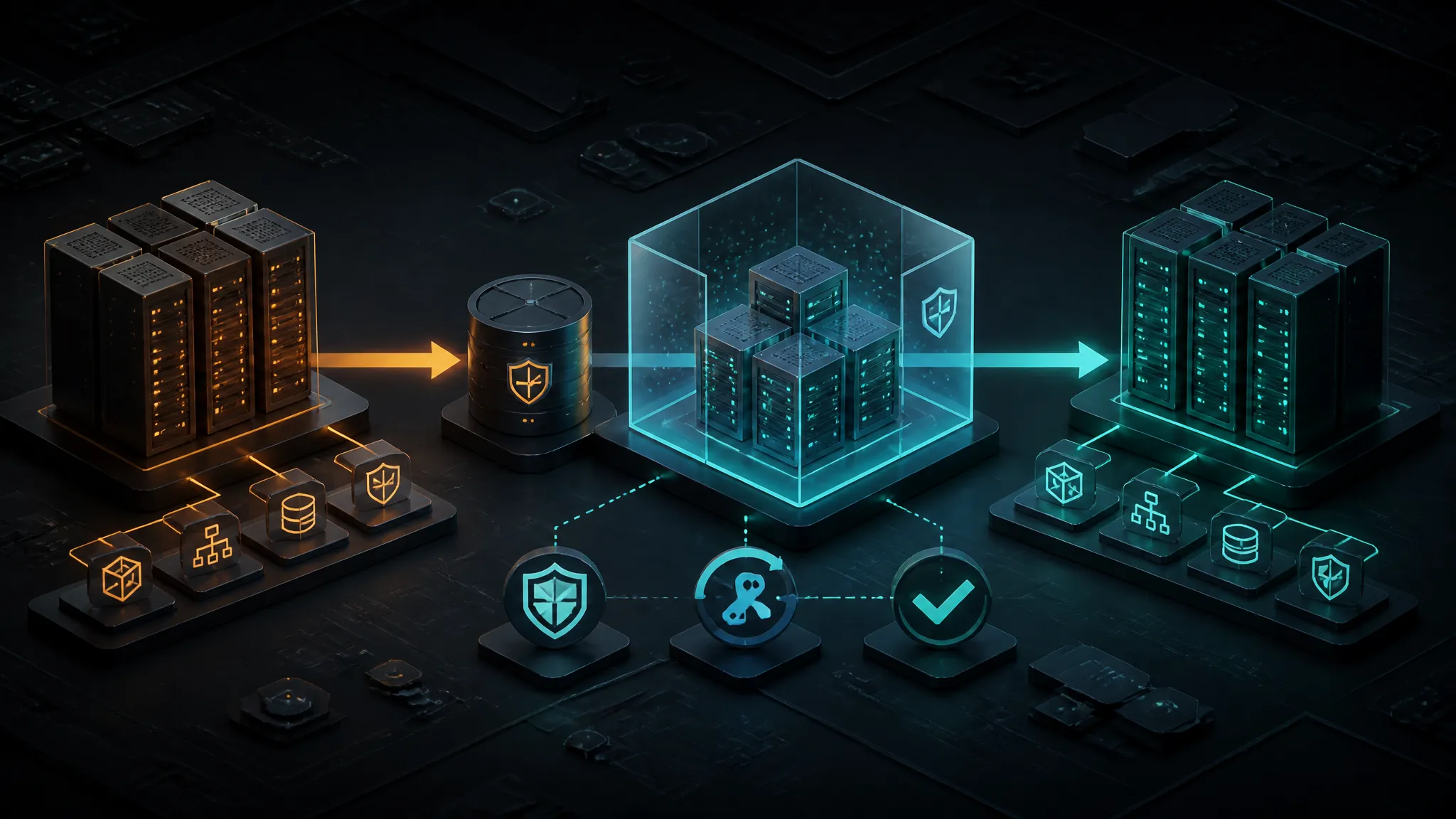
Testing Backup Restores and IaC Portability Before Leaving Rackspace Spot
Rackspace Spot has been, for a certain kind of team, a cheap place to run Kubernetes: spot-priced nodes, a managed control plane, and a bill that made the platform team look clever. That is exactly the profile of dependency that hurts when it goes away—low ceremony, high blast radius, and almost no documentation about what would happen if it stopped existing. This guide is the test plan I'd run before leaving the platform: inventory workloads, prove backup restores from a clean environment, validate IaC portability, rotate credentials, and qualify a replacement provider before treating the migration as done.
Reporting dated 25 November 2026 says Rackspace is winding Spot down after a security breach. This is not a news summary; it's the operational drill I'd run before treating a replacement platform as real, ordered so the security response doesn't get tangled up with the migration.
The evidence for the shutdown is secondary. The supplied snippets are a Mezha.net headline and a teiss headline, both dated 25 November 2026. They establish that two outlets reported a wind-down following a breach. They do not establish scope, affected customers, exposure window, or a shutdown deadline.
On this page
A Reported Rackspace Spot Exit Makes Backup Restore Testing the First Migration Gate
Replacement infrastructure means nothing until workloads and data can be restored on it
The instinct after news like this is to open three competitor pricing tabs and start comparing node costs. That's the wrong first move, and it's wrong for a boring reason: the hard part of leaving a cloud is not provisioning capacity. It's proving that your data and your runtime behavior survive the trip.
A replacement cluster that boots in eleven minutes proves nothing. The questions that actually decide whether you can exit:
- Can you read your backups from an environment that does not depend on Rackspace?
- Do you still have the encryption keys those backups need?
- Does your PostgreSQL dump restore onto a server version you can actually provision elsewhere?
- Do your CustomResourceDefinitions, storage classes, and ingress annotations have equivalents on the target?
- When you switch traffic, what's your rollback, and does it still work after the destination has accepted writes?
All of those are testable. None of them are testable by reading a pricing page.
What the November 25, 2026 reporting establishes, and what it leaves open
I want to be precise about what the source material supports, because the natural failure mode here is to let a headline harden into a fact pattern.
| Claim | Status | Basis |
|---|---|---|
| Rackspace is winding down Spot | Reported | Mezha.net and teiss headlines, 25 Nov 2026 |
| The wind-down follows a security breach | Reported | Same two headlines |
| The breach "exposed customer clusters" | Reported at headline level | teiss headline wording only |
| Which customers, which clusters, which data | Not established | No detail in supplied snippets |
| A shutdown deadline or migration window | Not established | Not present in supplied snippets |
| Whether data exports are still available | Not established | Not present in supplied snippets |
That table is not pedantry. It changes your sequencing. If a deadline exists and is short, data export moves to the front. If exposure scope is broader than your tenant, credential rotation moves to the front. You cannot know which until you have a primary source.
The primary-source confirmations worth chasing first
The list I'd chase, in this order:
- Direct Rackspace customer communication — the email or portal notice sent to account owners. This is the only thing that establishes your deadline.
- Status page history for the Spot control plane, API, and any managed add-ons.
- Support case acknowledgement naming your account and confirming export options.
- Data-export mechanism and cutoff — does an object-storage bucket remain readable, and until when?
- Billing and contract wind-down terms, including any transition assistance.
- Whether Rackspace has published its own incident write-up covering scope and timeline.
Until item 1 lands, every date in your migration plan is an assumption. Write it down as one.
Split Immediate Incident Response from the Cloud-Exit Workstream
Capture audit records and configuration evidence without stalling containment
These two workstreams have opposite instincts and they will fight if you run them as one project. Incident response wants to isolate and destroy. Migration wants to preserve and copy. Run them as separate tracks with separate owners and an explicit handoff.
Evidence to capture early, before anything is torn down:
- Control-plane audit logs for the affected period, exported to storage outside Rackspace.
- Kubernetes event history and admission-controller decisions, if retained.
- CI/CD run logs for deploys in the exposure window.
- Registry pull logs and image digests, not just tags.
- DNS zone exports and certificate issuance records.
Export these to a system that is not Rackspace-hosted. Copying evidence into the platform you may lose is a common and embarrassing mistake.
Preservation is not containment. Containment decisions should not wait on an evidence export that takes four hours. Start the export in the background and contain in parallel; the audit trail of the containment action itself is evidence you will want later.
Inventory every credential that touched the platform
Assume every long-lived credential that touched the platform should be rotated. Build the inventory as a table, not a mental list, because the dependency edges are what bite.
| Credential class | Typical consumers | Rotation trap |
|---|---|---|
| Cloud API keys | Terraform, autoscalers, backup jobs | Terraform may be the only path to the target |
| Kubernetes ServiceAccount tokens | In-cluster controllers, CI deploy steps | Long-lived tokens survive revocation of the issuing SA |
| CI/CD deploy tokens | Pipelines pushing manifests | Token may also gate the artifact registry |
| Registry credentials | Node kubelets, CI builds | Rotation order matters or nodes cannot pull |
| Database users | Apps, migration jobs, BI tools | Password change without connection drain |
| Backup credentials | Restore tooling | Revoking before you have a second copy locks you out |
| DNS and certificate API keys | cert-manager, external-dns | Losing these can strand your ingress |
Note the backup row. That one has a strict ordering rule: establish independent backup access before rotating the credentials that read your only backups.
Rotate in a fixed order: new access, new credentials, canary consumers, then revoke
The sequencing I'd use:
- Create new admin access on a path that does not transit the suspect platform — a break-glass identity with hardware-key MFA.
- Issue replacement credentials, scoped narrower than the originals.
- Update consumers in a canary order (lowest blast radius first).
- Verify each consumer with a real operation, not a config diff.
- Revoke superseded credentials only after step 4 for every consumer.
Step 4 is the one people skip. "The secret is updated in the secret store" is not the same as "the workload authenticated successfully." Verify with an actual API call:
## Confirm the replacement credential works before revoking the old one
curl -sS -o /dev/null -w '%{http_code}\n' \
  -H "Authorization: Bearer $NEW_TOKEN" \
  "$API_BASE/healthz"
Sample output:
200A 200 means the consumer works. A 401 means you just prevented a self-inflicted outage. Revoke nothing until every consumer line in the inventory shows 200.
Three gates with separate exit criteria so urgency doesn't erase verification
Three gates, three exit criteria, no shared shortcuts:
- Gate C (containment): all credentials in the inventory rotated or explicitly waived with a written reason; audit logs exported; no consumer authenticating with a superseded credential.
- Gate R (recovery): at least one stateful workload restored into an isolated environment, validated at the application layer, with measured data-loss and recovery-time figures.
- Gate M (migration): target platform qualified with evidence, cutover and rollback rehearsed, decommission checklist signed.
Urgency compresses the schedule between gates. It should not compress what a gate requires.
Build a Workload Inventory That Exposes Hidden Rackspace Dependencies
Collect read-only inventories for workloads, services, ingress, PVCs, storage classes, and CRDs without dumping secrets
Every command below is read-only. None of them should dump Secret contents, so never add -o yaml to a get secrets.
mkdir -p inventory && cd inventory

kubectl get ns -o json                       > namespaces.json
kubectl get deploy,sts,ds,cronjob -A -o wide > workloads.txt
kubectl get svc,ingress -A -o wide           > networking.txt
kubectl get pvc,pv -A -o wide                > storage.txt
kubectl get storageclass -o wide             > storageclasses.txt
kubectl get crd -o name                      > crds.txt
kubectl api-resources --namespaced=true      > api-resources.txt
kubectl get secret -A -o name                > secret-names.txt
Sample output for the storage line:
NAMESPACE   NAME              STATUS   VOLUME       CAPACITY   ACCESS MODES   STORAGECLASS
app         pgdata-primary-0  Bound    pvc-8c1f...  100Gi      RWO            spot-block
app         uploads           Bound    pvc-2ad4...  500Gi      RWX            spot-file
Two problems surface immediately. spot-block and spot-file are provider-specific storage classes with no target equivalent, and RWX on uploads is a constraint that many cheaper providers cannot satisfy for cheap. Finding that out during cutover week is a different kind of problem.
kubectl get secret -A -o name gives you the shape of your secret surface without the values:
secret/app-db-credentials
secret/registry-pull
secret/backup-s3-key
secret/cert-manager-dns
That list is your rotation inventory. Names only.
Map each service to its owner, data stores, image digests, DNS, certs, integrations, and recovery priority
For each workload, record eight fields. Keep it in a spreadsheet or a YAML file in your repo — somewhere reviewable.
| Field | Why it decides something |
|---|---|
| Owner | Who says yes on the recovery order |
| Data stores | Determines restore ordering |
| Image reference and digest | Proves you can pull it elsewhere |
| DNS records | Determines cutover mechanics |
| Certificates | Determines whether TLS breaks at switch time |
| External integrations | Inbound webhooks break silently on DNS change |
| Recovery priority (P0-P3) | Orders the whole drill |
| RPO / RTO | Orders the whole drill, harder |
The registry column deserves its own check. If your images live in a Rackspace-hosted registry, every deployment on the target depends on a service you are trying to leave. Mirror by digest, not tag:
## Mirror images by digest into the target registry
while read -r src; do
  docker pull "$src"
  dst="${TARGET_REGISTRY}/${src#*/}"
  docker tag "$src" "$dst"
  docker push "$dst"
done < image-digests.txt
Record provider-specific dependencies that leak: load balancers, storage drivers, network assumptions, identity, and add-ons
This is where portability actually leaks. Application YAML rarely blocks a migration; provider annotations and assumptions do.
- Load balancer annotations — the
service.beta.kubernetes.io/*family. Behaviour differs on every provider: cross-zone, internal vs external, IP preservation. - Storage drivers and CSI secrets — a PVC bound to a CSI driver has no meaning on a target without that driver.
- Network assumptions — pod CIDR overlaps with the target's VPC, egress IPs that external partners have allowlisted, MTU assumptions.
- Identity integrations — IRSA-equivalent or workload identity bindings; OIDC discovery endpoints that third parties trust.
- Managed add-ons — logging agents, service meshes, admission webhooks, and operators installed by the provider rather than by you.
Produce a dependency matrix with RPO, RTO, backup locations, and an explicit unknown column
The unknown status is the important column. A matrix that only contains confident rows is a matrix that lies.
| Service | Priority | RPO | RTO | Backup location | Independent of Rackspace? | Status |
|---|---|---|---|---|---|---|
| api-gateway | P0 | n/a (stateless) | 1h | image digests | yes | known |
| orders-db | P0 | 15 min | 2h | object storage, eu-west | yes | untested |
| uploads-bucket | P1 | 24h | 8h | provider bucket | no | unknown |
| analytics-etl | P2 | 24h | 24h | local snapshot | no | unknown |
| internal-wiki | P3 | 7d | 72h | local snapshot | no | accepted-loss |
"accepted-loss" is a legitimate status. Write it down deliberately and get it signed, rather than discovering it during a restore drill at 2am.
Establish Whether Backups Can Survive Loss of the Source Platform
Snapshots, independent backups, and application-consistent dumps are three different things
They fail in different ways:
| Type | Survives platform loss? | Application consistent? | Restore speed |
|---|---|---|---|
| Provider volume snapshot | Usually no — lives in provider control plane | No, crash-consistent at best | Fast |
| Independent object-storage dump | Yes, if creds are independent | Yes, if pg_dump | Slower |
| Physical backup / WAL archive | Yes, if the archive is off-platform | Yes, with PITR | Medium |
A volume snapshot of a running PostgreSQL data directory is a crash-consistent copy. It can be recovered, but it may need WAL replay, and it will not exist in a world where the snapshot service went away with the platform.
My position: for a platform you're exiting, snapshots are a convenience, not a backup. What counts is a logical dump or physical backup plus WAL, sitting in storage whose credentials are not managed by the platform you're leaving.
Verify access, retention, key availability, images, and tool versions from a clean environment
"Clean" means a machine, container, or CI runner that has never authenticated to Rackspace and does not have Rackspace credentials in its environment. If the restore only works from a bastion inside the platform, you do not have a portable backup.
env | grep -iE 'rackspace|spot' || echo "no source-platform credentials in this shell"Sample output:
no source-platform credentials in this shellThen check the five things that silently break restores:
## 1. Can you read the backup without the platform?
aws s3 ls "s3://${BACKUP_BUCKET}/postgres/" --profile target 2>/dev/null | tail -5

## 2. Tool versions
psql --version; pg_restore --version

## 3. Key availability — use the CMK, do not just confirm it exists
aws kms describe-key --key-id "$BACKUP_CMK" --query 'KeyMetadata.KeyState' --output text

## 4. Image availability
docker manifest inspect "${TARGET_REGISTRY}/api:${TAG}" >/dev/null && echo "image ok"
Sample output:
appdb-2026-11-18.dump
appdb-2026-11-19.dump
appdb-2026-11-20.dump
psql (PostgreSQL) 16.4
pg_restore (PostgreSQL) 16.4
Enabled
image ok
Four of those five are failures I've actually seen: an object store whose credentials came from the platform being lost, a pg_restore older than the dump, a KMS key in a different account the recovery team couldn't reach, and an image tag that had been overwritten in a registry that itself went away.
Choosing a recovery point: a pre-incident timestamp is not the same as trustworthy data
A dump taken at 02:00 does not prove the data at 02:00 was uncorrupted, uncompromised, or complete. If the incident involved an attacker with write access, a pre-incident timestamp tells you when you started trusting the data, not when the data stopped being trustworthy.
Practical selection rules:
- Prefer a recovery point before the first credible sign of unauthorized access, not before the report date.
- Validate the dump's internal consistency before you depend on it (
pg_restore --list, row counts on key tables). - If you cannot bound the exposure window, restore two candidates and diff them. The diff tells you what changed; that diff may itself be evidence.
- Prefer application-consistent dumps over filesystem copies when the choice exists.
Write restore acceptance criteria before you provision anything
Write these down before the drill, not after. Otherwise "it worked" becomes the criterion, and "it worked" is not measurable.
Acceptance criteria for the worked example below:
pg_restoreexits0with--exit-on-errorand--single-transaction.- Schema object counts match the source within an expected drift.
- The five largest tables match expected row counts.
- Foreign key and check constraints are validated, not just created.
- The API returns
200on a representative read and successfully commits a write. - Measured data loss is within the agreed RPO.
- Measured wall-clock recovery time is within the agreed RTO.
Restore a Stateful Workload in an Isolated Replacement Environment
Scope the worked example: Node.js API, PostgreSQL, synthetic records, zero production credentials
Everything below is a lab drill: a small Node.js API, a PostgreSQL 16 database, synthetic order records, and a drill target with no network path to production. No production credentials appear in any command, and the numbers are illustrative — none of the output here was captured on Rackspace.
Isolated target, no egress, and a script guard that refuses anything not on the allowlist
Two controls: a network policy that kills egress, and a preflight allowlist in the restore script.
apiVersion: networking.k8s.io/v1
kind: NetworkPolicy
metadata:
  name: deny-egress-except-target-db
  namespace: drill
spec:
  podSelector: {}
  policyTypes: ["Egress"]
  egress:
    - to:
        - namespaceSelector:
            matchLabels: { kubernetes.io/metadata.name: kube-system }
      ports:
        - protocol: UDP
          port: 53
    - to:
        - ipBlock:
            cidr: 10.60.4.12/32   # drill PostgreSQL, lab only
      ports:
        - protocol: TCP
          port: 5432
The script-level guard catches the case where the policy is right but the environment variables are wrong:
#!/usr/bin/env bash
set -euo pipefail

: "${TARGET_HOST:?TARGET_HOST must be set}"
: "${DRILL_ALLOWLIST:?DRILL_ALLOWLIST must be set}"

case ",${DRILL_ALLOWLIST}," in
  *",${TARGET_HOST},"*) : ;;
  *) echo "refusing: ${TARGET_HOST} not in drill allowlist" >&2; exit 2 ;;
esac

echo "target ${TARGET_HOST} is allowlisted; proceeding"
Sample output:
target 10.60.4.12 is allowlisted; proceedingAnd the negative case, which is the one that matters:
refusing: db-prod-01.internal not in drill allowlistExit code 2. The drill fails closed.
A PostgreSQL restore with explicit version checks, error handling, and target-compatible configuration
pg_restore from an older client major version against a newer dump is a classic silent-ish failure. Check first:
psql --version
pg_restore --version
psql -h "$TARGET_HOST" -U "$TARGET_USER" -d postgres -tAc "SHOW server_version;"
Illustrative output:
psql (PostgreSQL) 16.4
pg_restore (PostgreSQL) 16.4
16.4
Then the restore, with failure behaviour made explicit:
pg_restore \
  --host "$TARGET_HOST" \
  --username "$TARGET_USER" \
  --dbname appdb \
  --no-owner \
  --no-privileges \
  --exit-on-error \
  --single-transaction \
  --verbose \
  ./appdb-2026-11-20.dump
Why each flag. --exit-on-error stops on the first failed statement instead of leaving a half-restored database that looks alive. --single-transaction makes the restore atomic, so a partial failure leaves you with an empty target rather than a plausible-looking broken one. --no-owner and --no-privileges avoid failing on source-platform role names that will not exist on the target — and that also means you must re-apply grants separately, which is a step people forget.
Sample output:
pg_restore: creating TABLE "public.orders"
pg_restore: creating TABLE "public.order_items"
pg_restore: creating INDEX "public.orders_pkey"
pg_restore: creating CONSTRAINT "public.orders orders_customer_fk"
pg_restore: processing data for table "public.orders"
pg_restore: processing data for table "public.order_items"
pg_restore: creating SEQUENCE "public.orders_id_seq"
Note the sequences line. After a logical restore, sequences are recreated but their current values must be reconciled with the data, or the first insert collides with an existing primary key. Verify explicitly:
SELECT last_value FROM orders_id_seq;
SELECT max(id) FROM orders;
If last_value is below max(id), the next write fails. Fix with setval and re-test the write path.
Validate schema, constraints, records, and the app — a zero exit code proves the dump replayed, not that the database works
-- Constraint validation: created but not validated is not the same
SELECT conname, convalidated
FROM pg_constraint
WHERE connamespace = 'public'::regnamespace
ORDER BY conname;

-- Representative row counts
SELECT 'orders' AS t, count(*) FROM orders
UNION ALL SELECT 'order_items', count(*) FROM order_items
UNION ALL SELECT 'customers', count(*) FROM customers;

-- Orphan check
SELECT count(*) AS orphaned
FROM order_items oi
LEFT JOIN orders o ON o.id = oi.order_id
WHERE o.id IS NULL;
Sample output:
      conname       | convalidated
--------------------+--------------
 orders_customer_fk | t
 orders_total_check | t
 orders_pkey        | t

    t       |  count
------------+--------
 orders     | 184320
 order_items| 601997
 customers  |  41022

 orphaned
----------
        0
Then at the application layer, using the real API against the restored database:
import pg from "pg";

const pool = new pg.Pool({ connectionString: process.env.DATABASE_URL });

async function main() {
const read = await pool.query(
  "SELECT id, status, total_cents FROM orders ORDER BY id DESC LIMIT 3"
);
console.log("read back:", read.rows);

const client = await pool.connect();
try {
  await client.query("BEGIN");
  const inserted = await client.query(
    "INSERT INTO orders (customer_id, status, total_cents) VALUES ($1, $2, $3) RETURNING id",
    [41022, "drill", 1999]
  );
  console.log("write ok, new id:", inserted.rows[0].id);
  await client.query("ROLLBACK");
} finally {
  client.release();
}

await pool.end();
}

main().catch((err) => {
console.error("drill validation failed:", err.message);
process.exit(1);
});
Sample output:
read back: [
  { id: 184320, status: 'shipped', total_cents: 8499 },
  { id: 184319, status: 'pending', total_cents: 1999 },
  { id: 184318, status: 'shipped', total_cents: 4200 }
]
write ok, new id: 184321
The ROLLBACK is deliberate: a drill shouldn't leave garbage rows that confuse the next drill.
Evidence record: label everything illustrative so "we restored it" holds up in a review
Every code block above is labelled illustrative. That distinction belongs in your own evidence record too, because "we restored it" is not a defensible statement in a post-incident review.
drillId: drill-2026-11-21-pg-01
scope: lab only, synthetic data, no production credentials
sourcePlatform: not Rackspace (synthetic fixture)
backupArtifact: appdb-2026-11-20.dump
backupLocation: s3://lab-backups/postgres/ (independent credentials)
restoreTarget: 10.60.4.12 (allowlisted)
toolVersions: { psql: 16.4, pg_restore: 16.4, server: 16.4 }
result: pass
criteria:
  restoreExitCode: { expected: 0, observed: 0 }
  constraintsValidated: { expected: all, observed: all }
  orphanedRows: { expected: 0, observed: 0 }
  appRead: { expected: 200, observed: 200 }
  appWrite: { expected: commit, observed: commit-in-transaction-rolled-back }
  dataLoss: { expected: "<= 15m", observed: "11m" }
  recoveryTime: { expected: "<= 2h", observed: "1h37m" }
evidenceCaptured: true
notes:
  - sequences reconciled with setval before write test
  - grants re-applied manually after --no-privileges
Mark the YAML as illustrative too. A real record would carry a timestamp, the operator's name, and hashes of the artifacts.
Measure Data Loss and Recovery Time Instead of Claiming Success
Marker rows beat timestamp math for measuring the recovery gap
Timestamp-based RPO claims are weak: they rely on trusting the clock and on the assumption that the last successful write is knowable. A marker row is stronger. Write a known transaction at a known instant, then check whether it landed in the restored database.
CREATE TABLE IF NOT EXISTS drill_marker (
  id          bigserial PRIMARY KEY,
  run_id      text NOT NULL,
  written_at  timestamptz NOT NULL DEFAULT now()
);

INSERT INTO drill_marker (run_id) VALUES ('drill-2026-11-21-pg-01')
RETURNING id, run_id, written_at;
Sample output:
 id |         run_id          |          written_at
----+-------------------------+-------------------------------
  7 | drill-2026-11-21-pg-01  | 2026-11-21 09:14:02.118+00
After restore, query the marker table. If the row is absent, you know the recovery point precedes it, and the gap between the marker's written_at and the dump's completion time is a lower bound on data loss — measured, not assumed.
SELECT
  (SELECT written_at FROM drill_marker ORDER BY id DESC LIMIT 1) AS last_recovered_write,
  (SELECT now()) AS check_time;
Measure the whole recovery interval: provisioning, transfer, restore, validation, traffic readiness
RTO measured from "restore command started" is a vanity metric. Measure from "we were told to recover" to "the service accepted production-shaped traffic."
| Phase | Illustrative duration | Common surprise |
|---|---|---|
| Decision and authorisation | 0h12m | Nobody knows who can say go |
| Target provisioning | 0h26m | Quota approval is asynchronous |
| Image mirroring | 0h18m | Registry rate limits |
| Backup transfer | 0h35m | Cross-region egress throughput |
| PostgreSQL restore | 0h44m | Index rebuild dominates |
| Schema, sequence, grant fixes | 0h19m | --no-privileges aftermath |
| Application validation | 0h21m | External integration misconfigured |
| Traffic readiness | 0h09m | DNS TTL ignored by a client |
| Total | 3h04m | Against an agreed RTO of 2h — fail |
A failing drill that produces a number is worth more than a passing drill that produces a feeling. That table is a fail, and the remediation list writes itself: pre-approved quota, pre-mirrored images, and a DNS TTL reduction done a week early.
Inject failures on purpose and confirm the drill fails closed
A drill that only tests the happy path is a demo. Three failure injections worth running:
- Unavailable KMS key. Deny
kms:Decryptfor the drill principal. Expected: restore aborts before writing partial data, with a clear error, and the target database is still empty. - Truncated backup. Append a valid-header, short-body dump file. Expected:
pg_restore --exit-on-errorreturns non-zero and--single-transactionrolls back everything. - Missing image. Remove one image from the target registry. Expected: pods stay in
ImagePullBackOff, the deployment never reports ready, and the readiness gate blocks traffic switching.
Sample output from the truncated-backup injection:
pg_restore: error: could not read from input file: end of file
exit code: 1
And the check that matters afterwards:
psql -h "$TARGET_HOST" -U "$TARGET_USER" -d appdb -tAc \
  "SELECT count(*) FROM information_schema.tables WHERE table_schema='public';"
Sample output:
0Zero tables after a failed restore is the correct outcome. A half-restored database that answers queries is the dangerous one.
Track failed checks, owners, and retest results in one table
| Check | Attempt 1 | Owner | Remediation | Attempt 2 |
|---|---|---|---|---|
| KMS key accessible from clean env | fail | platform | cross-account key policy | pass |
pg_restore version match | fail (15 client / 16 dump) | dba | pin 16.4 in drill image | pass |
| Sequences reconciled | fail | dba | setval step in runbook | pass |
| Registry images mirrored by digest | fail | build | mirror job by digest | pass |
| Ingress TLS after DNS move | fail | platform | pre-issued cert, no ACME dependency | pass |
| Rollback within 15 min | untested | sre | rehearsal scheduled | pending |
Two attempts per row is enough to tell a one-off from a systemic gap. Anything still pending after two attempts is a go/no-go blocker, not a stretch goal.
Test IaC Portability Without Touching the Source Deployment
Terraform code can be portable; Terraform state is not a backup of the running system
Terraform code describes intent. State records what Terraform believes it created, mapped to provider-specific identifiers: volume IDs, load balancer ARNs, subnet IDs, IAM role names. Those identifiers mean nothing on another provider.
Repoint an existing state file at a new provider and one of two things happens: Terraform plans to destroy everything it no longer recognises, or it fails confusingly. Neither is a migration strategy. State is a record of a deployment. It is not a backup of a workload, and it is definitely not a portability mechanism.
Archive source state read-only, then build a separate target root with its own backend and credentials
Archive the source state read-only in encrypted storage, with versioning, for incident analysis. Then build a separate root configuration with its own backend, its own credentials, and its own state.
terraform {
  backend "s3" {
    bucket         = "tfstate-target-drill"
    key            = "drill/network/terraform.tfstate"
    region         = "eu-west-1"
    encrypt        = true
    dynamodb_table = "tfstate-target-drill-lock"
  }
}
The source state stays in the Rackspace-side backend until decommissioning. Never copy it into the target backend. The two states describe different worlds and must never be merged.
Split reusable application settings from provider-specific compute, networking, storage, IAM, and load balancers
A rough split that holds for most stacks:
| Reusable across providers | Tied to the source provider |
|---|---|
| Container image digests | Compute instance types and AMI equivalents |
| Application env vars and feature flags | VPC/subnet topology, CIDR allocation |
| Database schema and migrations | Managed database parameter groups |
| Service names, ports, probes | Load balancer class and annotations |
| Autoscaling policy intent | IAM role ARNs, OIDC provider setup |
| Secrets structure (not values) | Storage classes and volume types |
The left column travels. The right column gets rewritten. Budget accordingly — teams consistently underestimate the right column by a factor of two or three.
Format, validate, and plan against the target — and treat plan files like secrets
terraform fmt -check -recursive
terraform init -backend=false
terraform validate
terraform plan -out=tfplan.bin
Sample output:
Success! The configuration is valid.

Plan: 24 to add, 0 to change, 0 to destroy.
0 to destroy is the line you're looking for. On a target-only configuration it should be trivially true, but it is the guard that catches an accidental state merge, which is exactly the failure mode this whole section exists to prevent.
Plan files and terraform show -json output contain variable values, including anything marked sensitive — the marker redacts CLI output, not the plan file. Treat tfplan.bin as a secret: encrypted storage, short retention, delete after review. Do not attach it to a ticket.
A machine-readable diff helps a reviewer see what's being created without reading HCL:
terraform show -json tfplan.bin \
  | jq -r '.resource_changes[] | "\(.change.actions[0])\t\(.address)"'
Sample output:
create  module.network.aws_vpc.main
create  module.network.aws_subnet.private[0]
create  module.network.aws_subnet.private[1]
create  module.eks.aws_eks_cluster.main
create  module.db.aws_db_instance.primary
A clean plan proves your HCL parses. It says nothing about whether the app runs there.
The disposable drill:
terraform apply -auto-approve tfplan.bin
## run smoke tests against the created resources
terraform destroy -auto-approve
Here's the line I'd defend in a review: a clean plan proves your HCL is syntactically valid and your provider credentials work. It proves nothing about whether your application runs there. Runtime compatibility is proven by deploying the workload, exercising it, and measuring it — which is the next section.
Validate Kubernetes Behavior Beyond Applying Manifests
Check API versions, CRDs, admission policies, service accounts, registry auth, and required controllers
kubectl api-resources --namespaced=true -o name | sort > target-api-resources.txt
diff source-api-resources.txt target-api-resources.txt | head -40
Sample output:
> certificates.cert-manager.io
> clusterissuers.cert-manager.io
> prometheuses.monitoring.coreos.com
> servicemonitors.monitoring.coreos.com
Every > line is a CRD the target does not have. Every < line is an API your manifests use that the target lacks. Deprecated API versions are the quieter version of the same problem — a v1beta1 Ingress that applies fine on an old control plane is rejected on a new one.
Then the less obvious checks:
- Admission policies. Pod Security Standards at
restrictedreject manifests that ran fine atbaseline. - Service accounts. Cloud identity bindings do not transfer. A workload expecting an injected token from a provider-specific webhook will start and then fail on its first API call.
- Registry authentication.
imagePullSecretsmust exist in each namespace on the target, and node-level credential helpers differ per provider. - Required controllers. Ingress controller, cert-manager, CSI drivers, and metrics server are usually provider-installed on managed platforms and must be installed explicitly on the target.
Storage: provisioning, access modes, topology, reclaim policy — and whether the data is actually there
kubectl get storageclass -o custom-columns=\
'NAME:.metadata.name,PROVISIONER:.provisioner,BINDING:.volumeBindingMode,RECLAIM:.reclaimPolicy'
Sample output:
NAME          PROVISIONER              BINDING      RECLAIM
target-ssd    ebs.csi.aws.com          WaitForFirstConsumer   Delete
target-hdd    ebs.csi.aws.com          WaitForFirstConsumer   Delete
Cross-check three things against your source:
- Access modes. If
uploadsneedsReadWriteMany, you need a file-storage class, and that has a different cost and performance profile. - Topology constraints.
WaitForFirstConsumerplus single-AZ volumes means a pod and its volume have to schedule together. Multi-AZ autoscaling then becomes a volume-affinity problem. - Reclaim policy.
Deleteon a PVC removal during a botched migration destroys the data. For the drill, create aRetainclass and clean up manually.
And then the part that is not storage at all: application-level data restoration. A PVC that binds and mounts proves plumbing. It does not prove your uploads are there. Count objects and checksum a sample:
aws s3 ls "s3://target-uploads/" --recursive --summarize | tail -2
aws s3 cp "s3://target-uploads/sample/0001.bin" - | sha256sum
Sample output:
Total Objects: 148223
   Total Size: 61203411072 Bytes
9f2c...  -
Compare that against the source object's checksum recorded before the copy. Matching counts with mismatched checksums is a real failure mode when a copy tool silently skips or truncates.
Ingress, DNS, TLS, network policy, egress, and source-IP assumptions on the new provider
| Area | Concrete check | Failure looks like |
|---|---|---|
| Ingress | curl -H "Host: app.example.com" https://$TARGET_LB/healthz | 404 from default backend |
| DNS | dig +short app.example.com after TTL expiry | Stale IP, partial traffic |
| TLS | openssl s_client -connect app.example.com:443 -servername app.example.com | ACME challenge fails behind LB |
| Network policy | kubectl exec from a test pod to a blocked service | Unexpected 200 |
| Outbound | Egress to a partner allowlisted IP | Partner rejects new source IP |
| Source-IP assumptions | Compare X-Forwarded-For at the app | Rate limiting or geo rules misfire |
The last two are the ones that cause outages nobody predicted. If a partner allowlists your egress IP, changing providers is a conversation with that partner, and it needs lead time.
Requests, disruption budgets, node loss, autoscaling — under a bounded synthetic load
kubectl drain "$NODE" --ignore-daemonsets --delete-emptydir-data --timeout=300s
kubectl get pods -A -o wide --field-selector spec.nodeName="$NODE"
Sample output:
node/target-node-2 cordoned
evicting pod app/api-7d9c8f-2xk4p
evicting pod app/worker-5b6f7d-9qlzm
pod/app/api-7d9c8f-2xk4p evicted
pod/app/worker-5b6f7d-9qlzm evicted
node/target-node-2 drained
What to watch: whether evictions respect PodDisruptionBudgets, whether replacement pods schedule within the RTO, and whether a stateful pod with a single-AZ volume can reschedule at all. That last one is usually a no, and discovering it during a production node failure is not how you want to learn it.
Bound the load test explicitly. A synthetic workload that saturates a shared target costs money and can mask the behaviour you're trying to measure.
Qualify the Replacement Provider with Evidence
Test capacity, quotas, provisioning failures, and support escalation — feature parity tables won't tell you
Feature parity tables are marketing. Test the four things that decide whether a platform is usable at your scale:
- Capacity. Request your target node count and instance types in the target region and time how long approval takes. On a new account this is frequently asynchronous and frequently slower than the docs suggest.
- Quotas. vCPU, elastic IPs, load balancers, and volume counts all have default limits that a mid-sized migration exceeds.
- Provisioning failure behaviour. Deliberately request an unavailable instance type. Does the API fail fast with a clear error, or hang?
- Support escalation. Open a non-urgent ticket during the evaluation and record the time to first meaningful response. That number is your realistic incident response on day 90.
Measure latency, storage throughput, restore duration, and egress cost against your own thresholds
Acceptance thresholds are workload-specific; generic benchmarks are noise. A reasonable starting frame:
| Dimension | How to measure | Illustrative threshold |
|---|---|---|
| p95 API latency | Load test at 1x expected peak | within 15% of source |
| Storage IOPS | fio random 4k read/write on a target volume | meets DB requirement |
| Restore duration | Full restore of the largest database | within measured RTO |
| Egress cost | Backup transfer + ongoing replication | within budget envelope |
The egress cost line deserves suspicion. Data transfer out of the source platform during an exit is billable, and a large object-storage footprint can make the exit itself expensive. Get a written estimate before you commit to a transfer window.
Transfer cost is also a security-adjacent number: if you cannot afford to move your backups, you do not have portable backups, you have portable backups you have chosen not to move. Both facts belong in the readiness record.
Prove you can leave the replacement platform too
Before you sign, demonstrate the same exit capability for the new provider:
- Audit-log export to your own storage, tested by retrieving a known event.
- Backup independence — the same clean-environment test you ran against Rackspace, run against the target.
- Credential separation — target credentials stored outside the target, in a system that survives target loss.
- A tested exit path — even a partial one. A
pg_dumpto independent storage plus image digests plus Terraform code is enough to be credible.
Otherwise you have not solved the problem; you have relocated it.
Rehearse Cutover, Rollback, and Final Decommissioning
Choose a transition strategy and define write ownership so two environments can't silently diverge
For PostgreSQL, three realistic options:
| Strategy | Downtime | Complexity | Best for |
|---|---|---|---|
| Dump and restore during a freeze | Highest | Lowest | Small databases, tolerant stakeholders |
| Logical replication, then cut over | Minutes | Medium | Most production workloads |
| Dual-write at the application layer | Near zero | Highest, and fragile | Rarely worth it |
Whatever you choose, define write ownership explicitly. At any instant, exactly one environment accepts writes for each table. Write it as a rule with a timestamp, and name a person accountable for enforcing it. Dual-write without ownership discipline produces two divergent databases and no way to pick the right one.
Sequence the cutover: sync, checks, traffic, health, rollback decision points
- Quiesce writes at the source (application-level, not just a comment in a runbook).
- Wait for replication lag to reach zero; verify with a sequence comparison, not a dashboard.
- Run the consistency checks: row counts on key tables, sequence values, checksums on a sample.
- Switch traffic at the lowest-TTL layer you control.
- Verify health from outside the cluster, not just pod readiness.
- Hold the source in a read-only, intact state for the agreed rollback window.
Sequence verification is the step that catches the subtle failure:
SELECT last_value FROM orders_id_seq;
SELECT max(id) FROM orders;
If the destination's sequence lags the data, the first production write after cutover errors. Fix it during the freeze, not after the incident channel opens.
DNS reversal is not rollback once the destination has accepted writes
DNS reversal works if and only if the destination has accepted no writes. Once it has, reverting DNS abandons those writes and creates a data-loss event you caused yourself.
A real rollback plan needs one of:
- A reverse replication path from destination to source, tested in the drill.
- A short, explicit write-freeze window during which rollback is only DNS.
- A documented acceptance that after writes begin, rollback means forward-fix, not reversal.
Pick one and say it out loud in the rehearsal. Vague rollback plans are how teams end up choosing between two bad options at 3am.
Decommission last, and only when evidence, retention, and IR obligations are met
Decommissioning is last and it is conditional. Requirements before you delete anything:
- Recovery evidence recorded and reviewed (the YAML record from earlier, signed).
- Retention obligations met for any data you are not migrating.
- Incident-response needs satisfied, including any legal hold or investigation scope.
- All credentials in the inventory rotated or revoked, with a final verification pass.
- Source resources snapshotted-and-retained or explicitly destroyed, with a written decision.
The temptation is to delete the Rackspace account the day traffic moves. Resist it. That account is your rollback path, your evidence source, and possibly your legal obligation.
Make the Exit Decision from a Tested Readiness Record
The go/no-go gates, summarized
| Gate | Evidence required | Status |
|---|---|---|
| Credential containment | Inventory with every entry rotated or waived | required |
| Independent backups | Restore read from a Rackspace-free environment | required |
| Restored data | Application read and write against restored DB | required |
| Isolated IaC deployment | apply + destroy on target, 0 to destroy in plan | required |
| Runtime behaviour | Storage, ingress, TLS, policies, node-loss drill | required |
| Measured RPO/RTO | Marker-based data loss and full-interval timing | required |
| Rollback | Rehearsed with a written rule for post-write state | required |
| Provider qualification | Quota, support, egress cost, audit export | required |
Eight gates. Any one of them red means you're not ready, regardless of how the other seven look.
Portability is a measured recovery capability, not a directory of manifests
Here's what I'd tell a skeptical CTO:
Every team claiming to be portable is claiming a recovery capability. A recovery capability is a measurement, not an artifact. Manifests, Helm charts, and Terraform files are a description of a deployment. They become portability only when someone has restored the data into a clean environment, deployed the stack from those files onto a different provider, exercised the workload, and recorded a number for data loss and recovery time.
That standard is uncomfortable, and it exposes how many "cloud-agnostic" architectures are actually one apiVersion change away from a multi-week outage. But it is the only standard that survives contact with an actual exit — including one you did not schedule, announced in a headline on a Tuesday, with a deadline you have not yet received from Rackspace.
Until a primary-source Rackspace notice confirms the timeline and export options, treat every date in your plan as an assumption, every unknown in your dependency matrix as a risk, and every untested restore as absent.
Further Reading and Source Verification
The two secondary reports, preserved — and the five claims that still need Rackspace confirmation
The reporting that prompted this post, as supplied:
- Mezha.net, 25 November 2026 — "Rackspace to wind down Spot cloud platform after security breach" (aggregator link).
- teiss, 25 November 2026 — "Rackspace to shut down Spot cloud platform after breach exposed customer clusters" (aggregator link).
Claims still requiring primary-source confirmation from Rackspace:
- The existence and duration of a migration or data-export window.
- Which customer accounts, clusters, or data were affected by the breach.
- Whether Rackspace published its own incident write-up with scope and timeline.
- What support and transition assistance is being offered, and to whom.
- Whether existing backups or snapshots remain accessible after any shutdown date.
If any of these turns out worse than assumed — particularly item 1 or item 5 — the drill schedule above compresses into days rather than weeks, and the first thing to protect is independent backup access.
Primary references for pg_restore, Terraform state, and Kubernetes storage
- PostgreSQL documentation —
pg_restore(--exit-on-error,--single-transaction,--no-owner): the flags in the drill are defined here. - PostgreSQL documentation —
pg_dump: format selection and consistency guarantees per format. - PostgreSQL documentation — Backup and Restore: the SQL-dump vs. continuous-archiving distinction.
- HashiCorp — Terraform state: why state maps to provider-specific resource identifiers.
- HashiCorp — Sensitive data in state: the reason plan files and state files need the same protection as secrets.
- HashiCorp —
terraform plan: saved plan files and machine-readable output. - Kubernetes — Persistent Volumes: access modes: why
ReadWriteManychanges your storage class choice. - Kubernetes — Volume Snapshots: what a CSI snapshot does and does not protect against.
- Kubernetes — Deprecated API migration guide: the reference to check before assuming manifests apply cleanly on a newer control plane.
- Velero — documentation: namespace-level backup and restore for Kubernetes, including the storage-location independence question that decides whether it is a real backup or a convenience.
More posts
Stolen Source Code Is Not Build Tampering: Reading the 1Password GitHub Report Carefully
A careful technical reading of the reported 1Password GitHub account compromise that separates confirmed source-code theft from unverified build-tampering and vault-exposure risks while outlining containment priorities.
From a Five-Hour Outage to a Platform Shutdown: Splitting Your Node.js Recovery Plan in Two
Using the five-hour Microsoft outage and Rackspace's security-driven Spot shutdown as case studies, this walkthrough shows how to split your Node.js recovery strategy into separate availability and platform-exit playbooks, complete with dependency inventories, graceful degradation, portable…
Testing NVIDIA's Document-AI Adaptation Release Against Prompting With a Template-Held-Out Split
A practical workflow for benchmarking NVIDIA's document-AI adaptation release against prompting, using a template-held-out split to compare extraction accuracy, latency, and deployment cost before committing to fine-tuning.
Loading comments…