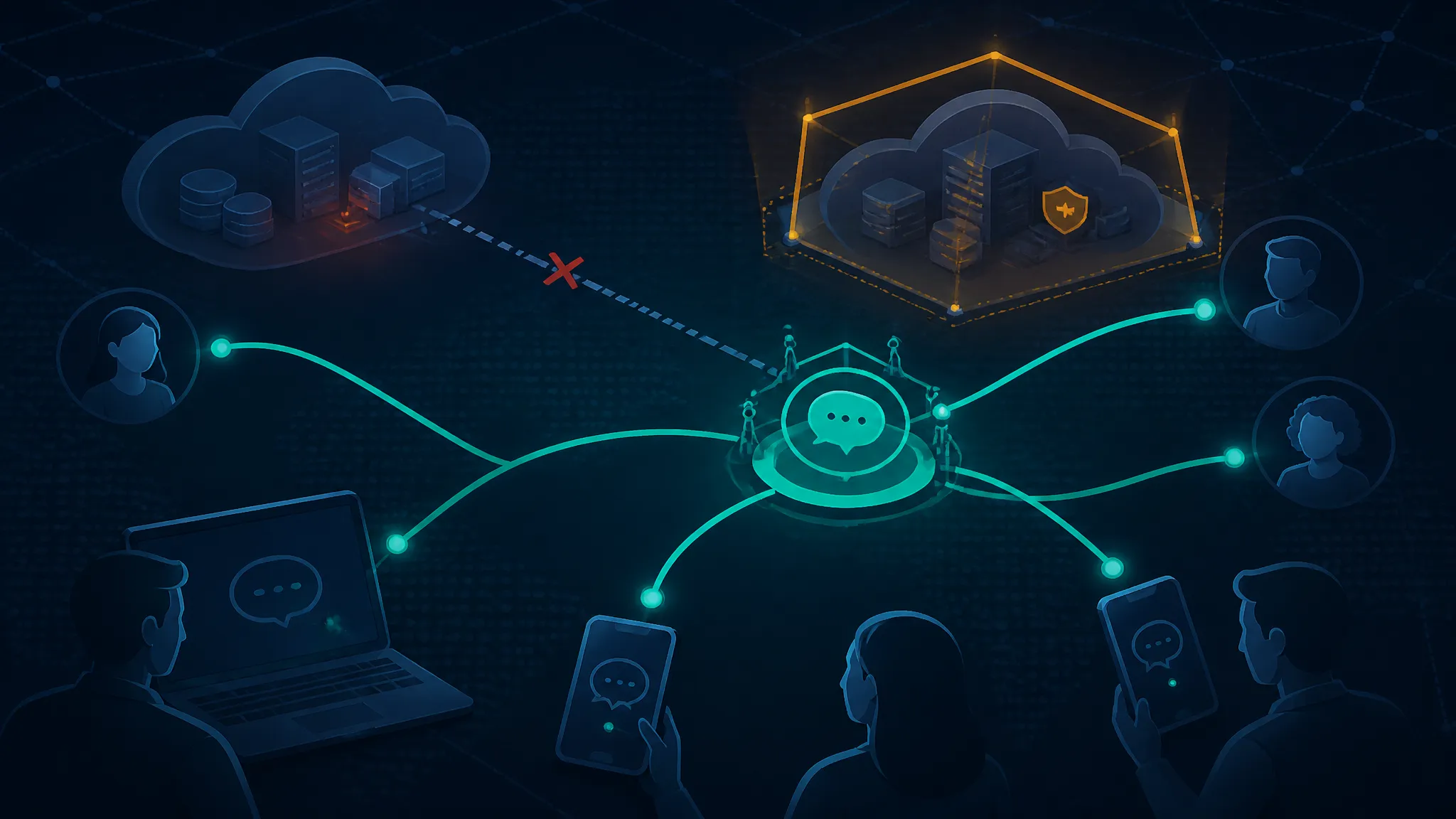
An Out-of-Band Incident Channel for Teams Dependent on Microsoft 365 and N-able
On this page
A fallback channel must survive the failure that triggers it
Define the engineering goal: coordinate incident response without Microsoft 365 collaboration, corporate email, or the affected N-able service
This guide walks through building — and actually proving — an out-of-band incident channel for teams whose alerting and coordination run through Microsoft 365 and N-able: one that still wakes responders, hosts the incident room, and publishes approved updates when Teams, Exchange Online, and the reported N-able cloud email security service are unavailable or untrusted. You get a dependency inventory format, a graph checker that fails loudly on false independence, a scoped alert dispatcher, and a drill plan with written pass criteria.
The requirement is narrow on purpose. When Microsoft 365 collaboration is down, or a cloud email security service is under suspicion, the team still has four jobs:
- Wake the right responders.
- Give them a private place to coordinate.
- Publish approved updates to stakeholders.
- Keep a record of decisions that survives the outage.
None of those may route through Teams, Exchange Online, a corporate mailbox, or the specific N-able service reported to be affected. That's the whole spec. Widen it and you get a business continuity programme with no testable gate.
Establish the technical position: a second chat application is not out of band if its login, recovery, alerts, or instructions depend on the failed stack
Most "out-of-band" plans I've reviewed fail this test. They add a second messenger and call the problem solved — except that messenger sits behind Entra ID SSO, its account recovery lands in a corporate mailbox, its alerts route through the same mail filter under investigation, and the runbook for using it lives in a SharePoint site on the failed tenant.
That's a false independence claim, and false independence is worse than an honest gap. It eats the first thirty minutes of an incident before anyone admits the fallback is down too.
The test I apply is mechanical, not cultural. For each fallback path, compute the transitive set of upstream dependencies. If that set intersects the services under failure, the path isn't out of band — no matter which vendor sells it.
Independence is a property of a path, not a product. The same chat vendor can be an acceptable fallback in one configuration and completely coupled in another, depending on how accounts are created, recovered, and notified.
What the supplied Microsoft 365 and N-able reports establish
The sources here are two secondary reports. Neither is a vendor advisory, and the supplied excerpts are short. Being precise about what they do and don't say is part of the engineering work, because the dependency inventory downstream inherits those gaps.
Attribute the Microsoft 365 November outage context to the Express Computer item dated 21 November 2026 without inventing duration, affected workloads, or root cause
The supplied item is Express Computer's piece on Microsoft 365's November outage and what it means for CIO resilience planning, published 21 November 2026.
What the material confirms: Microsoft 365 had an outage in November, and the piece frames it as a resilience-planning problem for IT leadership.
What it doesn't say: how long the outage lasted, which workloads were degraded versus fully unavailable, how many tenants were affected, whether any data was lost, or what caused it. I'm not filling those in. If you need any of them for a risk decision, get them from the Microsoft service health history for your tenant and the post-incident statement — not from a news summary.
Attribute the reported security incident affecting N-able cloud email security services to the CRN item dated 20 November 2026 without extending its scope to all N-able products
The second item is CRN's report from 20 November 2026 that N-able disclosed a security incident impacting its cloud email security services.
Confirmed: a disclosure exists, it's described as a security incident, and the affected scope as reported is cloud email security services.
Not stated: the attack vector, whether customer mail data was accessed, whether credentials were exposed, how many customers were affected, the current containment status, or the remediation timeline. And critically, nothing in the supplied excerpt supports extending scope to N-able's RMM or backup products.
That last point matters for the inventory. If you mark "n-able" as a forbidden dependency you'll over-scope and start disabling paths nobody implicated. Mark the reported service, and record the reporting date next to it.
Separate supplied reporting from unverified details: identify the missing vendor advisories, incident timelines, affected services, and containment instructions
| Question | Status in supplied material | What would confirm it |
|---|---|---|
| Microsoft 365 outage duration and blast radius | Not stated | Tenant service health history; Microsoft post-incident review |
| Root cause of the Microsoft 365 outage | Not stated | Microsoft's published root cause analysis |
| Whether the N-able incident involved customer mail access | Not stated | N-able's own advisory or notification to customers |
| N-able containment status and timeline | Not stated | Vendor advisory updates with timestamps |
| Whether other N-able products were affected | Not stated, and not implied | Explicit vendor scope statement |
| Customer-facing remediation steps | Not stated | Vendor guidance issued to affected customers |
Two consequences follow. First, any runbook step of the form "follow the vendor's instructions" is undefined for the N-able scenario right now — you can't pre-write a step that depends on guidance nobody has read. The step has to be "obtain the advisory through channel X and have role Y approve it," with X and Y named. Second, the drill for the N-able scenario has to be a tabletop, because there's no confirmed technical failure mode to simulate.
Explain why an availability failure and a suspected security compromise require different activation and recovery decisions
These aren't the same incident with different severity labels. The information you can trust inverts.
| Property | Availability failure (Microsoft 365) | Suspected compromise (email security service) |
|---|---|---|
| Detection | Usually obvious; users report it | Often silent; may surface only via vendor disclosure |
| What you can trust | Your own monitoring, if hosted independently | Assume mail-borne alerts and instructions may be visible to an adversary |
| Activation trigger | Monitoring or user reports | Human judgement plus a verified external signal |
| Identity assumptions | Identities and endpoints are probably fine | Identities and endpoints may be in scope; verify responders |
| Evidence handling | Logs are plentiful, low sensitivity | Logs are sensitive; the coordination channel is not the place for them |
| Return to primary | Service health restored and verified | Containment confirmed and security sign-off obtained |
Here's the asymmetry that catches teams: in the compromise case, the service that would normally carry your phishing alerts and vendor notifications is the one in question. If your only independent path is "email from the vendor, arriving through the filter under investigation," you have no independent path for that scenario. Build the fallback channel to carry the alert about the email security service — not through it.
Map the dependencies that can disable incident coordination
Trace the primary path from monitoring through N-able integrations and email delivery to Teams, responders, and escalation
A typical mid-size stack looks like this, and every hop is a way to lose the alert:
synthetic check (vendor-hosted)
  -> webhook into PSA/ticketing (N-able integration)
    -> notification rule
      -> SMTP relay / cloud email security filter
        -> Exchange Online mailbox
          -> Teams channel post
            -> responder reads it on a corporate laptop
              -> escalation to on-call manager
Seven hops, and every one is a way to lose the alert. An Exchange Online outage breaks hops four through seven; a compromise at the filter can break or poison three through five. Both incidents in the supplied reports land on this path, from different directions.
Inventory hidden dependencies: Entra ID, mailbox-based recovery, password managers, DNS, corporate devices, mobile connectivity, and SaaS administration
The hops above are the ones people remember. These are the ones that actually break fallbacks:
- Entra ID / SSO. The fallback chat app is provisioned via SCIM from the same directory. Directory down or conditional access misconfigured, no fallback accounts.
- Mailbox-based recovery. The fallback account's password reset goes to
[email protected]. That mailbox is on the failed tenant. - Password managers. The vault is behind SSO with a recovery path that emails the corporate address. Same problem, one layer down.
- DNS. You need to publish a status page or update a CNAME. The registrar account recovery email is a corporate mailbox.
- Corporate devices. The fallback chat app is only installed via MDM on managed laptops. The laptop is at the office, or the MDM profile requires a token from the failed identity provider.
- Mobile connectivity. The fallback is a mobile app, but responders' phones authenticate to the tenant for MFA push. Push fails, so the app login fails.
- Billing. The fallback vendor's card on file is a corporate virtual card issued by a system behind the same SSO. A payment failure suspends the account — quietly, weeks before you need it.
Every item there is a legitimate, common design. Each one, by itself, turns an independent channel into a coupled one.
Create a JSON dependency inventory with owners, authentication methods, recovery paths, upstream services, and offline access requirements
Keep it small enough that someone will actually maintain it. One node per dependency, one edge per "requires".
{
  "nodes": [
    { "id": "m365-collab", "kind": "primary", "owner": "IT", "auth": "entra-id-sso" },
    { "id": "entra-id", "kind": "identity", "owner": "IT", "recovery": "corporate-mailbox + helpdesk-call" },
    { "id": "nable-email-security", "kind": "mail-filter", "owner": "Security", "scopeNote": "only the cloud email security service named in the 20 Nov 2026 report" },
    { "id": "mobile-carrier", "kind": "transport", "owner": "carrier" },
    { "id": "status-vendor", "kind": "status-page", "owner": "Comms" },
    { "id": "status-vendor-sso", "kind": "identity", "owner": "Comms", "upstream": ["entra-id"] },
    {
      "id": "fallback-chat",
      "kind": "channel",
      "role": "fallback",
      "owner": "IT",
      "auth": "phone-number + password",
      "recovery": "printed recovery code",
      "upstream": ["entra-id"],
      "offlineAccess": true
    },
    {
      "id": "phone-tree",
      "kind": "channel",
      "role": "fallback",
      "owner": "IR",
      "auth": "none",
      "upstream": ["mobile-carrier"],
      "offlineAccess": true
    },
    {
      "id": "status-page",
      "kind": "channel",
      "role": "fallback",
      "owner": "Comms",
      "auth": "password + totp",
      "recovery": "recovery-code-sheet",
      "upstream": ["status-vendor", "status-vendor-sso"],
      "offlineAccess": false
    }
  ]
}
Two choices worth flagging. scopeNote on the N-able node encodes the reporting limitation so a future maintainer doesn't silently widen it. offlineAccess records whether the path works with no network access beyond a phone call — which matters when the incident sits at the DNS or identity layer.
Build a small Node.js graph checker that identifies fallback paths still dependent on Microsoft 365 or the affected N-able service
The checker is boring on purpose: build a graph, BFS from each fallback node, intersect with a forbidden set, print the shortest offending path.
#!/usr/bin/env node
// deps-check.mjs — usage: node deps-check.mjs fixtures/<name>.json


const FORBIDDEN = new Set(["m365-collab", "entra-id", "nable-email-security"]);

const file = process.argv[2];
if (!file) {
  console.error("usage: node deps-check.mjs <inventory.json>");
  process.exit(2);
}

const inventory = JSON.parse(readFileSync(file, "utf8"));
const byId = new Map();

for (const node of inventory.nodes) {
  if (byId.has(node.id)) {
    console.error("duplicate node id: " + node.id);
    process.exit(2);
  }
  byId.set(node.id, node);
}

// A dangling edge is a silent hole in the model, so fail loudly on it.
for (const node of inventory.nodes) {
  for (const up of node.upstream ?? []) {
    if (!byId.has(up)) {
      console.error('unknown upstream "' + up + '" referenced by "' + node.id + '"');
      process.exit(2);
    }
  }
}

function bfs(startId) {
  const parent = new Map([[startId, null]]);
  const queue = [startId];
  while (queue.length > 0) {
    const current = queue.shift();
    for (const next of byId.get(current).upstream ?? []) {
      if (!parent.has(next)) {
        parent.set(next, current);
        queue.push(next);
      }
    }
  }
  return parent;
}

function pathTo(parent, target) {
  const path = [];
  let cursor = target;
  while (cursor !== null && cursor !== undefined) {
    path.push(cursor);
    cursor = parent.get(cursor);
  }
  return path.reverse();
}

const fallbacks = inventory.nodes.filter((n) => n.role === "fallback");
let failing = 0;

for (const node of fallbacks) {
  const parent = bfs(node.id);
  const hits = [...parent.keys()].filter((id) => FORBIDDEN.has(id));
  if (hits.length === 0) {
    console.log("PASS " + node.id + ": no path to a forbidden dependency");
    continue;
  }
  failing += 1;
  for (const hit of hits) {
    console.log("FAIL " + node.id + ": reaches " + hit + " via " + pathTo(parent, hit).join(" -> "));
  }
}

console.log("\n" + (fallbacks.length - failing) + "/" + fallbacks.length + " fallback paths clean");
process.exit(failing === 0 ? 0 : 1);
Show expected checker output for deliberately coupled and independent fixture configurations, including what the model cannot prove
Against the inventory above (a coupled fixture — the chat app sits behind Entra ID and the status page sits behind an SSO that sits behind Entra ID):
$ node deps-check.mjs fixtures/coupled.json
FAIL fallback-chat: reaches entra-id via fallback-chat -> entra-id
PASS phone-tree: no path to a forbidden dependency
FAIL status-page: reaches entra-id via status-page -> status-vendor-sso -> entra-id

1/3 fallback paths clean
$ echo $?
1
Now the same inventory with the two edges cut — fallback-chat requiring only mobile-carrier, and status-page requiring only status-vendor:
$ node deps-check.mjs fixtures/independent.json
PASS fallback-chat: no path to a forbidden dependency
PASS phone-tree: no path to a forbidden dependency
PASS status-page: no path to a forbidden dependency

3/3 fallback paths clean
$ echo $?
0
The tool earns its place on the "before" run. Nobody believes their fallback chat is SSO-coupled until the graph says so at 3 a.m.
What the checker cannot prove, and I'd rather say this loudly than let the green PASS imply more than it does:
- It only knows declared edges. If the chat app's recovery address is a corporate mailbox and nobody wrote that down, the model is wrong and says PASS.
- It says nothing about runtime dependencies that no one considers a dependency: DNS resolution, the corporate VPN, the carrier.
- It does not prove delivery. A clean graph means the path exists, not that a message arrived at a human.
- It is a snapshot. Only as good as the last time someone regenerated the fixture after changing account recovery settings.
- The forbidden set is a judgement call. Membership of
nable-email-securityreflects the reported scope of one service, not the vendor's whole portfolio.
Design a minimal out-of-band communication architecture
Separate three functions: waking responders, coordinating privately, and publishing approved stakeholder updates
Conflating these three is the most common structural mistake. They have different audiences, different sensitivity, and different acceptable failure modes.
| Function | Audience | Independence requirement | Acceptable degradation |
|---|---|---|---|
| Wake responders | 5–12 people | Must not traverse the failed stack at all | Push plus SMS plus a phone call |
| Coordinate privately | Incident team | Must work while the primary stack is down | Text-only, no files, no attachments |
| Publish updates | Customers, staff, partners | Must be administerable without corporate SSO or mailbox | Static page with manual edit path |
Pair them and an organisation ends up posting a customer-facing status update into an internal chat by accident, or holding a sensitive forensic discussion on the same page the marketing team can edit.
Choose a pre-enrolled mobile messaging group and telephone fallback, then verify their actual identity, recovery, connectivity, and device dependencies
For waking and coordinating, a pre-enrolled mobile messaging group plus a phone tree is sufficient and cheap to run. The load-bearing word is pre-enrolled: enrolment happens during a calm week, from a trusted contact method, not during the incident.
Verify four things per responder, and record the result:
- Identity — the phone number was confirmed by a callback to a number already on file, not by a message sent to the number being enrolled.
- Recovery — the fallback account's password reset does not route through a corporate mailbox; it uses a printed recovery code or a personal address held by the responder.
- Connectivity — the app works on mobile data with the corporate Wi-Fi profile disabled and the VPN off.
- Device — the app is installed on a personal or secondary device, not solely via MDM on a managed laptop that lives at the office.
Place stakeholder updates on an independently administered status service with a tested login path that does not require corporate email or SSO
The status page is the public face of the incident and the one artefact that gets screenshotted. Requirements:
- Administered by an account whose credentials are held by the comms lead and a deputy, with local MFA (TOTP), not SSO.
- Recovery codes printed and stored with the offline runbook.
- A DNS setup you can change without logging into a registrar whose recovery email is on the failed tenant.
- A pre-drafted holding statement and a template so the first update is a fill-in, not a composition.
Document residual shared failure domains rather than claiming that a different vendor guarantees independence
No fallback architecture is independent in an absolute sense. Write down what remains shared so nobody is surprised later:
- The mobile carrier / PSTN. A carrier outage takes the phone tree with it. Mitigation is a second carrier for at least two responders, not a second app.
- The fallback vendor's own availability. It can have an outage during yours. This is a real risk and the reason telephone fallback exists.
- The people. Two administrators is the minimum; three is better. A single point of failure who is on a flight is still a single point of failure.
- DNS and domain registration. Shared by everything, and rarely part of anyone's mental model.
- Billing. An independent vendor with a corporate card issued from a system behind SSO is not independent. Pay by a method the finance team can fix without the failed stack.
Provision the channel before the incident
Enroll a small responder roster, appoint two administrators, and verify membership through a previously trusted contact method
Keep the roster to people who actually make decisions: incident commander, deputy, comms lead, security lead, operations lead, plus one or two technical responders. Bigger rosters rot faster.
Verification is a callback, not a message. Read the number aloud from the HR or directory record you trust, call it, and confirm the person on the other end is who you expect and can see the fallback channel. Do it for every member during the drill.
Store a minimal offline runbook containing activation steps, contact numbers, channel identifiers, and escalation ownership
One page, printed, kept with the responder's recovery codes. Contents:
- The activation criteria for each scenario type (outage vs suspected compromise).
- Who may activate, and who may not.
- Phone numbers for the responder roster — actual digits, not "see directory."
- The channel identifier and enrolment instructions.
- Status page login location and the name of the credential holder.
- The escalation tree with names and alternates.
- The opening-message template and acknowledging convention.
If the runbook only exists in the wiki, it doesn't exist for this purpose.
Protect independent credentials with MFA, controlled recovery material, and an auditable break-glass process
The credentials for the fallback channel are, by design, outside your normal identity governance. That makes them attractive. Controls:
- TOTP or hardware key enrolled at provisioning time; no SMS-only MFA for administrators.
- Recovery codes printed once, sealed, stored in two physical locations, with a named holder for each envelope.
- Use of a break-glass credential generates a notification to a channel other than the one being accessed, and is reviewed in the next incident review even if nothing went wrong.
- Rotation scheduled and recorded — an emergency credential nobody has rotated in three years is a liability, not a control.
Microsoft publishes guidance on break-glass accounts for Entra ID, and the reasoning transfers directly to fallback-channel administrators: the account must not depend on the systems it is meant to survive.
Test access from a secondary device and connection without weakening endpoint security or relying on corporate mailbox recovery
This is where teams accidentally create a shadow IT problem. The test must not require disabling MFA, exempting the device from conditional access, or emailing yourself a magic link.
Do this instead, in a scheduled window:
- Take the secondary device, on mobile data, VPN off.
- Sign in to the fallback channel with the enrolled credential and TOTP.
- Send a message to the group; confirm at least two other responders see it.
- Repeat the sign-in using only the printed recovery code.
If any step requires an exception to endpoint policy, that exception is the finding — record it and redesign the path rather than granting a standing exemption.
Deliver an alert without the primary collaboration stack
Use an independently hosted synthetic check to detect a narrowly defined failure and send a minimal notification through a separate delivery path
The detector has to live somewhere other than the failing stack, and it has to check something specific. "Is Microsoft 365 up?" is a bad check — Microsoft already publishes that, and your answer arrives over the same internet path as everything else.
A useful narrow check: can an unauthenticated client complete a sign-in flow to the collaboration endpoint from outside your network, and do the response time and status match the expected baseline? Answer that from a host that doesn't sit behind your identity provider, and alarm on a threshold, not on a single failure.
Implement a scoped JavaScript dispatcher with environment-supplied credentials, request timeouts, bounded retries, deduplication, and redacted logging
The dispatcher's only job is: take an alert object, deliver it to one endpoint, tell you honestly what happened. No templating engine, no plugin system, no retry-forever loop.
// dispatch.mjs — Node 20+, uses global fetch
const DEDUPE_WINDOW_MS = Number(process.env.DEDUPE_WINDOW_MS ?? 900_000);
const REQUEST_TIMEOUT_MS = Number(process.env.REQUEST_TIMEOUT_MS ?? 5_000);
const MAX_ATTEMPTS = Number(process.env.MAX_ATTEMPTS ?? 3);

const seen = new Map(); // dedupe key -> expiry epoch ms

function log(level, message, extra = {}) {
  // Structured only. Never log the token, the endpoint query string, or alert bodies.
  console.log(JSON.stringify({ ts: new Date().toISOString(), level, message, ...extra }));
}

function keyFor(alert) {
  return alert.incidentId + ":" + alert.service + ":" + alert.signal;
}

function retryable(err) {
  return err.name === "TimeoutError" || err.name === "AbortError" || err.upstream5xx === true;
}

async function postOnce(endpoint, token, body) {
  const res = await fetch(endpoint, {
    method: "POST",
    headers: { "content-type": "application/json", authorization: "Bearer " + token },
    body: JSON.stringify(body),
    signal: AbortSignal.timeout(REQUEST_TIMEOUT_MS),
  });
  if (res.status >= 500) {
    const err = new Error("upstream " + res.status);
    err.upstream5xx = true;
    throw err;
  }
  return res;
}

export async function dispatch(alert) {
  const endpoint = process.env.ALERT_ENDPOINT;
  const token = process.env.ALERT_TOKEN;
  const channel = process.env.ALERT_CHANNEL;

  if (!endpoint || !token || !channel) {
    log("error", "dispatcher misconfigured", { missing: ["ALERT_ENDPOINT", "ALERT_TOKEN", "ALERT_CHANNEL"].filter((k) => !process.env[k]) });
    return { status: "misconfigured" };
  }

  const key = keyFor(alert);
  const now = Date.now();
  const expiry = seen.get(key);
  if (expiry && expiry > now) {
    log("info", "suppressed duplicate", { key });
    return { status: "duplicate" };
  }

  for (let attempt = 1; attempt <= MAX_ATTEMPTS; attempt += 1) {
    try {
      const res = await postOnce(endpoint, token, {
        channel,
        incidentId: alert.incidentId,
        text: alert.text,
      });

      if (res.status === 401 || res.status === 403) {
        log("error", "auth rejected, not retrying", { key, status: res.status });
        return { status: "auth-failed", httpStatus: res.status };
      }
      if (!res.ok) {
        log("error", "non-retryable response", { key, status: res.status });
        return { status: "rejected", httpStatus: res.status };
      }

      seen.set(key, now + DEDUPE_WINDOW_MS);
      log("info", "accepted by api", { key, attempt });
      return { status: "accepted", attempt };
    } catch (err) {
      const canRetry = retryable(err);
      log("warn", "attempt failed", { key, attempt, reason: err.name, canRetry });
      if (!canRetry || attempt === MAX_ATTEMPTS) break;
      await new Promise((r) => setTimeout(r, 250 * 2 ** (attempt - 1)));
    }
  }

  log("error", "dispatch failed, use telephone fallback", { key });
  return { status: "failed" };
}
Two constraints worth calling out. Authentication failures never retry — a 401 means the credential is wrong or revoked, and hammering an endpoint with a bad token is how you get rate-limited out of your own fallback. And the dedupe key includes the incident identifier, so the same service flapping under two different incidents still produces two notifications.
Exercise the dispatcher against a local mock endpoint and show expected success, timeout, authentication-failure, and duplicate-suppression output
A mock endpoint with selectable failure modes keeps the drill offline and safe:
// mock-endpoint.mjs


const mode = process.env.MOCK_MODE ?? "ok";
let calls = 0;

createServer((req, res) => {
  calls += 1;
  if (mode === "auth") return void res.writeHead(401).end("unauthorized");
  if (mode === "slow") {
    return void setTimeout(() => res.writeHead(200).end("ok"), 8_000);
  }
  res.writeHead(200, { "content-type": "application/json" });
  res.end(JSON.stringify({ accepted: true, call: calls }));
}).listen(8787, "127.0.0.1", () => console.log("mock listening on 127.0.0.1:8787"));
Exercise driver, calling the dispatcher twice with the same alert to prove suppression:
// exercise.mjs


process.env.ALERT_ENDPOINT = "http://127.0.0.1:8787/alert";
process.env.ALERT_TOKEN = "lab-token-not-a-real-secret";
process.env.ALERT_CHANNEL = "lab-oob-channel";

const alert = {
  incidentId: "INC-2041-DRILL",
  service: "m365-collab",
  signal: "signin-flow-failed",
  text: "DRILL: sign-in flow failing from external probe. Fallback channel active. IC: on-call.",
};

console.log(await dispatch(alert));
console.log(await dispatch(alert));
Expected output — success path, then duplicate suppression in the same process:
$ MOCK_MODE=ok node exercise.mjs
{"ts":"2026-11-24T09:14:02.118Z","level":"info","message":"accepted by api","key":"INC-2041-DRILL:m365-collab:signin-flow-failed","attempt":1}
{ status: 'accepted', attempt: 1 }
{"ts":"2026-11-24T09:14:02.121Z","level":"info","message":"suppressed duplicate","key":"INC-2041-DRILL:m365-collab:signin-flow-failed"}
{ status: 'duplicate' }
Expected output — timeout path, run with a short lab timeout so three attempts fit in the drill window:
$ MOCK_MODE=slow REQUEST_TIMEOUT_MS=800 MAX_ATTEMPTS=3 node exercise.mjs
{"ts":"2026-11-24T09:16:10.004Z","level":"warn","message":"attempt failed","key":"INC-2041-DRILL:m365-collab:signin-flow-failed","attempt":1,"reason":"TimeoutError","canRetry":true}
{"ts":"2026-11-24T09:16:11.058Z","level":"warn","message":"attempt failed","key":"INC-2041-DRILL:m365-collab:signin-flow-failed","attempt":2,"reason":"TimeoutError","canRetry":true}
{"ts":"2026-11-24T09:16:12.364Z","level":"warn","message":"attempt failed","key":"INC-2041-DRILL:m365-collab:signin-flow-failed","attempt":3,"reason":"TimeoutError","canRetry":true}
{"ts":"2026-11-24T09:16:12.365Z","level":"error","message":"dispatch failed, use telephone fallback","key":"INC-2041-DRILL:m365-collab:signin-flow-failed"}
{ status: 'failed' }
Expected output — authentication failure, no retries:
$ MOCK_MODE=auth node exercise.mjs
{"ts":"2026-11-24T09:18:44.901Z","level":"error","message":"auth rejected, not retrying","key":"INC-2041-DRILL:m365-collab:signin-flow-failed","status":401}
{ status: 'auth-failed', httpStatus: 401 }
That last line of the timeout run is the important one. It doesn't say "alert failed" — it says use the telephone fallback, which is an instruction an on-call engineer can act on at 3 a.m. That wording is a design decision, not a log message.
Two limitations worth writing into the runbook instead of discovering at 3 a.m. The dedupe map is in-process, so a restart loses suppression and responders may see the same alert twice — the acknowledgement protocol covers that. And accepted means the API took the request; it doesn't mean a human saw it.
Verify end-to-end responder receipt and acknowledgement because an accepted API request does not establish human delivery
An HTTP 200 is the start of the chain, not the end. After dispatch, the drill must confirm:
- The message appeared in the fallback channel on a responder's device.
- The responder replied with the acknowledging convention (
ACK INC-2041-DRILL <initials>). - The incident commander recorded the acknowledgement timestamp.
- At least one responder who was not the sender replied.
Until those four are true, the alert has not been delivered — only accepted.
Keep a manual activation route for incidents that monitoring cannot detect, especially suspected security compromise
No synthetic check will tell you a vendor's cloud email security service is under suspicion. That signal arrives as a disclosure, a support call, or a strange pattern a human notices.
So the runbook needs a defined manual activation path with named authority: who can declare an incident without any monitoring corroboration, how they reach the fallback channel from a phone, and what the first message must contain. Without it, the fallback channel only ever gets exercised for the scenario you automated — the easier of the two.
Turn the fallback channel into an operational incident room
Define activation authority, acknowledgement deadlines, backup responders, and a telephone escalation tree
Write these down as numbers, because "as soon as possible" is not a deadline:
- Activation authority: the on-call engineer for availability; on-call engineer or security lead for suspected compromise.
- Acknowledgement deadline: 10 minutes; unacknowledged responders are called directly.
- Backup responders: one named alternate per role, verified during enrolment.
- Escalation tree: on-call → engineering manager → CTO, each with a number and a time limit before the next rung is called. Two failed call attempts moves you down the tree; it does not queue.
Use an opening-message template with an incident identifier, UTC timestamp, incident commander, verified impact, uncertainty, and next update time
INC-2041-DRILL | 2026-11-24T09:20Z | IC: A. Okafor
TYPE: suspected compromise (vendor-reported)
VERIFIED: vendor disclosure received 09:04Z naming cloud email security service
UNCERTAIN: whether customer mail was accessed; no vendor advisory yet
IMPACT: mail-flow filtering for corp.example unverified
NEXT UPDATE: 09:50Z
ACT: reply ACK INC-2041-DRILL <initials>; do not forward this channel
The VERIFIED and UNCERTAIN lines stop a rumour from hardening into a fact inside your own incident. The NEXT UPDATE line stops stakeholders pinging the channel for status every ninety seconds.
Separate facts, working hypotheses, and decisions in a minimal incident log that remains accessible outside the failed stack
Forget full incident-management tooling if it lives on the failed stack. A single append-only document with three sections is enough:
{
  "incident": "INC-2041",
  "facts": [
    { "ts": "2026-11-24T09:04Z", "source": "vendor-disclosure", "statement": "cloud email security service incident disclosed" }
  ],
  "hypotheses": [
    { "ts": "2026-11-24T09:31Z", "statement": "mail flow may be unfiltered", "status": "unconfirmed", "confirmBy": "check MX + filtering headers on test message" }
  ],
  "decisions": [
    { "ts": "2026-11-24T09:35Z", "by": "IC", "decision": "hold outbound bulk mail until filter status confirmed", "reversible": true }
  ]
}
Note the confirmBy field. A hypothesis with no proposed test is a rumour, and forcing the field makes that visible. Notice too that the log holds no message content, no credentials, no screenshots — those belong in the restricted evidence store.
Limit channel content to coordination: exclude credentials, customer data, malware samples, and sensitive forensic evidence
The fallback channel is a third-party hosted group chat with consumer-grade group management. Treat it as a coordination tool only. Credentials, customer records, malware samples, and forensic artefacts do not go in it — even during an incident, even briefly.
The practical test: if a message from the fallback channel appeared in a screenshot in a regulatory filing, would you be comfortable? If not, it belongs somewhere else. And check what the fallback platform's own retention settings actually are before you rely on "it disappears."
Apply different controls to outage and security scenarios
For an availability failure, validate fallback access and business impact without assuming that identities or endpoints are compromised
An outage is the easier scenario, and the trap is over-reacting. Do not:
- Disable MFA or conditional access "just while this is broken."
- Issue new standing credentials that outlive the incident.
- Assume the fallback channel is safe for sensitive content because the situation is urgent.
Do:
- Measure actual business impact — which workflows stop, which only degrade.
- Confirm the fallback path works and log who activated it.
- Keep the identity and endpoint posture unchanged. Nothing about an availability failure justifies weakening it.
For suspected compromise, independently verify responders and vendor instructions, restrict sensitive discussion, and move to known-clean access where warranted
The compromise scenario inverts the trust model, and the inversion is specific: if the affected service is a mail filter, assume that mail traversing it may be visible. That has direct consequences:
- Vendor instructions arriving by email are unverified until confirmed through a second channel — the vendor's support portal, a phone call to a known account number, or a signed advisory fetched directly.
- Responders should be verified out of band before being admitted to the restricted discussion, because a compromised mailbox is a compromised identity.
- Anyone who has been handling suspicious mail should consider whether their own session tokens are trustworthy, and move to a known-clean device for the sensitive portion of the discussion.
I'd treat this as the primary lesson of the N-able report regardless of its final scope: a security incident at a mail-path vendor is an incident on your instruction channel, not just on your filtering.
Resist forged incident invitations and recovery messages through pre-established callbacks and channel membership checks
Any incident creates a window for social engineering. Someone will claim to be from IT, from the vendor, or from the incident team, and will ask a responder to click a link, read a code, or join a new channel.
Three controls, all cheap:
- Callback to a known number. Not the number in the message. The number in the offline runbook.
- Channel membership check. The incident team is a fixed list. If someone new appears in the fallback group, two existing members must confirm them before anything sensitive is discussed.
- No credential requests, ever. Nobody on the incident team needs a responder's password, TOTP code, or session token. Treat any such request as an attack, during an incident most of all.
Unconfirmed: the supplied reporting doesn't describe the N-able incident's initial access vector, so I'm not going to claim forged communications were part of it. These controls are standard hardening for any period when an organisation is visibly distracted — not a description of what happened.
Avoid premature restoration: service availability does not establish containment, and containment does not establish full recovery
Three distinct states, commonly collapsed into one:
| State | Evidence required |
|---|---|
| Availability restored | Independent probe passes; real user transaction succeeds |
| Containment confirmed | Vendor statement or your own verification that the intrusion path is closed |
| Full recovery | Containment confirmed, credentials rotated, backlog reconciled, monitoring clean over a defined window |
Returning to the primary stack requires the first. Returning to normal trust posture requires the second. Closing the incident requires the third. Jumping from one to three because the dashboard is green is how a second incident starts.
Run a controlled drill that can expose false independence
Scope the exercise to authorized test accounts and devices, preserve emergency access, and define stop conditions before simulating dependency loss
Do not simulate a Microsoft 365 outage by disabling tenant-wide access, blocking network ranges, or changing conditional access rules. Those changes are hard to reverse under pressure and have a habit of taking out the break-glass account you need to undo them.
Scope an outage drill by removing test accounts from the primary path instead: sign the drill participants out of the collaboration client, remove their test devices from the managed profile, and require them to complete the exercise without touching the primary stack. Emergency access stays intact throughout.
Define stop conditions in writing before you start: a real production incident starting, any responder unable to restore their primary access afterwards, or the drill exceeding its time box. On any stop condition, the drill ends and the exercise becomes a real incident if needed.
Run a Microsoft 365 unavailability scenario using controlled access restrictions rather than production-wide identity or network changes
Scenario: collaboration client and corporate mail unavailable to the drill participants. Success looks like: responders reach the fallback channel from a secondary device on mobile data, acknowledge within 10 minutes, and the IC posts the opening message with verified and uncertain sections filled in.
Watch specifically for the participant who cannot sign in to the fallback channel because the TOTP prompt goes to an authenticator bound to the corporate device, or because the app wants to open a browser session against the tenant. Those are the findings you wanted.
Run a separate N-able email-security incident tabletop without assuming compromise of unrelated N-able products
This one is discussion-only; the supplied reporting doesn't support a technical simulation. Inject: a vendor disclosure naming cloud email security services only, no advisory yet, unclear whether customer mail was accessed. Ask the team to produce the first stakeholder update and the first three decisions.
The interesting question isn't technical. It's: what do you tell customers before you know whether their mail was read? Having a pre-approved answer and a named person authorised to say it is the deliverable.
Inject a missing administrator, failed mailbox recovery, undelivered alert, and unavailable corporate device
Four injections, each targeting a specific single point of failure:
- Missing administrator. The primary fallback-channel admin is unreachable for the first 30 minutes.
- Failed mailbox recovery. A responder tries the account reset and finds it routes to the corporate mailbox.
- Undelivered alert. The dispatcher returns
accepted, but the message never reaches the group (simulate by sending to a channel nobody is in). - Unavailable corporate device. The managed laptop is off-site; only a personal phone is available.
Introduce each injection without warning the participants beyond the initial scenario description. The value is in the recovery, not the plan.
Record activation time, responder acknowledgement, verified participation, first stakeholder update, and every unexpected dependency
Metrics worth the effort, because they're the ones you can compare across drills:
| Metric | Definition |
|---|---|
| Time to activation | Scenario injected → opening message posted |
| Time to first acknowledgement | Activation → first ACK received |
| Verified participation | Responders who acknowledged and were confirmed by callback |
| Time to first stakeholder update | Activation → approved public update published |
| Unexpected dependencies | Count of previously undocumented dependencies discovered |
Present an illustrative drill-results table with explicit pass criteria and expected failures, clearly distinguished from measurements actually collected
The table below is illustrative. These are target values and expected failure modes for a first drill, not measurements from a real exercise — no drill results were collected for this post.
| Check | Pass criterion | Expected first-run outcome |
|---|---|---|
| Activation from secondary device | Message posted within 15 min | Pass, likely with a TOTP/device hiccup |
| Responder acknowledgement | ≥ 80% within 10 min | Fail — some responders miss the push |
| Verified participation | 100% of acknowledgers confirmed by callback | Fail — callback step usually skipped under time pressure |
| Dispatcher delivery | Message received by ≥ 2 humans | Fail — accepted mistaken for delivered |
| Stakeholder update | Published within 60 min | Fail — no pre-approved wording |
| Fallback admin availability | Deputy completes activation alone | Fail on first run, typically |
| Undocumented dependency count | Recorded, not zero | 3–6 findings is normal and useful |
A first drill where four of seven checks fail is a good drill. One where everything passes usually means the pass criteria were written after the fact.
Recover, reconcile, and maintain the independent path
Set separate return-to-primary criteria for restored availability and security-approved recovery
Write both, side by side, and make the second explicit that it needs a security sign-off independent of the incident commander:
- Availability: independent probe green for a sustained window, a real user transaction succeeds, and the primary path has been used successfully by at least two responders.
- Security: containment confirmed by the vendor or by your own verification, credentials rotated for anything that touched the affected path, and security lead sign-off recorded in the incident log with a timestamp.
Reconcile decisions into the authoritative incident record, apply retention rules, and review temporary access and credential exposure
The fallback channel produced a parallel record. Before closing:
- Transcribe facts and decisions into the authoritative incident record, preserving UTC timestamps.
- Apply retention rules to the fallback channel itself — check the platform's retention settings, then delete what policy requires and export what it mandates you keep.
- List every temporary access granted during the incident and revoke it with a timestamp each. Anything granted "for the duration" needs someone to actually check the duration ended.
- Review whether any credential material was exposed in the channel, and rotate on suspicion, not on proof.
Assign owners for roster changes, dependency-map updates, access checks, delivery tests, and recurring drills
Unowned maintenance is how a fallback channel quietly becomes a coupled one again. Five named owners, five recurring tasks:
| Task | Cadence | Owner |
|---|---|---|
| Roster and phone-number verification | Quarterly | Incident response lead |
| Dependency inventory regeneration and review | Quarterly, and after any auth/recovery change | Platform owner |
| Fallback access test from secondary device | Monthly | IT operations |
| Dispatcher and delivery test | Monthly | On-call engineering |
| Full drill with injections | Twice yearly | Incident response lead |
The dependency inventory is the one that rots fastest, because account recovery settings change without anyone thinking of them as an incident-response decision.
Further reading and incident-source verification
Preserve the two supplied report references and their publication dates while identifying them as secondary reporting
Both of the following are secondary reporting. Neither is a vendor advisory, and I haven't verified their contents beyond the supplied excerpts.
- Express Computer, 21 November 2026 — "When the suite goes dark: What Microsoft 365's November outage means for CIO resilience plans". Secondary reporting; does not state outage duration, affected workloads, or root cause in the supplied excerpt.
- CRN, 20 November 2026 — "N-able Discloses 'Security Incident' Impacting Cloud Email Security Services". Secondary reporting; scope limited to cloud email security services as reported.
Original links as supplied:
https://news.google.com/rss/articles/CBMi0AFBVV95cUxOM2Y2R3lQTWV0VFY5clhUcHRUcmVXc1VISktxcHZTa3o1dU5KZWduRWJLVkxwckNqZXpMRE5fYnIxM0RMS0NsRzRjQUFjSFowOTVQT0YzS2R4Ym9kMDAwcG1jdlR5STdVTTFVSzhtSmZRaEdYOFpJVkxsX3hxRTFKeUpxenZNNi1PME0zZFIxZ2VUY0NhUHVSMVNPeXlVazBSYkJpVTVHS3VsZjRJOEtwYTZPQ0RmWk8wdWJWM1g2X1drelZGbW91Tm1SOGNXZEdphttps://news.google.com/rss/articles/CBMiswFBVV95cUxNZktMQ0tTcXdoMFJTUE9Uc3JwME5ZMWUtQldhWEpCcEYxY2RvS2p3ZEJmVmlFN29NYUhOYXYwTnlwZEVZbXBESTB4OVViWVNfWk1lam9BMHdOYjl2VTV5b2UzSHE0Mlp6QVNZTndSdV81WHd1ajNVSlRDSzFFX0phbkRJTjhiQWVhT1pfaU9sX3E0X1lzWXpHdGRsV3NiQmlNb2NwZi1xNmZRV0NSelFheVZYWQ
Add verified vendor advisories and official documentation for service health, emergency access, and the selected fallback tools without inventing incident links
I'm not linking an N-able incident advisory, because none was included in the supplied material and inventing one would be worse than leaving the gap. Check the vendor's trust centre and status page directly.
For the Microsoft dependency path, these are stable official references:
- Microsoft 365 service health documentation — how to read per-workload health, which is the only reliable source for the duration and blast radius the news item omits.
- Microsoft status page — independent of your tenant, useful as a cross-check during an outage.
- Manage emergency access accounts in Microsoft Entra ID — the reasoning about break-glass accounts that must not depend on the system they protect applies directly to fallback-channel administrators.
The acceptance test is communication without the primary stack
Everything above reduces to one gate, and the gate is pass/fail rather than a maturity score.
You are ready when, with Microsoft 365 collaboration and corporate email unavailable to the responders under test, and with the reported N-able cloud email security service treated as untrusted:
- A responder is woken and reaches the fallback channel from a secondary device on a secondary connection.
- Responders authenticate each other through a previously trusted callback — not through the channel being established.
- The incident commander posts an opening message that separates verified facts from stated uncertainty, with a next-update time.
- An approved stakeholder update is published on a status page administered without corporate SSO or mailbox recovery.
- A written record of facts, hypotheses, and decisions exists somewhere the failed stack cannot reach.
- The whole thing has been attempted at least once under injected failures, and the resulting findings were assigned owners with dates.
If any of those six depends on the systems under test, the fallback is a diagram rather than a capability. The uncomfortable part is that proving it requires breaking the primary path on purpose — with test accounts, with stop conditions, and with the emergency access untouched. That drill is the only evidence that counts.
More posts
Silent Configuration Drift: What the Microsoft 365 Outage Reveals About Detection Gaps
A Microsoft 365 bug undetected since July triggered a global outage, exposing silent configuration drift and critical gaps in detection, monitoring, and change management that engineering teams must address.

From GPU SKU to Base Image: Mapping Where Export Controls Reach Your AI Build Pipeline
This deep technical walkthrough maps how new US export controls and TSMC's 16nm-and-below restrictions propagate from GPU SKUs and cloud instances into base images, CI runners, and AI build pipelines.
Testing Inkling 2 Mini on a 32GB Mac: Verified JavaScript Fixes, Peak Memory, and Swap
A hands-on deep technical walkthrough testing Thinking Machines' Inkling 2 Mini on a 32GB Mac, measuring peak memory and swap while evaluating tool-call reliability, latency, cost per verified JavaScript fix, and the impact of its looped transformer design.
Loading comments…