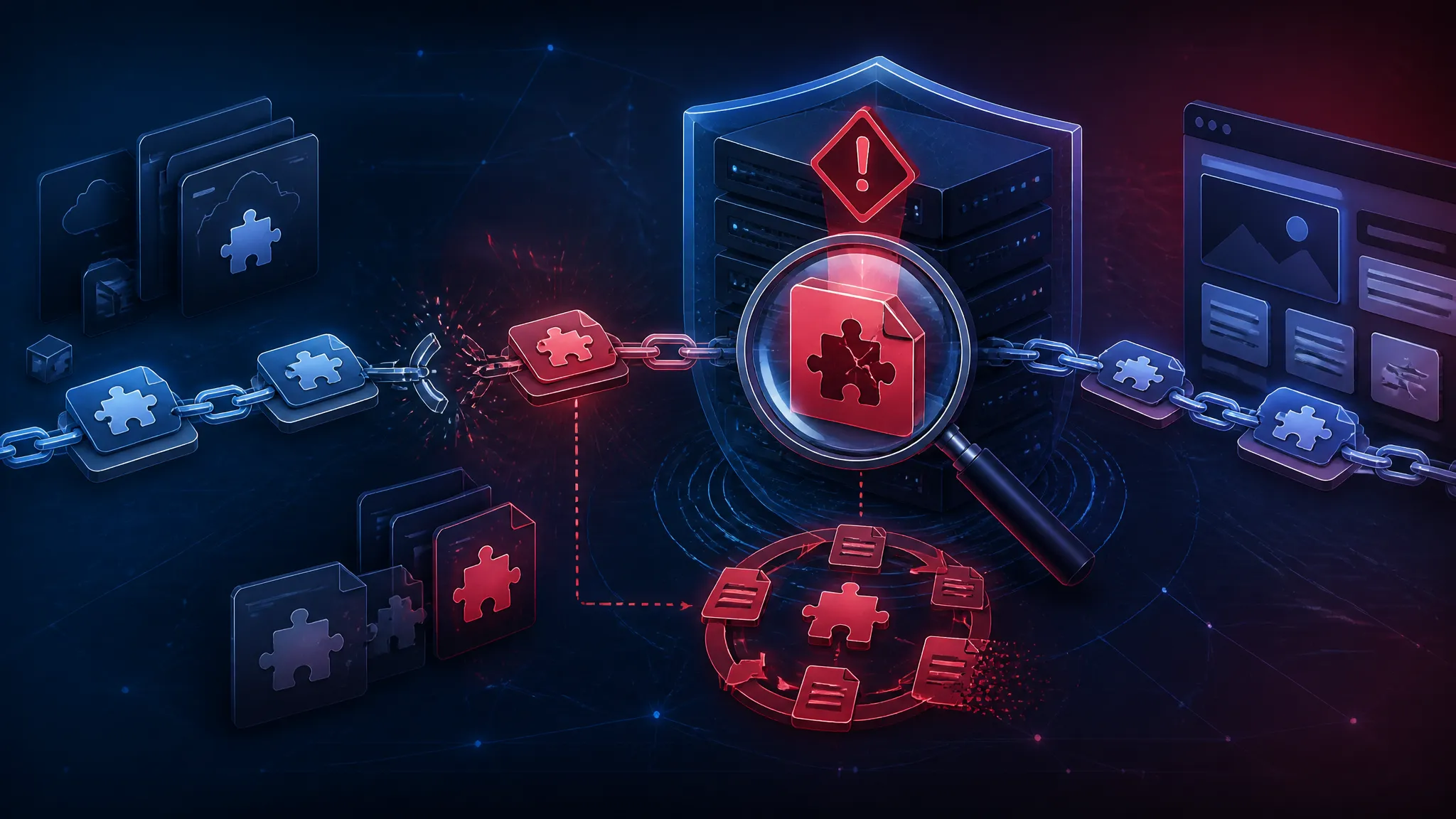
AI Fuzzing Finds 21 FFmpeg Bugs: Media Pipeline Defense in Practice
Introduction — why the FFmpeg finding matters for real applications
The report says an AI-assisted fuzzer found 21 zero-days in FFmpeg. That is a good reminder that media parsing is not a corner-case problem. If your product accepts video, audio, thumbnails, previews, or user uploads, FFmpeg is probably already part of the path.
The risk is not limited to a single playback feature. Media bugs show up in upload services, mobile apps, desktop clients, transcoding workers, content moderation pipelines, and machine learning ingestion jobs. A parser crash can become a denial of service. A memory corruption bug can become a sandbox escape path. Even when exploitation is uncertain, the operational damage is still real: one bad sample can knock over a worker pool, clog queues, or force emergency patching across several products.
What stands out in this report is not just the number 21. It is the workflow behind it. AI-assisted fuzzing is starting to reshape the early part of vulnerability research: it helps generate seeds, narrow hypotheses, and sort crashes faster. But the old parts of the process still matter most. Coverage-guided fuzzing, reproducible harnesses, corpus management, and human triage are what turn a strange crash into a bug you can actually fix.
What the report says about 21 zero-days and AI-assisted discovery
Public reporting describes an AI agent that helped uncover 21 zero-days in FFmpeg. The same news cycle also mentioned Chrome patches for a very large batch of bugs, which makes the timing feel broader than one library.
I would read that as a signal, not a shock. Media code is dense, stateful, and packed with old edge cases. If an automated workflow can produce better inputs, better mutation strategies, or better crash grouping, it will surface bugs that manual spot-checking tends to miss.
The practical lesson is straightforward: if your pipeline depends on a parser, assume that parser will eventually see hostile input.
Why media parsers stay high-value targets even when the app looks simple
A media parser usually sits at the first trust boundary.
The app may look like it only “shows a video,” but the actual flow is often this:
- Receive bytes from an untrusted source.
- Probe the format.
- Demux streams.
- Decode frames.
- Extract metadata.
- Generate thumbnails or previews.
- Hand the output to another subsystem.
Each step can mishandle length fields, state transitions, timestamps, packet boundaries, or codec-specific assumptions. The code is often tuned for throughput and compatibility, which is great for users and rough on hardening.
That is why media parsers keep attracting attention: they are widely deployed, they process untrusted input, and they often run before any higher-level authorization logic has a chance to help.
FFmpeg as an attack surface, not just a codec library
FFmpeg is not just a decoder. In real systems it becomes part of the policy surface, the ingestion surface, and the memory-safety surface.
Where untrusted bytes enter the pipeline: uploads, previews, transcodes, and thumbnails
I usually split FFmpeg usage into four buckets:
| Entry point | Typical purpose | Risk shape |
|---|---|---|
| User uploads | Validate or normalize media | Parser and decoder bugs from hostile files |
| Preview generation | Produce thumbnail or short clip | Crash propagation to synchronous request paths |
| Transcoding workers | Repackage to a standard codec | High-volume exposure to malformed batches |
| Metadata extraction | Read duration, resolution, codec, tags | Probe-stage bugs before full decode |
The common mistake is assuming only “full playback” is dangerous. In practice, probe functions and metadata extraction can still hit complex format logic. A thumbnail service that never stores user media permanently can still be the easiest way to exercise a parser bug.
This is where teams get caught: they move FFmpeg into a background worker and assume that makes it safe. A worker is only safer if it is isolated, resource-limited, and disposable.
The hidden spread: browsers, desktop apps, servers, and ML ingestion jobs
FFmpeg reaches farther than most teams realize.
- Browsers and browser-adjacent tools may use it indirectly through native components or helper apps.
- Desktop products often bundle FFmpeg for previews, editors, or capture.
- Backend services use it for transcode, clip extraction, and media validation.
- ML pipelines use it to normalize corpora, sample frames, or derive features.
That spread matters for patching. A library update is not just a dependency bump. It can affect CLI tools, server workers, desktop builds, and container images at the same time. If your organization treats FFmpeg as “one binary in one service,” you will miss most of the risk.
How AI-assisted fuzzing changes the workflow
The real novelty in the report is the use of AI in discovery, not fuzzing itself. Fuzzing has found media bugs for years. AI mainly changes the early workflow around it.
Seed selection, mutation strategy, and the role of model-generated hypotheses
Traditional fuzzing starts with a corpus and mutations. AI can improve the first step by suggesting better seeds and broader input families.
For FFmpeg, that can mean:
- choosing representative container formats, not just random files
- generating variant headers, tag layouts, and stream combinations
- proposing edge cases around duration, dimensions, frame counts, or index tables
- identifying parser branches that look under-tested from source patterns
That does not replace the fuzzer. It feeds the fuzzer better material. In practice, the initial corpus still matters a lot. A model that can infer “this parser probably has special handling for zero-length packets” can save time, but only if the mutation engine keeps hammering that path.
Coverage-guided fuzzing still does the heavy lifting
Once you have inputs, coverage-guided fuzzing is still the engine that finds novel behavior.
The pattern is familiar:
- Start with a corpus of valid and near-valid media samples.
- Mutate headers, sizes, offsets, and frame structures.
- Measure coverage to keep interesting variants.
- Keep inputs that drive new branches or crash.
AI can suggest where to look, but coverage tells you when you found something new. That matters especially in parser code, where many malformed files fail early in the same way. Without coverage feedback, you waste cycles repeating the same dead branches.
For media targets, I like to bias the corpus toward boundary conditions:
- tiny files with valid magic bytes
- files with inconsistent length fields
- files with multiple streams of mixed validity
- files with odd timestamp or index tables
- files that are structurally valid but semantically contradictory
Those are the samples that usually show whether the code trusts one field too much.
Human triage remains necessary for crash grouping and exploitability checks
AI can point to a crash cluster, but a human still has to answer the useful questions:
- Is this the same root cause as another crash?
- Does it happen in parsing, probing, or decoding?
- Is the memory issue an overread, overwrite, or use-after-free?
- Can the crash be reached with a file the product actually accepts?
- Does the bug survive ASAN but fail under release builds?
Crash grouping matters because media fuzzers generate noise. One malformed file can trigger many crashes across builds. Without triage, the output turns into a wall of duplicates.
Exploitability checks are still mostly manual. A read past the end of a buffer is serious, but not every read is immediately weaponizable. A write past the end of an allocation is a different class of problem. That difference affects patch priority, not just the write-up.
Building a safe fuzzing harness for media code
If you want to do this work responsibly, harness design decides whether fuzzing is useful or just noisy.
Minimal harness design for demuxers, decoders, and format probes
For FFmpeg-style code, the smallest useful harness usually does one of three things:
- probes the input to identify a container
- opens a demuxer and reads packets
- decodes a limited number of frames from a known stream type
A safe harness should avoid side effects and bound the work per input. Here is a simple pattern:
int LLVMFuzzerTestOneInput(const uint8_t *data, size_t size) {
    AVFormatContext *fmt = NULL;
    AVIOContext *avio = NULL;
    uint8_t *buffer = av_memdup(data, size);
    if (!buffer) return 0;

    avio = avio_alloc_context(buffer, (int)size, 0, NULL, NULL, NULL, NULL);
    if (!avio) {
        av_free(buffer);
        return 0;
    }

    fmt = avformat_alloc_context();
    if (!fmt) {
        avio_context_free(&avio);
        av_free(buffer);
        return 0;
    }

    fmt->pb = avio;
    av_probe_input_buffer2(avio, &fmt->iformat, NULL, NULL, 0, 0);

    avformat_open_input(&fmt, NULL, fmt->iformat, NULL);
    avformat_find_stream_info(fmt, NULL);

    avformat_close_input(&fmt);
    avio_context_free(&avio);
    av_free(buffer);
    return 0;
}
This is not production code. It is intentionally constrained. The point is to expose parser logic, not to render a file or hit the network.
A few practical rules help a lot:
- bound frame decode counts
- disable external protocol handlers
- avoid writing output files
- do not trust callbacks to stay side-effect free
- keep the harness deterministic
If behavior changes based on environment or filesystem state, crash reproduction gets messy fast.
Corpus minimization, deduplication, and crash reproducibility
Once the harness runs, corpus quality decides how much signal you get.
I like to keep three separate buckets:
- Seed corpus: valid, representative samples.
- Interesting corpus: inputs that add coverage.
- Crash corpus: inputs that reproduce bugs.
Minimization should happen continuously. Many media samples are large, and large samples make fuzzing slower. If a 40 MB file can be reduced to a 4 KB reproducer that still reaches the same branch, do it.
Deduplication matters too. A single parser bug may crash in multiple ways depending on build flags or sanitizer settings. Grouping by stack hash, branch path, and signal type helps separate true uniques from duplicates.
For reproducibility, save:
- exact library version or commit
- compiler flags
- sanitizer settings
- harness revision
- original crashing input
- minimized reproducer
- backtrace and ASAN log if available
If you cannot reproduce a crash after the first run, the bug report is weaker than it should be.
Keeping the harness isolated so test inputs cannot escape the sandbox
This part is easy to overlook. Fuzzing untrusted media should happen in a sandbox that assumes the input can be hostile.
Use:
- a container or VM with no secrets mounted
- read-only corpus directories
- no network access
- low CPU and memory ceilings
- a non-root user
- no writable paths outside the temp workspace
The reason is not just defense in depth. Media parsers can trigger file access through helper code, temporary files, or codec-specific behavior if the harness is sloppy. A fuzzing job should not be able to read your home directory, phone out, or corrupt a shared workspace.
Reading the bug classes behind media crashes
The report does not list every one of the 21 findings publicly, so the right way to read it is by bug class.
Buffer overreads, out-of-bounds writes, and integer edge cases
Most media crashes fall into a few recurring patterns:
| Bug class | Typical cause | Why it happens in media code |
|---|---|---|
| Buffer overread | Length field too small or trust in packet size | Parsers assume well-formed frames |
| Out-of-bounds write | Miscomputed output size or index | Decoding allocates based on attacker-controlled metadata |
| Integer overflow/underflow | Large dimensions or sample counts | Multiplication and addition cross type limits |
| Use-after-free | Error path or state transition bug | Parsers have many early exits and cleanup branches |
The tricky part is how ordinary these look in code review. A length check may exist, but it may compare the wrong unit. A parser may validate a field in one function and later reuse a derived value without checking it again. Integer issues are especially nasty in media because dimensions, timestamps, frame counts, and sample sizes all interact.
Stateful parser failures versus decoder-stage failures
Not all media bugs are the same.
Parser-stage bugs happen before decode. These often involve:
- malformed container headers
- bad stream maps
- incorrect offset tables
- inconsistent metadata
Decoder-stage bugs happen once the parser has accepted the stream. These often involve:
- corrupt frame headers
- invalid reference counts
- bad quantization tables
- edge-case bitstream state
The difference matters because parser-stage bugs can be easier to reach from a simple upload, while decoder-stage bugs may need a more specific codec path. On defense, both deserve isolation, but parser-stage bugs are often the first thing to harden because they sit closest to the network boundary.
Why one malformed sample can trigger multiple distinct code paths
A single file can trigger different code paths in different builds, or even in one build depending on runtime options.
That happens because media formats are layered. One malformed sample may confuse probe logic first, then partially open the stream, then fail while calculating stream info, then fail again during frame decode. Sanitizers will report each failure differently.
That is one reason crash triage gets hard. The input is the same, but the root cause may not be. It is common to find a bad container header that reveals one parser bug, and after fixing it, a second decoder bug appears deeper in the same file.
What the 21-bug result suggests about code and process
The count itself matters less than what it says about maintenance.
Parser density, format complexity, and long-tail maintenance risk
FFmpeg supports a huge number of formats, codecs, and edge cases. That breadth is useful, but it creates parser density: many code paths, many assumptions, and many historical quirks.
Long-tail formats are especially risky. The common formats get more test coverage and more traffic. The obscure ones may sit untouched for long stretches, then get exercised only when a strange upload arrives or a fuzzer mutates into the right shape.
That does not mean the library is “bad.” It means the maintenance surface is large. If a modern AI-assisted fuzzing workflow can find 21 bugs, the lesson is not that FFmpeg is uniquely broken. The lesson is that complex binary parsers need continuous attention.
Why patch velocity matters when a library sits under many products
A library patch only helps if it reaches deployed systems quickly.
For a media stack, that means:
- the source package gets updated
- container images are rebuilt
- desktop bundles are republished
- CI pipelines pick up the new version
- rollback paths stay available if a patch causes regressions
If your org ships three products and only one of them tracks FFmpeg updates, you do not have one dependency problem. You have a fleet-management problem.
The report matters because it increases the chance that proof-of-concept inputs, crash signatures, and patch deltas will circulate faster. That shortens the window from disclosure to weaponization for teams that lag on patching.
Production defenses for media pipelines
You cannot fuzz your way out of all parser risk. Production still needs layered controls.
Isolate decoding in a separate process or container
The safest pattern is to move decode work out of the main application process.
Good boundaries include:
- a dedicated worker process
- a container with a tight profile
- a sandboxed service with message-based input
- a queue that passes only validated jobs
If the decoder crashes, the main app should survive. If the decoder is compromised, the blast radius should stay small.
Apply seccomp, AppArmor, cgroups, and strict resource limits
For Linux deployments, I would treat these as baseline controls, not optional hardening.
- seccomp: restrict syscalls the decoder does not need
- AppArmor or SELinux: constrain filesystem and process access
- cgroups: cap CPU, memory, and pids
- ulimits: prevent file and core-dump abuse
Media samples can be expensive even when they are harmless. Resource limits protect you from both exploit attempts and accidental overload from legitimate but huge files.
Treat media as untrusted until after validation and transcode
Do not move a file into a trusted store just because it opened once.
A better flow is:
- accept the upload into quarantine storage
- verify basic size and type constraints
- decode in a sandbox
- transcode or normalize to a safe internal format
- store only the sanitized artifact
- keep the original quarantined or discard it based on policy
The practical upside is that downstream services only handle known-good formats. That reduces the number of times your code has to trust raw user bytes.
Prefer safe preview paths and avoid direct decode in privileged services
Preview generation is one of the easiest places to make a mistake. It feels harmless, so teams put it in the request path. That is exactly where it becomes dangerous.
Instead:
- enqueue preview jobs asynchronously
- generate previews in an unprivileged worker
- serve previously generated thumbnails only
- never decode user media inside an admin or billing service
If a privileged service needs to inspect media, it should call a narrowly scoped helper with no broader access.
How to add continuous fuzzing to a JavaScript-heavy team’s workflow
Even if your app is mostly JavaScript, you can still build a practical fuzzing habit around native dependencies.
Feed real upload corpora into scheduled fuzz jobs
The best seeds are often the files your users already upload.
Take a safe, de-identified sample set of:
- common image and video types
- odd but valid variants
- files that triggered previous parser errors
- edge-case clips from test accounts
Then schedule fuzzing jobs against them weekly or nightly. The goal is not to mimic production exactly. It is to keep pressure on the code paths your app actually uses.
Turn crashes into regression tests and alert on new crash signatures
Every confirmed crash should become a regression test.
A useful workflow is:
- minimize the reproducer
- commit it to a crash corpus
- add it to CI under the same sanitizer profile
- alert on new stack hashes or sanitizer signatures
That turns fuzzing from a one-off research exercise into a maintenance loop. Once that loop exists, new library updates can be checked against known bad inputs before release.
Track third-party library versions with the same care as API dependencies
JavaScript teams are usually disciplined about npm or pnpm updates. Native libraries often get less attention because they hide behind build scripts, Docker images, or system packages.
Treat FFmpeg like a security-sensitive dependency:
- pin versions where possible
- record the exact build source
- rebuild on patch release
- scan images for stale packages
- audit transitive use through media SDKs and wrappers
A direct import is not the only way you get exposed. If a cloud service, desktop app, or npm wrapper ships FFmpeg internally, you still own the patch cadence.
Deployment checklist for teams that rely on FFmpeg
Inventory every place FFmpeg is used, directly or indirectly
Make a list that includes:
- backend transcoders
- upload validators
- thumbnail generators
- desktop bundlers
- mobile helper binaries
- third-party services that process your uploads
If you do not know where FFmpeg runs, you cannot patch it reliably.
Separate ingest, decode, and publish permissions
A good media pipeline separates privileges:
- ingest service receives raw input
- decode worker processes it
- publish service exposes sanitized output
Do not let one service do all three unless you have no better option. The tighter the split, the smaller the blast radius if a decoder bug turns into an exploit.
Verify patch status, rebuild frequency, and rollback plans
For every FFmpeg-dependent component, ask:
- What version is deployed?
- When was it last rebuilt?
- Does the image inherit a stale system package?
- Can we roll back safely if the patch breaks edge-case media?
- Who gets paged if fuzzing or a CVE reveals a parser issue?
That sounds operational, but it is the difference between a library finding and a production incident.
Conclusion — safer media pipelines come from layered controls, not trust
The practical takeaway for developers and security teams is that FFmpeg should be treated as hostile-input code, not as a passive helper library. The report about 21 AI-assisted zero-days is a strong reminder that media parsers keep producing bugs because they sit at the intersection of complex formats, a large attack surface, and constant real-world exposure.
The defense is not one clever control. It is a stack:
- better seed corpora and continuous fuzzing
- isolated decode workers
- syscall and filesystem restrictions
- resource limits
- fast patching
- crash regression tests
- dependency inventory across all products
If you run media through FFmpeg, assume malformed bytes will eventually reach it. Design the pipeline so that a crash is annoying, a memory bug is contained, and a patch can land before the same input becomes everyone else’s problem.