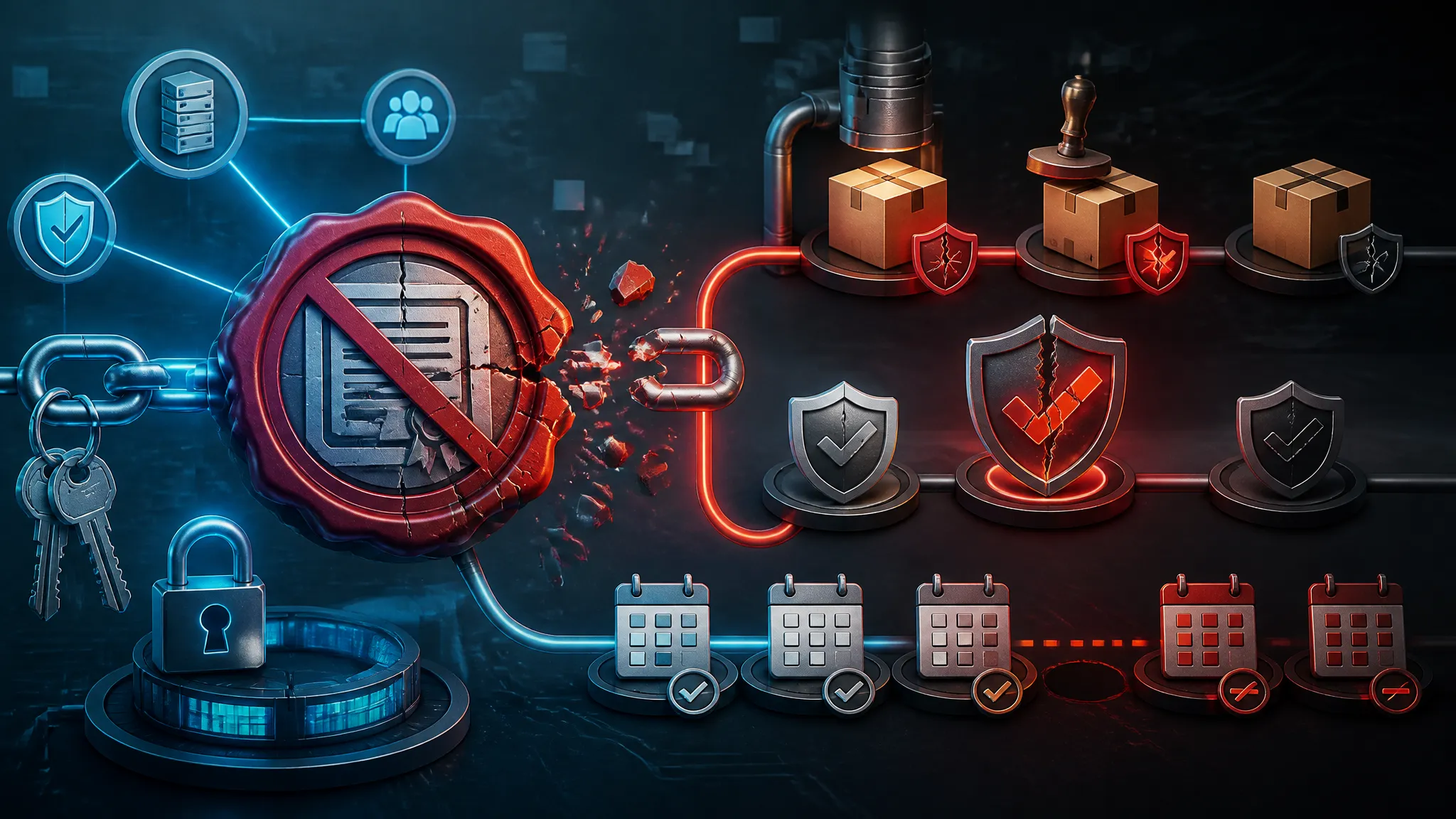
When Researchers Drop Zero-Days: Defending Your Apps After the Microsoft Exploit Dump
A public exploit dump changes a defender’s job quickly.
The report behind this post says a researcher posted a Microsoft zero-day exploit on GitHub after what it describes as a third Patch Tuesday hit. I am not going to pretend we know more than the reporting gives us. The real shift is operational: once an exploit is public, the gap between patch release, proof-of-concept copying, and actual abuse usually shrinks fast.
That matters to application teams, not just endpoint admins. If your app runs on Windows, authenticates through Microsoft identity, uses Office automation, depends on IIS, ships Electron wrappers, or sits next to a build farm full of Windows runners, the blast radius can reach you even when the original bug is “someone else’s” problem.
The response is not to run the exploit on a production box and see what happens. The response is to inventory exposure, trace how your app inherits Microsoft components, verify patch state safely, and add compensating controls while the fix rolls out.
Threat snapshot: what changes when a Microsoft exploit dump is public
A GitHub post is not just a file upload. It is a distribution event.
The moment a working exploit becomes public, three things happen at once:
- Searchability improves. Security researchers, threat actors, and opportunistic scanners can all find the same material.
- Replication gets easier. A PoC that one person could previously run becomes a copy-paste exercise.
- Time pressure moves left. Defenders no longer get to wait for “confirmed exploitation” before they start hardening.
That does not mean every public exploit turns into mass compromise. It does mean the odds shift. The space between “patch exists” and “someone weaponizes the bug” gets compressed.
Why GitHub publication shortens the patch-to-attack window
GitHub matters because it removes friction.
Even a rough exploit can be enough to:
- confirm that the vulnerable code path is real,
- reveal prerequisite conditions,
- show which versions or configurations are likely affected,
- and give attackers a base to adapt.
From a defender’s point of view, the public repo is often more useful as an intelligence artifact than as something to execute. You can usually learn more by reading the arguments, file paths, headers, process names, or dependency assumptions than by trying to reproduce the payload.
The practical consequence is simple: once a public exploit appears, assume that:
- scanners will follow quickly,
- opportunistic testing will happen on exposed systems,
- and stale patching baselines are now an active risk.
What to treat as confirmed reporting versus speculation
When a news report is thin, keep the boundary clean.
Treat these as confirmed only if the reporting actually states them:
- the exploit was posted publicly,
- the post was on GitHub,
- it concerns Microsoft software or a Microsoft-adjacent component,
- and the report frames it as a zero-day.
Treat these as unconfirmed unless you have your own evidence:
- specific CVE numbers,
- exact product versions,
- exploit reliability across builds,
- whether active exploitation is widespread,
- and whether the author’s motivation was retaliation, research, or something else.
That distinction matters in incident response. I have seen teams burn hours chasing a suspected version range from a rumor when the real issue was that a much broader set of hosts had never been inventoried properly.
Build an exposure inventory before you touch the exploit
I usually start here because the exploit is not the asset. The asset is everything that might execute, inherit, relay, or trust the vulnerable component.
If the public post is about Microsoft software, your inventory needs to include more than “Windows servers.” You want every place Microsoft code, Microsoft identity, or Microsoft tooling is part of the trust chain.
Find every Microsoft-facing asset: servers, desktops, CI runners, and admin boxes
Start with a list of machines and services that can touch the vulnerable path:
- Internet-facing Windows servers
- Internal line-of-business servers
- Admin workstations and jump boxes
- Developer laptops used for testing and debugging
- CI/CD runners and build agents
- File shares and ingestion workers
- RMM and remote support systems
- Virtual desktop infrastructure and hosted desktops
If you already manage assets in a CMDB, endpoint management, or cloud inventory, use those sources first. If you do not trust the inventory, verify with live queries.
A good first pass is to identify OS versions, patch levels, and whether the host has roles or software that match the exploit’s likely surface. For example, if the report involves a Microsoft browser, a scripting host, a document handler, or a network service, you want to know which machines can actually invoke that component.
A minimal Windows inventory sweep might look like this:
Get-ComputerInfo |
  Select-Object WindowsProductName, WindowsVersion, OsBuildNumber

Get-HotFix |
  Sort-Object InstalledOn -Descending |
  Select-Object -First 10
That is not enough by itself, but it is a start. You also want installed roles and software:
Get-WindowsFeature | Where-Object InstallState -eq 'Installed'

Get-CimInstance Win32_Product |
  Select-Object Name, Version
Win32_Product can be slow and noisy, so use it carefully. In a larger environment, prefer your endpoint management platform or registry-based software inventory.
Map which apps inherit Microsoft components through OS, identity, or tooling
This is where app teams often miss exposure.
Your application may not “be Microsoft software,” but it can still depend on:
- Windows authentication,
- IIS,
- .NET Framework or .NET on Windows,
- COM automation,
- Office document conversion,
- Active Directory,
- Kerberos and NTLM flows,
- SMB file access,
- Exchange-connected workflows,
- or Microsoft-hosted CI runners.
If your app uses Microsoft Entra ID, it inherits identity risk even when the app itself is cross-platform. If your backend runs on Windows Server and your frontend is an Electron app that opens Office files, you may have two separate Microsoft dependency chains.
I like to map this as a simple table:
| Layer | Microsoft dependency | Example risk |
|---|---|---|
| Endpoint | Windows shell, Office, Edge, Defender | Malicious file or script execution |
| Server | IIS, .NET, Windows auth | Remote code execution or auth bypass |
| Identity | AD, Entra ID, ADFS | Token theft, privilege abuse, session replay |
| Build | Windows runners, MSBuild, signing tools | Supply-chain compromise |
| Operations | RMM, remote admin, file transfer | Lateral movement and payload staging |
Once you see the layers, it gets easier to decide where to patch first.
Separate internet-facing risk from internal-only blast radius
Not all exposure is equal.
An internet-facing IIS box or remote access gateway deserves immediate attention. An internal-only build agent is still important, but its risk profile is different: an attacker may need an initial foothold before they can use it.
I split assets into three buckets:
- Direct exposure: reachable from the internet or from untrusted networks.
- Transitive exposure: not internet-facing, but reachable from systems that are.
- Internal blast radius: used by admins, developers, or automation that can touch sensitive data or credentials.
That ordering helps with triage. A patched but internet-facing host is still lower risk than an unpatched host that can execute arbitrary code and also has access to secrets.
Trace the vulnerable path through your application stack
The exploit may begin in one Microsoft component and end in your app. Your job is to trace the path, not just the product name.
Client-side surfaces: desktop apps, Electron shells, browser extensions, and Office automation
Client-side exposure is often underestimated because it looks user-driven.
Watch for:
- desktop apps that open untrusted documents,
- Electron wrappers that embed browser features,
- browser extensions that interact with Microsoft services,
- Office macros or add-ins,
- local automation scripts that call COM objects,
- and any app that shells out to Windows tools.
The key question is whether hostile content can reach a privileged parser, handler, or automation interface.
For example:
- A document viewer may trigger the vulnerable code path before your app logic ever runs.
- An Electron shell may inherit browser security assumptions but also expose local filesystem or native bridge access.
- A helper process may parse a file format and create a child process with more privilege than the UI needs.
This is why “it only opens a file” is not a safe sentence.
Server-side surfaces: IIS, auth gateways, file handlers, and API backends
Server-side paths are often easier to model, which makes them easier to defend once identified.
Look for:
- IIS applications,
- Windows-authenticated APIs,
- upload and conversion services,
- file watchers and ingestion daemons,
- auth gateways sitting in front of other apps,
- and services that run as
LocalSystemor another broad account.
A server-side exploit often turns on a small trust failure:
- unsafe file parsing,
- improper path handling,
- deserialization,
- auth bypass,
- or execution of a caller-controlled command or script.
The public exploit may highlight one vulnerable module, but the real issue is often the trust boundary around it. If your application hands untrusted input to a Windows-native parser or a service account with broad file access, the exploit path may be narrow while the blast radius is not.
Supply-chain surfaces: build agents, scripts, and operational tooling
This is the layer teams forget until they find strange binaries on a runner.
A Microsoft-related exploit can hit:
- self-hosted Windows runners,
- packaging scripts,
- code signing workflows,
- release automation,
- admin scripts,
- and remote support tooling.
If a compromised build agent can access repository secrets, signing keys, deployment credentials, or internal APIs, it becomes a pivot point. That means a public exploit is not only about production traffic. It can also turn into a supply-chain event.
I would specifically check:
- whether build agents are internet-reachable,
- whether they reuse the same service account,
- whether they have access to production secrets,
- and whether they can create child processes or download arbitrary binaries.
Verify exposure safely without reproducing the attack in production
Do not use the public PoC as your first test on a real host. Start with evidence, then validate actively.
Use disposable VMs and isolated lab hosts for validation
If you need to reproduce behavior, do it in an isolated lab:
- fresh VM snapshots,
- no shared credentials,
- no access to production networks,
- no synced browser profiles,
- and no mounted production storage.
The goal is to confirm whether your patch level or configuration is likely vulnerable, not to prove exploitability in a live environment.
A good validation workflow looks like this:
- Clone a representative image.
- Apply the same OS build and application version as production.
- Remove access to real secrets.
- Observe behavior with telemetry turned up.
- Revert the snapshot.
If the exploit depends on a specific service pack, feature, or policy setting, the lab should mirror that too.
Check patch level, prerequisite conditions, and exploit dependencies
Many zero-days are not universal. They depend on a combination of:
- build number,
- enabled feature,
- installed role,
- user rights,
- file type,
- protocol choice,
- or local policy.
Before you test behavior, collect the data that determines whether the host is even in scope.
Useful checks include:
- OS build and update state,
- installed Microsoft components and roles,
- endpoint protection policy,
- application compatibility shims,
- local admin membership,
- and whether required services are enabled.
Example PowerShell checks:
Get-ComputerInfo | Select-Object WindowsProductName, WindowsVersion, OsBuildNumber

Get-CimInstance Win32_OperatingSystem |
  Select-Object Caption, Version, BuildNumber

whoami /groups
If the exploit requires a user context, a service context, or a specific policy state, that matters more than whether the binary exists on disk.
Prefer telemetry and version evidence over running the public proof of concept
You often do not need to execute the exploit to know whether you are exposed.
Version evidence can come from:
- installed KBs,
- product build strings,
- file hashes,
- application manifest versions,
- package inventory,
- and endpoint protection telemetry.
Telemetry can tell you:
- whether the vulnerable component has been loaded,
- which parent process spawned it,
- whether it made suspicious child launches,
- and whether it touched unusual paths or sockets.
That is safer than feeding an arbitrary public PoC into production just to “see if it works.”
If a PoC requires a live network path, a privileged service, or a user session, treat it like an exploit test, not a harmless verification step.
Hardening the application layer while the patch rolls out
Patching is the fix. Hardening buys time and reduces blast radius.
Reduce privilege and remove ambient trust from Windows-dependent services
Most Windows-centric application failures get worse because services run with too much privilege.
Check for:
LocalSystemwhere a constrained account would work,- domain accounts with broad access,
- service accounts reused across environments,
- and admin rights granted “for convenience.”
Move toward:
- least-privilege service accounts,
- isolated app pools,
- scoped file permissions,
- and separate identities for build, runtime, and administration.
If a service only needs to read from one directory and write to one queue, do not let it inherit full machine trust. If a backend only needs to call one internal API, do not give it domain admin-level access just because it was easier during setup.
Disable unused integrations, risky file handlers, and legacy features
Public exploit events are a good time to remove old compatibility features.
Look for:
- Office macros that are still enabled by default,
- obsolete COM add-ins,
- file types your app no longer needs,
- legacy authentication modes,
- script execution paths,
- and protocol handlers that nobody remembers enabling.
A lot of exploit chains become much harder when the target cannot be coerced into opening the dangerous handler in the first place.
This is also where business teams will ask for exceptions. If an old integration is still required, keep it behind an explicit opt-in and narrow its permissions. “Disabled by default” is usually better than “available everywhere forever.”
Add input handling, sandboxing, and strict authorization at trust boundaries
Application-layer defense still matters even when the vulnerability is down in the platform.
At the trust boundary:
- validate file types by content, not just extension,
- reject unexpected encodings and oversized payloads,
- sandbox parsers and converters,
- avoid shelling out with user-controlled arguments,
- and check authorization on the server side every time.
If your app hands a Microsoft-native parser untrusted data, isolate that parser. If your backend performs a privileged action because a client supplied the right flag, fix the server logic, not the UI.
The point is not to eliminate every risky capability. The point is to stop a compromise in one layer from becoming a system-wide problem.
Compensating controls when you cannot patch immediately
Sometimes the patch cannot go live right away. Then you need to slow the attacker down.
Segment networks and limit egress from vulnerable hosts
Segmentation is still one of the most effective controls when a zero-day is public.
Do this:
- restrict east-west movement,
- block unnecessary SMB and RDP paths,
- limit outbound internet access from servers,
- and isolate admin workstations from general browsing.
A vulnerable host that cannot reach a command-and-control server is harder to turn into a stable foothold. A build runner that cannot download arbitrary payloads is a worse pivot.
Egress control is especially important for service accounts and automation nodes. If they only need to talk to a few internal endpoints, give them that and nothing more.
Apply WAF, reverse-proxy, and execution-control rules where they fit
Controls at the edge do not fix the bug, but they can reduce exposure.
Depending on the architecture, you may be able to:
- tighten reverse-proxy routing,
- add temporary WAF signatures,
- block suspicious file uploads,
- restrict dangerous verbs or endpoints,
- or apply application control policies to prevent unexpected child processes.
Be honest about the limits. A WAF can help with a request-based exploit, but it will not save you from every local parser bug or authenticated abuse path. Still, when a public exploit starts circulating, even partial friction helps.
Use temporary feature flags or degraded modes to shrink exposure
If the vulnerable path is behind a feature, turn it off.
Examples:
- disable file preview,
- pause conversion jobs,
- suspend external document uploads,
- turn off legacy auth,
- or route high-risk operations to a manual review queue.
A degraded mode is often better than leaving a risky capability fully open. Yes, this creates operational cost. That cost is usually lower than responding to compromise.
Hunt for signs of real-world abuse
Once the exploit is public, assume someone will test it against your footprint.
Logs to review across endpoints, identity, proxy, and application layers
I would review logs in this order:
| Layer | What to check | Why it matters |
|---|---|---|
| Endpoint | New services, child processes, script engines | Exploits often spawn unusual process trees |
| Identity | Failed logons, unusual token use, MFA bypass attempts | Attackers often follow exploitation with credential abuse |
| Proxy | Suspicious downloads, strange destinations, odd user agents | Useful for spotting follow-on payload retrieval |
| App | Unexpected file uploads, new admin actions, config changes | Shows whether the app itself was touched |
| EDR/SIEM | Detections tied to the vulnerable binary or path | Helps correlate the timeline |
If you have Windows event forwarding or EDR telemetry, search for process creation, PowerShell execution, command-line arguments, and network connections from the affected service account.
Distinguish exploit scanning from successful compromise
Not every noisy request means the bug was used successfully.
Scanning often looks like:
- repeated requests to a known endpoint,
- malformed headers or file names,
- generic payloads,
- and no durable post-exploitation behavior.
Successful compromise is more likely to show:
- a new child process,
- a new scheduled task or service,
- lateral movement,
- credential access,
- persistence,
- or unexpected outbound traffic after the initial hit.
The difference matters because your response should change. Scanning may justify blocking and monitoring. Successful compromise should trigger isolation and incident handling.
Focus on suspicious process trees, child launches, and unexpected outbound traffic
On Windows, process ancestry is often the fastest signal.
Look for:
- office or browser processes launching
cmd.exe,powershell.exe,wscript.exe, ormshta.exe, - service accounts spawning interactive shells,
- child processes with encoded or obfuscated command lines,
- and binaries executing from temp directories or user-writable paths.
If your EDR supports it, pivot on:
- parent process,
- command line,
- network destination,
- and file write activity.
A zero-day often becomes obvious in hindsight because the process tree looks wrong, even if the initial request looked normal.
Incident response playbook for a newly public zero-day
Treat the event like a structured incident, even if you have no confirmed compromise yet.
Triage, isolate, and preserve artifacts before cleanup
If you suspect exposure or abuse:
- Triage the affected host or service.
- Isolate it from network paths that are not required for preservation.
- Collect memory, process lists, running services, event logs, and relevant application logs.
- Preserve the current patch state and binaries.
- Only then start cleanup.
The mistake I see most often is immediate remediation without evidence preservation. That makes root cause harder to prove and later hunt work much worse.
Validate blast radius across production, staging, and developer environments
Do not stop at production.
Check:
- staging environments that mirror production,
- developer laptops with elevated tooling,
- CI runners,
- test systems with stale patches,
- and any admin host that can reach the same management plane.
A public exploit often lands where people are least disciplined: old lab VMs, forgotten jump boxes, and build agents nobody wants to patch because they are “temporary.”
Patch, rotate credentials, and retest access controls before reopening paths
After you patch:
- verify the fix version,
- rotate credentials that may have been exposed,
- revoke stale tokens or sessions,
- and retest the authorization checks the application relies on.
If the exploit touched a service account, assume the account might have been observed. If it touched a file processor or automation runner, revalidate the secrets it had access to.
Do not reopen the path just because the KB is installed. Re-test the trust boundary.
Turn the event into a repeatable security process
The best response to a public exploit is not heroics. It is making the next one cheaper to handle.
Create patch SLAs for exposed Microsoft dependencies
Set patch targets by exposure class:
- same day or 24 hours for internet-facing systems,
- 48 to 72 hours for high-value internal systems,
- and a short, explicit exception process for anything slower.
The SLA should cover not just Windows itself, but Microsoft-dependent app layers and tooling.
Keep an asset inventory that links apps to OS and runtime exposure
The inventory needs to answer one question quickly: if Microsoft breaks, what else breaks with it?
Track:
- host role,
- app owner,
- runtime,
- identity dependencies,
- internet exposure,
- patch status,
- and last verification date.
If you cannot answer that from a dashboard, you are relying on memory. Memory is not a control.
Run tabletop drills for public exploit publication events
Tabletop drills are useful because they force the boring questions:
- Who validates exposure?
- Who approves isolation?
- Who patches build systems?
- Who rotates credentials?
- Who tells application owners to disable risky features?
Do one drill with a GitHub-published exploit as the scenario. Make the team walk through inventory, triage, containment, and retest. The goal is not drama. The goal is to remove hesitation when the next public dump appears.
Conclusion: what developers should change after the dump lands
The practical takeaway is that a public exploit is a systems problem, not just a patch problem.
If your app touches Microsoft components in any meaningful way, you need to know:
- where those components run,
- which services depend on them,
- which identities they trust,
- which hosts can reach them,
- and how quickly you can isolate them when a zero-day goes public.
I would change three habits after this kind of event:
- Keep a real inventory of Microsoft-dependent assets.
- Treat public exploit publication as a time-sensitive hardening trigger.
- Make patching, segmentation, and telemetry part of the same response plan.
If you do that well, the next GitHub dump becomes a problem you can measure and contain, instead of a surprise you discover from logs after the fact.
Further Reading
Microsoft security update guidance and vendor advisories
Start with Microsoft’s security update guidance and the relevant product advisory once the issue is identified. Even when the initial report is sparse, the vendor notes usually clarify affected versions, prerequisites, and the safest remediation path.
Internal hardening checklists for Windows-based applications
Keep an internal checklist for Windows services, build agents, identity dependencies, and file handlers. The checklist should cover least privilege, patch verification, network segmentation, logging, and a rollback plan for any temporary mitigation you apply.