When Integrations Become an Attack Path: Hardening Salesforce OAuth After the Klue Incident
The reporting is thin, but the security pattern is familiar: a third-party integration sat on the trust boundary, and once that boundary was crossed, Salesforce data was reachable outside the UI.
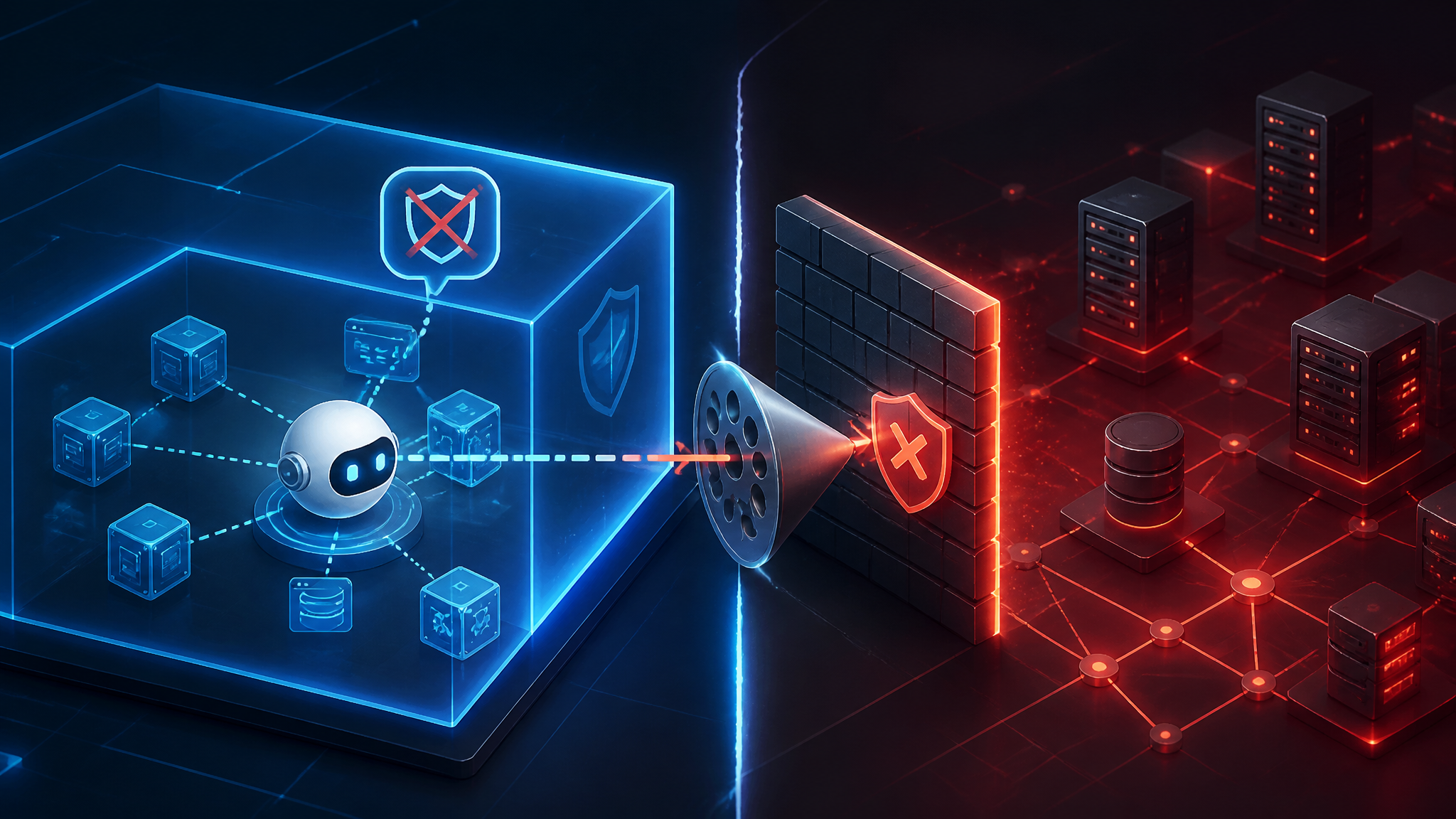
My read is straightforward: this is not just a vendor breach story. It is an OAuth trust-boundary story. If a connected app can read CRM records, then compromise of that app often looks a lot like compromise of the data it was allowed to touch.
What the Klue incident appears to show
Confirmed facts from the reporting
The reporting available to me says hackers stole Salesforce CRM data through a Klue integration breach.
That is the part I would treat as confirmed from the source summary:
- the target system was Salesforce CRM data
- the access path involved a Klue integration
- the issue was described as a breach of that integration, not a direct Salesforce UI login
- the result was data theft, not just suspicious login activity
That is enough to matter. Once a SaaS integration can touch customer records, notes, opportunities, or support history, it is part of the security perimeter.
What I would treat as inference until vendor or victim details are public
Everything below is plausible, but I would not call it confirmed without a vendor statement, incident write-up, or victim disclosure:
- whether the attacker used a stolen OAuth refresh token
- whether the compromise started inside Klue, in a downstream identity provider, or through separate credential theft
- which Salesforce objects were accessed
- whether field-level restrictions were bypassed through the integration’s backend
- whether the affected org used granular OAuth scopes or broad admin consent
- whether the attacker exported data through an API, a sync job, or an internal support workflow
That distinction matters. Too many incident recaps jump from “integration breach” to a full postmortem that nobody has actually published yet. I would not do that here.
Why a Salesforce OAuth integration becomes a real attack path
Trusted app, untrusted boundary
A connected app can look harmless from the outside. It sits between a user workflow and a backend API, and the user approves it once before it keeps working.
That convenience is the problem.
If the integration is allowed to read Salesforce records, the app’s backend is effectively another privileged user. The browser is not the only place trust can fail. The external SaaS vendor, its database, its logs, its support tooling, and its token storage all become part of the attack surface.
In practice, I think of a connected app as a standing authorization relationship. If the app is compromised, the attacker may inherit that relationship without ever touching a Salesforce password.
Token scope, refresh tokens, and what an attacker can keep doing
OAuth is supposed to limit access, but the limits only help if you keep them tight.
The important questions are:
- what scopes were granted
- whether the app received a refresh token
- how long that refresh token stayed valid
- whether Salesforce would revoke it quickly after suspicious activity
- whether the vendor cached Salesforce data after the first sync
If the attacker gets a refresh token, they may not need the victim again. They can keep asking for new access tokens until the grant is revoked. That is why token theft is usually more serious than a single-session compromise.
Why CRM data is often more sensitive than teams admit
CRM data is not just a contact list.
It can include:
- customer names and email addresses
- account hierarchies
- revenue, pipeline, and renewal timing
- support cases and escalation notes
- internal deal strategy
- legal or procurement conversations
- links to other systems through IDs and notes
A lot of teams mentally file this as “business data” and treat it as softer than source code or production secrets. I think that is wrong. CRM data is often a map of the business: who buys, who is vulnerable, who is angry, who has authority, and who can be pressured.
That makes it useful for phishing, fraud, account takeover, and lateral movement into other SaaS tools.
The data flow worth mapping before you trust any connected app
User authorization versus app authorization
Before you trust a connected app, draw two flows:
- what the user is allowed to see in Salesforce
- what the app is allowed to retrieve or store through the API
Those are not always the same thing.
A user may have narrow UI permissions, while the integration user behind the scenes has broader object access. The reverse can happen too: a user approves an app that can read data through a backend service account even when the UI role would never expose that data directly.
That is where audits go wrong. People review the front-end experience and assume the backend must be aligned. It often is not.
Where access is decided: Salesforce, the integration vendor, or both
The access decision can happen in more than one place:
- Salesforce decides whether the connected app is allowed
- the vendor decides what to request, cache, and export
- downstream systems decide what the vendor can forward elsewhere
If any one of those layers is too permissive, the whole chain inherits the weakness.
I would map this with a table before I trust the integration:
| Layer | What to verify | Why it matters |
|---|---|---|
| Salesforce connected app | scopes, user assignment, session policy | defines what the app can ask for |
| Vendor backend | token storage, export jobs, sync logic | defines what an attacker can keep doing |
| Downstream systems | CSV exports, BI tools, support portals | defines where the data can spread next |
The common failure mode: the backend trusts the integration too much
The recurring failure is not exotic.
It is this: the integration backend assumes that because Salesforce issued the token, everything the backend does with that token is safe.
That assumption breaks when:
- the app fetches more objects than the product feature needs
- the app ignores field-level minimization
- the app stores data long after the sync completes
- support staff can query synced CRM data without re-checking authorization
- exports bypass the UI controls that normally protect sensitive records
That is why I do not trust “the UI hides it” as a defense. If the backend can fetch it, the attacker may eventually be able to fetch it too.
How to test your own Salesforce-connected apps
Inventory all connected apps and OAuth grants
Start by listing every connected app in use, not just the ones IT remembers.
Look for:
- active connected apps
- apps with broad user assignment
- old grants that nobody reviews
- service accounts that no owner can clearly name
If you run a centralized Salesforce org, this should be part of periodic access review. If you only review human logins and ignore connected apps, you are missing a major privilege path.
Check scopes, refresh behavior, and admin-consent paths
For each app, answer three questions:
- what scopes does it request?
- does it receive offline access or a refresh token?
- who can approve the grant, and how often is it re-evaluated?
If a low-risk business integration has broad read access plus long-lived refresh capability, I would treat that as a high-value credential, not a convenience feature.
Verify whether the app can read more objects or fields than it needs
A fast way to sanity-check this is to query the Salesforce API as the integration user and inspect what the app can actually see.
For example, using the app’s own access token:
curl -sS \
  -H "Authorization: Bearer $SALESFORCE_TOKEN" \
  "$INSTANCE_URL/services/data/v61.0/sobjects/" | jq '.sobjects[].name'
Then inspect a specific object:
curl -sS \
  -H "Authorization: Bearer $SALESFORCE_TOKEN" \
  "$INSTANCE_URL/services/data/v61.0/sobjects/Account/describe" | jq '{name, fields: [.fields[].name]}'
What I look for is not just whether the request works. I look for overreach:
- objects the app does not need
- fields that do not match the product feature
- access to exports or reports when the app only needs record sync
- permission to traverse relationships that expose adjacent sensitive data
If the integration is a sales-enablement tool but it can see support cases, internal notes, and pricing fields, that is a design problem.
Look for data export paths that bypass normal UI controls
The most dangerous paths are often not the obvious API calls.
Check for:
- scheduled CSV exports
- webhook payloads sent to third parties
- backup jobs that copy CRM records into a data warehouse
- support dashboards that show synced records without object-level filtering
- BI tools or “analytics” mirrors built on top of the integration data
If the vendor can export data in bulk, the attacker probably can too after compromise.
Hardening controls that matter in practice
Minimize OAuth scopes and remove stale grants
The first control is boring but effective: remove anything the app does not need.
If the integration only needs read access to a small set of objects, do not grant a broad profile and hope the vendor behaves. Remove stale grants as soon as the app is retired or replaced.
My rule is simple: if nobody can explain why a scope exists, it should not remain.
Restrict connected apps by user, profile, IP, or session policy where possible
Use Salesforce controls where they fit:
- limit which users can authorize the app
- restrict by profile or permission set
- require stronger session policies for sensitive apps
- constrain access by IP where operationally safe
None of those controls replaces least privilege, but they do reduce the blast radius if a token is stolen.
Rotate and revoke tokens after a suspected compromise
If you suspect the integration is compromised, do not just reset one password and move on.
Revoke the connected app grant, rotate any vendor-side credentials, and force reauthorization only after you know what was exposed.
If refresh tokens existed, assume the attacker may have been able to keep accessing data until revocation completed.
Monitor for unusual API volume, new grants, and bulk exports
The events I would watch most closely are:
- new connected app authorizations
- OAuth grant changes
- spikes in API calls
- bulk query behavior
- large export jobs
- logins from unusual geographies or at odd times
- repeated access to the same sensitive object set
If you have Salesforce Event Monitoring, keep the logs. If you do not, that gap should be on your roadmap.
Segment sensitive CRM records instead of assuming the integration layer will protect them
Do not put every record in one bucket and assume the integration layer will sort it out.
Better patterns include:
- separate objects or record types for highly sensitive data
- tighter field-level security on renewal, legal, or compensation data
- explicit approval steps before syncing certain notes or attachments
- suppression rules for records that should never leave Salesforce
If the data is sensitive enough that you would not email it to the vendor, do not let an integration quietly replicate it either.
Incident response when a SaaS integration is suspected compromised
Revoke the app, then confirm what data the token could access
The order matters.
First stop the bleed: revoke the connected app and invalidate the tokens.
Then answer:
- which Salesforce objects were accessible
- which date range was exposed
- whether the vendor cached or replicated the data
- whether the integration had export or support access beyond the sync path
If you skip that second step, you will not know whether the incident was a narrow sync problem or a broader data exposure.
Preserve logs from Salesforce and the integration vendor
Keep evidence from both sides:
- Salesforce login history and connected app records
- API usage logs
- event monitoring data if available
- vendor audit logs
- support case records
- token issuance and revocation timestamps
You need both perspectives to reconstruct what happened. One side rarely tells the whole story.
Notify downstream teams that may have copied CRM data elsewhere
This is the step teams forget.
Once CRM data has been synced into marketing tools, warehouses, support systems, or BI dashboards, the breach does not stop at Salesforce. Those downstream systems may have copies, exports, or cached snapshots that need their own review.
I would immediately ask: where else did this data go?
What I would fix first
Priority order for security teams with limited time
If I had only a few hours, I would do this in order:
- inventory every connected app touching Salesforce
- revoke stale and unused grants
- review scopes and refresh-token exposure
- identify integrations that can export bulk data
- tighten access to sensitive objects and fields
- turn on or validate monitoring for OAuth grants and API spikes
The control that reduces blast radius fastest
The fastest blast-radius reduction is revoking unnecessary grants and narrowing what the app can read.
That does not solve vendor compromise by itself, but it immediately reduces how much damage a stolen token can do.
If you only remember one thing from the Klue reporting, make it this: a SaaS integration is not a passive dependency. It is an active trust relationship. Treat it with the same suspicion you would give any external user with API access.
Conclusion: integrations need the same distrust as external users
The headline here is not really “Salesforce data stolen through Klue.”
The deeper lesson is that integration privilege is real privilege. Once a connected app can reach your CRM, it deserves the same review you would give a human admin or a contractor with shell access to production.
I would not ship a Salesforce integration unless I could answer three questions clearly:
- what exactly can it read?
- how long can it keep reading?
- what stops an attacker from turning that access into bulk export?
If those answers are fuzzy, the integration is not just a feature. It is an attack path.
Further Reading
- Salesforce REST API Developer Guide — official REST API reference for inspecting objects, describes, and limits.
- Salesforce OAuth and authentication docs — official starting point for understanding token flows and connected app behavior.
- Salesforce Help: connected app administration — admin-side guidance for reviewing connected apps, grants, and access policies.
- Salesforce Event Monitoring — official docs for logging and reviewing API and access activity.