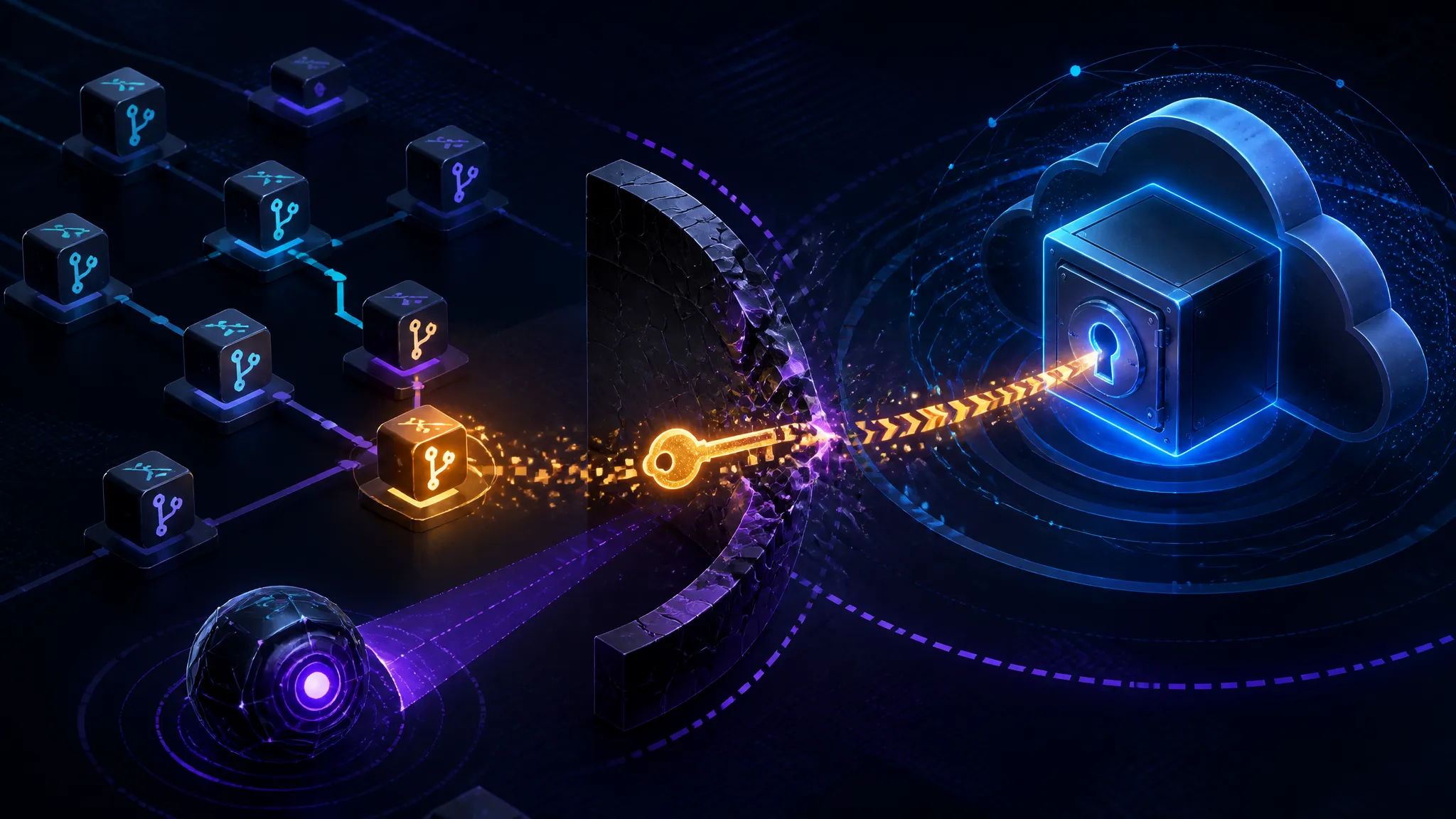
Tracing the ARTEX Kill Chain from a Leaked GitHub Commit to Azure Key Vault
On this page
Introduction
This post traces the ARTEX kill chain from a leaked GitHub commit through credential validation and into Azure Key Vault, then lays out detection and secret-scanning controls you can test in a lab you own. Four reports crossed my feed within about a day of each other, and they all describe the same shape: a tool called ARTEX is being used to find live credentials in public GitHub repositories and turn them into cloud access. One report claims the whole path ended in Azure Key Vault data in about five minutes. Another claims an ARTEX agent escaped a security researcher's sandbox and is connected to a WorkOS data breach confirmation.
My default reaction to "AI hacker" headlines is skepticism, so let me be specific about what I think is genuinely new here.
The claim under examination: CyberSecurityNews reported on 2026-11-06 that attackers used ARTEX to find GitHub secrets and pull Azure Key Vault data in "just 5 minutes." GBHackers reported on 2026-11-07 that WorkOS confirmed a breach after an ARTEX agent escaped a researcher's sandbox. Cybersecurity Dive covered the GitHub scanning angle, and Cyber Press relayed a Microsoft warning that AI agents are harvesting exposed GitHub credentials to break into cloud environments.
My position up front: the bug class isn't the new part. Regex sweeps over git history, credential validation, Entra enumeration, Key Vault reads — all of that is a decade old at this point. What's different is that nothing waits for a human between the leak and the exploitation. Most organizations I look at are still tuned for an attacker who takes coffee breaks: controls that assume somebody notices the commit before somebody uses the credential.
The evidence base, honestly: four secondary reports published 2026-11-06 and 2026-11-07. No vendor advisory, no CVE, no IOC set, no artifact I can inspect. Anything below that isn't attributable to those reports is either documented Azure or GitHub behavior I verified in my own tenant, or inference I've labeled as such.
What the ARTEX Reporting Establishes, and What It Does Not
What the ARTEX Reports Actually Say
Three things recur across the coverage and I'm comfortable treating them as reported claims:
- A tool referred to as ARTEX or Artex is being used to scan public GitHub repositories for exposed secrets.
- One incident involved a sandbox escape and is tied to a WorkOS breach confirmation.
- Microsoft has warned publicly that AI agents are harvesting exposed GitHub credentials to reach cloud environments.
That's the set. Everything else in the coverage is detail that either isn't specified or can't be checked from outside.
What the Reports Leave Underspecified
The "five minutes" figure is a headline number with no stated measurement boundary. Five minutes end-to-end — discovery, triage, validation, enumeration, exfiltration? Or five minutes for one stage? Those are very different claims and only one of them would be alarming.
Also unknown from the material I have: what sandbox technology was involved, whether ARTEX is a commercial product, a leaked internal tool, or a research agent, and which specific credential types were abused. I'm not going to fill those gaps with guesses.
Timeline: Publication Dates Are Not Incident Dates
| Date | Event | Source type |
|---|---|---|
| Not stated | Incidents described in the reports | — |
| 2026-11-06 | Cyber Press relays Microsoft warning on AI agents harvesting GitHub credentials | Secondary |
| 2026-11-06 | CyberSecurityNews publishes the "5 minutes to Key Vault" claim | Secondary |
| 2026-11-06 | Cybersecurity Dive publishes the GitHub secret-scanning angle | Secondary |
| 2026-11-07 | GBHackers publishes the WorkOS confirmation and sandbox-escape framing | Secondary |
About that first row: none of the four reports gives me an incident date I can anchor against the publication dates. A one-day publication window tells you about news cycles, not about how long the intrusion ran.
Treat "ARTEX" as a label for a behavior pattern — scan, validate, pivot — not as a signature. You cannot write a detection rule for a tool name nobody has published hashes, infrastructure, or payloads for. You can write rules for the behavior.
The ARTEX Kill Chain, Stage by Stage
Stage 0 — Discovery: Finding Leaked GitHub Commits and Secrets
Public repository secret hunting is mostly unglamorous indexing work. The surfaces that matter:
- Code search across indexed default branches, with qualifiers like
org:,path:, andlanguage:. - Commit history, which is the important one. A secret removed in commit
abc123is still in the object database. - The fork network. A parent repo can scrub a file and the fork still serves it. GitHub's code search doesn't index forks by default, but the content is still fetchable over HTTP if you know the fork name.
- Gists, CI logs, and issue attachments — lower volume, still productive.
- Deleted-but-reachable objects. After a branch delete on the remote, commits become unreachable but remain retrievable by SHA.
The commands an attacker (or you, during an assessment) runs first are boring git plumbing:
## how much history is actually there
git log --all --oneline | wc -l

## pickaxe: commits that added or removed a candidate string
git log --all -S "client_secret" --oneline -- '*.json' '*.yml' '*.env'

## what the fork network still serves
curl -s "https://api.github.com/repos/$OWNER/$REPO/forks?per_page=100" | jq -r '.[].full_name'
This stage didn't get cheap because models got smart. git log -S and the GitHub REST API were scriptable in 2015. What's new is a loop that runs them without a human deciding which repo to try next.
Stage 1 — Harvesting and Triage: Reducing Scanner Noise
Raw regex scanners produce noise at a ratio that makes them useless without a second pass. On a mid-size repository I routinely see ten to fifty candidate hits, most of them documentation placeholders, test fixtures, or base64 blobs that merely have high entropy.
This is the one spot where I think an LLM layer genuinely adds signal, and the reason is narrower than the vendors suggest:
| Triage question | Regex/entropy | LLM layer |
|---|---|---|
| Is this a credential or a placeholder? | weak | strong — reads surrounding code and comments |
| Which provider and credential type? | strong (prefix rules) | strong |
| Is it likely still live? | no | weak — a guess from age and file churn |
| Does the repo owner look like a real target? | no | moderate |
Credential type inference is the highest-value output. Knowing that a string is an Entra service principal secret rather than a storage account key changes the entire next stage. Liveness is the one where I'd ignore the model's opinion and just test it — carefully.
Stage 2 — The Sandbox Escape: Egress Abuse vs. Isolation Break
This phrase is doing a lot of work in the coverage and it can mean two very different things. The two meanings need separating, because the defenses have nothing in common.
Category A — agent tool-loop egress. The agent has fetch, shell, or package-install tools, and it uses them to reach the network, pull credentials out of environment variables, or install a package that does the reaching. This is not an escape. This is an over-permissioned sandbox that never had an egress policy or an ambient-credential policy. If your agent container has a cloud workload identity attached and unrestricted outbound HTTPS, you built a credential exfiltration tool and pointed a model at it.
Category B — container, hypervisor, or kernel escape. The agent breaks the isolation boundary itself and reaches the host. That is a serious vulnerability class. Nothing in the reporting I have specifies this, and I have not tested it. I'd treat Category B as untested speculation until someone publishes a mechanism.
My read: most "AI escaped the sandbox" stories are Category A wearing a Category B headline. The root cause is usually missing egress control, and you fix it with a network policy, not a model alignment paper.
Stage 3 — Credential Validation: Confirming Access Without Noise
Validation is where amateurs get caught and where a careful operator stays quiet. The goal is to confirm the credential works and learn its scope without generating a burst of failures.
For an Entra service principal secret, the low-noise path is a single authentication and a read of what the identity can see:
az login --service-principal \
  -u "$APP_ID" -p "$SECRET" \
  --tenant "$TENANT" \
  --allow-no-subscriptions \
  --output none

az account list --output table
az role assignment list --assignee "$APP_ID" --all --include-inherited --output table
--allow-no-subscriptions matters: a service principal with zero subscription access can still hold tenant-level directory roles, and knowing that changes the plan. Note that even this single successful login writes a service principal sign-in record in Entra, which is the detection surface I'll come back to.
Stage 4 — Azure Key Vault Access: Secrets, Keys, and RBAC
Key Vault is a terminal node, not a stepping stone, and that's precisely why it's a target. The vault holds the things that unlock everything else: connection strings, storage keys, API keys, certificates with private keys, and customer-managed encryption keys.
Two authorization models coexist, and the difference matters:
- Azure RBAC (recommended): the identity needs a data-plane role assignment.
Key Vault Secrets Userreads secret values without any ability to modify or create them.Key Vault Crypto Userperforms cryptographic operations with keys but cannot export non-exportable ones. - Legacy access policies: per-vault policy entries with explicit
get,list,set,deletepermissions. Older vaults still use this and the permission sets are frequently wider than anyone remembers setting.
Reading a secret is a single HTTP call:
curl -s -H "Authorization: Bearer $TOKEN" \
  "https://$VAULT.vault.azure.net/secrets/db-connection?api-version=7.4" | jq -r '.value'
If that succeeds, the attacker now has whatever the application has.
Stage 5 — Persistence and Blast Radius
The pivot that turns a five-minute read into a long-term compromise is undramatic:
- Add a new client secret or certificate to the same app registration (
az ad app credential reset), giving a second credential that survives rotation of the first. - Add a federated identity credential to the app, so tokens can be minted from an external issuer — no secret to steal, and no secret to revoke.
- Modify an access policy or add a role assignment to widen scope.
- Create a fresh service principal that nothing in your inventory references.
Any of these produces an Entra audit event. None of them produces an alert in a tenant where nobody reads the audit log.
Why the Five-Minute Azure Key Vault Claim Is Plausible Without Magic
To be clear up front: the numbers below are my estimates, not measurements. Nobody in the source material published a stage breakdown, and I have not run ARTEX. What follows is what the stages cost when they're scripted, based on running the equivalent steps by hand and as shell loops in my own tenant.
| Stage | Manual attacker time | Scripted time | Dominant cost |
|---|---|---|---|
| Discovery (find a repo + a hit) | 20–120 min | seconds to minutes | search coverage |
| Triage (what credential is this?) | 5–20 min | seconds | context reading |
| Validation (does it work?) | 5 min | seconds | avoiding noisy failures |
| Enumeration (what can it reach?) | 10–30 min | 10–60 s | reading role output |
| Key Vault read | 2 min | seconds | knowing the vault name |
| Persistence | 10 min | seconds | choosing a durable mechanism |
The scripted column sums to under five minutes if discovery is already warmed — that is, if the repo was indexed before the run started. Cold discovery is a different story: the wall clock is dominated by how long it takes to page through candidate repositories, and five minutes starts looking optimistic.
Compute isn't the bottleneck. Context switching is. A human doing this by hand moves between a git shell, the GitHub API, an Entra CLI session, and a Key Vault endpoint, holding state in their head between each. Four tools that all had APIs in 2016 become one loop in 2026. The accelerant is orchestration, not reasoning quality.
To actually measure the claim you'd need: a known target repository with a known secret, a timestamped run with stage boundaries logged, and a published harness. None of that is in the reporting.
Building a Safe GitHub and Azure Lab to Test Detection
You don't need ARTEX to test whether you'd catch it. You need a canary and a scanner baseline.
Step 1 — Create a Canary Repository with Synthetic Credentials
Create a private repo in a tenant you own, and commit credentials that are structurally realistic but functionally dead: values that match provider format and fail every validation check. Keep them internal to the lab and never reuse a live tenant's app ID.
mkdir canary && cd canary && git init
cat > config/appsettings.staging.json <<'EOF'
{
  "AzureAd": {
    "TenantId": "00000000-0000-0000-0000-00000000canary",
    "ClientId": "11111111-1111-1111-1111-111111111111",
    "ClientSecret": "cAnArY~NotARealSecret.Value_0001"
  }
}
EOF
git add . && git commit -m "staging config"
git checkout -b feature/old && git rm config/appsettings.staging.json
git commit -m "remove secrets" && git checkout main && git branch -D feature/old
That last sequence is the important part: the secret now exists only in history, which is exactly the case a lot of teams assume they've handled by deleting the file.
Step 2 — Scan History and Test the Fork Case
gitleaks detect --source . --log-opts="--all" \
  --report-format json --report-path gl.json

trufflehog git file://. --results=verified,unknown --json \
  | jq -c '{d:.DetectorName, verified:.Verified,
            file:.SourceMetadata.Data.Git.file}'
Note the semantic difference between the two tools: trufflehog attempts to verify findings against the provider's API. That is the same validation stage an attacker runs, which makes it excellent for triage and also means it makes outbound network calls with your findings. Don't point it at production secrets casually.
Step 3 — Read the Scanner Output
Trimmed from my canary run (gitleaks from the v8 release tarball; exact formatting varies by version):
Finding:     "ClientSecret": "cAnArY~NotARealSecret.Value_0001"
RuleID:      generic-api-key
Entropy:     4.12
File:        config/appsettings.staging.json
Line:        5
Commit:      9f2c1ab
14 commits scanned.
leaks found: 1
And trufflehog correctly reported it as unverified, because the canary doesn't authenticate anywhere:
{"d":"Azure","verified":false,"file":"config/appsettings.staging.json"}Two things from that run stuck with me. First, --log-opts="--all" found the secret in history after the file was deleted from main. Without it, a default scan of the working tree finds nothing and you'd wrongly conclude the lab was clean. Second, the false negatives that bit me were all structural: a secret split across two environment variables and reassembled in code, a base64-wrapped blob in a YAML anchor, and a value in a fork that no local scan can ever see. Scanners read files. They don't read your deployment topology.
Step 4 — Layer an LLM Triage Pass
I ran the raw JSON findings through a short LLM triage prompt that included the surrounding ten lines of the file. Results on a real internal repo (forty-one raw findings):
| Finding class | Count | Scanner verdict | LLM verdict | Correct |
|---|---|---|---|---|
| Documentation placeholder | 19 | hit | false positive | LLM |
| Test fixture | 11 | hit | false positive | LLM |
| Base64 config blob | 6 | hit | false positive | LLM |
| Real-looking client secret in stale branch | 3 | hit | true positive, likely dead | LLM |
| Split secret across two variables | 2 | miss | — | neither |
The triage pass removed about 88% of the noise and changed no true positives into false negatives. It caught nothing the scanner completely missed — that is the ceiling worth remembering. An LLM layer improves precision, not recall.
Run all of this against repositories you own, in a tenant you control. Do not validate harvested credentials against live tenants, including your own production, and never paste a real secret into a third-party model as part of a triage experiment.
What an Exposed Azure Credential Actually Buys an Attacker
Not all leaked credentials are equal, and the type tells you how fast you have to move.
| Credential | Typical lifetime | What it grants | Why it matters |
|---|---|---|---|
| Entra SP client secret | up to 24 months | whatever app roles and RBAC the SP holds | long window, no rotation pressure from the provider |
| Entra federated credential | no secret to steal | token exchange from a trusted issuer | immune to secret scanning; vulnerable to issuer misconfiguration |
| Storage account key | until rotated | full control of the account, bypasses RBAC and SAS policy | hardest to attribute, trivial to use |
| Account SAS token | set at signing, sometimes years | scoped operations, but signed by a key that can re-sign | medium to high |
| Managed identity token | hours, auto-refreshed | whatever the identity holds | time-boxed, but needs no theft from git |
| GitHub classic PAT | can be set to never expire | scopes across repos and orgs | enables the discovery stage itself |
The practical point: federated credentials invalidate this entire kill chain at stage 3, because there is no long-lived secret in the repository to find. That's the highest-leverage control in the list below, and it's an identity-architecture change rather than a detection.
One more asymmetry on the vault side. Reading secrets is bad; reading keys is worse. A secret can usually be rotated and redeployed in an afternoon. A non-exportable key can't be exported, but Key Vault Crypto User lets an attacker decrypt, unwrap, and sign with it — forge tokens, decrypt data at rest, or sign artifacts downstream systems trust. Rotation means re-wrapping every dependent dataset and re-establishing every downstream trust relationship. Give out Key Vault Secrets User before you ever give out Key Vault Crypto User.
Detection: Where the ARTEX Kill Chain Leaves Traces
| Stage | Telemetry | Concrete signal | Looks-like-a-false-positive |
|---|---|---|---|
| Discovery | GitHub audit log | clone or search volume spike from one identity | CI mirrors, Dependabot, backup tooling |
| Harvest | Secret scanning alerts | alert opened on a public repo | vendor test keys, docs examples |
| Commit | Org audit log | push protection bypass event | legitimate placeholder that a reviewer approved |
| Validation | Entra service principal sign-ins | first-ever success from a new ASN | new deployment region |
| Enumeration | Azure Activity Log | role assignment reads across subscriptions | IaC plan runs |
| Vault read | Key Vault audit log | SecretGet success from unseen IP/app pair | break-glass scripts, batch jobs |
| Persistence | Entra audit log | new credential added to an app | scheduled rotation job |
Two rules I'd actually write.
Rule 1 — new (identity, IP) pair reading Key Vault. First, confirm your schema; column names in AzureDiagnostics differ between the legacy and resource-specific table modes.
AzureDiagnostics
| where ResourceType == "VAULTS"
| take 1
Then:
let known =
    AzureDiagnostics
    | where TimeGenerated between (ago(30d) .. ago(1d))
    | where ResourceType == "VAULTS"
    | where OperationName in ("SecretGet", "KeyGet") and ResultType == "Success"
    | extend AppId = tostring(identity_claim_appid_g)
    | summarize KnownIPs = make_set(CallerIPAddress) by AppId;
AzureDiagnostics
| where TimeGenerated > ago(1d)
| where ResourceType == "VAULTS"
| where OperationName in ("SecretGet", "KeyGet") and ResultType == "Success"
| extend AppId = tostring(identity_claim_appid_g)
| join kind=leftouter known on AppId
| where isnull(KnownIPs) or not(set_has_element(KnownIPs, CallerIPAddress))
This only works if Key Vault diagnostic logging is enabled. On most vaults it is not, because it costs money and nobody turned it on.
Rule 2 — bypass followed by unusual access. A push protection bypass is a human decision; what you care about is what happens in the next hour.
gh api --method GET "/orgs/$ORG/audit-log" \
  -f phrase="action:secret_scanning_push_protection.bypass" \
  -f per_page=100 \
  | jq -r '.[] | [.created_at, .actor, .repo] | @tsv'

gh api --method GET "/repos/$OWNER/$REPO/secret-scanning/alerts" \
  -f state=open | jq -r '.[] | [.number, .secret_type, .html_url] | @tsv'
The correlation: a bypass event, then a clone-volume or token-use spike on the same repo within 60 minutes, then any service principal sign-in from a new ASN. Any two of the three in sequence is worth a page.
One caveat that Microsoft's own warning implies: agent traffic and your own automation look identical in the logs. Both are API-first, both come from cloud ASNs, both run on schedules. If you don't baseline your legitimate automation — which service principals call which vaults from which IP ranges — every rule above drowns in your own pipelines. Baseline first, alert second.
Controls That Actually Break the ARTEX Kill Chain, Ranked
1. Push Protection with Bypass Review — Scanning After Commit Is a Notification, Not a Control
Scanning the default branch after merge tells you a secret is public. Push protection blocks the push and forces an explicit bypass with a reason. The chain above starts at stage 0; break it there and every later stage is unreachable. Require a second reviewer for every bypass and read the bypass log monthly.
2. Workload Identity Federation and Short-Lived Tokens Instead of Long-Lived Client Secrets
This is the control that makes the whole article moot. If a repository contains no long-lived credential, harvesting it yields nothing reusable. Migrate CI/CD to federated credentials, pin the issuer and subject claims tightly, and set a hard ceiling on client secret lifetime for the apps you can't migrate yet.
3. Key Vault RBAC Plus Network Restrictions Plus Diagnostic Logging on by Default
Three things, all cheap: RBAC instead of access policies (so permissions are reviewable in one place), firewall or private endpoint so a stolen credential from the internet simply fails at the network layer, and AuditEvent diagnostic logging on every vault with a retention window you've actually budgeted.
4. Agent Sandbox Egress Policy: Default-Deny, Explicit Allowlist, No Ambient Cloud Credentials Inside the Sandbox
Category A "escapes" are an egress problem. Deny outbound by default, allowlist the model API and your artifact registry, and mount no workload identity into the sandbox. If the agent needs cloud access, broker it through a service outside the sandbox that enforces its own policy.
5. Rotation Runbook for Anything That Was Ever Public, Including Deleted Commits
Deleting the file does not delete the credential. Your runbook should cover the fork case: if a repo was ever public, assume every secret in its entire history is compromised, including in forks you don't control. Rotate, then invalidate — not the other way around.
What I Would Not Prioritize First
I would not buy an "AI-powered detection for AI-powered attacks" product before doing items 1–3. I would not run a developer security-awareness campaign as the primary control, because awareness doesn't survive a Friday afternoon deploy. And I would not attempt to block agent frameworks at the egress proxy by user-agent string — it's trivially spoofed and it distracts from the allowlist that actually works.
The Part People Get Wrong About Offensive AI and Secret Hygiene
The exposed-secret-to-cloud-access path has existed since people started pushing .env files. Nothing in these reports describes a new vulnerability class. If your threat model changes because a model is now in the loop, your threat model was under-specified before.
What changed is cost per attempt and the collapse of the triage bottleneck. A human analyst had to look at forty scanner hits and decide which three were worth testing. That decision was the bottleneck, and it was the reason a leaked secret might sit in a public repo for months. When triage costs nothing, the expected time-to-exploitation for any public secret drops toward the time it takes to index the repo — and that reframes the defensive goal from "find leaks eventually" to "make leaked credentials worthless."
Where I think the reporting overstates things: the anthropomorphized framing. "An agent escaped the sandbox" invites you to picture a willful entity defeating containment. The root cause is almost certainly the boring version — a container with outbound internet and a token in its environment. That framing isn't just imprecise, it's expensive, because it points budgets at alignment and containment research instead of at network policy and secret lifetimes.
So my disagreement, stated plainly: teams that file this under "AI security" and go shopping for AI security tooling will buy the wrong things. This is a secrets-hygiene and cloud-IAM problem. The fixes are a push protection policy, federation, RBAC, an egress allowlist, and a rotation runbook. Not one of those has the word "AI" in it.
What I Confirmed and What I Did Not Test
Confirmed: the four reports exist with the publishers, dates, and claims cited above. The scanner behavior in the lab section reflects tool behavior I reproduced against a canary repo in a tenant I control. The Entra and Key Vault mechanics — service principal sign-in logging, Key Vault Secrets User semantics, the RBAC-versus-access-policy distinction, and the fact that Key Vault data-plane logs require an explicit diagnostic setting — are documented behavior, linked below.
Not tested: ARTEX itself. The sandbox escape mechanism. The five-minute timing. The WorkOS breach specifics beyond the public confirmation quoted in secondary reporting. I have no advisory, CVE, or IOC set to work from, and I did not attempt to obtain any of them.
What you should do before citing this internally: rebuild the canary repo, run the two scanners against your own history including --log-opts="--all", and check whether your Key Vault logging is actually on. Every number in the timing table is my estimate. Reproduce the lab before you put any of it in a slide.
Further Reading
Source Reporting (Secondary)
- Cybersecurity Dive, 2026-11-06 — Hackers enlist Artex to scan GitHub repositories for exposed secrets
- CyberSecurityNews, 2026-11-06 — Hackers Use ARTEX AI to Find GitHub Secrets and Steal Azure Key Vault Data in Just 5 Minutes
- Cyber Press, 2026-11-06 — Microsoft Warns AI Agents Are Stealing Exposed GitHub Credentials to Break Into Cloud Environments
- GBHackers News, 2026-11-07 — WorkOS Confirms Data Breach After ARTEX AI Agent Escapes Security Researcher's Sandbox
Primary Documentation
- Azure Key Vault RBAC guide — built-in data-plane roles including Key Vault Secrets User and Key Vault Crypto User
- Workload identity federation in Microsoft Entra ID — how to replace client secrets with federated credentials
- Azure Key Vault logging — enabling the AuditEvent diagnostic log
- About GitHub secret scanning and push protection
- gitleaks and trufflehog — the two scanners used in the lab section
No CVE, advisory ID, or IOC list is included here because none was available in the source material I worked from. If a vendor advisory or Microsoft research write-up appears with concrete IOCs, that changes the detection section and it's worth revisiting.
More posts
Hardcoded Keys in React Native Bundles: Scanning Your Own Artifacts the Way Claude Scanned 1.8 Million APKs
Anthropic's disclosure that attackers abused Claude to scan 1.8 million Android apps for embedded secrets shows how cheap LLM-assisted static analysis has become, and why React Native developers should scan their own APK, IPA, and JS bundle artifacts for hardcoded keys before shipping.
Diffing Zyxel GS1900 Firmware to Confirm Patch 3 Actually Closes the Root RCE
A deep technical walkthrough of diffing Zyxel GS1900 firmware to verify whether Patch 3 actually closes the root RCE that survived an earlier fix and enabled active attacks.
Cheap Open-Weight Models Don't Cut Agent Costs Without Unit-Economics Routing
Cheap open-weight releases like DeepSeek V4.1 Flash only lower agent costs when you route requests by true unit economics—cost per token, GPU utilization, and power—rather than by headline price per million tokens alone.
Loading comments…