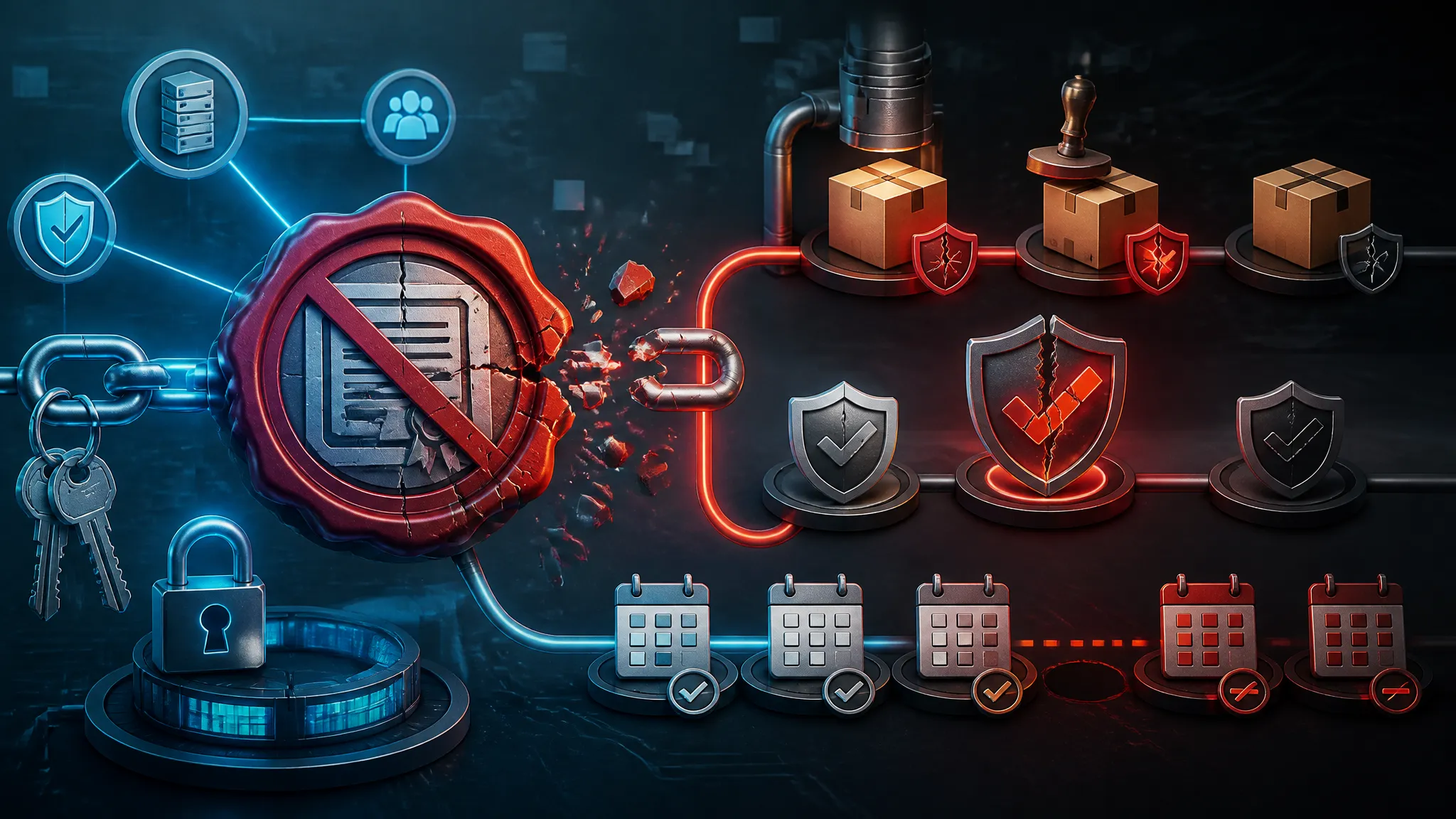
The Fake Free Software Trap: Analyzing TikTok and Instagram Reel Malware Campaigns
The interesting part of this campaign is not that TikTok or Instagram can host bad content. That has been true for a long time. The useful detail is how quickly a short video can collapse trust, intent, and action into one path: watch a tutorial, trust the creator, click the link, download the file, run the installer.
The reporting from Cryptika says hackers were abusing TikTok and Instagram Reels to spread malware through fake free-software tutorials. That is enough to take seriously even without a named malware family, because the delivery pattern is the point. The short-form video is just the bait. The real attack happens when the viewer leaves the app and starts following a download chain they have not checked.
I want to unpack that chain the way I would during a review for a teammate or a client: where the trust gets manufactured, where the handoff happens, what to inspect on the endpoint, and how to test safely without turning your own machine into the sample.
Why fake free-software tutorials work as a malware delivery channel
These lures work because they do not look like classic phishing. Nobody gets a weird PDF from a stranger. Nobody sees a broken-English email asking for a wire transfer. Instead, the user sees a screen recording that appears to show a simple setup flow for a useful tool.
That matters for three reasons:
- The user’s attention is already locked onto the task.
- The video offers visual proof, even if it is staged.
- The platform’s engagement mechanics create borrowed credibility.
A fake tutorial often uses a very ordinary-looking workflow:
- “install this editor”
- “download the free version”
- “apply the patch”
- “extract the archive”
- “run setup as admin”
Each step is harmless on its own. The risk is in the sequence. By the time the user reaches the download link, the request has already been normalized.
The second reason this works is that “free” lowers skepticism. People are more willing to ignore warning signs if they think they are getting something expensive for nothing. That is especially true for software that is commonly pirated or bundled with questionable downloads: design tools, video editors, game mods, activation utilities, font packs, and assorted “pro” versions of consumer apps.
The third reason is that short-form video changes how trust is built. A long blog post leaves room for scrutiny. A 20-second clip does not. It rewards speed, not verification. If the account looks active, the captions are confident, and the comments seem supportive, the viewer may never leave the platform long enough to ask basic questions about the source.
What the reporting says about the TikTok and Instagram Reels campaign
The Cryptika report, published June 10, 2026, describes hackers using TikTok and Instagram Reels as the front door for malware distribution through fake free-software tutorials. The public snippet is short, so I do not want to overstate what is confirmed. It does not name a malware family, an exploited vulnerability, or a complete infrastructure map.
What it does establish is the delivery style: social-video content is being used to steer people into downloading software they did not verify.
The lure format: screen-recorded setup steps, captions, and comment bait
The lure format matters because it is built to feel like proof.
A typical clip in this category usually combines:
- a screen recording of the supposed installation or setup
- captions that reinforce the “free” angle
- a pointer to a link in bio, pinned comment, or external page
- comments that act as social proof, sometimes from compromised or disposable accounts
That combination does two things. First, it makes the content look instructional rather than promotional. Second, it pushes the actual payload off-screen, where platform moderation and user skepticism are weaker.
The video itself does not need to be technically convincing. It only needs to be plausible enough to move the viewer to the next step.
The handoff point: link-in-bio pages, file hosts, and installer downloads
The handoff is the dangerous moment. Once the user leaves the app, the attacker can move to infrastructure they control more directly.
Common handoff patterns include:
- link-in-bio aggregators
- short-link redirect chains
- disposable file hosts
- cloud storage folders with shared downloads
- “mirror” pages that mimic a download landing page
From a defender’s point of view, the key thing is not the exact domain. It is the pattern: a social-platform referrer, followed by a chain of redirects, followed by an archive or installer download that was never sourced from the vendor’s official site.
If I were triaging one of these cases, I would ask three questions right away:
- Was the download initiated from a social-video referrer?
- Did the link pass through a shortener or redirect chain?
- Did the file name, icon, or extension match the claimed software?
If the answer to any of those is “no” or “not sure,” the download deserves suspicion.
The end-to-end attack flow from feed impression to payload execution
The attack is not just “someone clicked a bad link.” It is a series of small trust decisions. That is what makes it durable.
Discovery through search, recommendations, and recycled engagement
Short-form platforms are recommendation engines first and social networks second. That gives attackers a strange advantage: a malicious clip can be found through direct search, trend surfing, or algorithmic recommendation.
The same content can also be recycled:
- reposted under new accounts
- clipped into slightly different edits
- paired with different captions and hashtags
- boosted by comment farms or engagement rings
That means the user does not need to follow the original creator. They only need to run into the right clip at the right moment, when they are already looking for a tool.
This is why “I only saw it in recommendations” is not a defense. Recommendations are part of the delivery surface.
Abuse of trust signals: likes, comments, creator branding, and “free” framing
Attackers know which platform signals most users read as legitimacy.
| Trust signal | What the user thinks | Why it is unreliable |
|---|---|---|
| High like count | “Other people verified this” | Likes can be bought or manipulated |
| Positive comments | “It worked for others” | Comments can be staged or brigaded |
| Creator branding | “This looks like a real tutorial channel” | Branding is cheap to copy |
| “Free” framing | “There is no scam if it is free” | Free is often the bait |
| Fast setup video | “The process is simple” | Simplicity hides the handoff |
The mistake is assuming that a polished post equals a trustworthy source. The platform only proves that the video exists, not that the download behind it is safe.
File types and execution paths attackers tend to rely on
The public report does not specify the payload format, so it is better to think in terms of common execution paths rather than a single malware family.
In these campaigns, attackers often rely on file types that can bridge the gap between browser download and code execution:
.zipor.rararchives that contain a second-stage executable.msior.exeinstallers wrapped to look legitimate.isoor disk images that hide shortcuts or scripted loaders.lnkshortcuts that launch a command line instead of a real app.js,.vbs, or batch files disguised as setup helpers- unpacked script folders that depend on a double-clicked launcher
A safe way to think about it is this: the first file you download is often not the malware itself. It is the delivery container.
| Download artifact | What it claims to be | What to inspect |
|---|---|---|
| ZIP archive | Portable installer pack | Contents, nested executables, script files |
| MSI/EXE | “Official setup” | Publisher, signature, file hash, embedded resources |
| ISO/IMG | “Full offline installer” | Mounted contents, shortcuts, autorun behavior |
| LNK | “Open the app” | Target command, arguments, icon mismatch |
| Script file | “Patch” or “helper” | Interpreter usage, obfuscation, external fetches |
If the file type does not match the product story, stop there.
Where the risk lands in a real user workflow
The danger is highest when the tutorial maps onto a real need. That is why the campaign style works so well.
Downloading cracked tools, fonts, editors, or utilities on a personal machine
The target user is usually trying to solve a practical problem quickly:
- install an editor
- get a premium font or asset pack
- try a video tool
- download a compressor or converter
- use a cracked activation utility
- find a “free” replacement for paid software
That is a crowded space for abuse because the user already expects a gray-market source. Once the mental model shifts from “vendor download” to “anything that works,” the attacker has much more room.
Personal machines make this worse. People often install helper utilities, browser extensions, and unpacked tools without the controls they would face on a managed workstation.
Moving from a browser download to installer execution and permission prompts
The browser is not usually where the damage happens. The transition happens after the download.
A typical chain looks like this:
- The user downloads a file from a browser.
- The file lands in Downloads or a custom folder.
- They double-click an archive, installer, or shortcut.
- The payload requests elevated permissions or starts a secondary process.
- The system begins making outbound connections or changing persistence points.
This is where you should train yourself to pause. The prompt to run as admin is not proof of legitimacy. It is proof that the file wants more control.
A quick sanity check I use in reviews is to ask whether the software should need elevation at all. Many consumer tools do not. If a “free tutorial” immediately asks for admin rights, that is a strong reason to inspect before approving.
Why developers, designers, and content creators are common targets
These groups are attractive because their workflows normalize downloads.
Developers install CLIs, package managers, SDKs, plugins, and sample repos. Designers install fonts, asset packs, and creative tools. Content creators install converters, video editors, overlays, and utility apps.
They also have two traits attackers like:
- they are used to troubleshooting software on their own
- they are often comfortable bypassing warnings to keep moving
That does not mean these users are careless. It means their day-to-day work includes the exact kind of trust decisions attackers need.
What to inspect in the browser, on disk, and in the process tree
If you want to validate whether a campaign like this reached a device, do not start with the malware sample itself. Start with the trail around it.
URL patterns, redirect chains, and suspicious short links
The browser history is often enough to show the story.
Look for:
- social-platform referrers followed by new domains
- short links that expand into unrelated hosts
- link-in-bio pages with multiple download buttons
- mixed-domain chains where the branded page and file host do not match
- redirects that bounce through several domains before a file download starts
If you are doing this in a home lab, export browser history and search for download events around the time of first execution. If you are on a managed endpoint, use proxy logs or DNS logs instead.
A safe and simple PowerShell check for recent downloads on Windows is:
Get-ChildItem "$env:USERPROFILE\Downloads" -Recurse |
  Sort-Object LastWriteTime -Descending |
  Select-Object -First 20 FullName, Length, LastWriteTime
That will not tell you if a file is malicious, but it gives you the recent candidates fast.
Archive and installer clues: file names, icons, extensions, and unpacked scripts
The file on disk often gives itself away.
Watch for:
- double extensions like
something.pdf.exe - generic names like
setup,installer,crack, orpatch - mismatched icons and extensions
- a downloaded archive that expands into a nested folder with a second launcher
- unexpected script files inside what should have been a normal app package
If you inspect the extracted folder, pay attention to how the files relate to each other. A normal installer usually has a coherent layout. A malicious bundle often has one file doing all the work and several decoys that are there only to look convincing.
At minimum, check:
- file signatures
- publisher metadata
- file hashes
- created and modified timestamps
- whether the launcher is actually a shortcut or script
A shortcut or script file pretending to be a setup binary is a classic trick.
Persistence and follow-on behavior: autoruns, scheduled tasks, and child processes
The first run is only the beginning. If the payload is malicious, it often tries to survive a reboot or start additional stages.
Check for changes in:
- Startup folders
- Run and RunOnce registry keys
- Scheduled tasks
- Services
- WMI event subscriptions
- browser extensions or policy changes
Also inspect the process tree. A browser download should not usually lead to a strange chain like this:
- browser
- archive extractor
- script host or command shell
- downloader or loader
- secondary executable
The exact process names matter less than the shape of the tree. Browser plus shell plus a second-stage child is the pattern you care about.
Here is a safe example of how I would inspect a suspicious parent-child chain on Windows:
$pid = 1234
Get-CimInstance Win32_Process |
  Where-Object { $_.ParentProcessId -eq $pid } |
  Select-Object ProcessId, ParentProcessId, Name, CommandLine
You are looking for children that do not fit the advertised application.
A safe validation workflow for analyzing this campaign
If you want to study one of these lures, do it like an analyst, not like a user who is trying to get free software.
Recreate the lure in an isolated VM or sandbox without using a personal account
Use a disposable environment:
- a fresh VM snapshot
- no personal browser sync
- no saved credentials
- no access to work email or chat
- no shared clipboard if you can avoid it
- no bridged network unless you explicitly need controlled outbound visibility
If the campaign depends on a social-platform account, create a throwaway account that contains no personal data. Do not use your real account to poke at suspicious content.
The goal is to observe the delivery path, not to participate in it.
Capture network, file, and process telemetry before opening anything
Before you run or extract anything, turn on your logging.
Useful telemetry sources include:
- Sysmon process creation and network events
- Windows Security logs
- DNS logs
- proxy logs
- packet capture if your lab can handle it
- filesystem monitoring for Downloads and temp directories
A minimal workflow looks like this:
- Snapshot the VM.
- Start logging.
- Open the lure page.
- Download but do not execute.
- Record the URL chain and file hash.
- Inspect the archive contents statically.
- Revert the snapshot when done.
If the download is a container like ZIP or ISO, you can often learn a lot without running anything.
Verify behavior with harmless stand-ins instead of executing unknown payloads
If the sample is suspicious, do not “just try it.” Replace execution with benign validation.
Safer alternatives:
- inspect metadata with
file,Get-FileHash, orsha256sum - list archive contents without extracting executables
- mount disk images read-only
- search strings for hostnames, commands, or embedded paths
- compare file hashes against known-good vendor releases
- run only in an internal sandbox that your team controls
If you need to confirm persistence or child-process behavior, create a harmless dummy file or script that mimics the file type, not the malware. The point is to validate your detection logic, not to detonate the real thing on a machine you care about.
Defensive controls that reduce exposure
The best defense is to make the risky path harder before the user ever gets to the file.
Browser and endpoint controls: reputation filtering, SmartScreen-style checks, and application allowlisting
Controls that help here include:
- browser reputation checks
- file download filtering
- SmartScreen-style warnings
- application allowlisting
- blocking executable downloads from consumer file hosts
- attachment and archive inspection at the proxy or email gateway
- endpoint policies that prevent unknown binaries from running
Allowlisting is especially useful for machines that do not need arbitrary software installs. If the user cannot run unknown binaries, the damage surface shrinks fast.
Account and device hygiene: separate workstations, non-admin users, and download restrictions
This campaign is much less dangerous if the user does not have local admin rights.
Practical hygiene that helps:
- use non-admin accounts for daily work
- keep a separate machine or VM for testing random software
- disable auto-run where possible
- restrict downloads from unmanaged browsers
- avoid installing tools from personal devices onto work devices
- require admin approval for new software in managed environments
A personal laptop and a work laptop should not share the same trust model. If you build software or create content for a living, keep your experimentation environment separate from your production environment.
Team guidance for short-form social engineering: how to spot staged tutorials and fake utility claims
This is a training problem as much as a technical one.
I would teach teams to flag tutorials that:
- promise a paid tool “free”
- rely on a link in bio instead of a vendor page
- use comments as proof of legitimacy
- show only the successful outcome, not the source
- ask for installers, activation tools, or archives from unknown hosts
A simple rule works well: if the tutorial’s core value is the download link, the link deserves more scrutiny than the video.
Detection ideas for security teams and home labs
If you run security tooling, you can look for the aftermath of these campaigns without knowing the exact payload.
Correlate social-video referrers with archive downloads and installer launches
One useful heuristic is timing.
Look for:
- a browser visit to TikTok or Instagram
- followed quickly by a download from a third-party host
- followed by archive extraction or installer launch
- followed by outbound traffic to a new or rare domain
That chain does not prove compromise by itself, but it is a solid triage signal.
A home-lab version of that logic is:
| Event | What to correlate |
|---|---|
| Browser referrer | Social platform page or short link |
| File download | Archive, installer, or script in Downloads |
| Process launch | New binary started from user profile paths |
| Network egress | Rare domain, new ASN, or unusual port |
Look for suspicious parent-child process chains after a browser-initiated download
In endpoint telemetry, the key is the parent process.
Some suspicious chains to watch for after a browser download include:
- browser → archive extractor → script host
- browser → file explorer →
.lnkshortcut → shell - browser → installer →
cmd.exeorpowershell.exe - browser → unknown executable from
%AppData%or%Temp%
The location matters. Legitimate software can live in user-writable directories, but that is also where a lot of droppers start. Combine path, signer, and parent process before deciding.
Watch for unusual outbound traffic after first-run execution
A lot of loaders show themselves right after launch.
Signals to watch:
- DNS lookups to newly seen domains
- HTTP requests shortly after a file is run
- connections to hosts with poor reputation or no business relationship
- beacon-like periodic traffic from a new process
- outbound traffic from a process that should not be network-aware
If you have packet capture, compare the first-run window against baseline traffic on that machine. A fake “free software” installer should not be phoning home to an unrelated host immediately after launch.
Impact, limits, and what this source does not prove
Concrete impact: credential theft, remote access, browser hijacking, or additional malware stages
The public reporting confirms the delivery vector, not the final payload. But campaigns like this commonly aim for one or more of the following outcomes:
- stealing browser-stored credentials
- dropping a remote access tool
- installing a loader for additional stages
- modifying browser settings or extensions
- persisting for later reuse
- redirecting traffic or monetizing the device
That is enough to matter even if the first payload looks small. A weak first stage can still turn into a full compromise.
Source limitations: what is reported, what is inferred, and what still needs independent verification
Here is the clean boundary:
- Reported: hackers abused TikTok and Instagram Reels to spread malware via fake free-software tutorials.
- Inferred from common campaign behavior: link-in-bio handoffs, download-host redirects, archives or installers, and follow-on persistence.
- Not established by the public snippet alone: the malware family, the exact infrastructure, the specific file formats, and the affected operating systems.
That distinction matters. A good analyst keeps uncertainty visible instead of filling in the blanks with guesswork.
Conclusion: trust the workflow, not the creator profile
The lesson from this campaign is not “be suspicious of all social media.” The lesson is narrower: treat the download workflow as the security boundary, not the person on the screen.
A creator profile can be copied. Engagement can be faked. A polished tutorial can still point to a hostile file host. What matters is whether the software came from a source you can verify, whether the file type matches the claim, and whether the process tree behaves like legitimate software or like a loader.
If your team downloads tools from short-form tutorials, build the habit of checking the handoff point first. That is where the trap usually is.