Miasma Worm Supply Chain Attack: Hardening GitHub Actions and npm for JavaScript Teams
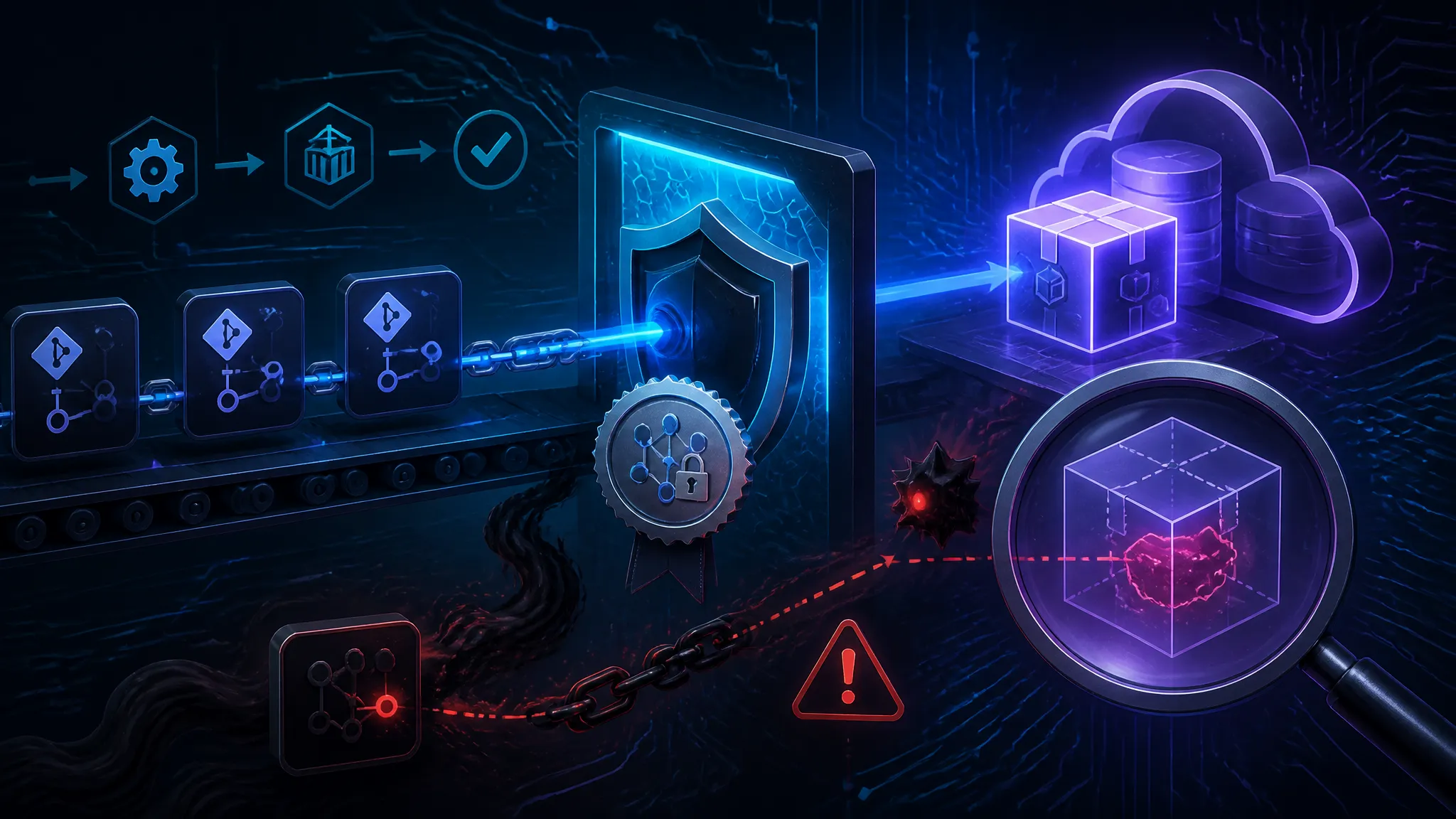
What matters in a report like this is not the worm label. It is the repetition. If one compromised repository can copy workflow changes, package updates, or release automation into neighboring repos quickly enough, then the real issue is not a single bad commit. It is a trust graph that lets automation move faster than review.
The public report says the Miasma worm touched 73 Microsoft GitHub repositories. I am treating that as the best public signal available here, because the initial compromise path is not fully documented in the source material. That missing detail should not make you relax. If anything, it should push you to audit the surfaces that a worm-style event tends to abuse: GitHub Actions, reusable workflows, npm lifecycle scripts, release jobs, and the credentials they can reach.
What the Miasma worm reportedly touched in Microsoft GitHub repositories
The public report says 73 repositories were affected
The report frames this as a major supply-chain incident across Microsoft GitHub repositories, with 73 repos affected. That number matters because it points to spread, not just initial access.
In practice, a worm-like event in GitHub usually does not need some exotic platform zero-day. It tends to ride on ordinary developer machinery:
- a workflow file that can be changed and committed
- an action that runs with more privilege than it should
- a token or secret reachable from a build job
- automation that pushes changes into multiple repositories
- dependency or publish automation that trusts whatever is already in the repo
If those pieces line up, the attacker does not need to break the whole ecosystem. They only need one place where code and credentials meet.
Why that matters even when the initial compromise details are incomplete
When public reporting does not include the full intrusion path, I do not try to invent one. I use the gap to define the audit scope.
For JavaScript teams, the likely exposure is not limited to one repo that was visibly altered. It extends to any repository that shared:
- workflow templates
- reusable actions
- npm publish tokens
- bot credentials
- deployment secrets
- self-hosted runners
- branch rules that allowed automation to write back
That is the dangerous part of a supply-chain worm. The first repository is only the entry point. The payload is the replication path.
Why GitHub Actions is such a strong persistence target
Workflow files as execution paths, not just configuration
A lot of teams still treat .github/workflows/*.yml as configuration. That mental model is too small.
A workflow file is an execution path. It decides:
- which events run code
- which jobs get secrets
- which shell commands execute
- which third-party actions are trusted
- whether the job can write to the repo, create releases, or publish artifacts
That means a malicious workflow change can be more valuable than a source-code change. Source code still has to go through builds. A workflow change can alter the build itself.
A simple example of the risk pattern:
name: ci
on:
  pull_request:

permissions:
  contents: read

jobs:
  test:
    runs-on: ubuntu-latest
    steps:
      - uses: actions/checkout@v4
      - run: npm test
This is already a trust boundary. If someone swaps npm test for a script that exfiltrates environment data, or changes the trigger to a broader event, the workflow becomes the attack surface.
The trust mistakes that keep showing up: pull_request_target, reusable workflows, and self-hosted runners
There are three recurring mistakes I keep seeing in real repos.
1. pull_request_target used as a shortcut.
It runs in the context of the target repository, which means it can access secrets and write permissions if you let it. That makes it risky for untrusted pull requests unless you are very strict about what runs.
2. Reusable workflows treated as harmless indirection.
A reusable workflow can centralize logic, but it also centralizes risk. If a team assumes “it is just shared YAML,” they may grant broader permissions than they would in a normal job.
3. Self-hosted runners given broad reach.
Self-hosted runners are attractive for performance or network access. They are also where a compromised job can see more internal state, more credentials, and more lateral movement opportunities than a hosted runner.
A good rule: if a job can run code from a branch you do not fully trust, it should not have secrets, write tokens, or direct access to deployment endpoints.
Where npm expands the blast radius in JavaScript projects
Install-time code, lifecycle scripts, and transitive dependencies
npm is powerful because it does more than fetch packages. It can run code during install, publish, and packaging.
The common danger zones are:
preinstallinstallpostinstallprepareprepublishOnly
Those hooks can run automatically depending on how the package is installed or published. If you assume “dependency update” means “dependency code only,” you miss the code that runs as part of the update process.
That matters for supply-chain incidents because the initial compromise does not have to land in your application code. A malicious package update or maintainer account takeover can put code into lifecycle hooks that run as part of CI.
For transitive dependencies, the attack is even less visible. Your lockfile may pin the direct package versions, but if you let automated updates through without reviewing script changes, you can still pull in a new execution path.
Lockfiles help, but they do not stop a malicious package or poisoned maintainer account
Lockfiles are necessary. They are not a complete defense.
They help with:
- reproducibility
- diffing unexpected version changes
- making supply-chain drift visible
They do not help if:
- a package you already trust gets compromised upstream
- a maintainer account is taken over
- a package publishes a malicious version under the same semver range you allow
- your CI runs lifecycle scripts without human review
- a new dependency gets added and the lockfile is updated with a dangerous package
So the real control is not “we use a lockfile.” The real control is “we review what changes in the dependency graph and what code runs at install time.”
Reconstructing a worm-style supply-chain path in a JS repo
From one compromised repo to many: how automation can copy changes faster than a human reviewer can stop them
A worm-style path in JavaScript repos usually looks less like malware and more like automation abuse.
One plausible sequence is:
- An attacker gets write access to a repository or a maintainer credential.
- They change a workflow, release script, or bot token usage.
- The altered automation runs on the next push, PR, or release.
- That automation has access to secrets or write permissions.
- It propagates similar changes into other repositories, templates, or release targets.
- Each downstream repository becomes both a victim and a new launch point.
What makes this dangerous is speed. A human reviewer can spot one suspicious workflow file. They cannot manually inspect 73 repositories fast enough if the malicious change is being replayed by automation.
This is why a worm-like event is a CI/CD problem, not just a source control problem.
Which repo assets are most likely to be reused by an attacker: secrets, workflow permissions, bot tokens, and release credentials
If I were triaging a suspected spread event, I would start with the assets that make copying easy:
| Asset | Why it matters | Typical abuse path |
|---|---|---|
| GitHub secrets | Give access to cloud, package, or deployment systems | Read from a job and reuse elsewhere |
Workflow GITHUB_TOKEN permissions | Can write commits, open PRs, create releases | Push back a malicious change |
| Bot or service account tokens | Often over-scoped and reused across repos | Automate propagation into neighboring repos |
| npm publish tokens | Can ship compromised packages | Release poisoned artifacts |
| Self-hosted runner access | May expose internal network and cached credentials | Move beyond the repo boundary |
If one of those assets is available to untrusted code, a worm has a path. If two or more are available, it has options.
Audit the repository surface before you harden it
Inventory workflows, actions, package scripts, and publish jobs
Before changing controls, I want a clean inventory.
A simple repo sweep might start like this:
find .github/workflows -type f \( -name '*.yml' -o -name '*.yaml' \)
cat package.json | jq '{scripts, private, publishConfig}'
npm pkg get scripts
Then I look for:
- workflow triggers
- third-party action usage
- permissions blocks
- self-hosted runners
- jobs that publish packages
- jobs that deploy to cloud services
- scripts that run install-time or prepublish logic
If you have many repositories, script the scan. I want the same questions answered everywhere:
- Which workflows can run on untrusted input?
- Which workflows can write to the repository?
- Which jobs can access secrets?
- Which package scripts run automatically in CI?
- Which jobs publish artifacts or packages?
Map every secret to the job or environment that can reach it
Do not inventory secrets by name only. Inventory them by reachability.
A useful internal table looks like this:
| Secret | Accessible from | Used by | Should it be available to PRs? |
|---|---|---|---|
NPM_TOKEN | release job only | package publish | no |
| cloud deploy key | protected environment | deployment | no |
| bot token | merge automation | repository updates | usually no |
| signing key | release pipeline | provenance/signing | no |
If you cannot answer “which job can read this secret?” then the secret is already too widely exposed.
Identify which branches, tags, and environments can trigger release automation
Release automation is where a lot of teams accidentally widen trust.
I want to know:
- which branches can trigger a publish
- whether tags can trigger a release
- whether a manual dispatch can override normal gates
- whether environments require reviewers
- whether production secrets are scoped to the release job only
If a tag push can publish a package, then anything that can create a tag becomes a release path. That can be fine, but only if tag creation is tightly controlled.
GitHub Actions controls that meaningfully reduce risk
Pin third-party actions by commit SHA instead of floating tags
Floating tags are convenient and risky. @v4 is not the same as a commit pin.
Use commit SHAs for third-party actions when the action is part of a sensitive workflow. That way, you are not silently inheriting a new version because the upstream tag moved.
Example:
- uses: actions/checkout@8f4b7f84864484a7bf31766abe9204da3cbe65b3
That does not make the action safe by itself. It just removes one source of surprise.
Set default workflow permissions to read-only and grant write access only where required
This is one of the highest-value changes you can make.
At the repository or organization level, set the default token permissions to read-only. Then grant write permissions only in the jobs that truly need them.
A secure default often looks like:
permissions:
  contents: read
  pull-requests: read
Then, only a release job gets something broader:
permissions:
  contents: write
  id-token: write
The point is to keep the blast radius small. If a build job is compromised, it should not be able to rewrite the repository or publish a release.
Split untrusted CI from release CI so pull requests cannot reach secrets or publishing steps
This is the cleanest design pattern I know for JavaScript teams.
- Untrusted CI: runs on pull requests, validates code, tests packages, and does not get secrets.
- Release CI: runs only on protected branches or protected tags, and has access to publish or deploy secrets.
Do not combine them just because it is shorter YAML.
If a pull request workflow can also publish, then every unreviewed contribution is one mistake away from release access. That is the exact shape of the problem a worm wants.
Use environment protection rules, reviewers, and scoped secrets for deployment jobs
GitHub environments are useful when you actually use the protection features.
For release or deployment jobs:
- require reviewers
- scope secrets to the environment, not the repo
- use separate environments for staging and production
- require branch restrictions where possible
That gives you a checkpoint even if the workflow file is modified. It does not eliminate risk, but it raises the cost of unauthorized changes.
Safe patterns for JavaScript CI and release pipelines
Treat build, test, package, and publish as separate trust boundaries
I like to think of a JavaScript pipeline as four distinct zones:
- Build: compile, bundle, lint
- Test: run unit and integration tests
- Package: assemble artifacts
- Publish: ship to npm or deploy infrastructure
These should not all have the same permissions.
A build job that runs on PRs should not get publish credentials. A publish job should not need to execute arbitrary PR content. Keep the jobs small and separated.
Avoid running arbitrary package lifecycle scripts on untrusted input
If you install dependencies from untrusted branches or forks, be careful about lifecycle hooks.
You cannot always disable scripts globally, but you can reduce exposure by:
- reviewing dependency changes before merging
- avoiding install-time secrets
- using clean environments for builds
- not passing secrets into steps that run
npm install - separating dependency resolution from release execution
A useful sanity check is to search for scripts that do more than build the package:
npm pkg get scripts
If postinstall or prepare does network calls, shell execution, or credential access, that deserves review.
Prefer trusted publishing and provenance over long-lived npm tokens in CI
Long-lived npm tokens in CI are convenient and fragile.
Prefer trusted publishing and provenance features where available so the release identity comes from the platform flow rather than a static credential sitting in a secret store. That reduces token theft risk and makes publishing history easier to reason about.
If you must use a token, scope it as narrowly as possible and keep it only in the release environment.
Cache carefully so artifact reuse does not become a token or code injection path
Caching is another area where teams get sloppy.
Caches should store build artifacts, not secrets. Do not cache home directories, credential stores, or anything that could contain tokens. Be careful with package caches in shared runners, especially self-hosted ones.
A cache hit that restores unexpected files can become a persistence mechanism if your job executes from that workspace without checking what was restored.
npm hardening for teams that ship frequently
Use 2FA, access reviews, and least-privilege org roles for maintainers
The human side of npm security still matters.
Basic controls that reduce a lot of risk:
- require 2FA for maintainers
- review owner and maintainer lists regularly
- remove stale publish access
- separate package ownership from broad repository admin rights
- use least privilege for org roles
If a maintainer account is the weak point, no amount of YAML hardening will save you alone.
Review dependency updates for script changes, not just version bumps
When I review a dependency bump, I do not only look at version numbers. I look for changed scripts and install behavior.
A practical review should check:
- new
postinstallorpreparehooks - modified
binentries - new network access in build scripts
- package ownership or maintainer changes
- unusual dependency tree growth
That is where a lot of supply-chain abuse hides. The version number is the least interesting part.
Enforce lockfile discipline, but pair it with source-level review of new packages and maintainers
Lockfiles reduce drift. They do not replace judgment.
If a lockfile changes because a new package entered the tree, review the package itself. If a package owner changes, review that too. If the update introduces a new script, assume it is executable code until proven otherwise.
In other words: the lockfile tells you what changed. It does not tell you whether the change is safe.
Watch for publish-time surprises in postinstall, prepare, and prepublish hooks
Publish-time hooks are especially tricky because teams often treat them as packaging details.
They are not details if they run code.
If your package build runs hooks during publish, verify that:
- the hook does only packaging work
- it does not read external secrets unless absolutely necessary
- it does not contact untrusted endpoints
- it cannot be triggered by a non-release job
If a malicious package update or compromised maintainer uses these hooks, the attack executes in the same place you trust to produce releases.
What to inspect if you suspect repository-wide exposure
Diff workflow files for permission changes, action swaps, and hidden release triggers
Start with workflow diffs.
Look for:
permissions:blocks that changed from read to write- new
pull_request_targettriggers - action references swapped from a SHA to a floating tag
- new
workflow_run,workflow_dispatch, or tag-triggered release jobs - hidden shell steps added between existing steps
A malicious change in a workflow file often looks boring at first glance. That is why I prefer a line-by-line diff review for any workflow change.
Check Git history for automated commits, branch rule changes, and unusual bot activity
If a worm is involved, the Git history often shows the tempo of automation.
Search for:
- repeated commits with similar messages
- branch protection changes
- new bot accounts
- commits that modify multiple repos in a short interval
- sudden merges from accounts that normally do not touch release files
If an attacker is using automation to persist, the commit history becomes a machine-generated fingerprint.
Review npm publish logs, package ownership changes, and token usage history
On the package side, I want to know:
- who published which version and when
- whether the publisher identity matches the expected maintainer
- whether package ownership changed
- whether a token was created or used outside normal release windows
- whether multiple packages were published in rapid succession
If the publish history does not match the usual release rhythm, treat it as suspicious until you can explain it.
Look for secret access from jobs that should never have had it
This is one of the fastest ways to find misuse.
Ask:
- Did a PR job access a production secret?
- Did a build job reach a cloud credential?
- Did a test job use a publish token?
- Did a reusable workflow inherit secrets from a caller that should not have passed them?
If the answer is yes, your control failure may be broader than the original incident.
Detection signals that fit a worm-like supply-chain event
New workflow files appearing across multiple repos in a short window
A normal automation rollout has a change plan. A worm has a propagation pattern.
Red flags include:
- the same new workflow file appearing in many repos
- identical permission changes across unrelated packages
- matching action references or shell snippets added quickly
- new release workflows in repos that never published before
That pattern suggests replication, not independent developer intent.
Repeated commit patterns that normalize malicious changes into automation
Worms often rely on small, repeated, plausible edits.
Look for:
- the same bot account making similar changes
- commit messages that look templated
- minor YAML adjustments across repos
- automation that adds itself as a maintainer or collaborator
The more uniform the changes, the more likely you are seeing a machine-driven spread.
Unexpected outbound network calls from build jobs and self-hosted runners
Build jobs should have very limited outbound behavior.
Watch for:
- calls to unfamiliar domains
- package install steps reaching out to extra endpoints
- runner logs that mention curl, wget, or remote script execution
- outbound traffic from self-hosted runners at odd hours
If you can, monitor egress from runners separately from application traffic. That makes anomalies easier to spot.
Release artifacts or packages published outside normal change windows
Release timing is another useful signal.
Suspicious patterns include:
- package publishes at unusual times
- releases with no corresponding reviewed PR
- artifacts that do not match the expected commit
- tags created without normal approval flow
If a release happened without the usual human rhythm, investigate the automation behind it.
Containment and recovery steps for JavaScript teams
Revoke and rotate GitHub, npm, and cloud credentials before resuming normal builds
If you suspect exposure, assume credentials are dirty until proven otherwise.
Revoke and rotate:
- GitHub tokens
- npm publish tokens
- cloud access keys
- bot credentials
- deployment secrets
- self-hosted runner credentials if they may have been exposed
Do not wait for perfect attribution. Rotate first, then sort out the timeline.
Disable compromised workflows, freeze releases, and reintroduce automation in stages
The fastest way to stop spread is to stop automation.
Practical containment steps:
- disable suspicious workflows
- freeze package publishes and deployments
- lock branch and environment rules
- restore one pipeline at a time
- re-enable secrets only after the job is reviewed
That staged recovery matters because a blanket “turn everything back on” can reintroduce the same path that was abused.
Rebuild from known-good commits and verify artifacts against expected provenance
If you can, rebuild from a commit that you have verified is clean.
Then check:
- whether the artifact matches the expected build inputs
- whether the release came from the expected branch or tag
- whether provenance or signing metadata matches the release path
- whether dependencies resolved to the expected lockfile state
This is the moment where provenance pays off. If you have it, use it. If you do not, start treating it as a backlog item.
A practical CI/CD review checklist you can apply this week
Questions to ask before merging any workflow or package-manager change
Before I merge a workflow or package-manager change, I ask:
- Does this job need secrets?
- Can untrusted code reach this step?
- Is the action pinned by SHA?
- Does the job write to the repo or publish packages?
- Does the package introduce install-time scripts?
- Is the release path isolated from PR builds?
- Are environment protections actually enforced?
If I cannot answer these quickly, the change is not ready.
Minimum baseline controls for repo owners, maintainers, and release engineers
At minimum, I want the following everywhere:
- default read-only workflow permissions
- pinned third-party actions
- separate untrusted CI and release CI
- environment-scoped secrets for deployment
- 2FA for maintainers
- reviewed dependency updates
- no publish tokens in general-purpose build jobs
- self-hosted runners isolated from broad repository trust
- routine review of workflow and package script diffs
That baseline will not stop every supply-chain attack. It will stop a lot of the easy ones.
Further reading and current references
Link to the original reporting and official GitHub and npm security guidance
- The Hacker News report on the Miasma worm
- GitHub Actions security hardening guide
- Managing permissions for the GITHUB_TOKEN
- GitHub Environments and required reviewers
- npm package security best practices
- Trusted publishing for npm
- OpenSSF scorecard project
If there is one practical takeaway here, it is this: treat workflow files, package scripts, and publish jobs as production code with credentials attached. Once automation can write for you, it can also write for an attacker if you let the trust boundary drift too far.