Following the JINX-0164 Infection Chain: From LinkedIn Message to Persistent macOS Malware
Introduction
What the public report says about JINX-0164
The public report describes JINX-0164 as a threat actor that used LinkedIn social engineering to deliver custom macOS malware. That is the part worth focusing on. The notable detail is not only that macOS was targeted, but that the initial access path started in a place many teams still treat as “business chat” rather than a security boundary.
The report is light on payload names and infrastructure details, so I want to stay anchored to what is actually known: LinkedIn was the entry point, the payload was custom macOS malware, and the campaign relied on user trust to move from conversation to execution. That is enough to build a useful defender workflow.
Why a LinkedIn-led macOS chain is worth studying
I see a lot of teams harden email and browser downloads, then assume they have covered the obvious paths. Social platforms break that model. A LinkedIn message can arrive with far less scrutiny than a phishing email, especially if the sender looks like a recruiter, partner, contractor, or vendor.
macOS adds another layer. Many developer laptops are treated as semi-trusted endpoints because they need broad access: source control, package registries, cloud consoles, signing tools, VPNs, and browser sessions. If a user runs a malicious payload on one of those machines, the attacker is not just after local files. They may be after tokens, browser cookies, SSH keys, API credentials, and access to internal services.
What this walkthrough will inspect on each stage of the infection chain
This post follows the chain from first contact through persistence and response. I will keep the focus on the mechanics defenders can inspect:
- how the social contact is framed
- how a LinkedIn conversation can move a target toward a payload
- what first-run behavior looks like on macOS
- where persistence usually lands
- what telemetry helps reconstruct the timeline
- how to contain and harden against the same pattern
The goal is not to speculate about a specific malware family. It is to show where the trust boundary broke, and how you can test your own environment before a real operator does it for you.
Threat Model and Infection Chain Overview
High-level path from social contact to persistent execution
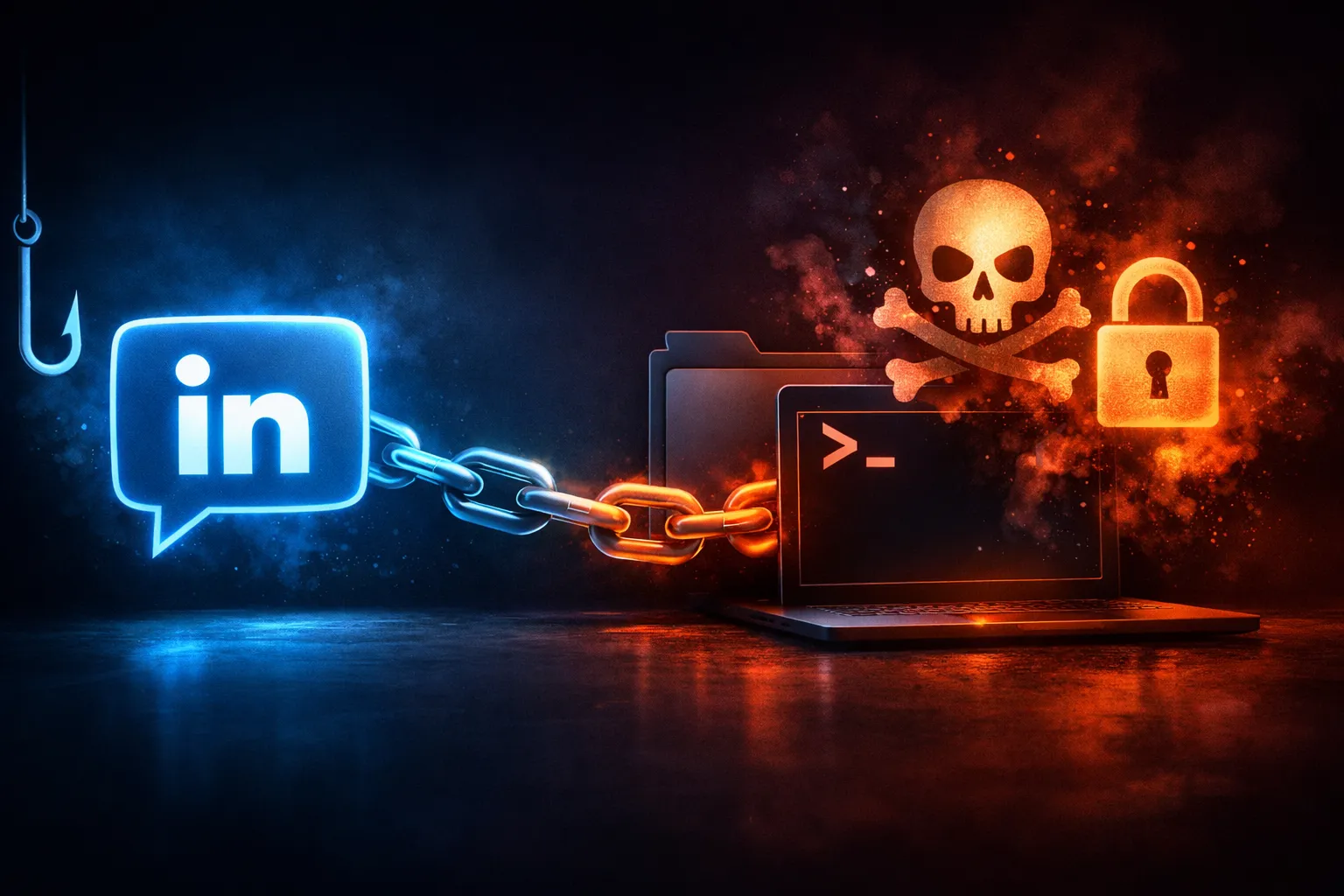
The chain described in the report is straightforward in shape, even if the details vary:
- A LinkedIn contact is established.
- The attacker builds enough credibility to get attention.
- The conversation is pushed toward a link, file, or off-platform handoff.
- The user opens the payload on macOS.
- The malware executes and establishes persistence.
- The host becomes available for follow-up actions.
What matters here is the sequence. LinkedIn is not the exploit. Trust is the exploit. The malware is the tool that arrives after the user has already been nudged into bypassing normal review.
Where the attacker depends on trust rather than exploits
This kind of campaign usually does not need a browser zero-day or a kernel bug. It only needs a user who believes the sender has a legitimate reason to ask for a file review, interview step, contract package, design sample, or “quick test.”
That is a different threat model than classical drive-by malware. The attacker is abusing:
- professional context
- time pressure
- off-platform messaging
- file-transfer habits
- the assumption that a familiar-looking app or archive is safe
In other words, the chain succeeds because the user authorizes the dangerous action.
What defenders should map before looking at artifacts
Before diving into logs, make a small map of the likely boundaries involved:
| Stage | Boundary | Defender question |
|---|---|---|
| LinkedIn message | Social trust | Why did the user believe the sender? |
| File handoff | Content trust | What was downloaded, from where, and by whom? |
| macOS execution | User execution | What app or process launched first? |
| Persistence | Local system trust | What starts again after reboot or login? |
| Exfiltration / C2 | Network trust | What hostnames or IPs appeared after first run? |
That map keeps the investigation organized. If you skip it, you end up staring at isolated artifacts without knowing which one mattered first.
Initial Contact on LinkedIn
Social engineering hooks and profile-based trust building
LinkedIn works because it wraps the first contact in signals people already read as professional. A believable profile, a realistic job title, a mutual connection, or a plausible company name can lower skepticism quickly.
The attacker usually does not need to say much at first. They need the target to keep replying. Typical hooks include:
- recruitment or contract work
- product feedback
- design review
- investment or business development
- “I sent you the wrong file, can you check this?”
- “Can we move this to a more convenient channel?”
The goal is to turn a cold approach into a warm conversation. Once the exchange feels normal, the target is less likely to treat the next step as suspicious.
How message framing can steer a target toward a download or follow-up channel
The transition usually happens in one of two ways:
- A link or file appears directly in the chat.
- The attacker pushes the target to another channel, such as email, cloud storage, a shared drive, or a file transfer service.
The framing matters more than the actual artifact. If the sender says the file is a portfolio, a brief, a demo, a resume, a contract, or a test build, the user mentally classifies it as work material rather than untrusted code.
A good defender question here is simple: did the message ask the user to do something that bypasses the normal intake path? If yes, the fact that it arrived through LinkedIn should raise the same suspicion as a strange attachment in email.
Defensive checks for LinkedIn-originated requests
When a request arrives through LinkedIn, I would treat it like a social-channel phishing attempt until proven otherwise. Practical checks:
- verify the sender through an alternate, known-good channel
- inspect profile age, connection graph, and work history for inconsistencies
- watch for pressure to move quickly or privately
- refuse archives, installers, or “test” executables from unknown contacts
- require uploaded files to go through normal corporate intake, not ad hoc chat links
If your team uses LinkedIn for recruiting, sales, or business development, this is especially important. The legitimate use case is exactly what the attacker is hiding inside.
Delivery Stage: From Conversation to Payload
Common handoff patterns used in message-based delivery
The report does not enumerate every delivery mechanism, so I will stay with the patterns defenders should expect. LinkedIn conversations often hand off to one of these:
- a file-sharing link
- a redirect chain to a landing page
- a cloud-hosted archive
- a disk image or app bundle
- a password-protected compressed file
- a “preview” page that later asks for a download
The important thing is not the file type alone. It is the sequence of actions leading to the download. If the target had to copy a link into a browser, unzip an archive, mount an image, or bypass a warning before execution, that path is already informative.
How to inspect URLs, attachments, and redirect chains safely
You do not need to open anything on an endpoint to learn a lot about the delivery path. Safer checks include:
- paste the URL into an isolated analysis environment
- inspect redirect chains with a headless browser or network capture
- check whether the final host matches the claimed sender identity
- note whether the file is hosted on a consumer cloud service
- record file type, size, and hash before any execution test
If a file is already present on a host, you can inspect it without opening it:
file suspicious_download
shasum -a 256 suspicious_download
xattr -l suspicious_download
On macOS, the quarantine attribute is especially useful because it tells you whether the file arrived through a browser or another controlled download path:
xattr -p com.apple.quarantine suspicious_download
If that attribute is absent on a file that came from the web, that is worth investigating. It does not prove malice, but it does tell you something changed in transit.
Indicators that the payload path is meant to bypass normal review
Delivery paths meant to evade review usually have a few familiar signals:
- urgency: “please look now”
- secrecy: “don’t share this link”
- format friction: archives, images, and bundled apps
- missing context: no company page, no normal project intake, no ticket
- unusual hostnames: random domains or personal cloud storage
- redirect churn: multiple hops before the file appears
- social pressure: the sender keeps the target in chat instead of using established workflow
The attacker wants the user to feel that the process is ordinary and temporary. That is why the review path looks slightly annoying but not obviously dangerous.
macOS Execution and First-Run Behavior
Launch flow after the user opens the payload
The report says the malware is custom macOS malware, which means the first-run behavior is the moment that matters. On macOS, execution can begin in several ways:
- the user double-clicks an app bundle
- a downloaded script is run from Terminal
- an archive expands into a launcher or helper
- a disk image mounts and contains a deceptive app
- the user approves a prompt that enables the payload
From a defender’s perspective, I care less about the exact packaging format and more about the launch chain. What launched the payload? What launched that process? Did Terminal, Finder, Safari, Chrome, or a helper app start it?
What to look for in Terminal usage, scripts, disk images, or app bundles
A lot of malicious macOS first runs leave easy clues:
- a shell script with a misleading filename
- an app bundle with a generic icon and unusual bundle metadata
- a disk image that drops a second-stage file into a hidden path
- a launch action that depends on
open,osascript,curl,sh, orbash - a helper binary placed in
~/Libraryor a writable temp directory
You can look at recent shell history, though you should not rely on it as your only evidence because history can be incomplete:
history | tail -n 50
If you have EDR or unified logs, check for process starts around the time the user opened the file. Parent-child relationships are usually more useful than file names alone.
Early telemetry that can confirm execution without over-collecting
You do not need to dump the whole machine to confirm first run. A few low-impact checks are enough:
- quarantine metadata on the downloaded file
- browser download history
- process launch timestamps
- recent changes under user Library paths
- unsigned or newly created login items
- DNS lookups and outbound connections after the file was opened
The aim is to establish a sequence: download -> open -> child process -> persistence -> network activity
That sequence is what turns a suspicious file into a confirmed incident.
Malware Capabilities and Host Impact
Expected host actions after initial execution
The public report does not fully enumerate capabilities, so I will keep this framed as what custom macOS malware in this type of campaign is typically designed to do:
- maintain a foothold on the host
- stage additional files
- collect basic system and user information
- await remote instruction
- blend into normal user activity
The impact depends on what the attacker can reach from the laptop. On a developer endpoint, the interesting targets are rarely the local documents. They are the credentials and sessions that lead somewhere else.
How custom macOS malware may blend persistence, staging, and command intake
Custom malware often splits work across multiple steps so no single artifact looks too obvious:
- a first-stage launcher runs once
- it drops a second-stage payload in a writable location
- it registers a persistence mechanism
- it contacts remote infrastructure for instructions
- it adjusts behavior based on environment checks
That modular design helps the operator survive reboots and detection. It also means defenders should not expect a single smoking gun. You may need to reconstruct several small changes that only become meaningful when viewed together.
Practical impact for developer laptops and corporate endpoints
On a developer laptop, a successful compromise can be more damaging than it first appears. Potential downstream impact includes:
- source code exposure
- cloud console access through saved sessions
- package registry tokens
- SSH keys and Git credentials
- internal documentation and tickets
- access to signing or deployment workflows
On a corporate endpoint, the main issue is not just malware persistence. It is that the host may already be trusted by VPN, SSO, and other systems. Once the attacker has a foothold, they may not need to keep working on the laptop at all. They can pivot through it.
Persistence on macOS
Common persistence surfaces to inspect on a compromised host
If I suspect a macOS compromise, I look at the persistence surfaces first because they are usually where the attacker wants to survive user logoff and reboot:
~/Library/LaunchAgents/Library/LaunchAgents/Library/LaunchDaemons- Login Items
- configuration profiles
- shell profile files
- cron jobs, if present
- user application support directories
This is not because every compromise uses all of them. It is because custom malware almost always needs at least one of them.
Login items, LaunchAgents, LaunchDaemons, and profile abuse
The most common pattern is a LaunchAgent or Login Item that starts in the user context. That gives the malware access to the user’s desktop session, browser data, and application environment.
LaunchDaemons run earlier and with higher privileges, but they usually require more setup and may be noisier. Profiles can be abused to change system behavior, trust settings, or management posture, but they are rarer and worth scrutinizing carefully if you see them appear unexpectedly.
Useful checks:
ls -la ~/Library/LaunchAgents
ls -la /Library/LaunchAgents
ls -la /Library/LaunchDaemons
launchctl list
On Apple Silicon and current macOS releases, you can also inspect the logged-in user’s launch services state:
launchctl print gui/$(id -u)
If you see a plist pointing to a binary in a writable path such as ~/Library, /tmp, or another odd user-writable location, that is a strong signal to keep digging.
File paths, timestamps, and ownership anomalies worth hunting
Persistence often hides in plain sight, but metadata usually gives it away:
- files owned by the current user but placed in unusual system paths
- recently modified plists in LaunchAgents or LaunchDaemons
- timestamps that cluster around first execution
- binaries with execution permission in directories where they should not live
- plists referencing filenames that do not match the label or bundle identifier
A quick timestamp pass can be surprisingly effective:
find ~/Library/LaunchAgents /Library/LaunchAgents /Library/LaunchDaemons -type f -maxdepth 1 -print0 | xargs -0 stat -f '%m %N'
That does not prove maliciousness, but it gives you a shortlist of what changed near the incident window.
Defender Inspection Points by Stage
Email and browser telemetry are not enough when the lead-in is LinkedIn
One easy mistake is to focus only on email logs because that is where most phishing lands. This campaign starts elsewhere. If the initial contact came through LinkedIn, you need to widen your collection to include:
- browser history
- file download history
- endpoint process telemetry
- unified logs
- DNS and proxy logs
- identity provider sign-in records
If you do not collect social-channel context, your timeline will start too late.
Endpoint artifacts to check after suspicious user interaction
After a suspicious LinkedIn conversation, I would look for:
- newly downloaded archives or app bundles
- quarantine metadata on the downloaded files
- any first-run launcher from Finder, Terminal, or
open - recent file changes in user Library paths
- new launch items or daemons
- unsigned binaries with a recent creation time
- unexpected permissions or executable bits
A compact triage command set can help:
mdfind "kMDItemFSName == '*.app'cd || kMDItemFSName == '*.dmg'cd || kMDItemFSName == '*.zip'cd"
ls -lt ~/Downloads | head
Use those results as pointers, not conclusions.
Network and DNS clues that can help reconstruct the chain
Once the payload runs, network behavior often becomes one of the clearest timelines you have. Look for:
- DNS lookups to unfamiliar domains shortly after first run
- outbound HTTPS to new hosts
- unusual User-Agent strings if HTTP is visible
- repeated beacons at regular intervals
- traffic that starts only after the user opens the file
If your tooling supports it, correlate process start times with connection times. That is often enough to distinguish “user opened a normal app” from “payload immediately checked in.”
What logs are most useful on macOS for timeline building
For macOS investigations, these sources are especially useful:
- Unified Logs
- shell history, if available
- LaunchServices and LaunchAgent state
- quarantine metadata
- browser download history
- EDR process tree and file events
- DNS resolver logs and proxy logs
- MDM inventory changes, if the device is managed
A useful timeline answer is usually built from multiple partial records. I would rather have three corroborating sources than one perfect-looking artifact with no context.
Threat Hunting Queries and Manual Checks
User-level persistence sweep
Start with the user’s LaunchAgents and login-related areas:
ls -la ~/Library/LaunchAgents
find ~/Library/Application\ Support -maxdepth 2 -type f | head -n 50
Then inspect any plist that appears recently modified:
plutil -p ~/Library/LaunchAgents/com.example.plist
Look for:
- execution from user-writable paths
- references to
bash,sh,curl,osascript, oropen - a label that does not match the filename
- command arguments that point into hidden directories
Recent execution review and quarantine metadata checks
If you have a file downloaded from the suspicious conversation, inspect it before touching it:
shasum -a 256 suspicious_file
xattr -l suspicious_file
spctl --assess --type execute --verbose=4 suspicious_file
spctl is not a magic verdict, but it can tell you whether macOS treated the file as something it should assess normally. Pair that with quarantine data and browser history.
Suspicious parent-child process relationships on macOS
You are looking for launches that do not fit the user’s normal workflow. Examples:
Finderspawning a shell scriptTerminalspawning a hidden helper in~/Library- a browser spawning a mounted image and then an app from that image
osascriptlaunching a binary in a writable location
If your EDR supports it, query for parent-child pairs around the incident window. If not, use Unified Logs and process accounting to reconstruct them.
Correlating browser downloads, archive extraction, and first execution
The cleanest timeline usually looks like this:
- browser downloads a file
- Finder or Archive Utility extracts it
- user opens the extracted app or script
- a child process writes into
~/Library - a LaunchAgent or Login Item appears
- network activity begins
That pattern is what you want to prove or disprove. If the file arrived through a social channel, the browser history and download metadata are as important as the malware sample itself.
Containment and Remediation
Safe isolation steps for a suspected infected laptop
If you suspect a laptop was used to open the payload, isolate it without destroying evidence:
- remove network access first
- preserve power if disk encryption or live session state matters
- stop the user from logging out or rebooting until triage begins, if your process allows it
- do not run ad hoc cleanup tools before collecting evidence
- block the account used on the device if you see active compromise signs
The goal is to prevent further beaconing and lateral movement while keeping enough state to understand what happened.
What to preserve before cleanup
Before any remediation, preserve:
- the suspicious file and its hash
- browser download history
- LaunchAgent and LaunchDaemon plist files
- unified logs from the incident window
- process tree and network events
- account activity and sign-in logs
- any cloud or SSO session evidence linked to the device
If you can safely collect a disk image or targeted artifact bundle, do that before you remove persistence. Once the files are gone, the timeline gets much harder to defend.
Rebuild versus disinfect: how to decide
For a one-off user mistake with no sign of broad compromise, removal may be acceptable if your confidence is high and you can verify all persistence points are gone. But if the host contains sensitive credentials, signs of repeated execution, or evidence of broader access, I would lean toward rebuild.
My rule of thumb is simple:
- disinfect only when you understand the full chain
- rebuild when the chain reached credentials, sessions, or management surfaces
A macOS device that was used for developer access is often too valuable to trust after partial cleanup.
Prevention and Hardening
User training that focuses on social channels, not just email
Most awareness training still centers on email headers and attachment warnings. That misses the path described in this report. You need training that says plainly:
- LinkedIn messages can be hostile
- recruitment-style or vendor-style outreach can carry payloads
- shared files from unknown contacts are not safer because they came through a professional platform
- off-platform urgency is a risk signal
If people only learn to inspect email, the attacker will move to chat.
Endpoint controls that reduce unsigned or user-launched payload risk
On macOS, the controls that matter most are the ones that make user-launched payloads harder to convert into persistence:
- require strong Gatekeeper and malware protection policies
- monitor creation of LaunchAgents and Login Items
- alert on execution from writable locations
- flag unsigned or newly notarized binaries from nonstandard sources
- restrict local admin rights where possible
- use EDR that reports process lineage and file writes
A good control does not just block known bad files. It makes the first-run chain noisy enough to detect.
Application control, browser restrictions, and macOS privacy settings
If your environment allows it, reduce the blast radius:
- limit execution from Downloads and temporary directories
- control which browsers can auto-open files
- disable unnecessary archive auto-expansion behavior
- review privacy prompts for Accessibility, Full Disk Access, and Screen Recording
- manage profiles and MDM trust carefully
- watch for app bundles launched directly from user-writable paths
These settings do not stop all malicious files, but they do cut off a lot of the easy persistence and post-execution abuse.
Reporting workflow for suspicious recruiter or business-contact messages
Users need a low-friction way to report suspicious LinkedIn activity. The best workflow is the one people can actually use:
- screenshot the profile and message thread
- preserve the link or filename without opening it
- forward it to security through a known channel
- do not continue the conversation on the same thread
- check whether anyone else in the organization was contacted
That last step matters. Social engineering campaigns often fan out across several employees once the attacker finds a responsive target.
Conclusion
The main lesson from JINX-0164 is the trust boundary, not the malware family
The report on JINX-0164 is useful because it shows a familiar pattern in an unfamiliar place. The compromise did not begin with a kernel exploit or an obviously malicious attachment. It started with a professional-looking conversation on LinkedIn, then moved to a payload the user was persuaded to run on macOS.
That is the real lesson. The trust boundary is not the inbox. It is the decision point where a user decides a file, link, or follow-up channel is safe because the conversation felt legitimate.
Final checklist for defenders and developers
If I were turning this into a short response checklist, it would be this:
- treat LinkedIn outreach like any other untrusted inbound channel
- verify unexpected recruiter, vendor, or business requests out of band
- inspect downloads, quarantine metadata, and redirect chains before execution
- hunt macOS persistence in LaunchAgents, LaunchDaemons, and Login Items
- correlate user interaction with first-run process trees and network beacons
- preserve evidence before cleanup
- rebuild high-value endpoints when credential exposure is plausible
If your developers and analysts use LinkedIn heavily, this is worth testing now, not after a real compromise forces the timeline on you.